Reflected XSS in canonical link tag | Practitioner
First, we’ll need to understand what are canonical tags. In HTML, it always lives in head and looks like this:
<link rel="canonical" href="https://example.com/main-site">
If example.com has many endpoints other than the main one, a search engine bot splits up the SEO ranking power, which is what dictates the visibility of a site, across all these URLs. To fix this, developers usually add a canonical tag to all those pages that points back to the main URL, which essentially means telling the search engine bot to give all visibility to the main site instead.
An XSS injection point that reflects inside a canonical tag is frustrating to work with, because it is invisible, doesn’t download anything so network events like onload is off the table, doesn’t behave with anything, only waiting for bots to crawl through.
However, the link in the href anchor does not necessarily be the main URL. For some, they want that if users search something specific, the canonical link should reflect the exact search so search engines can index the search results page itself. Some developers may be careless and write code that attaches whatever inside the query string to build the canonical link itself.
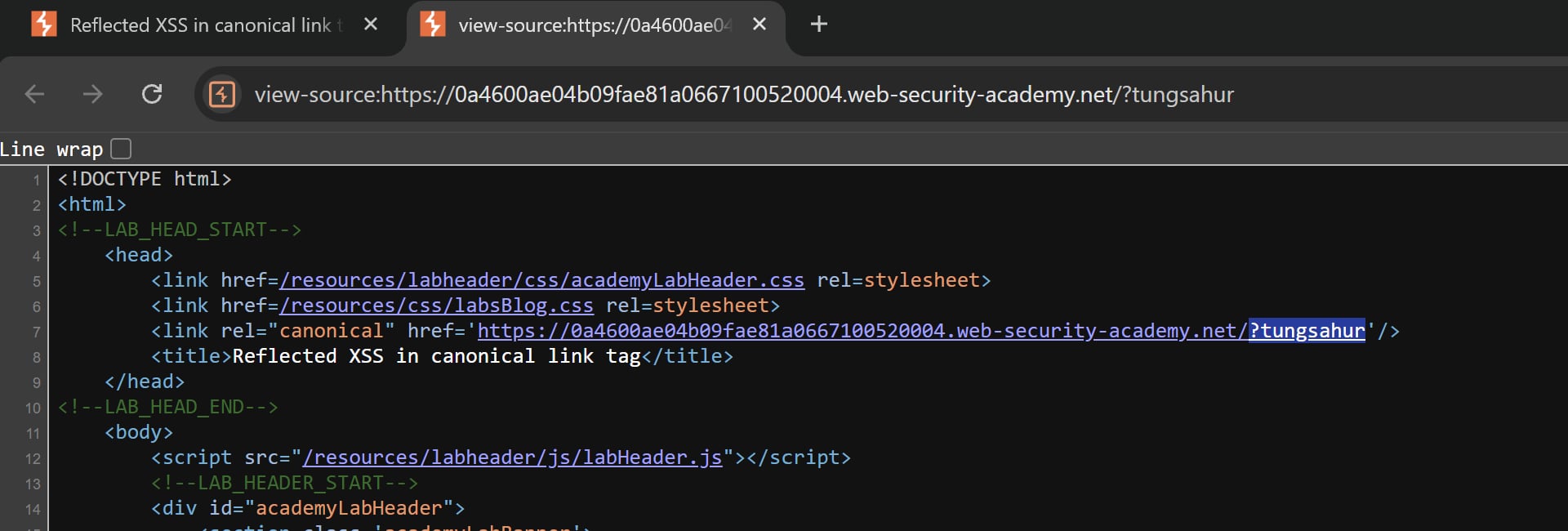
In our lab, we shall try to append some nonsense query such as ?tungsahur at the end of the URL, then check the source code. Notice that the canonical link reflects exactly what we requested, which is a huge red flag for them but green for us (lol)
We then try out different characters to see what sticks, such as ><"&$'.
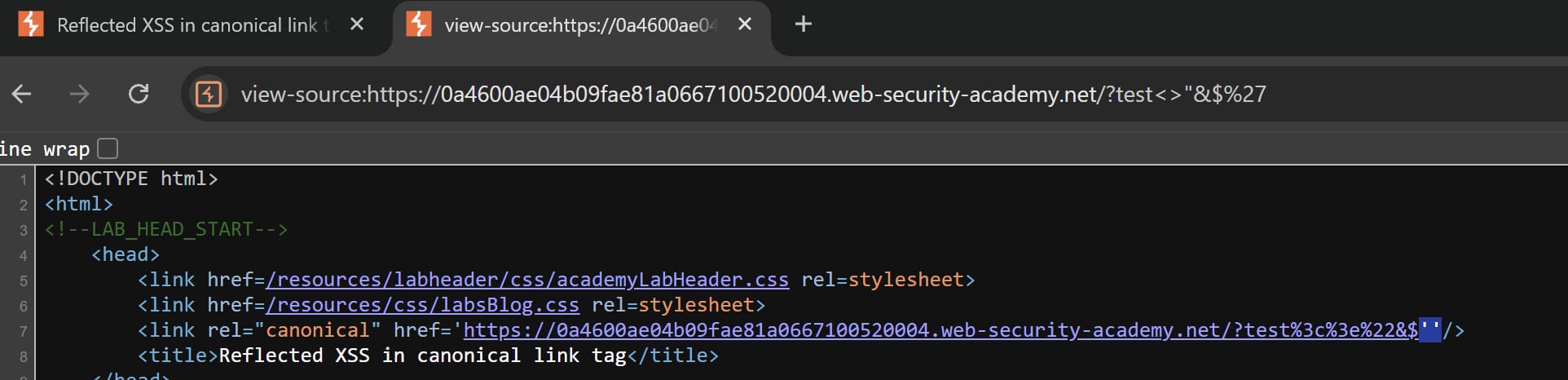 Almost all of them are encoded, except for
 ' evident by the fact that there are two single quotation marks present. This is a good sign for us because this means we can escape the href anchor and add our payload in.
But remember that canonical tags are dumb, we cannot do anything with it as it is purely for bots to read. We must force victims to interact with the invisible canonical tag, but how?
Luckily for us, there is a convenient attribute called accesskey. If we set accesskey='X', for example, if victims do the combination ALT SHIFT X, whatever events inside the tag will fire up (assuming Chromium).
Using all of the information thus far, we can craft a payload in the URL as follow:
?'accesskey='x'onclick='alert(1)
This will trigger an alert whenever that specific combination is executed. Very interesting and informative!