Reflected XSS in a JavaScript URL with some characters blocked | Expert
Let’s try insert our canary string into the comments, with some special characters to boot to see what sticks
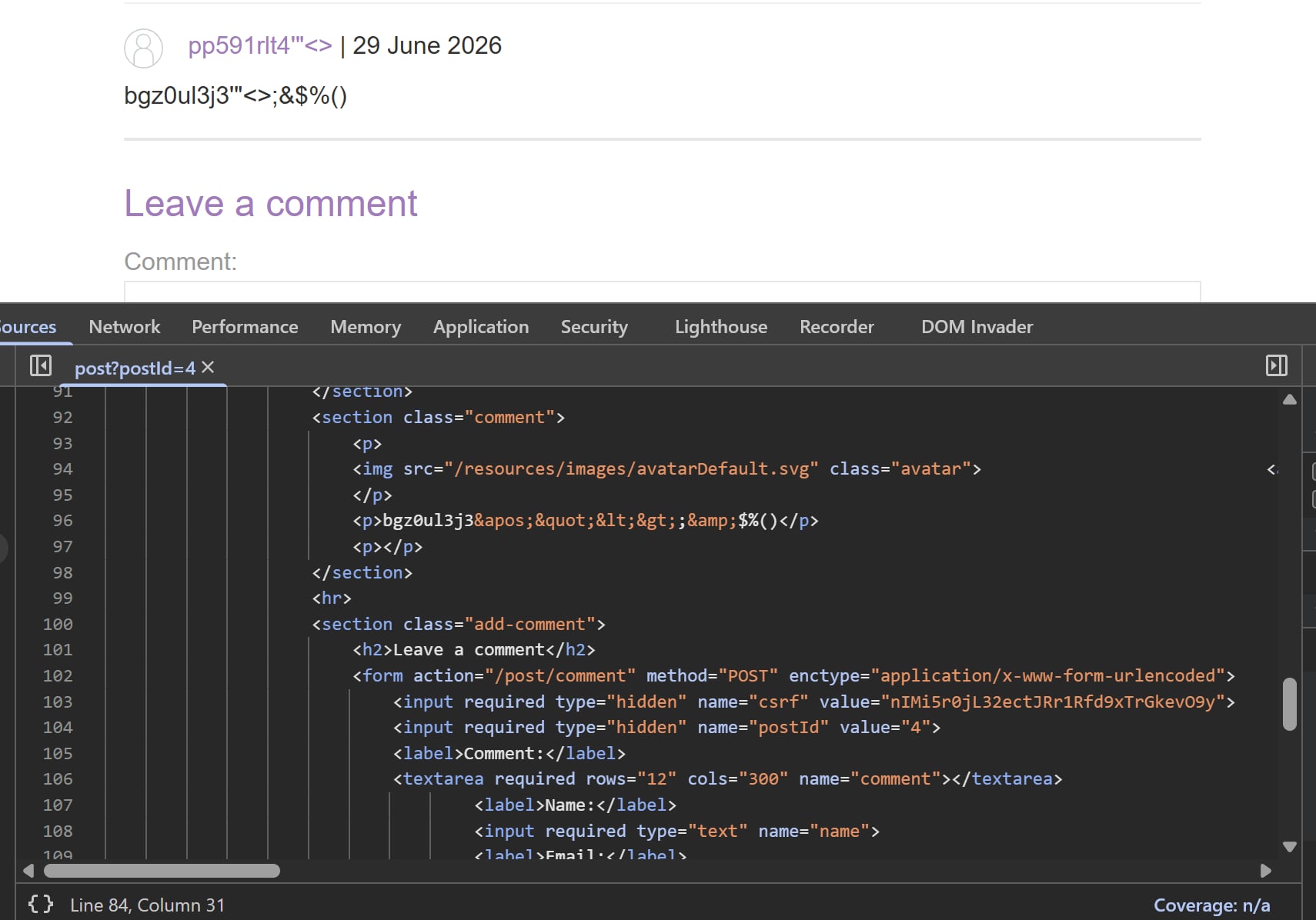 As reflected in the source, almost everything save for
 ;$%() are URL encoded, severely limiting our payload capability. Checking the HTML content in Elements also reveal that all our input is treated as text.
After much tinkering, I realised I have been focusing too much on comments while ignoring the little Back to Blog button at the end of the page. This might be interesting.

The page fetches /analytics client-side first before redirecting to the main page through window.location. Note the request body, it’s literally our current endpoint plus whatever query string of postId. Now you might think there is a way to escape this, and there probably is. Let’s find out by first adding some nonsense query at the end to see whether the query holds or not.
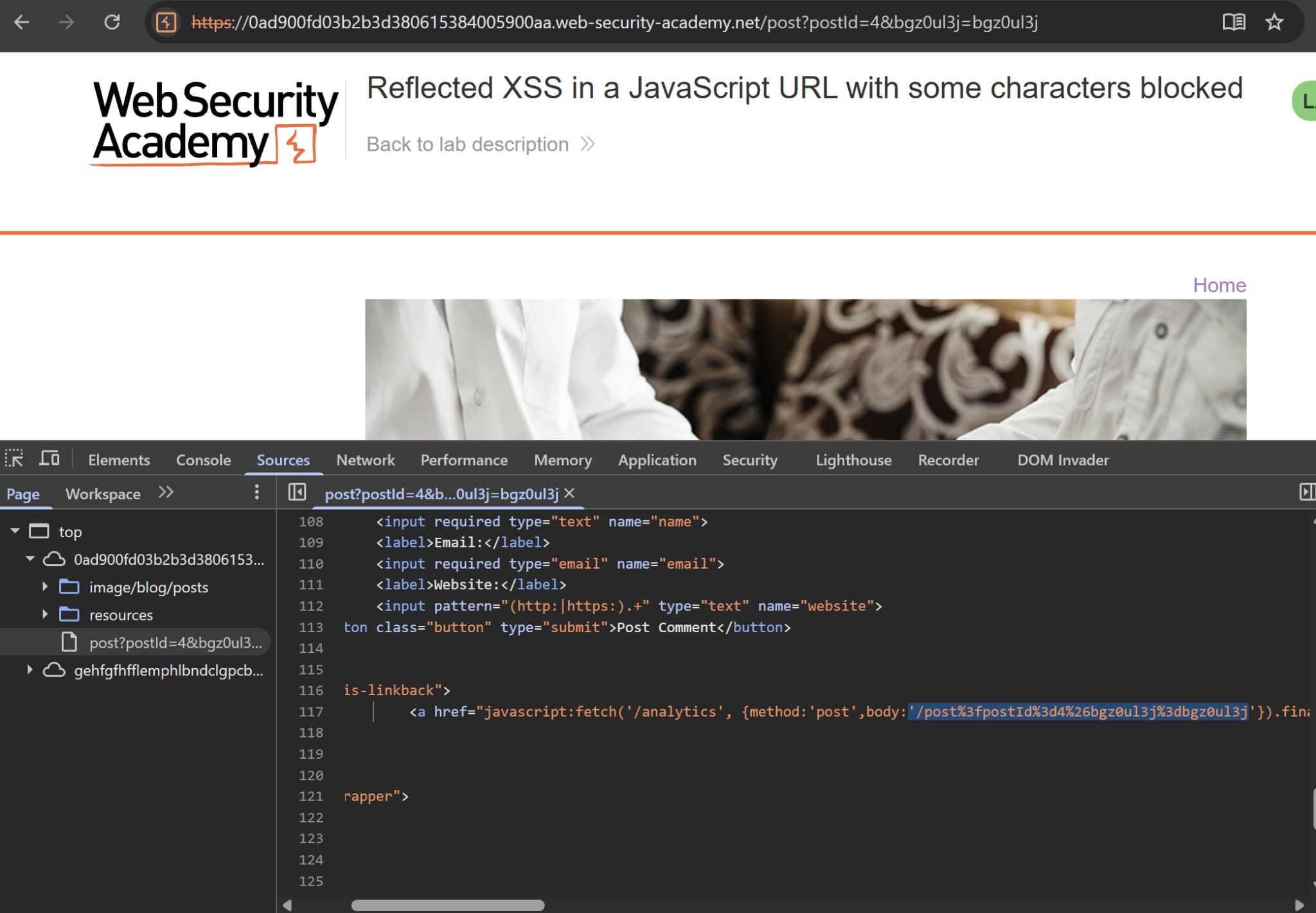
Surprisingly, it returns a 200 and our full query string is reflected in the source. This is good news as we can find out a way to escape the string and wreak some havoc.
Since the object literal is wrapped in curly braces, let’s try inserting a closing curly brace to see whether they are encoded or not.
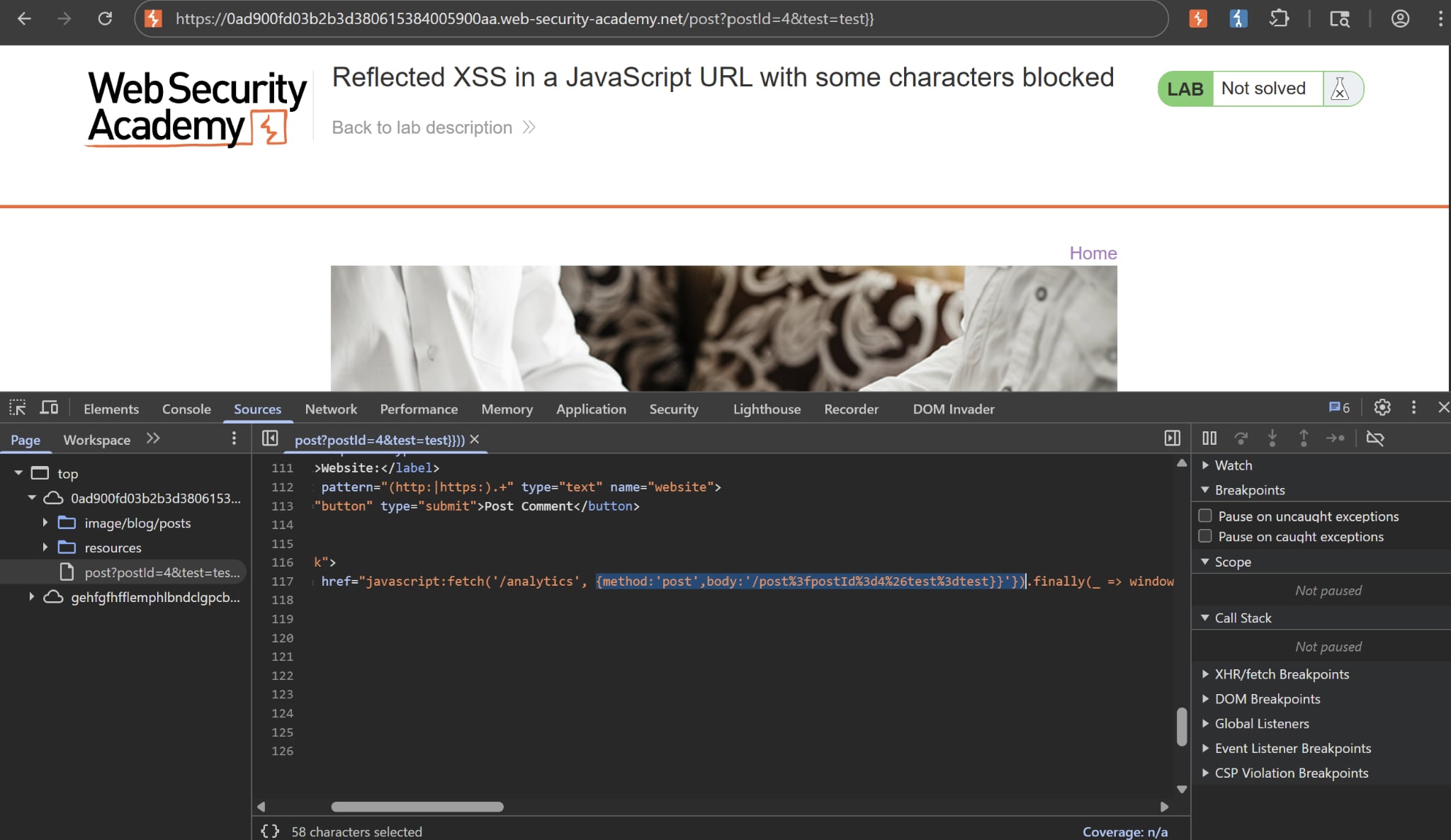
The closing braces work! But there’s still that pesky single quote. If it’s included then our whole payload will be treated as plaintext no matter what, so naturally we have to escape this somehow.
I first tried inserting raw single quote, its hex or URL encoded equivalent but to no avail. The single quote (and the semi colon while we’re at it) used is still encoded in the source. Other characters such as spaces or parenthesis are straight up blocked, which is different from the comment functionality.
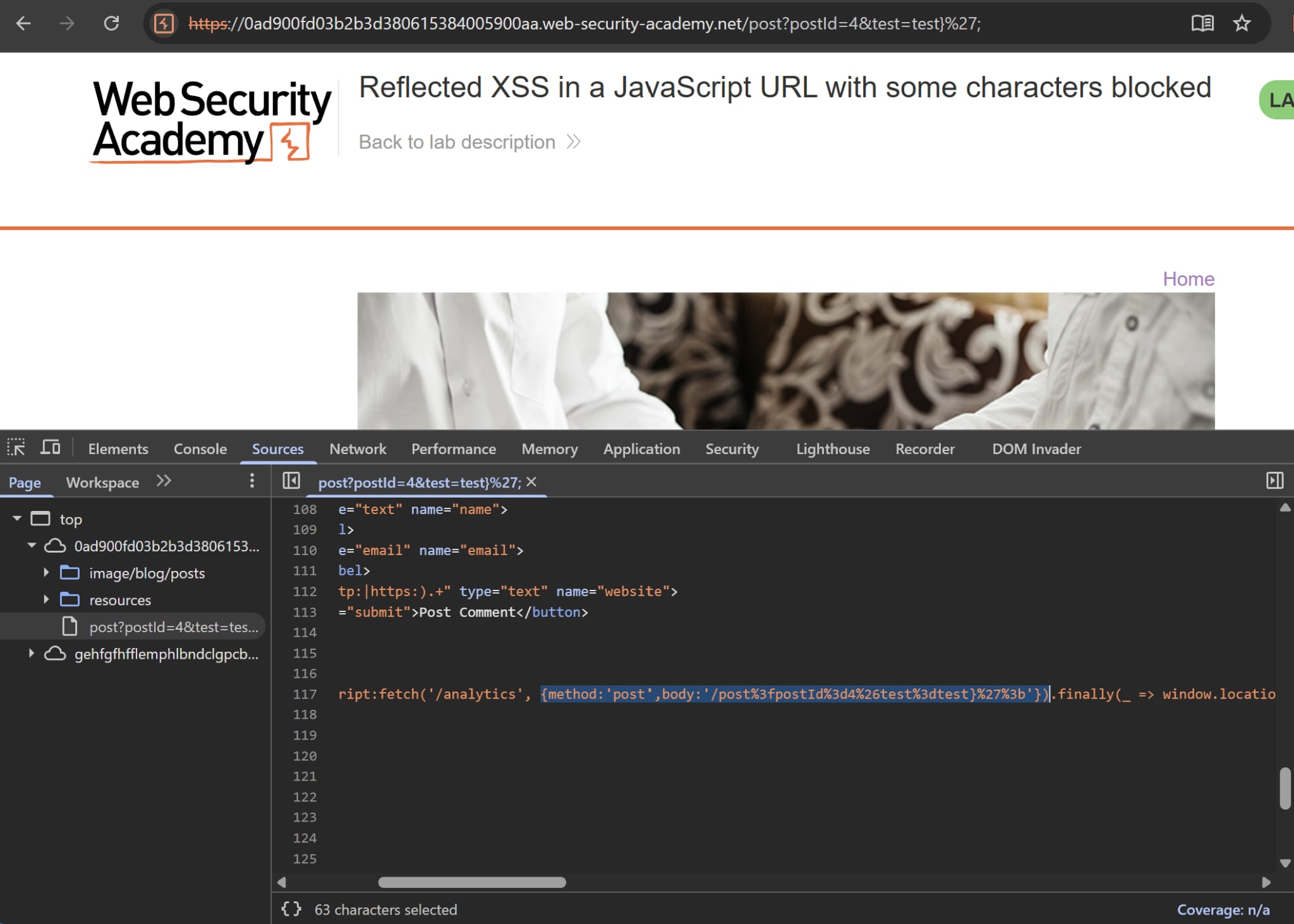
Turns out when we put our payload in the query string, the server URL-decodes the parameter once as it parses the request, before reflecting it into the page. So if we inject %27, the server decodes it to a raw ' and writes that quote straight into the HTML href. By the time the victim clicks Back to Blog, the JavaScript engine already sees a real ', and the string break-out works.
PortSwigger has an awesome blog on launching XSS payloads without using parenthesis and semi colons. In a nutshell, it revolves around using throw statement to indirectly send expressions to exception handlers such as onerror. Using this information, we can craft our payload in the URL as follow:
'},x=x=>{throw/**/onerror=alert,1337},toString=x,window+'',{x:'
This is quite a handful. Let’s break this down bit by bit:
- The ‘} closes the string and exits the object literal prematurely.
xis defined as a new Arrow Function that throws an error when it’s called.onerror=alertmodifies the browser’s global error handler. Essentially, when an uncaught error occurs, the browser hands the thrown value to whateveronerrorpoints to, which is nowalert,1337is the actual error being thrown- Block comment
/**/is used as a valid separator since spaces are filtered
Now without parenthesis, how do we actually execute the function? Note the snippet window+'' near the end, it’s basically string concatenation. JavaScript is always too helpful and tries to concatenate window and an empty string together. To do that, it first tries to convert window into a string using toString().
But notice that we also replace the global toString with our own function x. This means the browser inadvertently executes our payload, without us even having to use parenthesis!
The end bit ,{x:' will close whatever object literal residue left. Since the backend code runs something like fetch(..., {body:'...[PAYLOAD]...'}), that snippet will create a new object literal and eats up the trailing }' at the end.